Advancer AD20

Advancer AD20

다운로드: App Store
로고: Advancer AD20

Advancer AD20: 손안에서 이루어지는 전문가 수준의 자동차 진단

점검 엔진등에 대한 추측은 이제 그만. 실시간 건강 검진, 유지보수등 재설정, 심층 엔진 데이터로 DIY 정신을 강화하여 모든 주행에서 시간과 비용을 절약하세요.

다운로드: App Store

개발사

Shenzhen Yunjia Future Intelligent Technology Co., Ltd.

카테고리

Utilities

다운로드

1K+

사용자 평점

3.1/5

총 평가 수

0

지원 언어

14

주머니 속 전문가 진단

이 인터페이스를 사용하는 1K+ 명의 사용자.

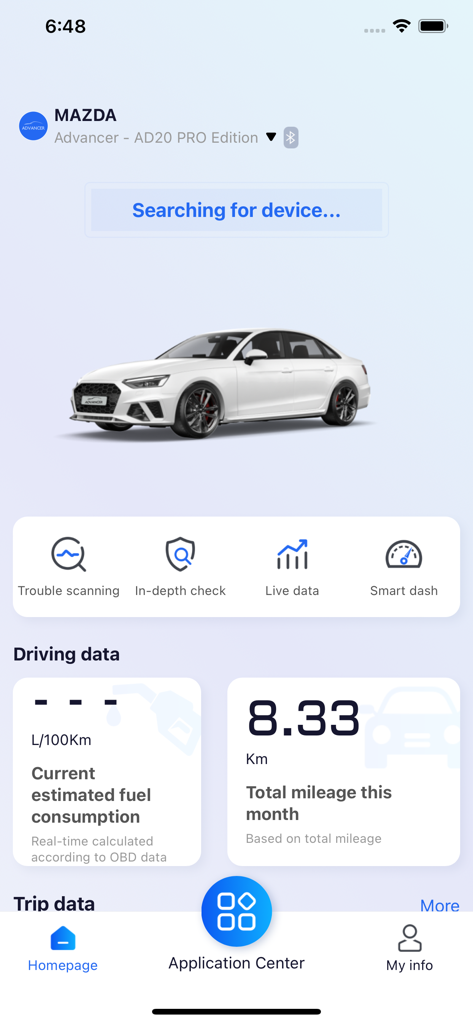
Advancer AD20 앱 홈페이지에 Mazda 차량의 차량 진단, 실시간 주행 데이터 및 연비가 표시됩니다.

Advancer AD20 앱 홈페이지에 Mazda 차량의 차량 진단, 실시간 주행 데이터 및 연비가 표시됩니다.

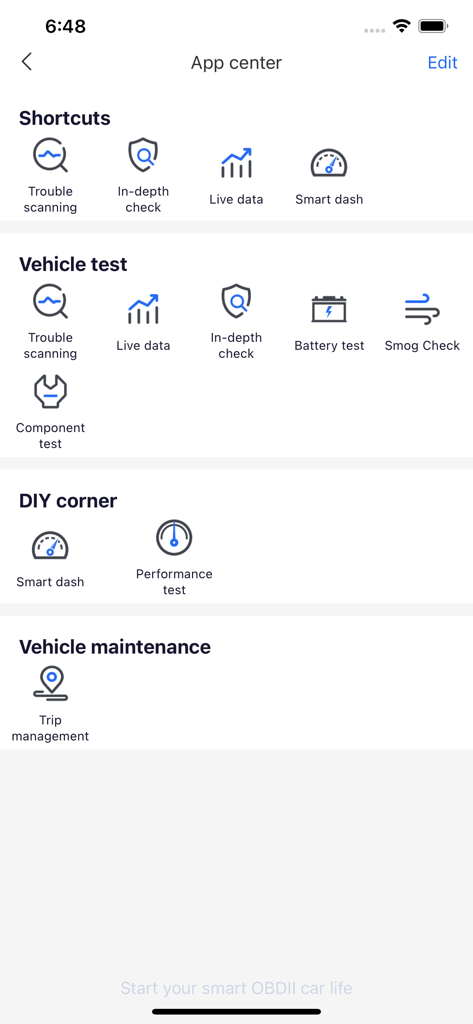
Advancer AD20 앱 센터에 차량 테스트, 진단 및 유지보수 도구 카테고리가 표시됩니다.

Advancer AD20 앱 센터에 차량 테스트, 진단 및 유지보수 도구 카테고리가 표시됩니다.

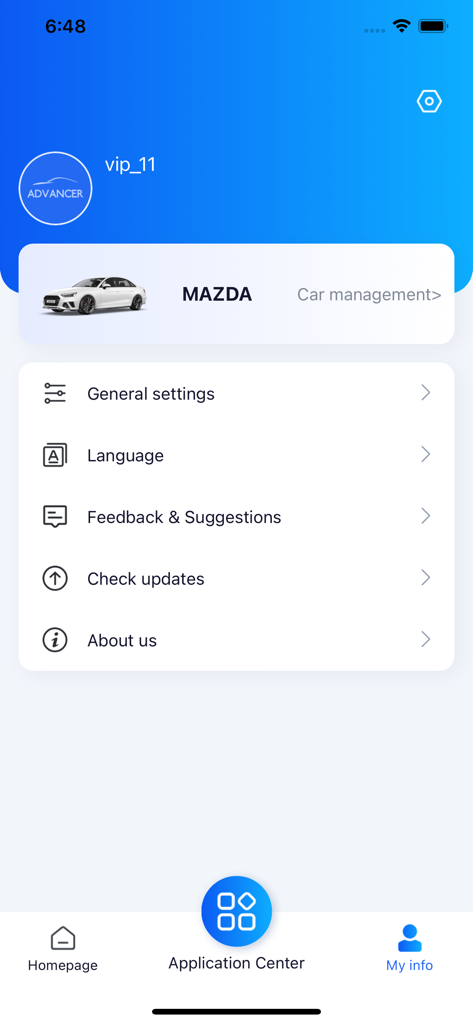
Advancer AD20 앱 화면에 Mazda 차량에 대한 사용자 프로필 정보 및 차량 관리가 표시됩니다.

Advancer AD20 앱 화면에 Mazda 차량에 대한 사용자 프로필 정보 및 차량 관리가 표시됩니다.

차량 건강 상태를 완벽하게 관리하세요

이 앱을 돋보이게 하는 도구, 1K+ 명의 사용자가 선택.

🛡️

정비사 불안감 해소

'점검 엔진'등을 즉시 해독하고 유지보수 조언을 받아 수리점에 자신 있게 가고 과잉 청구를 피하십시오.

🔧

DIY 유지보수 제어

차량 서비스의 주도권을 잡으세요. 정비 후 오일 수명 및 유지보수 알림을 직접 재설정하여 비싼 딜러십 방문을 건너뛰십시오.

📈

실시간 주행 준비 모니터링

배터리 상태, 냉각수 수준 및 연료 효율을 실시간으로 추적하여 일상 통근 또는 장거리 여행에 항상 차량이 준비되었는지 확인하십시오.

앱 소개

에 대해 알아야 할 모든 것 Advancer AD20.

설명

Advancer Smart OBD Dongle (AD20/AD20 Pro) is a smart diagnosis terminal that communicates with your iOS devices via BT 5.0. With the Advancer app, AD20 provides services like vehicle health check, diagnosis, driving habits analysis for car owners. Help the vehicle owner to check at any time whether the vehicle is out of order, display the cause of the fault and maintenance suggestions, monitor the status of the vehicle in real time and alert the safety hazards early to ensure your driving safety 1)OBD-II Diagnosis Advancer AD20 can read and categorize the fault codes (DTCs) that storage inside the vehicle ECU via standard OBD-II protocols. 2)In-depth Check In-depth check function allows you to do thorough check on vehicle systems like engine, powertrain, brakes, steering, safety, infotainment and so on, which helps owners to know the health condition of the car clearly and provide safe and comfortable driving experience on travels. Note: In-depth check on all systems is only supported on AD20 Pro; AD20 supports in-depth check on engine only. 3)Live Data When the car is started, Advancer will provide and demonstrate detailed vehicle status like battery voltage, engine revolution speed, coolant temperature, engine load, fuel trimming and so on. This will help you to get the real-time working conditions of the car. 4)Maintenance Light Reset Reset the maintenance counter and turn off the maintenance light after finishing maintenance. For your driving safety, make sure you have followed the manual when doing maintenance to your own car. Note: Maintenance light is a reminder set by car manufacturer, which reminds drivers to do maintenances when needed. When the reminder is on, the car will show info on the dashboard screen, or simply shows a light. 5)Trip Recorder When driving, Advancer will record the index like average speed, fuel consumption, mileage, max engine revolution speed, max coolant temperature and shows them on the app. This will help you to know vehicle status and fuel consumption info on the entire trip. 6)Driving Habits Monitor With the G-sensors inside Advancer, all the sharp turns, emergency brakes and sudden accelerations will be recorded and shown on the app after analyzed. This function will provide data support if you are willing to improve your driving skills.

최신 버전

1.15

크기

426.4 MB

출시일

2022년 12월 6일

엔진등 및 고가의 수리비 걱정을 멈추세요

자신의 차량을 직접 진단하여 비용을 절약하는 수천 명의 자립적인 운전자들과 함께하세요. 지금 Advancer AD20을 다운로드하여 iPhone을 전문가 수준의 정비사로 만들고 완벽한 마음의 평화로 운전하세요.

다운로드: App Store
FAQ

자주 묻는 질문

에 대해 알아야 할 모든 것 Advancer AD20

Advancer AD20 스마트 OBD 동글은 무엇인가요?

Advancer AD20은 Bluetooth 5.0을 통해 iOS 기기와 통신하는 스마트 OBD 동글입니다. Advancer 앱을 통해 차량 건강 검사, 진단 및 운전 습관 분석을 제공하여 포괄적인 차량 모니터링을 보장합니다.

Advancer 앱은 어떤 핵심 기능을 제공하나요?

Advancer 앱은 OBD-II 진단, 심층 차량 점검, 실시간 데이터 모니터링, 유지보수 등급 리셋, 주행 기록, 운전 습관 분석 기능을 제공합니다. 이러한 기능을 통해 사용자는 차량 상태와 성능을 이해할 수 있습니다.

Advancer AD20은 차량 진단을 어떻게 수행하나요?

Advancer AD20은 표준 OBD-II 프로토콜을 통해 차량 ECU에 저장된 고장 코드(DTC)를 읽고 분류하여 진단을 수행합니다. 앱에서 직접 고장 원인과 유지보수 제안을 표시합니다.

Advancer AD20 Pro는 AD20보다 더 심층적인 점검을 지원하나요?

예, Advancer AD20 Pro는 엔진, 브레이크, 조향 장치를 포함한 모든 차량 시스템에 대한 심층 점검을 지원합니다. 표준 AD20 모델은 엔진 시스템에 대한 심층 점검만 지원합니다.

Advancer 앱은 실시간 차량 성능 데이터를 표시할 수 있나요?

예, Advancer 앱은 차량 시동 시 실시간 차량 상태를 보여주는 라이브 데이터를 제공합니다. 여기에는 배터리 전압, 엔진 속도, 냉각수 온도, 엔진 부하 및 연료 보정 정보가 포함됩니다.

Advancer AD20은 운전 습관 분석에 어떻게 도움이 되나요?

Advancer AD20은 내장된 G-센서를 활용하여 급격한 코너링, 긴급 제동, 급가속을 기록합니다. 앱은 이 데이터를 분석 및 표시하여 운전 기술 개선에 대한 통찰력을 제공합니다.

Advancer 앱에 유지보수 등급 리셋 기능이 포함되어 있나요?

예, Advancer 앱에는 유지보수 등급 리셋 기능이 포함되어 있습니다. 사용자가 차량의 필수 유지보수를 완료한 후 유지보수 카운터를 리셋하고 대시보드의 경고등을 끌 수 있습니다.

Advancer 앱은 주행당 어떤 운전 통계를 기록하나요?

Advancer 앱은 평균 속도, 연료 소비량, 주행 거리, 최대 엔진 회전 속도, 최대 냉각수 온도와 같은 다양한 주행 통계를 주행당 기록합니다. 이를 통해 주행 효율성을 모니터링할 수 있습니다.

Advancer AD20은 iOS 기기와 어떤 유형의 연결을 사용하나요?

Advancer AD20은 iOS 기기와 통신을 위해 Bluetooth 5.0을 사용합니다. 이는 차량 데이터를 Advancer 앱으로 전송하여 분석하는 안정적이고 효율적인 무선 연결을 보장합니다.

Advancer 앱에서 '심층 점검'과 같은 핵심 진단 기능은 어디에 있나요?

'심층 점검'과 같은 핵심 진단 기능은 Advancer 앱의 홈페이지에서 바로가기 메뉴로 접근할 수 있습니다. 또한 '애플리케이션 센터'의 '차량 테스트' 섹션 내에서 상세 작업을 위해 찾을 수 있습니다.

App information, icons, screenshots, and descriptions displayed on this page are sourced from the Apple App Store and are the property of their respective developers. Download estimates and rankings are based on MWM's proprietary models and may not reflect actual figures. This page is provided for informational and analytical purposes only.

Believe this page infringes your intellectual property? File a dispute