AirPlay Cast

AirPlay Cast

다운로드: App Store
로고: AirPlay Cast

AirPlay Cast: iPhone 화면을 즉시 모든 화면으로 미러링

복잡한 케이블과 설정으로 씨름하지 마세요. 집이나 사무실에 최적화된 안정적인 원탭 연결로 사진, 동영상, 게임을 대형 화면에서 공유하세요.

개발사

Taro Aso

카테고리

Photo & Video

다운로드

1M+

사용자 평점

4.3/5

총 평가 수

15K+

지원 언어

1

한눈에 보는 연결성

이 인터페이스를 사용하는 1M+ 명의 사용자.

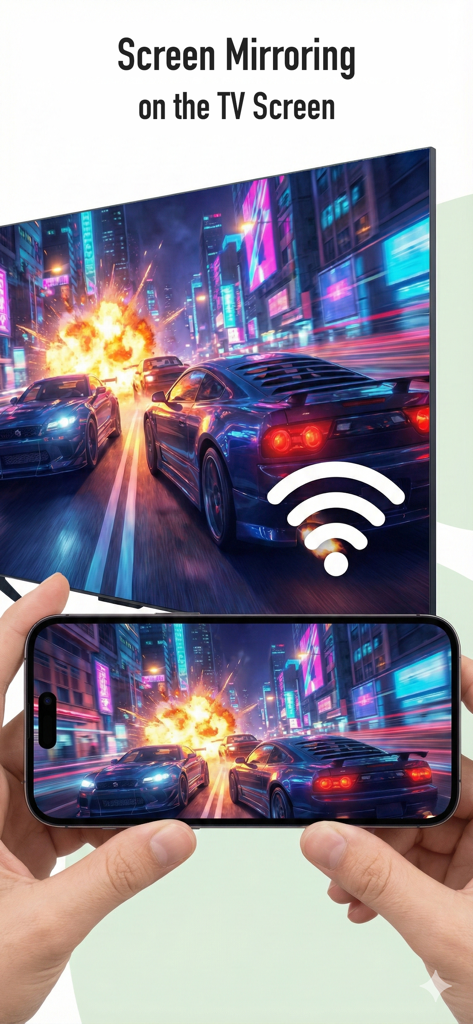
스마트폰에서 TV 화면으로 레이싱 게임 화면을 미러링하는 모습

스마트폰에서 TV 화면으로 레이싱 게임 화면을 미러링하는 모습

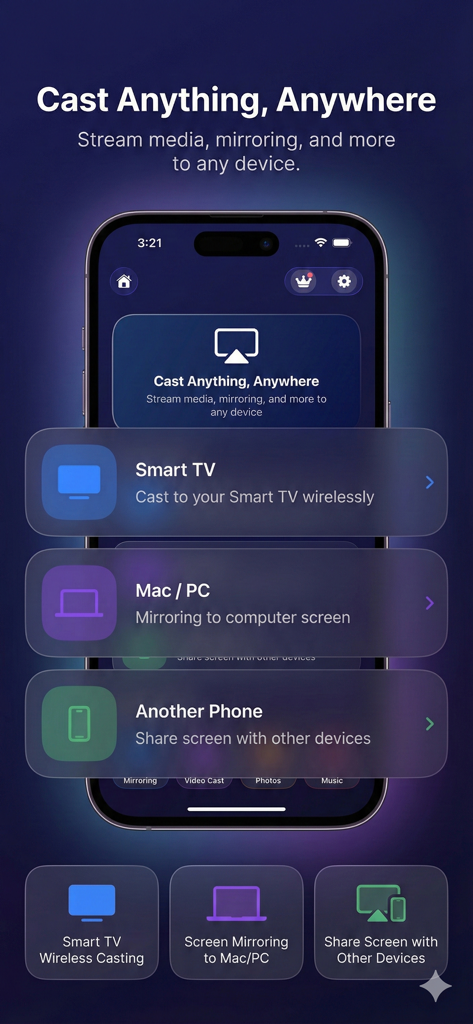
AirPlay Cast 앱 인터페이스가 스마트 TV, Mac 또는 PC로 화면을 무선으로 미러링하는 옵션을 보여줌

AirPlay Cast 앱 인터페이스가 스마트 TV, Mac 또는 PC로 화면을 무선으로 미러링하는 옵션을 보여줌

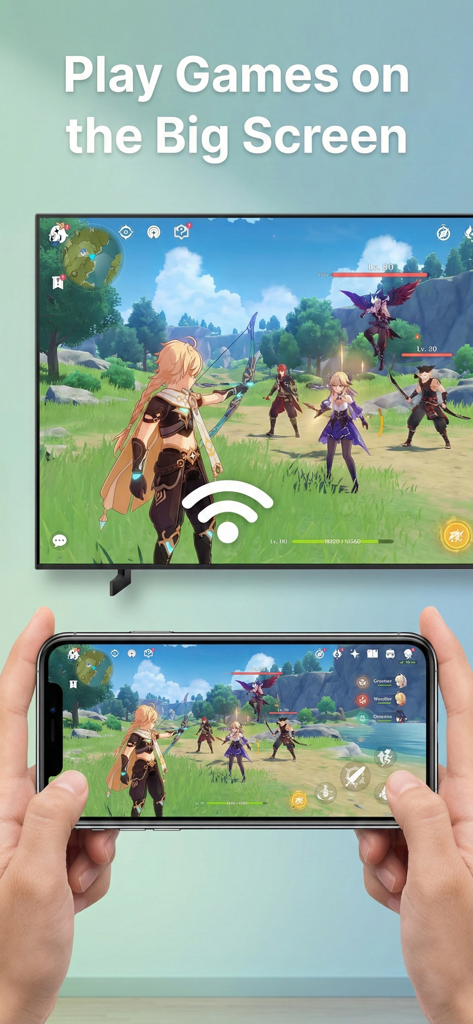
대형 TV 화면으로 iPhone에서 모바일 게임을 미러링하는 모습

대형 TV 화면으로 iPhone에서 모바일 게임을 미러링하는 모습

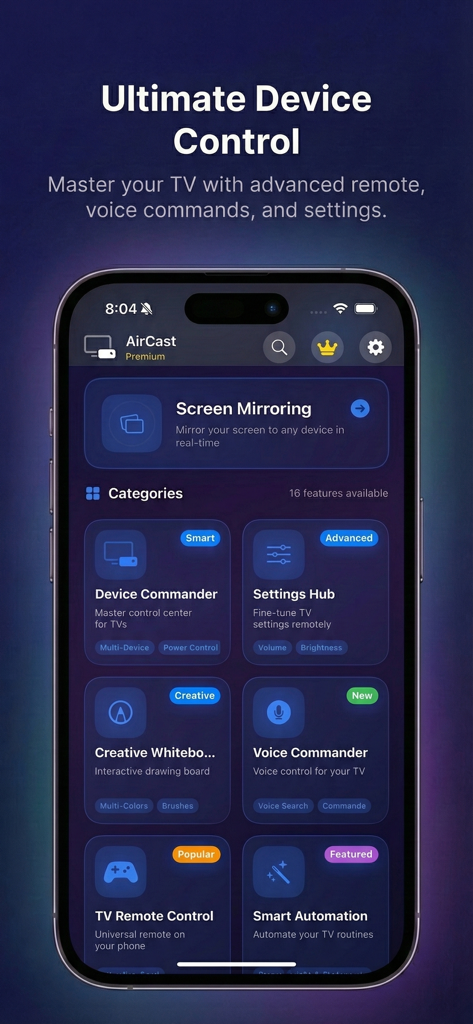
AirPlay Cast 앱 인터페이스가 화면 미러링 및 스마트 TV 리모컨 기능을 보여줌

AirPlay Cast 앱 인터페이스가 화면 미러링 및 스마트 TV 리모컨 기능을 보여줌

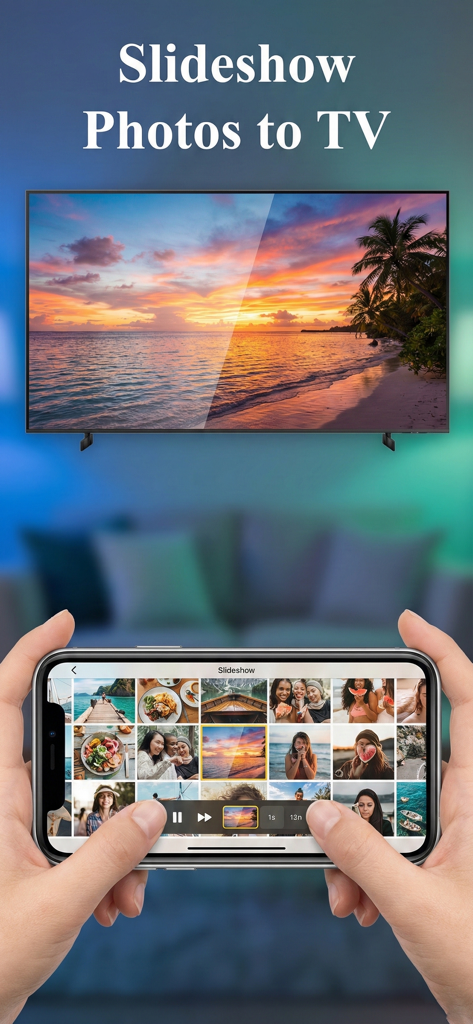
iPhone에서 대형 스크린 TV로 사진 슬라이드쇼를 캐스팅하는 사람

iPhone에서 대형 스크린 TV로 사진 슬라이드쇼를 캐스팅하는 사람

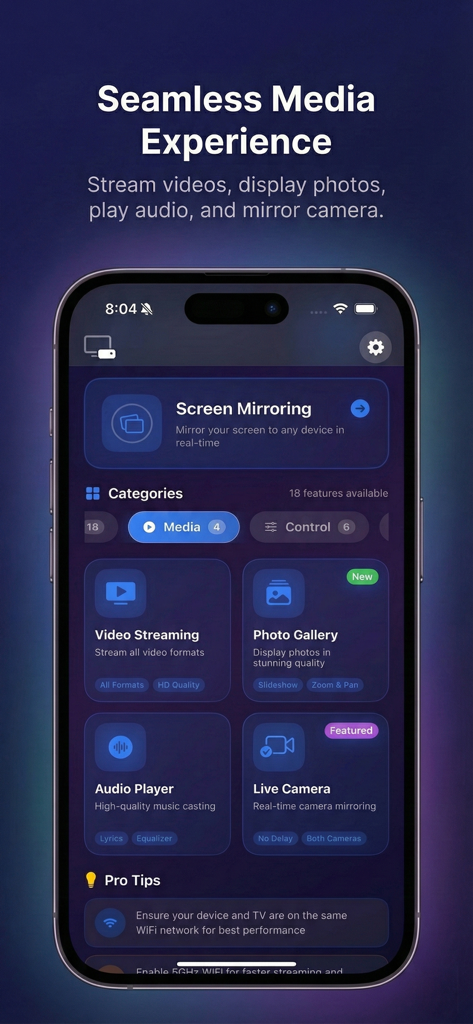
AirPlay Cast 앱 대시보드가 화면 미러링 및 동영상 스트리밍 기능을 보여줌

AirPlay Cast 앱 대시보드가 화면 미러링 및 동영상 스트리밍 기능을 보여줌

TV의 잠재력을 최대한 활용하세요

이 앱을 돋보이게 하는 도구, 1M+ 명의 사용자가 선택.

📺

모든 콘텐츠 캐스팅

휴대폰에서 스마트 TV로 동영상, 사진, 웹 콘텐츠를 스트리밍하세요. 온 가족이 함께하는 멋진 순간을 공유하는 완벽한 방법입니다.

실시간 화면 미러링

모바일 게임, 앱 데모, 프레젠테이션을 위한 지연 없는 미러링을 경험하세요. 휴대폰에서 보는 것이 대형 화면에서도 그대로 보입니다.

📱

스마트 리모컨

리뷰 분석

사용자 리뷰 인사이트.

감정 점수

5%
부정적

요약

This app has received overwhelmingly negative feedback, with most users reporting it fails to function as advertised even after purchase. Many are frustrated by being immediately prompted for payment without any free trial or opportunity to test features. Common complaints include the app not connecting to TVs or casting content, leading users to label it a 'scam' and a waste of money, often with difficulties in obtaining refunds. The high price point is also a recurring negative theme for an app that delivers no functionality.

주요 테마

Lack of Functionality(40)
Mandatory Payment(15)
Scam Allegations(15)
Casting/Mirroring Failure(11)
Refund Difficulties(7)
No Free Trial(7)
Deceptive Practices(5)

앱 소개

에 대해 알아야 할 모든 것 AirPlay Cast.

설명

A Practical Way to Share Your Phone on Bigger Screens This app is designed for people who want a straightforward and stable way to display phone content on larger screens at home or at work. Instead of complex setups or unnecessary features, the app focuses on reliable casting, smooth screen mirroring, and simple control across everyday devices. Whether you’re watching videos, sharing personal moments, or presenting content, the app helps you move what’s on your phone to the screen everyone can see. What You Can Do with the App Cast Personal & Online Content Easily display videos, photos, music, and web pages from your phone onto compatible TVs or computers. This is ideal for watching clips, browsing content, or enjoying personal media on a larger display. Instant Screen Mirroring Mirror your phone screen in real time with minimal delay. Useful for mobile games, presentations, video calls, tutorials, or app demonstrations—exactly as they appear on your phone. Phone-Based TV Control Use your phone as a convenient controller to manage playback, adjust volume, navigate apps, and switch content without relying on a physical remote. Share Moments Together Turn your TV into a shared viewing space for family photos, videos, and memories. Great for gatherings, holidays, or casual time at home. Play Music Through TV Speakers Send music directly from your phone to your TV for a fuller sound experience—perfect for background music, workouts, or relaxing evenings. Designed for Everyday Use • No cables required • No extra hardware • Works over the same Wi-Fi network • Clean interface focused on core functionality The app supports a wide range of modern TVs and streaming devices, making it adaptable to different home setups. Who Is This App For? • Users who want a simple and dependable casting solution • Families sharing content on a single screen • Gamers and presenters who need real-time mirroring • Anyone who prefers control from their phone Keep It Simple. Keep It Connected. Share your screen. Show your content. Stay in control. Download the app and use your TV the way you already use your phone. Terms of Service: https://byvn.net/iseS Privacy Policy: https://byvn.net/ORWS

최신 버전

1.6.2

크기

0.8 MB

출시일

2022년 6월 20일

내 폰을 대형 화면으로 경험하세요

1백만 명 이상의 사용자가 복잡한 설정이나 케이블 없이 사진, 동영상, 게임을 캐스팅하고 있습니다. 지금 AirPlay Cast를 다운로드하고 즉시 공유를 시작하세요.

다운로드: App Store
FAQ

자주 묻는 질문

에 대해 알아야 할 모든 것 AirPlay Cast

AirPlay Cast는 어떻게 작동하나요?

AirPlay Cast를 사용하면 휴대폰에서 TV나 컴퓨터와 같은 더 큰 화면으로 무선 콘텐츠를 공유할 수 있습니다. 공유 Wi-Fi 네트워크를 통해 작동하므로 케이블이나 추가 하드웨어가 필요하지 않습니다.

AirPlay Cast는 어떤 기기에서 미러링을 지원하나요?

AirPlay Cast는 다양한 최신 TV 및 스트리밍 기기에서 미러링을 지원합니다. 또한 Mac/PC로 콘텐츠를 캐스팅하고 미러링하며 다른 휴대폰과 화면을 공유할 수 있습니다.

게이밍이나 프레젠테이션을 위해 AirPlay Cast를 실시간 화면 미러링에 사용할 수 있나요?

네, AirPlay Cast는 지연이 거의 없는 즉각적인 화면 미러링을 제공합니다. 이 기능은 모바일 게임, 프레젠테이션, 화상 통화, 튜토리얼 및 앱 시연에 유용합니다.

AirPlay Cast에서 TV 리모컨 기능을 제공하나요?

네, AirPlay Cast를 사용하면 휴대폰을 편리한 컨트롤러로 사용할 수 있습니다. TV에서 재생을 관리하고, 볼륨을 조절하고, 앱을 탐색하고, 콘텐츠를 전환할 수 있습니다.

AirPlay Cast는 무료 앱인가요?

AirPlay Cast에는 'AirCast Premium' 옵션이 있습니다. 이는 Device Commander 및 Smart Automation과 같은 고급 기능이 프리미엄 등급을 통해 제공됨을 나타냅니다.

AirPlay Cast의 개인정보처리방침은 어디에서 찾을 수 있나요?

AirPlay Cast의 개인정보처리방침은 다음 URL에서 확인할 수 있습니다: https://byvn.net/ORWS. 이 링크는 앱에서 사용자 데이터를 처리하는 방법을 자세히 설명합니다.

AirPlay Cast로 TV 스피커를 통해 음악을 재생할 수 있나요?

네, AirPlay Cast를 사용하면 휴대폰에서 TV로 직접 음악을 보낼 수 있습니다. 이를 통해 TV 스피커를 통해 더욱 풍부한 사운드 경험을 즐길 수 있습니다.

AirPlay Cast는 어떤 종류의 미디어 콘텐츠를 더 큰 화면에 표시할 수 있나요?

AirPlay Cast는 휴대폰에서 동영상, 사진, 음악 및 웹 페이지를 캐스팅합니다. 다양한 미디어 형식의 스트리밍을 지원하고 놀라운 품질로 사진을 표시합니다.

AirPlay Cast는 가족 사진 및 동영상을 공유하는 데 적합한가요?

네, AirPlay Cast는 가족 사진, 동영상 및 추억을 공유하도록 설계되었습니다. TV를 모임이나 캐주얼한 가정 사용을 위한 공유 보기 공간으로 전환합니다.

AirPlay Cast를 사용하려면 케이블이나 추가 하드웨어가 필요한가요?

아니요, AirPlay Cast는 케이블이나 추가 하드웨어가 필요하지 않습니다. 이 앱은 동일한 Wi-Fi 네트워크를 통해 무선으로 작동하여 휴대폰과 디스플레이 장치를 연결합니다.

App information, icons, screenshots, and descriptions displayed on this page are sourced from the Apple App Store and are the property of their respective developers. Download estimates and rankings are based on MWM's proprietary models and may not reflect actual figures. This page is provided for informational and analytical purposes only.

Believe this page infringes your intellectual property? File a dispute