AirTrack NG

AirTrack NG

다운로드: App Store
로고: AirTrack NG

AirTrack NG: 비행 시뮬레이터를 위한 전문 글래스 콕핏

iPad 또는 Mac을 고품질 보잉 비행 데크로 변환하세요. 픽셀 완벽한 계기, 실시간 MCP 제어, X-Plane 및 MSFS 2020과의 완벽한 통합을 경험하세요.

개발사

Haversine Ltd

카테고리

Navigation

다운로드

15K+

사용자 평점

1.0/5

총 평가 수

0

지원 언어

1

당신의 콕핏, 재해석

이 인터페이스를 사용하는 15K+ 명의 사용자.

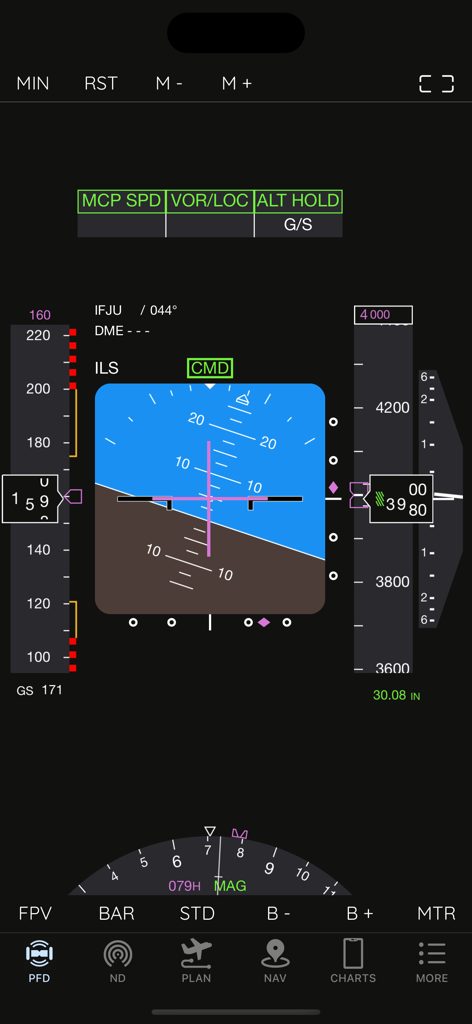
비행 시뮬레이터를 위한 AirTrack NG 주 비행 디스플레이 화면

비행 시뮬레이터를 위한 AirTrack NG 주 비행 디스플레이 화면

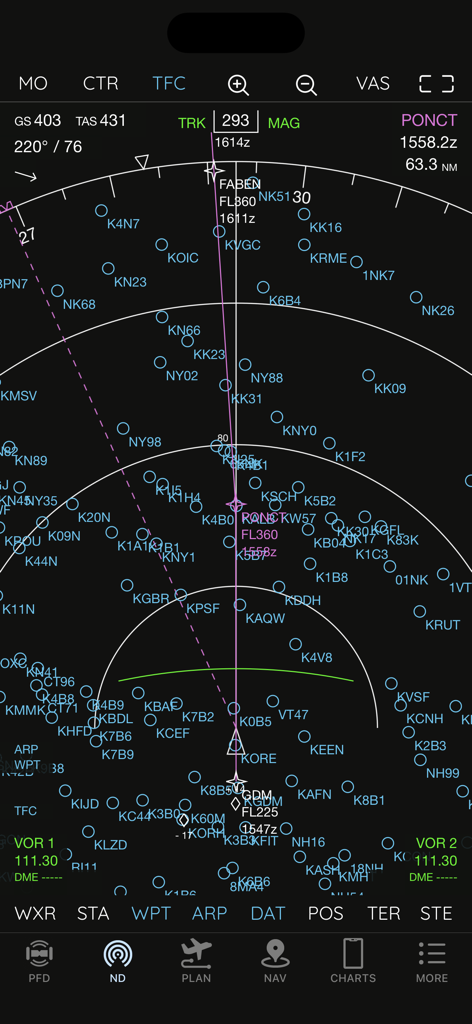
보잉 스타일 계기와 경유지가 있는 AirTrack NG 네비게이션 디스플레이

보잉 스타일 계기와 경유지가 있는 AirTrack NG 네비게이션 디스플레이

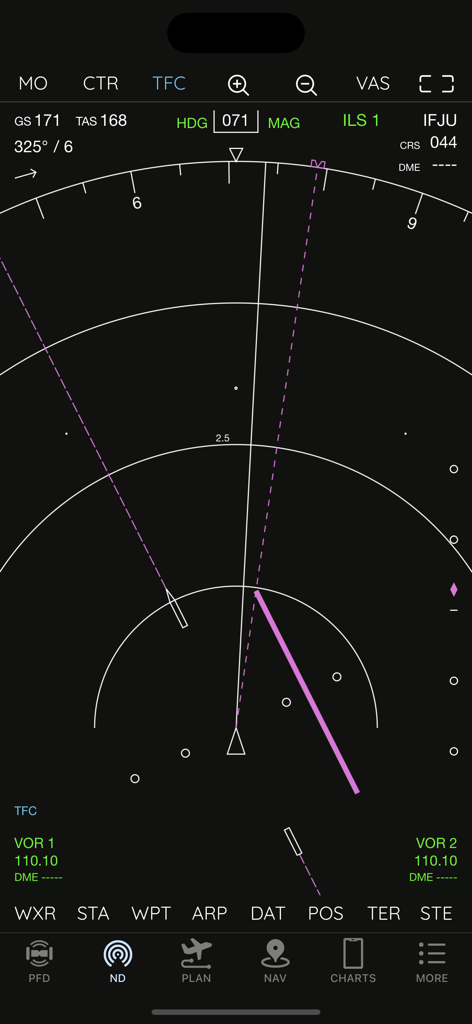
비행 데이터를 표시하는 AirTrack NG 보잉 737 스타일 네비게이션 디스플레이

비행 데이터를 표시하는 AirTrack NG 보잉 737 스타일 네비게이션 디스플레이

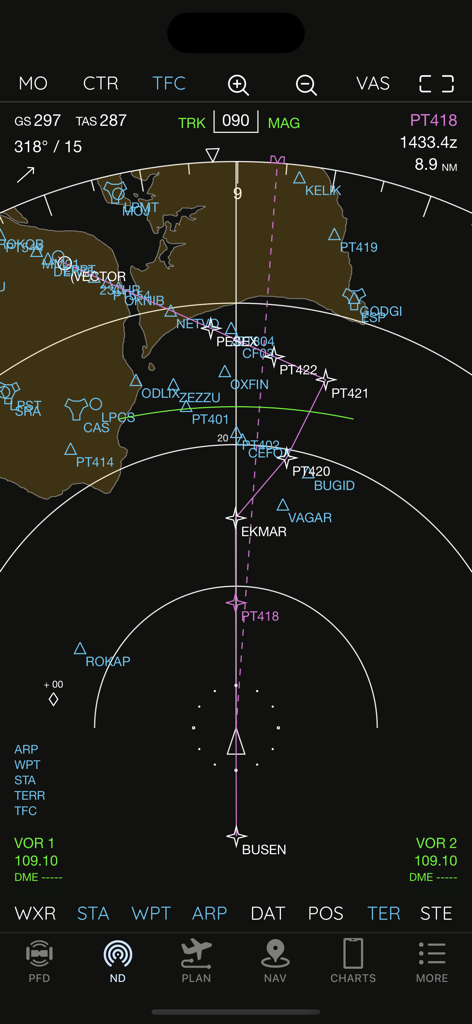
비행 경로와 경유지를 표시하는 AirTrack NG 네비게이션 디스플레이

비행 경로와 경유지를 표시하는 AirTrack NG 네비게이션 디스플레이

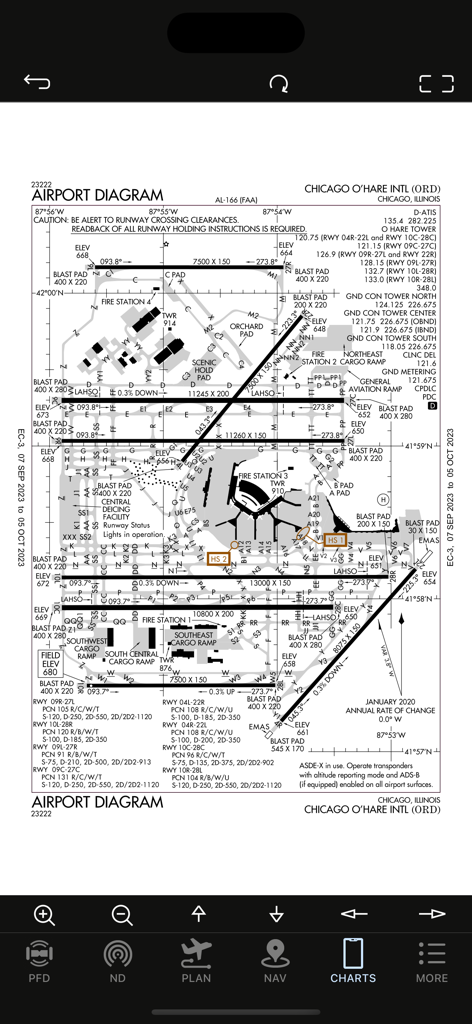
AirTrack NG 앱에 표시되는 시카고 오헤어 국제공항 ORD 다이어그램 차트

AirTrack NG 앱에 표시되는 시카고 오헤어 국제공항 ORD 다이어그램 차트

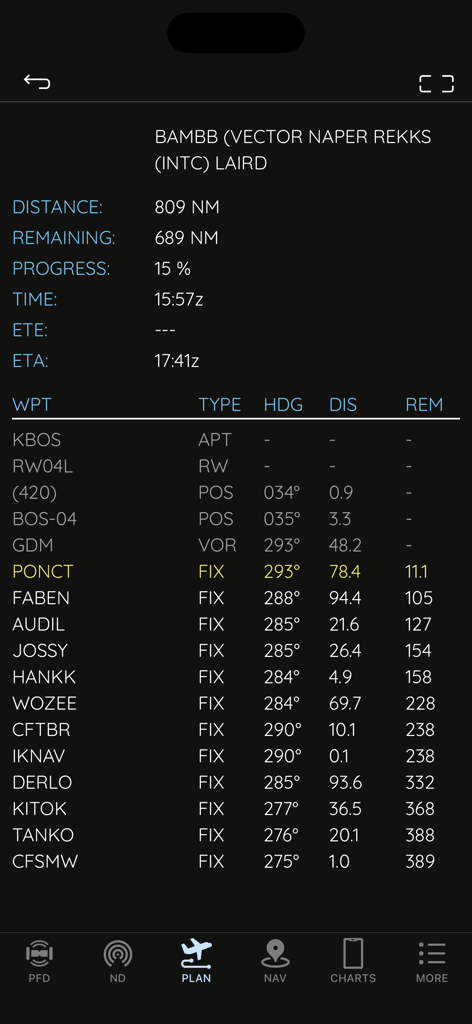
비행 시뮬레이터 네비게이션을 위한 경유지, 거리 및 방위를 표시하는 AirTrack NG의 비행 계획기 화면

비행 시뮬레이터 네비게이션을 위한 경유지, 거리 및 방위를 표시하는 AirTrack NG의 비행 계획기 화면

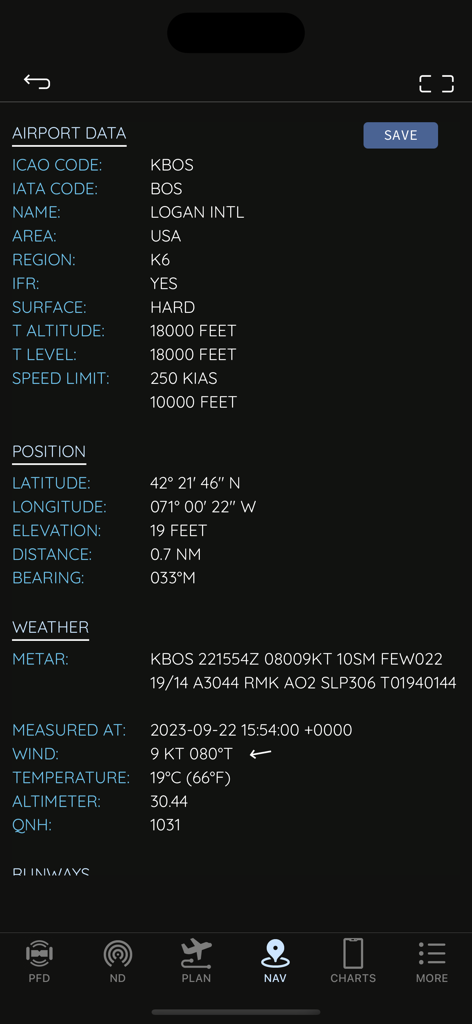
AirTrack NG 인터페이스에서 로건 국제공항의 기술 공항 데이터 및 실시간 날씨 표시

AirTrack NG 인터페이스에서 로건 국제공항의 기술 공항 데이터 및 실시간 날씨 표시

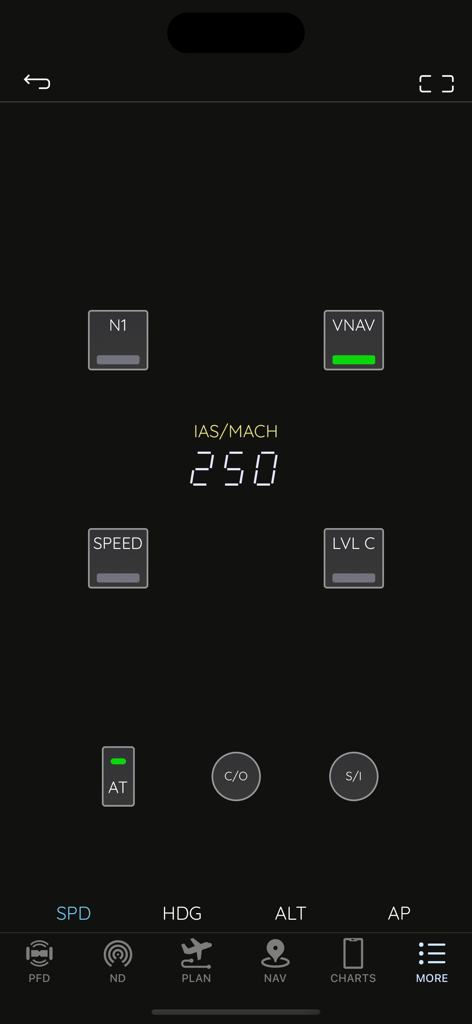
AirTrack NG 앱 인터페이스에서 자동 조종 장치 속도 설정이 있는 보잉 스타일 모드 제어 패널 표시

AirTrack NG 앱 인터페이스에서 자동 조종 장치 속도 설정이 있는 보잉 스타일 모드 제어 패널 표시

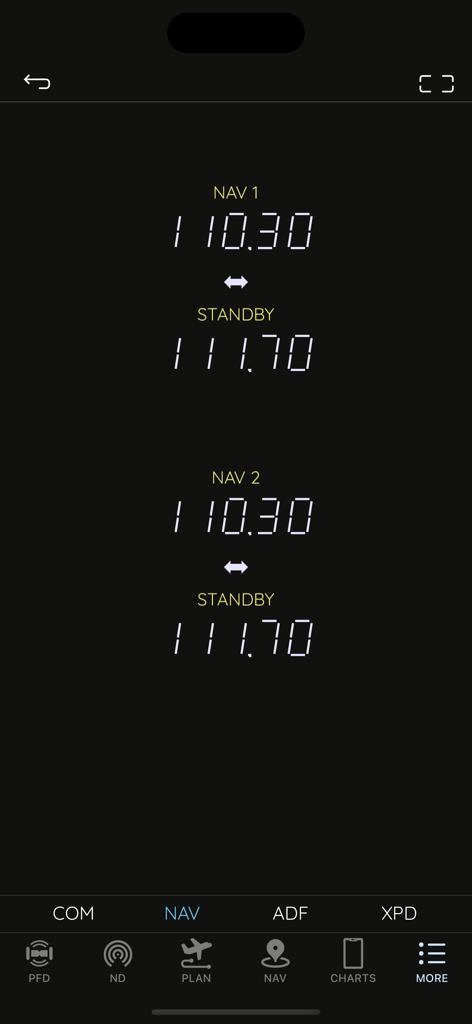
비행 시뮬레이션을 위한 활성 및 대기 주파수를 표시하는 AirTrack NG 네비게이션 라디오 인터페이스

비행 시뮬레이션을 위한 활성 및 대기 주파수를 표시하는 AirTrack NG 네비게이션 라디오 인터페이스

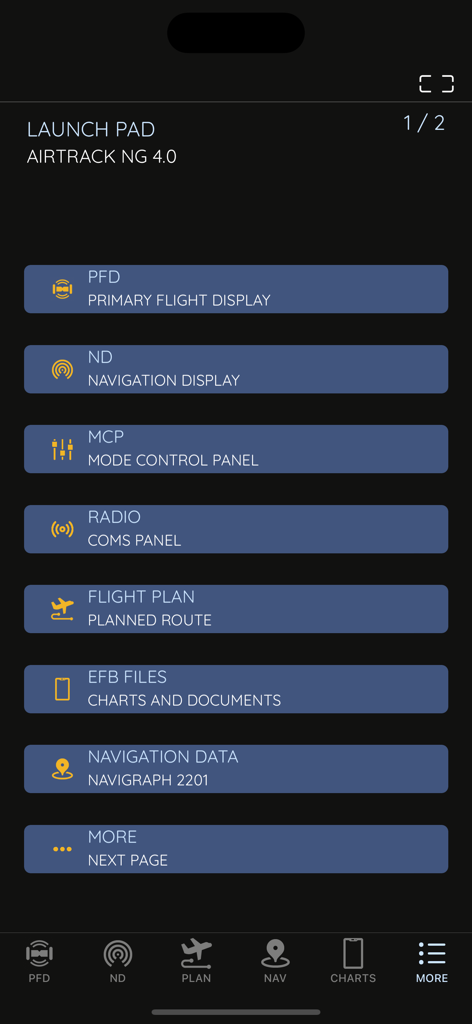
PFD, ND, MCP 및 비행 계획 도구 메뉴 옵션을 보여주는 AirTrack NG 앱 실행 패드

PFD, ND, MCP 및 비행 계획 도구 메뉴 옵션을 보여주는 AirTrack NG 앱 실행 패드

시뮬레이션 경험을 혁신하세요

이 앱을 돋보이게 하는 도구, 15K+ 명의 사용자가 선택.

✈️

정통 737 NG 항공전자

홈 콕핏 몰입도를 극대화하도록 설계된 고해상도 그래픽의 놀랍도록 정확한 PFD 및 ND 디스플레이.

🎛️

촉각 자동 조종 장치 제어

전용 원격 MCP 및 라디오 스택으로 비행을 관리하여 몰입을 방해하는 마우스 클릭을 없앴습니다.

🗺️

통합 비행 계획

SimBrief 계획을 쉽게 가져오고 실시간 METAR, VATSIM 트래픽 및 Navigraph 호환 차트를 한 곳에서 액세스하세요.

앱 소개

에 대해 알아야 할 모든 것 AirTrack NG.

설명

AirTrack is an application designed to integrate with flight simulators in real time over a local area network, providing remote flight display and control through glass cockpit instruments, as well as control over some of the simulation variables. It replicates instruments and panels found on real planes using devices such as tablets and computers.  With the aid of a plugin in the simulator, flight data is exchanged over the local network and displayed on the Mac, iPad and iPhone apps. Likewise actions on these are propagated back to the simulator and allow for its remote control. But if this isn't enough, AirTrack can also use your device's built-in GPS, Accelerometer and Gyro to determine your current movements and attitude and the Internet to download real weather to simulate an aircraft's sensors. Turn your car trip into a flight experience by getting information about your instant position, heading and surrounding waypoints. See yourself in an EFIS style navigation display / primary flight display or plan your multi-leg trip with the built in flight planner which gives you real-time information about your waypoints, how far they are and how long it will take you to reach them. For a comprehensive summary overview visit the app pages at: https://haversine.com/airtrack For a detailed in depth description of how things work, check its operations manual at: https://haversine.com/airtrack/operations In its present version AirTrack supports both the X-Plane (10, 11, 12, …) for which it was originally developed, and the Microsoft Flight Simulator 2020. Plugins currently exist for X-Plane and MSFS2020. In the future AirTrack may and will quite possibly support other simulators and flight data sources as it has been designed with horizontal expansion in mind. Plugins can be downloaded from: https://haversine.com/airtrack/downloads The following are just some of its features and components: - Pixel perfect, totally re-scalable and optimised for retina and super retina displays - Multi window-panel support on iPad and Mac including stage manager - Boeing 737 NG style Primary Flight Display with EFIS panel - Boeing 737 NG style Navigation Display with EFIS panel - Standalone TCAS engine for collision avoidance on the ND with TA and TA/RA - Terrain database with the world map included in the ND - 737 NG style Mode Control Panel - MCP for auto-pilot control - A radio stack comprising COM, NAV, ADF and XPDR radios - A default navigation database with possibility of upgrade to latest Navigraph or FAA CIFP - Detailed airport information pages with weather, runways, approaches, procedures and frequencies - A Flight planner with airports runways, SID,STAR, Approach procedures, direct entry routes, world routes and weather - SimBrief flight plan import - Air Traffic sourced from Simulator, VATIM, IVAO and real world ADS-B - Worldwide airport weather based on real time world METARs - EFB with User files, charts, cloud charts and US based publications - Free Air Account Cloud services including Charts, Routes and Waypoints - Remote Yoke/Joystick/Rudder control for flight simulator. - Support for X-Plane flight simulator - Support for Microsoft Flight Simulator 2020 - Enhanced support for the Zibo 737 NG family of aircraft for X-Plane - Enhanced support for the PMDG 737 NG family of aircraft for MSFS2020 This version of AirTrack includes Boeing Instruments and unlocked access to all related panels (PFD, ND, MCP, Radio and Flight Planner). Terms of Use: https://haversine.com/airtrack/tou

최신 버전

4.2.2

크기

290.8 MB

출시일

2023년 9월 27일

비행 데크를 완성할 준비가 되셨나요?

수천 명의 가상 조종사들과 함께 전문 등급의 보잉 737 계기를 모바일 기기에서 사용하세요. MSFS 2020 또는 X-Plane과 완벽하게 동기화하여 시뮬레이터 현실감의 다음 단계를 경험하세요.

다운로드: App Store

App information, icons, screenshots, and descriptions displayed on this page are sourced from the Apple App Store and are the property of their respective developers. Download estimates and rankings are based on MWM's proprietary models and may not reflect actual figures. This page is provided for informational and analytical purposes only.

Believe this page infringes your intellectual property? File a dispute