AR Drawing Projector Sketcher

AR Drawing Projector Sketcher

다운로드: App Store
로고: AR Drawing Projector Sketcher

AR 드로잉 프로젝터 스케처: 전문가처럼 따라 그리고, 스케치하고, 창작하세요

AR과 AI의 힘으로 내면의 예술가를 발휘하세요. 바이럴 TikTok 속도 그림부터 맞춤형 DIY 장식까지, 모든 이미지를 어떤 표면에든 투사하여 경험 없이도 오늘 바로 걸작을 만들기 시작하세요.

개발사

Van Thai Nguyen

카테고리

Graphics & Design

다운로드

40K+

사용자 평점

4.2/5

총 평가 수

0

지원 언어

1

간단한 예술성

이 인터페이스를 사용하는 40K+ 명의 사용자.

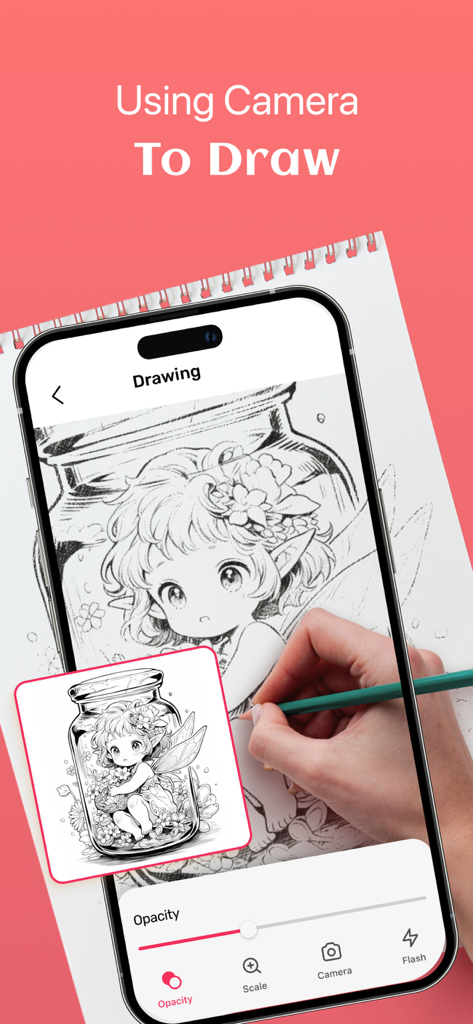
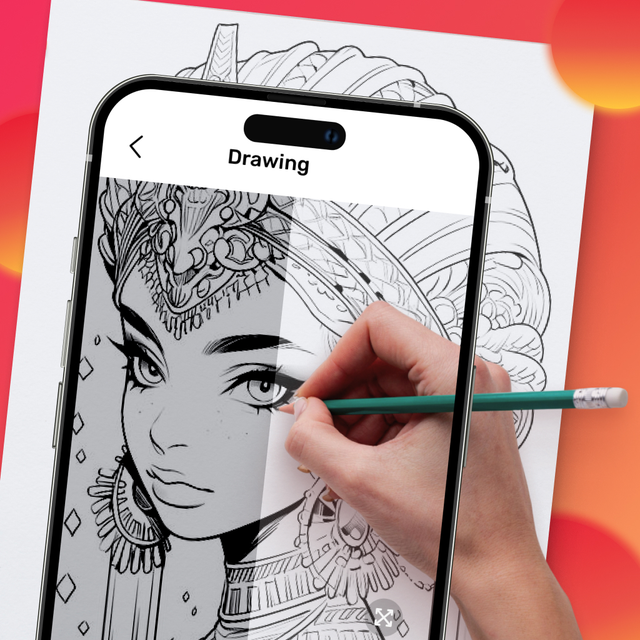
AR 드로잉 프로젝터 스케처 앱을 사용하여 종이에 애니메이션 캐릭터를 따라 그리고 있는 스마트폰을 사용하는 사람

AR 드로잉 프로젝터 스케처 앱을 사용하여 종이에 애니메이션 캐릭터를 따라 그리고 있는 스마트폰을 사용하는 사람

종이에 따라 그리고 있는 애니메이션 캐릭터를 표시하는 AR 드로잉 앱 화면

종이에 따라 그리고 있는 애니메이션 캐릭터를 표시하는 AR 드로잉 앱 화면

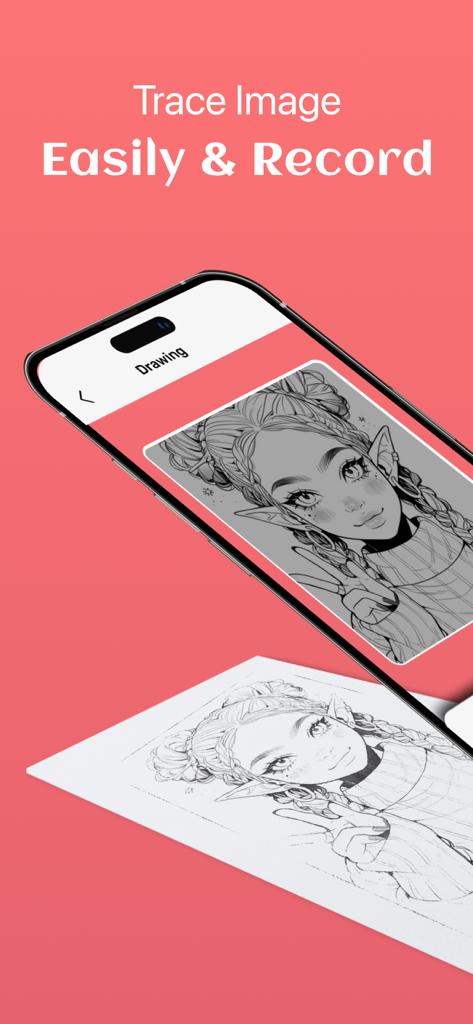
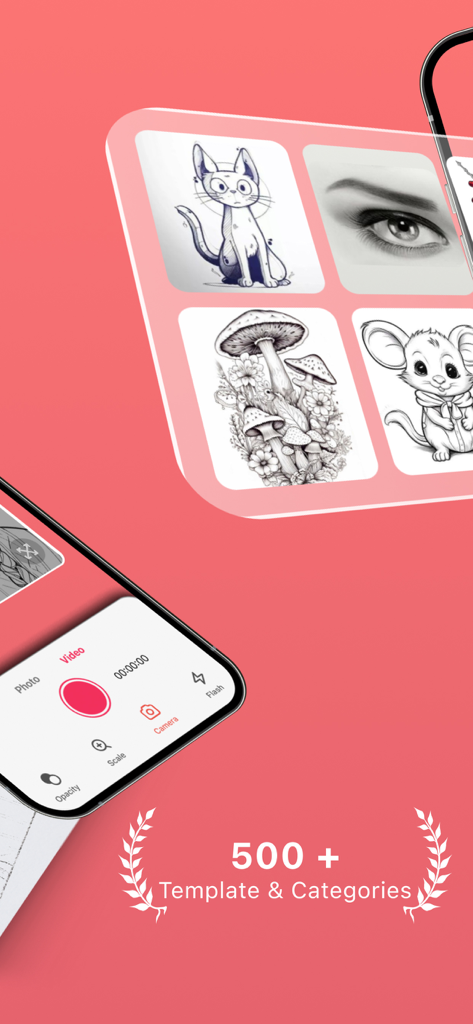
다양한 스케치 템플릿과 그리기 컨트롤을 표시하는 AR 드로잉 프로젝터 스케처의 인터페이스 스크린샷

다양한 스케치 템플릿과 그리기 컨트롤을 표시하는 AR 드로잉 프로젝터 스케처의 인터페이스 스크린샷

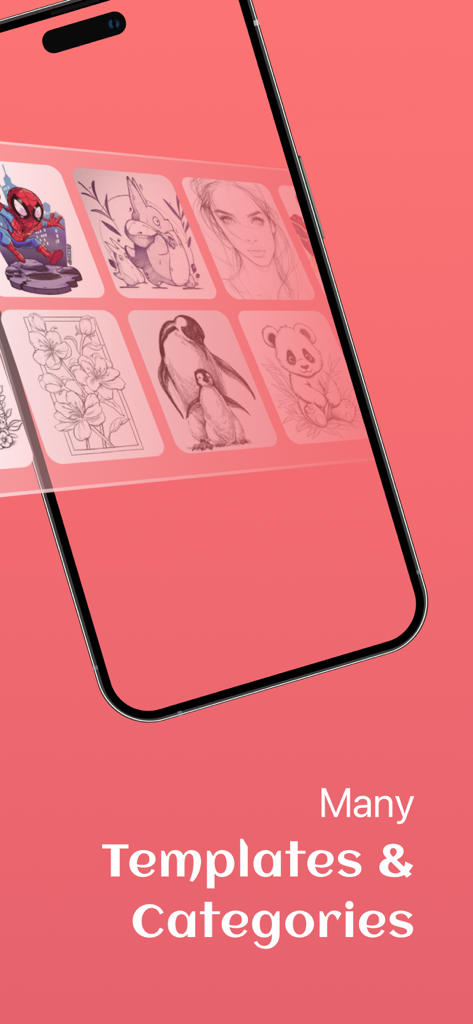
스마트폰에 애니메이션 및 동물과 같은 다양한 그림 템플릿과 카테고리를 표시하고 있음

스마트폰에 애니메이션 및 동물과 같은 다양한 그림 템플릿과 카테고리를 표시하고 있음

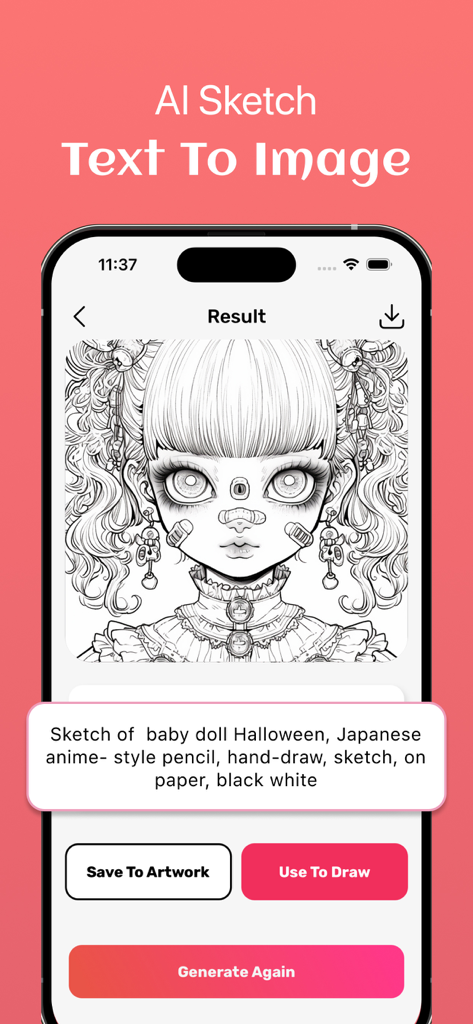
텍스트 프롬프트에서 생성된 애니메이션 스타일 그림을 보여주는 AI 스케치 기능 인터페이스

텍스트 프롬프트에서 생성된 애니메이션 스타일 그림을 보여주는 AI 스케치 기능 인터페이스

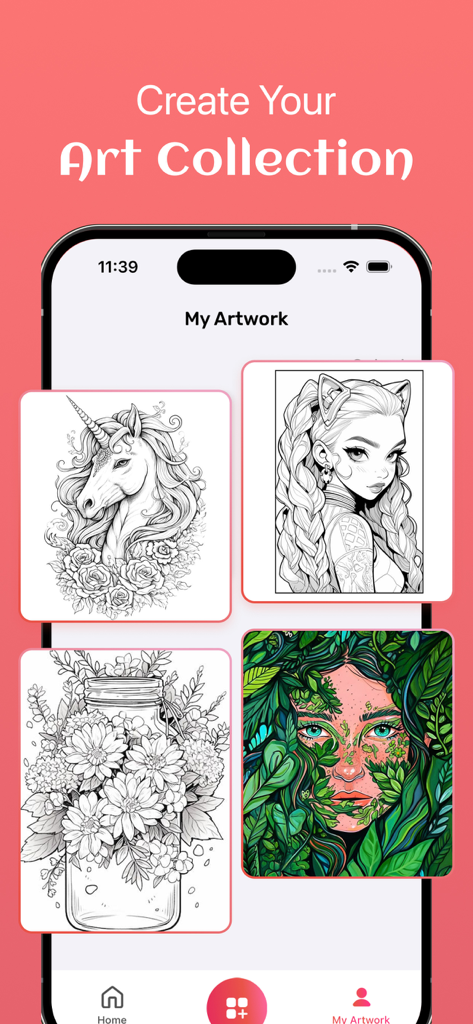
Create Your Art Collection이라는 제목 아래 유니콘과 애니메이션 캐릭터를 포함한 그림 갤러리를 보여주는 휴대폰 화면

Create Your Art Collection이라는 제목 아래 유니콘과 애니메이션 캐릭터를 포함한 그림 갤러리를 보여주는 휴대폰 화면

AR로 내면의 예술가를 깨우세요

이 앱을 돋보이게 하는 도구, 40K+ 명의 사용자가 선택.

🎨

매끄러운 AR 트레이싱

휴대폰을 첨단 프로젝터로 바꾸세요. 종이, 나무, 심지어 벽에도 복잡한 디자인을 완벽한 정확도와 좌절감 없이 따라 그릴 수 있습니다.

🤳

소셜 미디어 준비 녹화

내장된 타임랩스 녹화 기능으로 모든 획을 포착하세요. TikTok 또는 Instagram 팔로워를 위한 '만족스러운' 아트 비디오를 만드는 데 완벽합니다.

무한한 AI 영감

적절한 참조 자료를 찾을 수 없으신가요? AI를 사용하여 애니메이션 캐릭터부터 독특한 미적 디자인까지, 프롬프트를 기반으로 맞춤형 스케치를 생성하세요.

앱 소개

에 대해 알아야 할 모든 것 AR Drawing Projector Sketcher.

설명

The AR Drawing Projector Sketcher revolutionizes the way you create art by harnessing the power of augmented reality technology. With this app, you have the freedom to sketch and paint on any surface, unleashing your creativity like never before. Here's how it works: Choose from our selection of artwork or upload your own high-quality images. Adjust the transparency and contrast of the image until it's perfect for tracing. Position your phone on a tripod or any stable surface above your canvas. Begin tracing, and watch your creation come to life in an instant. Key Features include: - Record your drawing process to share with others. - Utilize AI Sketch to generate images tailored to your preferences. - Easily browse and import your own images into the app. - Explore a wide range of topics, from Anime to Nature to Food. - Save your artwork to build your own collection. Whether you're a seasoned artist honing your skills or a beginner exploring the world of drawing, the AR Drawing Projector Sketcher is for you. Don't hesitate any longer—unlock your creative potential today! Please note that subscription automatically renews unless auto-renew is cancelled at least 24 hours before the current period ends. Subscription fees are charged to your iTunes account upon confirmation of purchase. You can manage your subscription and disable auto-renewal in your Account Settings after purchase. Refunds are not provided for unused portions of the subscription term. For further details, please refer to our Terms of Use Terms of use: https://sites.google.com/view/ar-drawing-projector-sketcher/terms-of-service Privacy policy: https://sites.google.com/view/ar-drawing-projector-sketcher/privacy-policy

최신 버전

1.0.1

크기

128.3 MB

출시일

2024년 4월 18일

다음 바이럴 아트 작품을 만들 준비가 되셨나요?

AR과 AI로 모든 표면을 캔버스로 바꾸는 40,000명 이상의 크리에이터와 함께하세요. 지금 다운로드하여 스케치하고, 녹화하고, 창작 여정을 전 세계와 공유하세요.

다운로드: App Store

App information, icons, screenshots, and descriptions displayed on this page are sourced from the Apple App Store and are the property of their respective developers. Download estimates and rankings are based on MWM's proprietary models and may not reflect actual figures. This page is provided for informational and analytical purposes only.

Believe this page infringes your intellectual property? File a dispute