
이 페이지는 앱이나 개발자의 공식 페이지가 아니며, 정보 제공 및 논평을 목적으로 작성된 독립 편집 간행물입니다. 명시적으로 달리 언급되지 않는 한, 해당 앱이나 개발자는 MWM, Apple, Google Play, 앱 퍼블리셔 또는 앱 개발자와 제휴, 보증, 후원, 승인 또는 공식적으로 연결되어 있지 않으며, 이 페이지의 어떤 내용도 해당 앱이 MWM의 서비스를 사용하여 개발되었음을 의미하지 않습니다. 모든 상표, 로고, 스크린샷 및 기타 콘텐츠는 해당 소유자의 자산입니다.


ibis Paint X
수많은 브러시와 재료, 첨단 도구가 모바일 기기의 한계를 지워버리고, 사용자는 손 안에서 데스크톱급 창작력을 휘두르게 된다.
다운로드
75M+사용자 평점
총 평가 수
936.3K개발사
카테고리
Graphics & Design지원 언어
19최신 버전
14.0.0크기
111.4 MB출시일
2011년 8월 1일광범위한 기능 세트와 사용자 친화적인 인터페이스로 디지털 아티스트를 위한 강력한 솔루션을 제공합니다.
ibis Paint X 심층 분석: 모바일 드로잉의 기준
방대한 브러시 라이브러리
이 앱은 딥 펜, 펠트 팁 펜, 에어 브러시, 유화 브러시 등 47,000가지가 넘는 브러시를 제공하여 사용자가 다양한 스타일과 기법을 탐색하고 표현할 수 있도록 지원합니다.
부드러운 드로잉 경험
OpenGL 기술을 활용하여 최대 120fps의 부드러운 드로잉 환경을 제공하며, 사용자가 끊김 없이 편안하게 그림을 그릴 수 있도록 보장합니다.
강력한 레이어 관리 기능
이 도구는 무제한 레이어 추가, 알파 블렌딩, 클리핑 마스크 등 데스크톱 수준의 레이어 기능을 갖추고 있어 사용자가 복잡하고 세밀한 작업을 효율적으로 구성하고 편집할 수 있게 해줍니다.
드로잉 과정 녹화 및 공유
이 앱은 사용자의 드로잉 과정을 비디오로 자동 녹화하며, 이를 소셜 미디어에 공유하거나 다른 사용자의 작품에서 영감을 얻을 수 있는 기회를 제공합니다.
커뮤니티 기반 학습 환경
이 플랫폼은 사용자들이 다른 아티스트들의 드로잉 과정 비디오를 시청하며 다양한 드로잉 기법을 배우고 기술을 향상시킬 수 있는 SNS 기능을 통합하고 있습니다.
만화 및 웹툰 제작 도구
이 앱은 세로/가로 텍스트, 획, 글꼴 선택 등 고급 텍스트 도구 기능을 제공하여 사용자가 전문적인 만화 및 웹툰 스타일의 일러스트레이션을 제작하는 데 최적화된 환경을 갖춥니다.
스트로크 안정화 기능
이 기능은 드로잉 시 선의 흔들림을 보정하여 사용자가 더욱 깔끔하고 정확한 선을 그릴 수 있도록 도와주며, 특히 초보자에게 유용합니다.
정교한 눈금자 도구
이 도구는 방사형 눈금자, 대칭 눈금자 등 다양한 눈금자 기능을 제공하여 사용자가 복잡한 패턴이나 대칭적인 디자인을 손쉽게 구현할 수 있도록 지원합니다.
자주 묻는 질문
에 대해 알아야 할 모든 것 ibis Paint X
What is ibis Paint X?
ibis Paint X is a versatile drawing app providing over 47,000 brushes, 27,000 materials, 2,100 fonts, filters, screentones, and blending modes. It allows recording drawing processes and offers professional features for digital art creation.
How many brushes does ibis Paint X offer?
ibis Paint X offers over 47,000 kinds of brushes. These include dip pens, felt tip pens, digital pens, air brushes, fan brushes, oil brushes, and charcoal brushes, supporting smooth drawing at up to 120 fps.
Does ibis Paint X have layer features?
Yes, ibis Paint X includes comprehensive layer features. Users can add unlimited layers, adjust opacity, blending modes, and utilize clipping features. It also provides layer commands like duplication, inversion, rotation, and import from the photo library.
Can I record my drawing process in ibis Paint X?
Yes, ibis Paint X allows users to record their drawing process as a video. This feature also enables sharing drawing technique videos with other users via its SNS functionality.
What is the difference between ibis Paint X (free) and ibis Paint (paid)?
The primary difference between ibis Paint X (free version) and ibis Paint (paid version) is the presence or absence of advertisements. They offer identical features, and purchasing the Remove Ads Add-on for ibis Paint X eliminates ads.
What benefits does the Prime Membership offer in ibis Paint X?
Prime Membership in ibis Paint X offers 20GB cloud storage, Vector tool, Prime Materials, Prime Canvas Papers, Prime Fonts, Tone Curve filter, Gradation Map filter, Levels Adjustment filter, Prime Adjustment Layers, and no advertisements.
Is there a free trial for the ibis Paint X Prime Membership?
Yes, ibis Paint X offers a 7-day or 1-month free trial for the Prime Membership for first-time users. After the trial, the renewal fee is automatically charged unless canceled 24 hours prior.
Does ibis Paint X support manga creation features?
Yes, ibis Paint X offers a full range of manga features. These include 46 types of screentones, a text tool with vertical, horizontal, stroke, and font selection functions, speech bubbles, and frame divider tools.
Can I use vector tools in ibis Paint X?
Yes, ibis Paint X includes a vector tool as a Prime Membership feature. Users can try the vector tool for free for up to 1 hour per day. It is perfect for line art, including Vector Dip Pen, Vector Eraser, and Vector Select Tool.
How many materials and fonts are available in ibis Paint X?
ibis Paint X provides over 28,000 materials and over 3,000 fonts. The materials include tracing sketches, textures, backgrounds, and accessories, while fonts support diverse text functionalities.
How does ibis Paint X ensure a smooth drawing experience?
ibis Paint X ensures a smooth and comfortable drawing experience through the implementation of OpenGL technology. This technology optimizes performance, allowing for fluid strokes and responsiveness during creative work.
Does ibis Paint X include filters for artwork enhancement?
Yes, ibis Paint X includes over 80 highly effective filters for artwork enhancement. Prime Membership further unlocks advanced filters such as Tone Curve, Gradation Map, Levels Adjustment, and Prime Adjustment Layers.
Is ibis Paint X compatible with multiple devices and offers cloud storage?
Yes, ibis Paint X is compatible with a variety of devices. It also offers cloud storage for automatic sync and transfer of artwork, with Prime Membership providing 20GB of cloud storage capacity.
다음 스크린샷과 설명은 앱의 공식 스토어 목록에서 직접 가져온 것이며 앱 개발자의 자산입니다.
앱 스토어
스크린샷
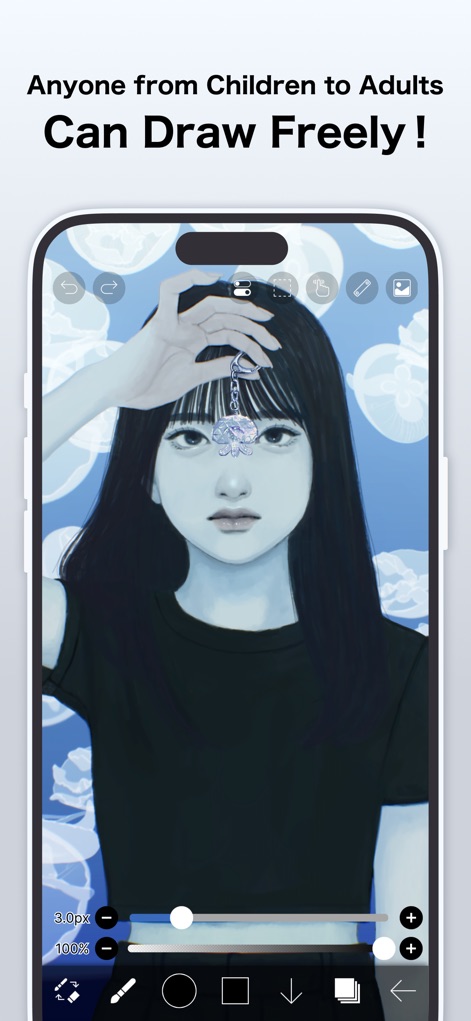
이 앱은 매력적인 인물 일러스트레이션을 위한 부드러운 브러시와 직관적인 도구 팔레트를 제공하여, 사용자가 상상력을 자유롭게 표현하도록 돕습니다.
자유로운 창작의 시작
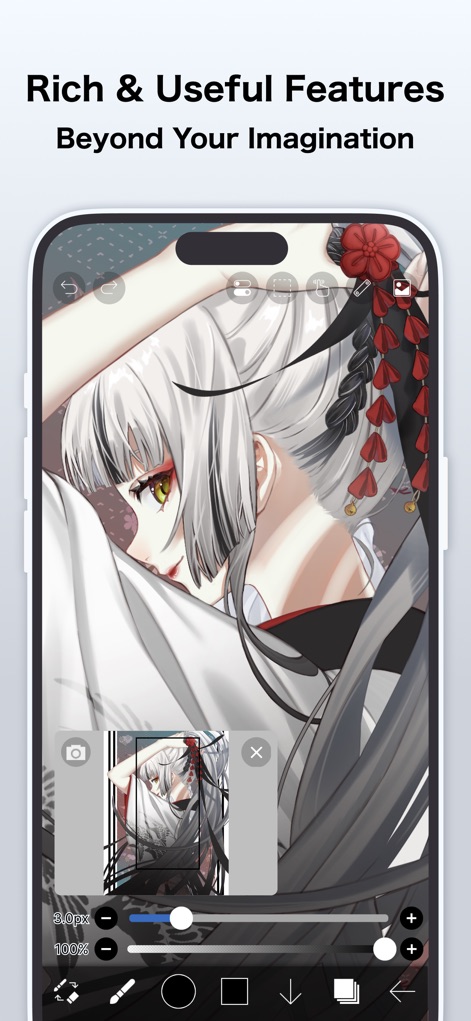
이 앱은 섬세한 캐릭터 표현을 위한 다양한 레이어 설정과 참고 이미지 기능을 제공하여, 사용자가 복잡한 구도도 쉽게 작업할 수 있게 합니다.
상상을 초월하는 기능
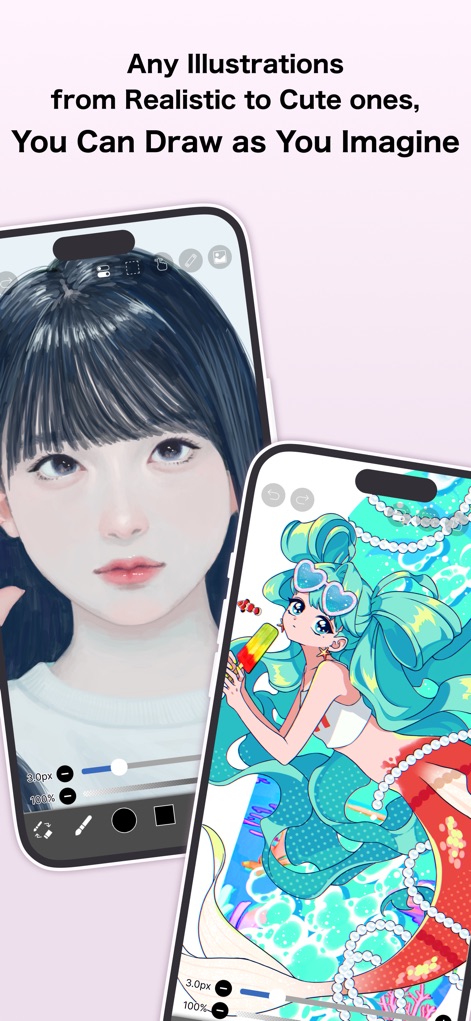
이 도구를 사용하면 사실적인 인물 묘사부터 발랄한 만화 스타일의 인어 그림까지, 사용자의 상상 속 모든 비주얼을 자유롭게 구현할 수 있습니다.
모든 스타일의 표현
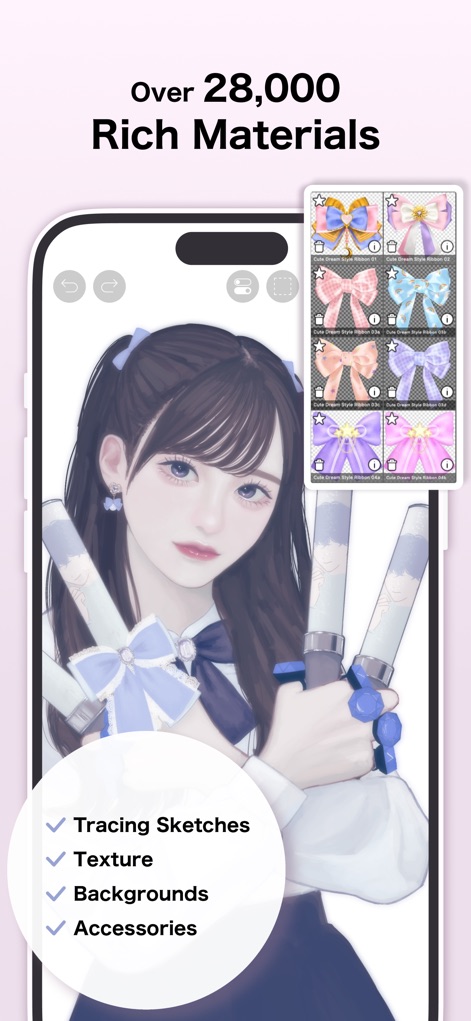
28,000개 이상의 소재를 활용하여, 사용자는 인물 일러스트레이션에 리본 같은 장식 액세서리를 추가하거나 다양한 배경 질감을 적용하여 작품의 완성도를 높일 수 있습니다.
풍부한 소재 라이브러리
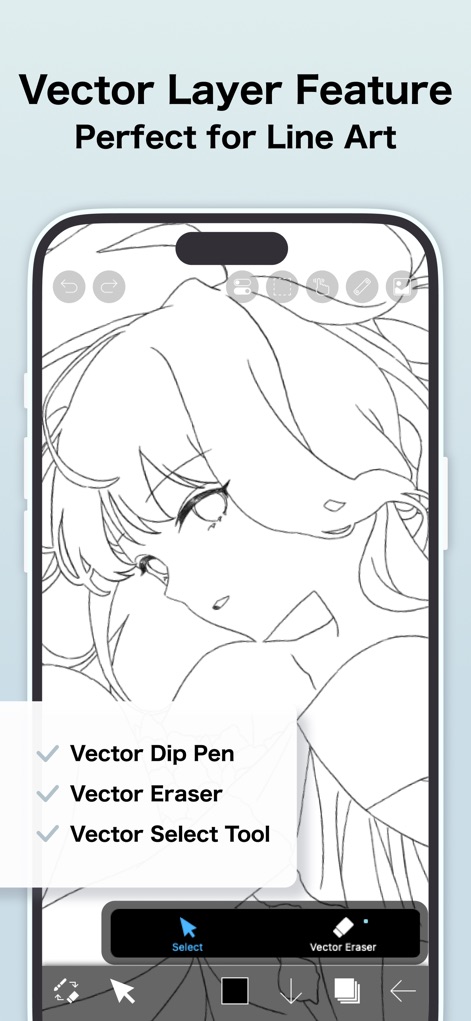
이 앱의 벡터 레이어 기능을 통해 사용자는 '벡터 딥 펜'으로 깨끗한 선화를 그리거나 '벡터 지우개'로 완벽하게 수정하여, 고품질의 라인 아트를 완성할 수 있습니다.
깔끔한 벡터 레이어
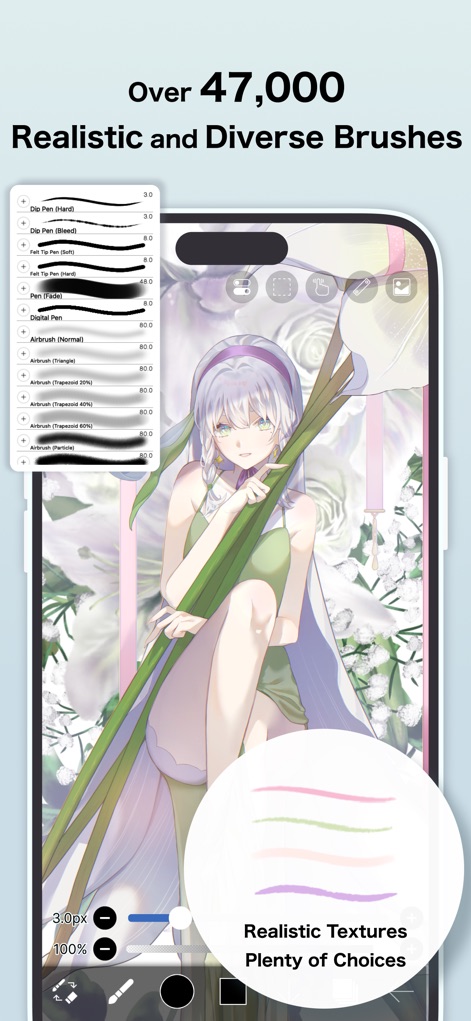
47,000개 이상의 브러시를 제공하는 이 앱은 '딥 펜', '에어브러시' 등 다양한 유형을 통해 사용자가 사실적인 질감과 표현력을 작품에 불어넣을 수 있도록 합니다.
다채로운 브러시의 향연
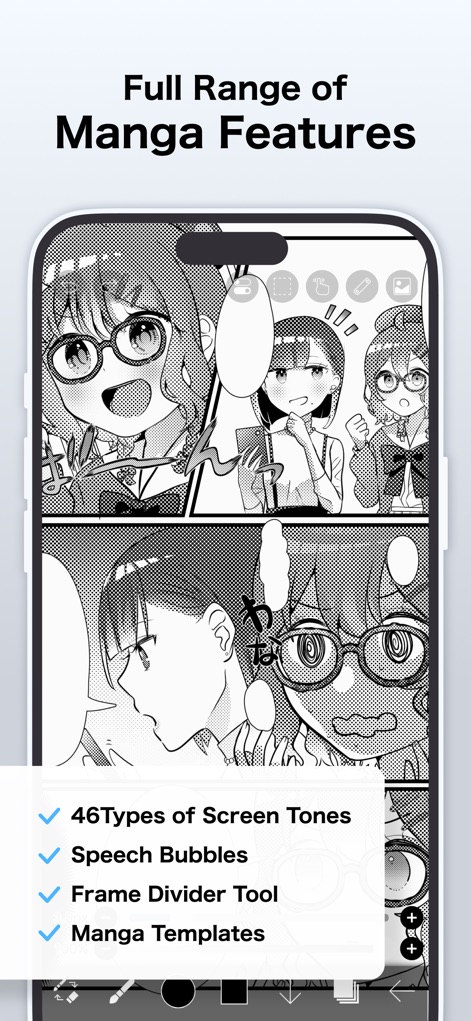
이 도구는 사용자가 '말풍선'을 배치하고 '46가지 스크린톤'을 적용하여, 전문적인 만화 페이지를 손쉽게 구성하고 웹툰 및 애니메이션 스타일의 작품을 제작할 수 있게 합니다.
만화 제작의 모든 것
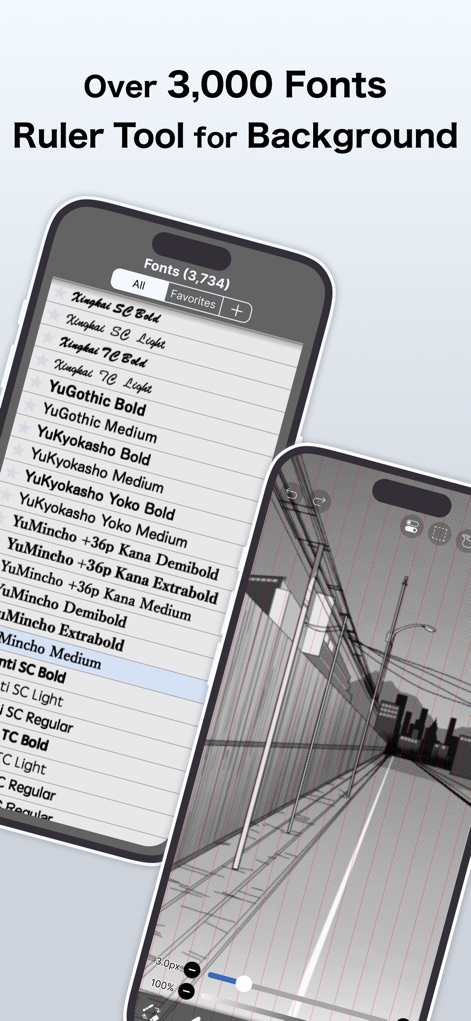
3,000개 이상의 다양한 폰트를 제공하여 텍스트를 아름답게 표현하며, 강력한 '자 도구'는 복잡한 배경의 원근감을 정확하게 구현하여 작품의 깊이를 더합니다.
전문 타이포그래피와 배경
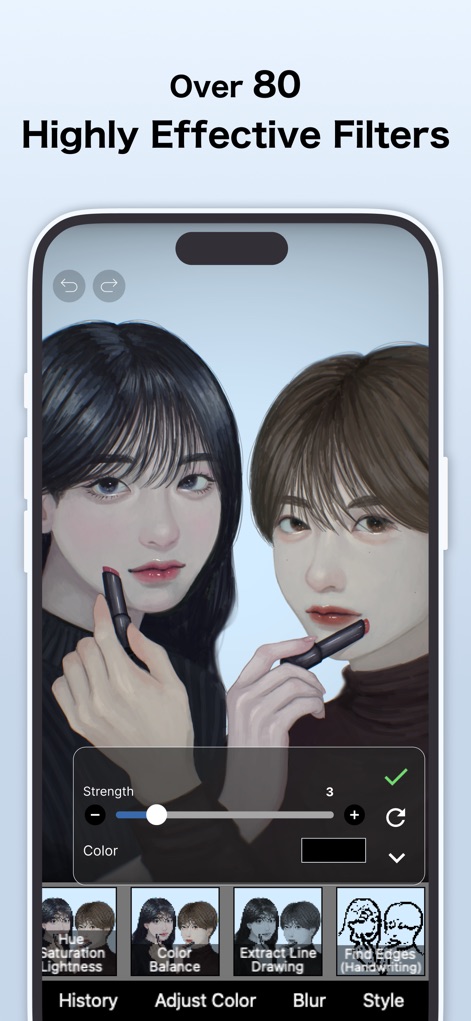
이 앱은 '색상 균형' 및 '색조 채도 밝기' 조절과 같은 80가지 이상의 고효율 필터를 제공하여, 사용자가 작품의 분위기를 섬세하게 조절하고 시각적 효과를 극대화할 수 있습니다.
강력한 필터 효과
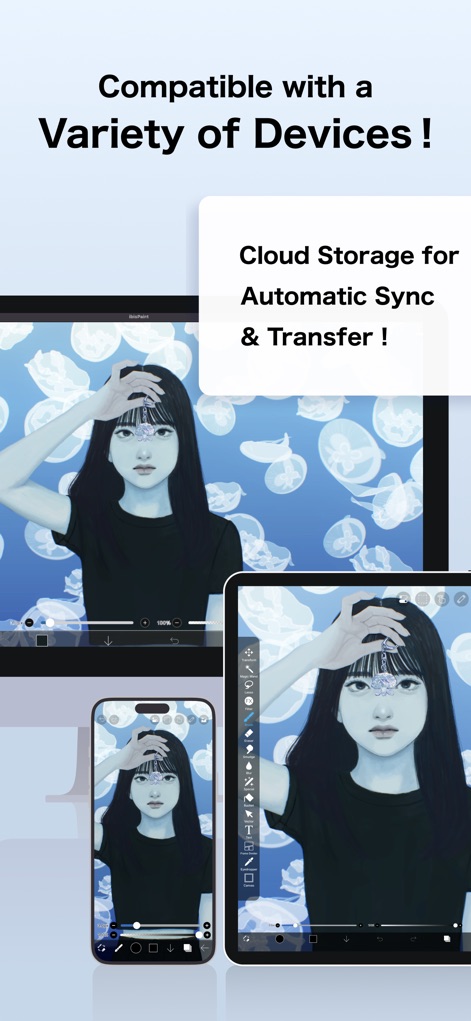
이 앱은 스마트폰과 태블릿 같은 다양한 기기에서 매끄러운 작업 환경을 제공하며, '클라우드 저장소'를 통한 자동 동기화 기능으로 사용자는 언제 어디서든 작업을 이어나갈 수 있습니다.
다양한 기기 호환성
설명
Download
비슷한 앱
유사한 기능과 사용자 경험을 가진 앱

Sketchbook®
Sketchbook, Inc.

Mental Canvas Draw
Mental Canvas, Inc.

ibis Paint
ibis inc.

Paper: Sketch, Draw & Create
Evernote Corporation

Adobe Fresco: Draw & Paint App
Adobe Inc.

Art Set 4
Lofopi Ltd

MediBang Paint – Drawing & Art
MediBang inc.

Tayasui Sketches
SKETCHES SRL

Clip Studio Paint
CELSYS,Inc.
이 페이지는 앱이나 개발자의 공식 페이지가 아니며, 정보 제공 및 논평을 목적으로 작성된 독립 편집 간행물입니다. 명시적으로 달리 언급되지 않는 한, 해당 앱이나 개발자는 MWM, Apple, Google Play, 앱 퍼블리셔 또는 앱 개발자와 제휴, 보증, 후원, 승인 또는 공식적으로 연결되어 있지 않으며, 이 페이지의 어떤 내용도 해당 앱이 MWM의 서비스를 사용하여 개발되었음을 의미하지 않습니다. 모든 상표, 로고, 스크린샷 및 기타 콘텐츠는 해당 소유자의 자산입니다.