이 페이지는 앱이나 개발자의 공식 페이지가 아니며, 정보 제공 및 논평을 목적으로 작성된 독립 편집 간행물입니다. 명시적으로 달리 언급되지 않는 한, 해당 앱이나 개발자는 MWM, Apple, Google Play, 앱 퍼블리셔 또는 앱 개발자와 제휴, 보증, 후원, 승인 또는 공식적으로 연결되어 있지 않으며, 이 페이지의 어떤 내용도 해당 앱이 MWM의 서비스를 사용하여 개발되었음을 의미하지 않습니다. 모든 상표, 로고, 스크린샷 및 기타 콘텐츠는 해당 소유자의 자산입니다.
ibis Paint
47,000개 이상의 브러시, 특화된 만화 기능, 쉬운 타임랩스 기록으로 창의력을 발휘하고 여러분의 예술 여정을 세상과 공유하세요.
전문가 수준의 도구, 방대한 소재 라이브러리, 차세대 일러스트레이터를 위한 소셜 기능을 사용하는 4억 6천만 명 이상의 창작자와 함께하세요.
무한한 브러시 컬렉션
딥펜, 에어브러시, 목탄 등 47,000개 이상의 브러시 중에서 선택하고 120fps 정밀도로 어떤 비전이든 실현하세요.
원탭 소셜 공유
그리기 과정을 자동으로 기록하고 TikTok 및 Instagram에서 바이럴될 준비가 된 완성도 높은 타임랩스 비디오를 내보내세요.
FAQ
자주 묻는 질문
에 대해 알아야 할 모든 것 ibis Paint
ibis Paint란 무엇인가요?
ibis Paint는 4억 6천만 회 이상 다운로드된 다목적 드로잉 앱입니다. 사실적인 그림부터 귀여운 그림까지 다양한 종류의 일러스트를 부드러운 드로잉 경험으로 제작할 수 있는 전문적인 기능을 제공합니다.
ibis Paint는 광고가 없나요?
네, ibis Paint는 광고 제거 버전입니다. 무료 버전인 ibis Paint X에는 광고가 포함되어 있지만, ibis Paint X에서 광고 제거 애드온을 구매하면 광고가 제거되어 ibis Paint와 동일하게 사용할 수 있습니다.
ibis Paint Prime 멤버십에는 어떤 기능이 포함되나요?
ibis Paint의 Prime 멤버십은 20GB의 클라우드 저장 공간, 벡터 도구, Prime 재료, Prime 캔버스 용지, Prime 글꼴, 톤 커브, 그라데이션 맵, 레벨 조정과 같은 고급 필터 및 기타 독점 기능을 제공합니다.
ibis Paint는 Prime 멤버십 무료 체험을 제공하나요?
네, ibis Paint는 첫 사용자에게 Prime 멤버십에 대한 7일 또는 1개월 무료 체험을 제공합니다. 체험 기간 후에는 24시간 전에 취소하지 않으면 자동으로 갱신 요금이 청구됩니다.
ibis Paint에서 사용할 수 있는 브러시는 몇 가지인가요?
ibis Paint는 47,000가지 이상의 브러시를 제공합니다. 여기에는 딥펜, 펠트 팁 펜, 디지털 펜, 에어 브러시, 팬 브러시, 오일 브러시, 목탄, 크레용, 스탬프 등 다양한 유형이 포함됩니다.
ibis Paint는 어떤 레이어 기능을 제공하나요?
ibis Paint는 개별 불투명도, 알파 블렌딩, 추가, 빼기, 곱하기 매개변수를 갖춘 무제한 레이어를 제공합니다. 또한 클리핑 기능과 레이어 복제, 반전, 회전, 이동, 확대/축소 명령을 포함합니다.
ibis Paint는 만화 제작 기능을 포함하나요?
네, ibis Paint는 만화 제작을 위한 모든 기능을 포함하고 있습니다. 여기에는 세로, 가로, 획, 글꼴 선택 기능을 갖춘 고급 텍스트 도구와 46가지 종류의 스크린톤이 포함됩니다.
ibis Paint는 벡터 도구를 지원하나요?
네, ibis Paint는 Prime 멤버십 기능의 일부로 벡터 도구를 포함합니다. 이 도구는 Prime 멤버십 없이도 하루 최대 1시간까지 무료로 체험할 수 있습니다.
ibis Paint는 프로젝트를 위한 클라우드 스토리지를 지원하나요?
네, ibis Paint는 클라우드 스토리지를 지원합니다. Prime 멤버십은 20GB의 클라우드 저장 공간을 제공하여 호환되는 장치 간에 작품을 자동으로 동기화하고 전송할 수 있습니다.
ibis Paint 튜토리얼은 어디에서 찾을 수 있나요?
ibis Paint는 공식 YouTube 채널에서 튜토리얼 비디오를 제공합니다. 사용자는 채널을 구독하여 드로잉 기술을 배우고 앱 기능 사용에 대한 안내를 받을 수 있습니다.
다음 스크린샷과 설명은 앱의 공식 스토어 목록에서 직접 가져온 것이며 앱 개발자의 자산입니다.
앱 스토어
스크린샷
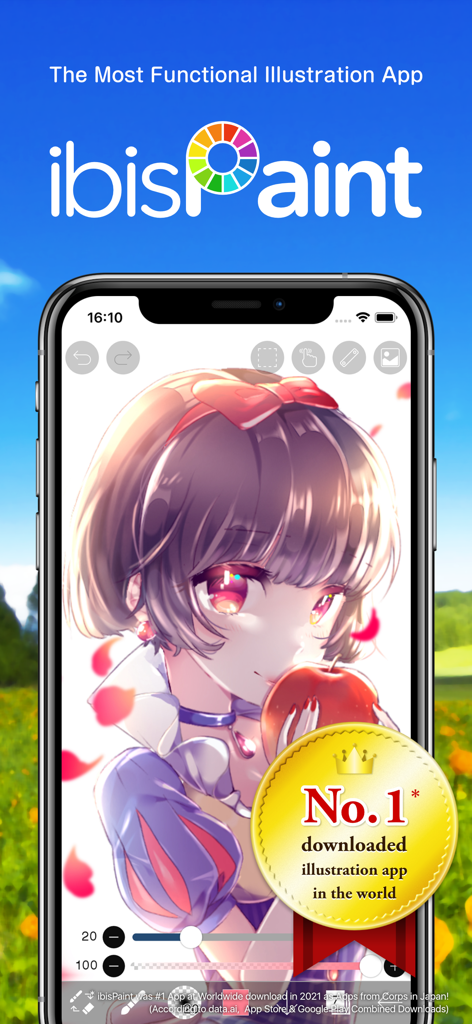
ibis Paint 모바일 애플리케이션이 스마트폰 화면에 고품질 애니메이션 소녀 그림을 보여주고 있습니다.
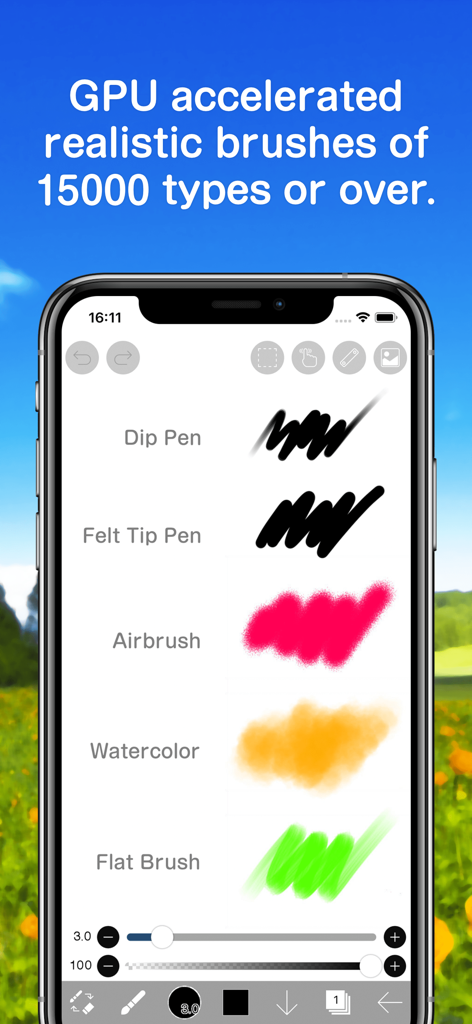
ibis Paint 모바일 인터페이스가 에어브러시 및 수채화와 같은 다양한 사실적인 드로잉 브러시를 표시하고 있습니다.
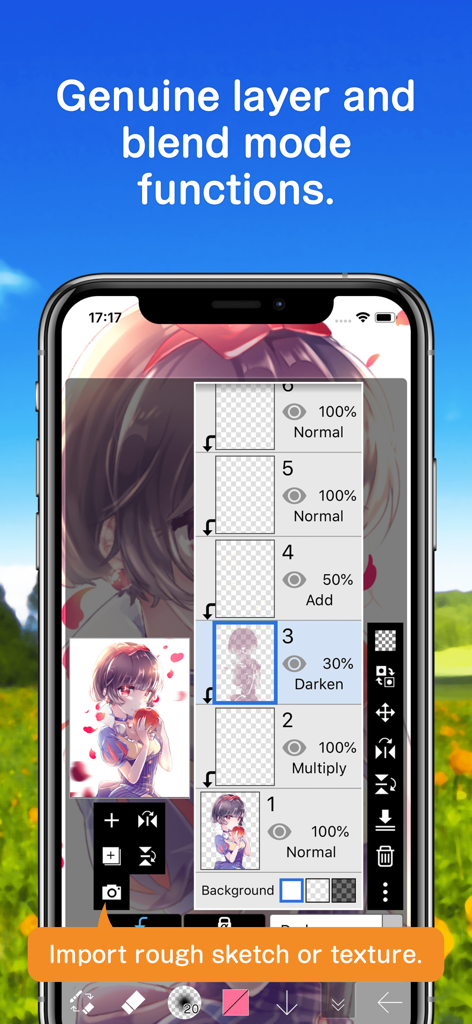
ibis Paint 앱 인터페이스의 스크린샷으로, 디지털 아트를 위한 고급 레이어 관리 및 블렌드 모드 옵션을 보여줍니다.
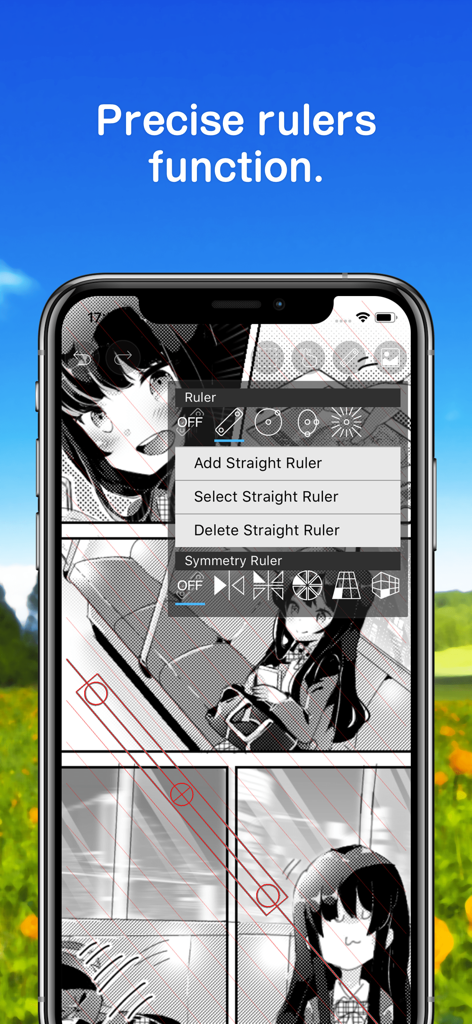
만화 일러스트를 위한 ibis Paint의 정밀 통치자 기능을 보여주는 스마트폰.
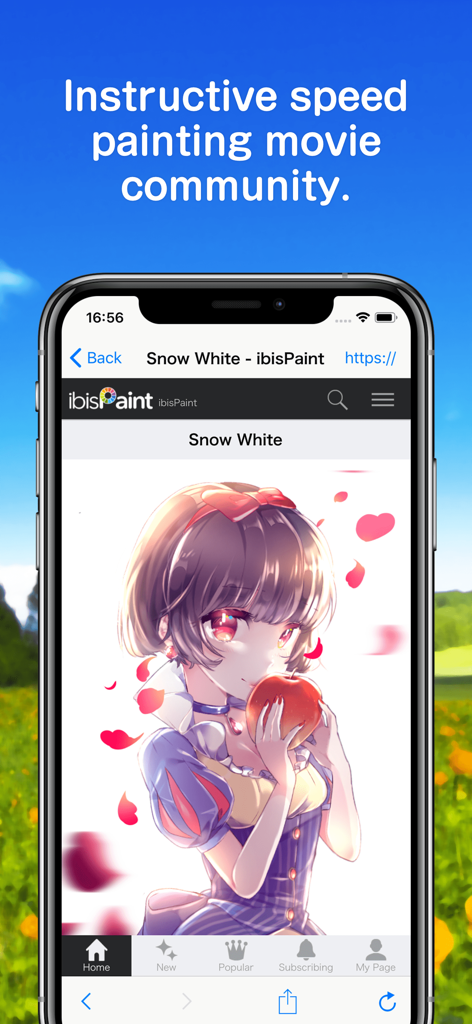
스마트폰이 백설공주를 애니메이션 스타일로 그린 일러스트와 함께 ibis Paint 스피드 페인팅 커뮤니티 인터페이스를 표시하고 있습니다.
설명
This app is an ad-removed version of ibisPaint X. An additional in-app purchase for Prime Membership is required to unlock all features, in which case it is cheaper to download ibisPaint X and purchase the Prime Membership there instead.
ibis Paint is a popular and versatile drawing app downloaded more than 460 million times in total as a series, which provides over 47000 brushes, over 27000 materials, over 2100 fonts, 84 filters, 46 screentones, 27 blending modes, recording drawing processes, stroke stabilization feature, various ruler features such as radial line rulers or symmetry rulers, clipping mask features.
*YouTube channel
Many tutorial videos on ibis Paint are uploaded to our YouTube channel.
Subscribe it!
https://youtube.com/ibisPaint
*Concept/Features
- A Highly functional and professional features surpassing that of desktop drawing apps.
- Smooth and comfortable drawing experience realized by OpenGL technology.
- Recording your drawing process as a video.
- SNS feature where you can learn drawing techniques from other users' drawing process videos.
*Features
ibis Paint has high functionality as a drawing app along with features of sharing drawing processes with other users.
[Brush Features]
- Smooth drawing at up to 120 fps.
- Over 47000 kinds of brushes including dip pens, felt tip pens, digital pens, air brushes, fan brushes, flat brushes, pencils, oil brushes, charcoal brushes, crayons and stamps.
[Layer Features]
- You can add layers as many as you need with no limit.
- Layer parameters that can be set to each layers individually such as layer opacity, alpha blending, adding, subtracting, and multiplying.
- A handy clipping feature for clipping images, etc.
- Various layer commands such as layer duplication, import from the photo library, horizontal inversion, vertical inversion, layer rotation, layer moving, and zooming in/out.
- A feature for setting layer names to distinguish different layers.
[Manga Features]
- Advanced text tool function featuring Vertical, Horizontal, Stroke, Font select, and Multiple text functions.
*About ibis Paint purchase plan
The following purchase plans are available for ibis Paint:
- ibis Paint X (free version)
- ibis Paint (paid version)
- Remove Ads Add-on
- Prime Membership (Monthly plan / Yearly plan)
There is no difference in features other than the presence or absence of advertisements for the paid version and the free version.
If you purchase the Remove Ads Add-on, the ads will not be displayed and there will be no difference from the paid version of ibis Paint.
In order to use more advanced functions, the following Prime Membership (Monthly plan / Yearly plan) contracts are required.
[Prime Membership]
A prime member can use the prime features. Only for the first time, a 7-day or 1-month free trial is available. Prime membership entitles you to the following features.
- 20GB of cloud storage capacity
- Vector tool(*1)
- Prime Materials
- Prime Canvas Papers
- Prime Fonts
- Tone Curve filter
- Gradation Map filter
- Levels Adjustment filter
- Prime Adjustment Layers
- Surrounding Fill・Surrounding Eraser
- AI Disturbance
- Artwork folder feature
- Import original brush patterns
- Remove watermark from videos
- Plus many other features exclusive to Prime Membership!
(*1) You can try it for free for up to 1 hour per day.
* After you become a Prime Membership with a free trial, renewal fee will be charged automatically unless you cancel your Prime Membership at least 24 hours before the end of the free trial period.
* We will add premium features in future, please look out for them.
*Questions and support
Questions and bug reports in reviews will not be responded to, so please contact ibis Paint support.
https://ssl.ibis.ne.jp/en/support/Entry?svid=25
*ibisPaint's terms of service
https://ibispaint.com/agreement.jsp
이 페이지는 앱이나 개발자의 공식 페이지가 아니며, 정보 제공 및 논평을 목적으로 작성된 독립 편집 간행물입니다. 명시적으로 달리 언급되지 않는 한, 해당 앱이나 개발자는 MWM, Apple, Google Play, 앱 퍼블리셔 또는 앱 개발자와 제휴, 보증, 후원, 승인 또는 공식적으로 연결되어 있지 않으며, 이 페이지의 어떤 내용도 해당 앱이 MWM의 서비스를 사용하여 개발되었음을 의미하지 않습니다. 모든 상표, 로고, 스크린샷 및 기타 콘텐츠는 해당 소유자의 자산입니다.