Audio Tone Generator Plus

Audio Tone Generator Plus

다운로드: App Store
로고: Audio Tone Generator Plus

Audio Tone Generator Plus: 전문 오디오 분석을 위한 정밀 신호 생성

0.1Hz 정확도로 사운드 환경을 마스터하세요. 고음질 사인파, 주파수 스윕부터 필터링된 컬러 노이즈 및 옥타브 밴드 분석까지, 스피커 테스트, 룸 보정 및 음향 튜닝을 위한 전문적인 도구를 이용하세요.

다운로드: App Store

개발사

TOON,LLC

카테고리

Utilities

다운로드

800

사용자 평점

1.0/5

총 평가 수

0

지원 언어

1

한눈에 보는 정밀도

이 인터페이스를 사용하는 800 명의 사용자.

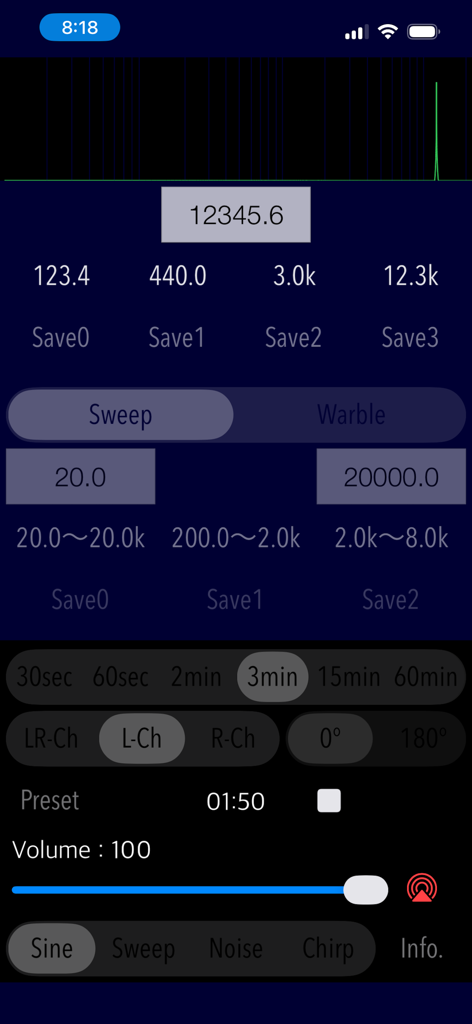
주파수 제어 및 파형 설정을 보여주는 Audio Tone Generator Plus의 사용자 인터페이스

주파수 제어 및 파형 설정을 보여주는 Audio Tone Generator Plus의 사용자 인터페이스

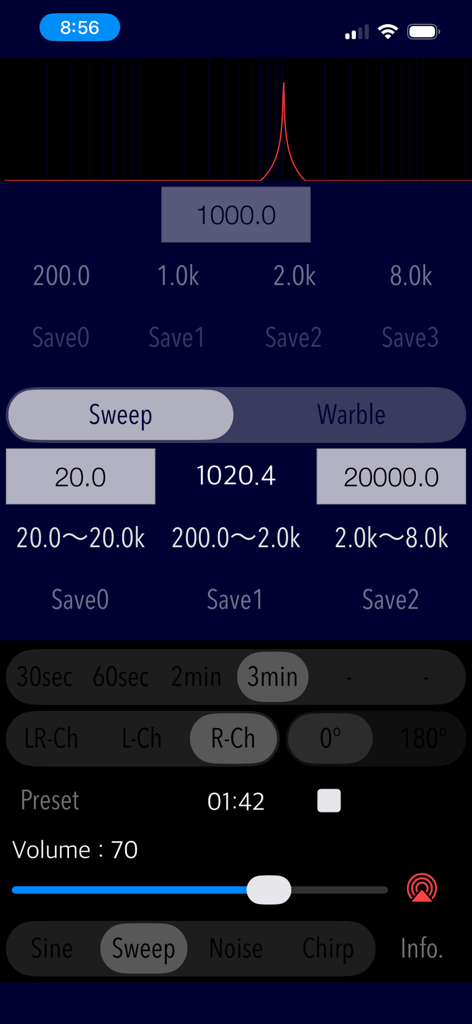
정밀한 오디오 주파수 제어를 보여주는 Audio Tone Generator Plus 앱의 주파수 스윕 인터페이스.

정밀한 오디오 주파수 제어를 보여주는 Audio Tone Generator Plus 앱의 주파수 스윕 인터페이스.

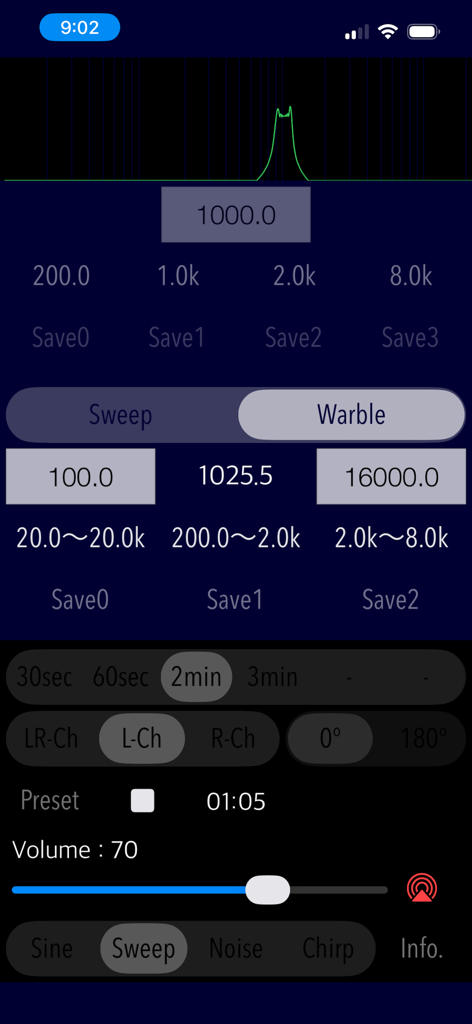
주파수 스윕 및 워블 톤 설정을 표시하는 Audio Tone Generator Plus 앱 인터페이스

주파수 스윕 및 워블 톤 설정을 표시하는 Audio Tone Generator Plus 앱 인터페이스

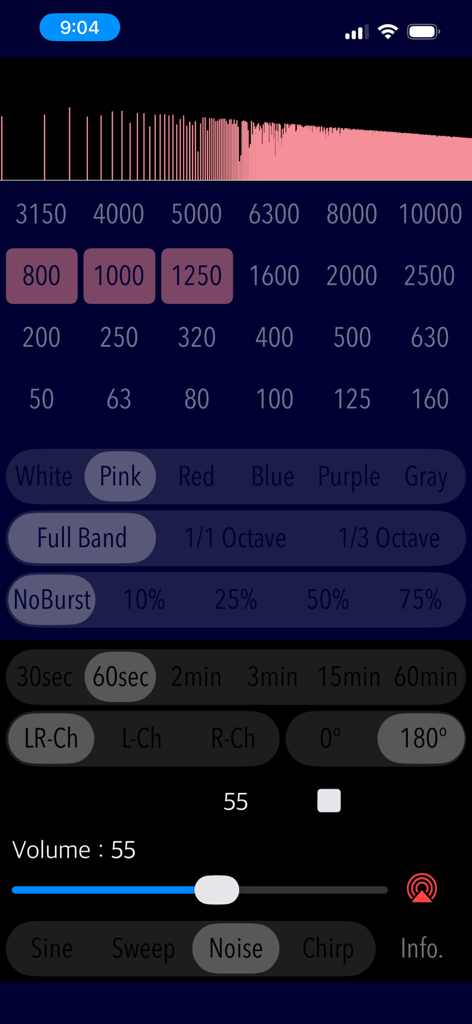
분홍색 노이즈 설정 및 주파수 대역 선택을 보여주는 Audio Tone Generator Plus 앱의 인터페이스

분홍색 노이즈 설정 및 주파수 대역 선택을 보여주는 Audio Tone Generator Plus 앱의 인터페이스

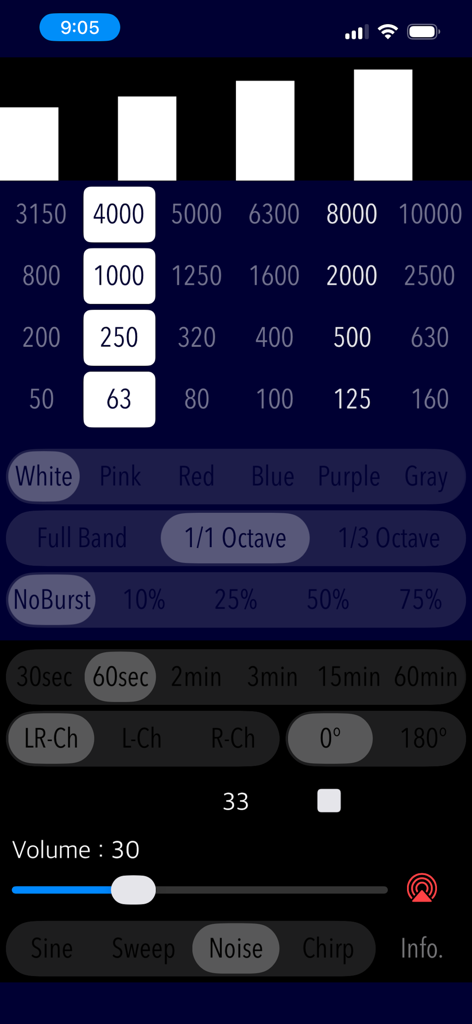
주파수 및 옥타브 대역 제어가 있는 Audio Tone Generator Plus 노이즈 생성기 인터페이스

주파수 및 옥타브 대역 제어가 있는 Audio Tone Generator Plus 노이즈 생성기 인터페이스

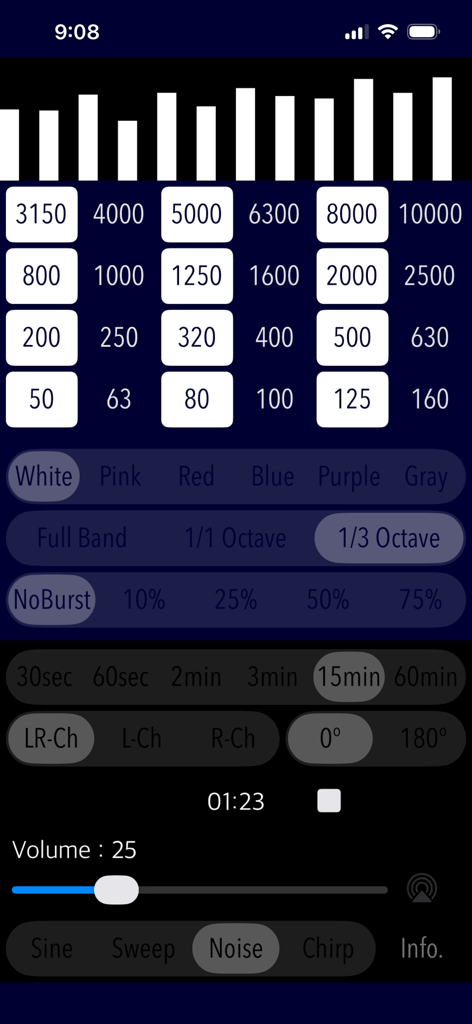
Audio Tone Generator Plus에서 옥타브 대역 필터 및 노이즈 유형을 선택하는 인터페이스

Audio Tone Generator Plus에서 옥타브 대역 필터 및 노이즈 유형을 선택하는 인터페이스

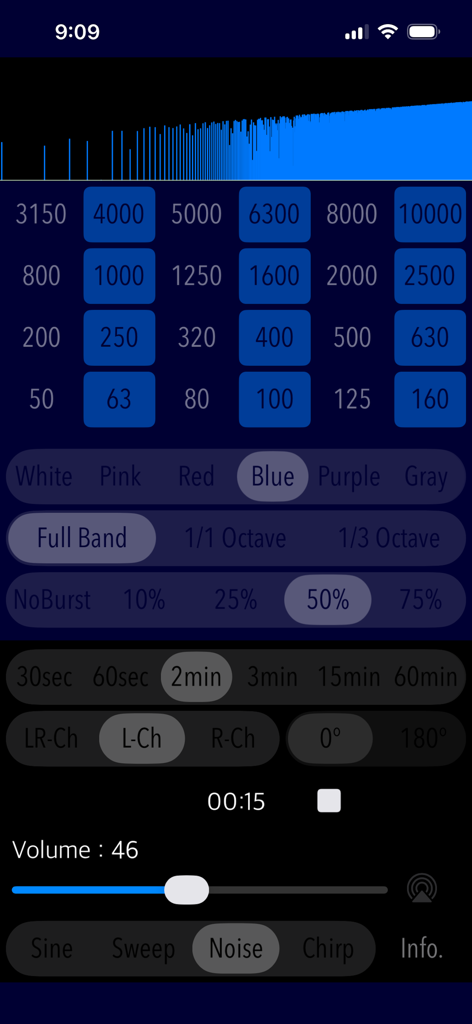
전문 음향 테스트를 위한 파란색 노이즈 및 옥타브 대역 필터 설정이 있는 Audio Tone Generator Plus 인터페이스

전문 음향 테스트를 위한 파란색 노이즈 및 옥타브 대역 필터 설정이 있는 Audio Tone Generator Plus 인터페이스

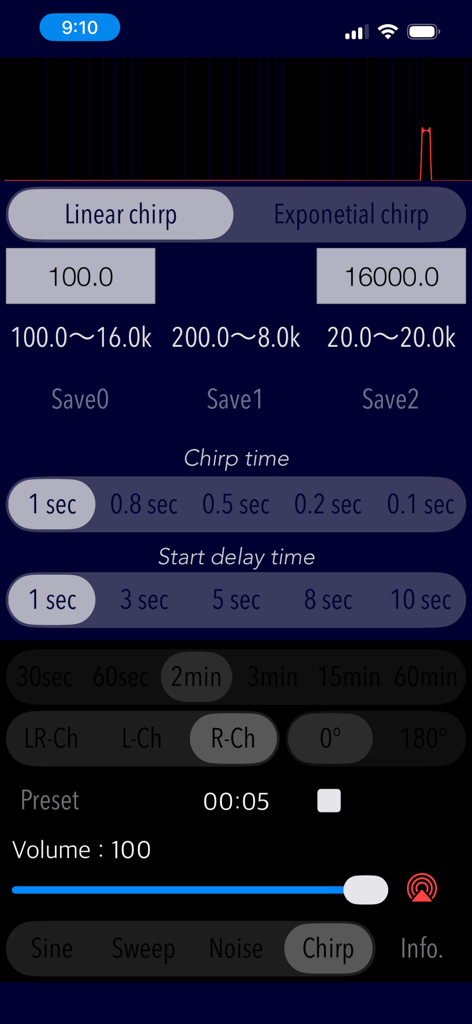
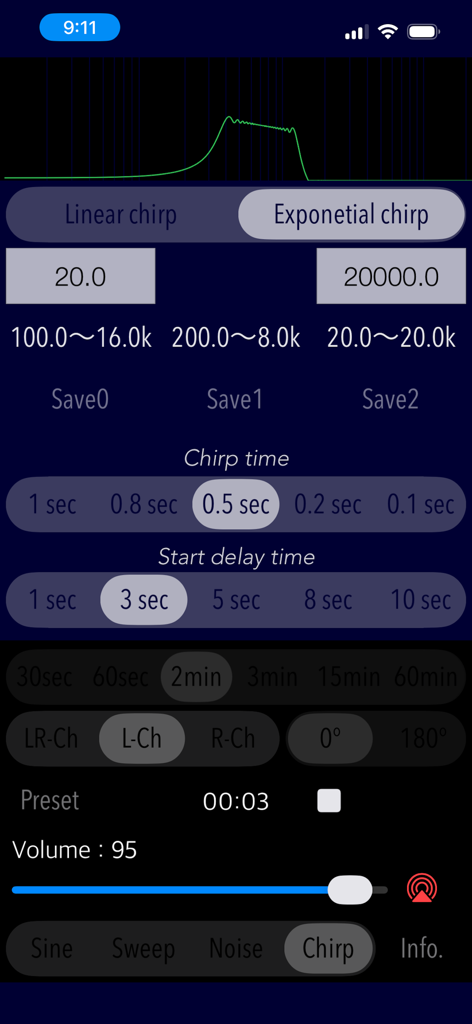
주파수 및 시간 제어가 있는 Audio Tone Generator Plus 앱의 칩 신호 생성기 인터페이스

주파수 및 시간 제어가 있는 Audio Tone Generator Plus 앱의 칩 신호 생성기 인터페이스

지수 주파수 스윕 설정을 보여주는 칩 신호 생성기 인터페이스

지수 주파수 스윕 설정을 보여주는 칩 신호 생성기 인터페이스

오디오 전문가를 위한 전문적인 정밀도

이 앱을 돋보이게 하는 도구, 800 명의 사용자가 선택.

🎯

초정밀 사인파

수동 키보드 입력 또는 사용자 정의 가능한 사전 설정을 사용하여 고음질 장비 테스트 및 튜닝을 위한 0.1Hz 주파수 정확도를 달성하세요.

📈

고급 응답 테스트

사용자 정의 가능한 선형 또는 지수 주파수 스윕 및 칩을 사용하여 룸 공진을 식별하고 장비 주파수 응답을 측정하세요.

🎛️

옥타브 밴드 컬러 노이즈

전문적인 백색, 분홍색 및 갈색 노이즈 프로파일과 1/1 및 1/3 옥타브 밴드 필터를 사용하여 상세한 음향 분석을 수행하세요.

앱 소개

에 대해 알아야 할 모든 것 Audio Tone Generator Plus.

설명

"Audio Tone Generator Plus" is a new integrated sound signal generator app that produces various audio reference tones. It can be used in a wide range of fields as a reference sound source for audio system testing, sound tuning, hearing testing, and more. This app features four types of signal generators for producing sine wave signals, frequency sweep signals, chirp signals, and colored noise with octave band filters. - Sine Wave Generator: Generates a pure tone with high DVD-quality precision and 0.1 Hz frequency accuracy. Frequency can be set by four presets or keyboard input. - Frequency Sweep Generator: It has linear sine wave frequency sweep/warble signal, and can set start and stop frequencies using three presets and keyboard input. Upward and downward sweeps are possible. - Frequency Chirp Generator: It is a short-time sweep signal with linear or exponential frequency change. Start and stop frequencies can be adjusted using three presets or keyboard input. The chirp signal generation time and start delay time can be adjusted. - Colored Noise Generator with Octave Band Filter: Generates white, pink, red, blue, purple, and gray noise. It can also generate 1/1 and 1/3 octave band colored noise with a user-configurable octave band filter. Multiple selections of arbitrary bands are possible and are used for the detailed analysis of specific frequency bands. A burst signal can be output with four different duty ratios. Features: - Sine wave generator (Sine): Sine wave signal (Preset frequencies: 200Hz, 1kHz, 2kHz, 8kHz) - Frequency Sweep generator (Sweep): Sine wave frequency sweep/warble signal (Preset frequencies: 20Hz - 20kHz, 200Hz - 2kHz, 2kHz - 8kHz, transition time: 30, 60, 120, 180sec), upward/downward sweep playback - Colored Noise generator with octave-band filter (Noise): White noise, Pink noise, Red noise (Brown noise), Blue noise, Purple noise and Gray noise. Octave-band noise generation by 1/1 or 1/3 octave-band filer (center frequency: 63Hz - 8kHz / 50Hz - 10kHz), burst playback with duty ratio of 10/25/50/75%. - Chirp signal generator (Chirp): Short-time sweep signal (transition time: 0.1 - 1.0sec, start delay time: 1 - 10sec, frequency variation curve: Linear/Exponential.) - Configurable frequency range: 20Hz - 21kHz - Frequency input by keyboard in units of 0.1Hz. - Preset frequency customization function. - Playback time control: 30sec/60sec/2min/3min/15min/60min - Output gain control. - Output channel selection: LR/L/R - Output phase control: 0/180 degree - In-phase/Out-of-phase. Applications: - Sound testing for loudspeakers and headphones. - Testing and tuning for Audio amplifiers, equalizers and many other Audio equipment. - Acoustics testing. - Frequency response measurement. - Sound insulation level measurement. - Indoor sound field distribution measurement. - Reverberation time measurement. - Sound masking. - Relaxation and meditation. - Hearing test. Note: - Please be careful that the high-frequency signals of high volume in continuous may damage the loudspeakers, even if your ears do not perceive it as being too loud. - The chirp signal is a sweep signal of extremely short duration, so it does not guarantee a playback frequency in the specified range. - If no frequency is selected in the octave-band noise generation, the signal output will be silent. - When using this application with wireless communication such as Bluetooth or AirPlay, there may be cases that limitation of the playback frequency, lowering the output level and irregular noise, etc., may occur under the influence of wireless environment, communication equipment and communication state. Please note that this is not to guarantee that this application operates as configured specifications under the wireless communication. Please visit our iOS app support page for more information on this app.

최신 버전

4.1.3

크기

0.7 MB

출시일

2022년 4월 22일

오디오 환경 최적화할 준비가 되셨나요?

실험실 등급 신호 생성을 사용하는 오디오 애호가 및 음향 엔지니어 커뮤니티에 참여하세요. 지금 다운로드하고 다음 보정 또는 음향 테스트에 0.1Hz 정밀도를 경험해 보세요.

다운로드: App Store

App information, icons, screenshots, and descriptions displayed on this page are sourced from the Apple App Store and are the property of their respective developers. Download estimates and rankings are based on MWM's proprietary models and may not reflect actual figures. This page is provided for informational and analytical purposes only.

Believe this page infringes your intellectual property? File a dispute