전문가 수준의 2FA로 민감한 계정을 보호하세요. 원활한 멀티 디바이스 동기화, 고급 스누핑 방지 개인 정보 보호, Google Authenticator에서 간편한 마이그레이션을 경험하여 완전한 마음의 평화를 얻으세요.
개발사
Rocket Technology Inc
카테고리
Productivity
다운로드
10K+
사용자 평점
4.4/5
총 평가 수
700
지원 언어
33
프로 보안 경험하기
이 인터페이스를 사용하는 10K+ 명의 사용자.
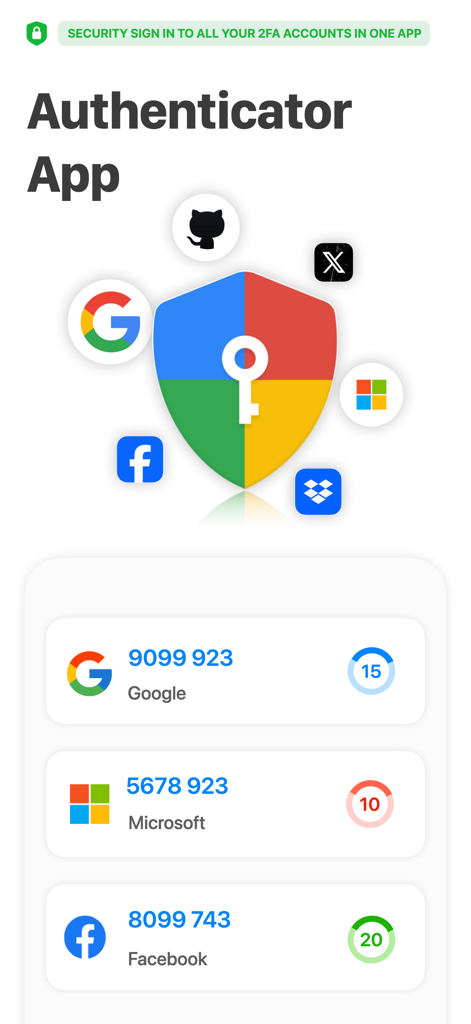
Authenticator App 사용자 인터페이스에 Google Microsoft 및 Facebook 계정에 대한 2FA 확인 코드가 표시됨
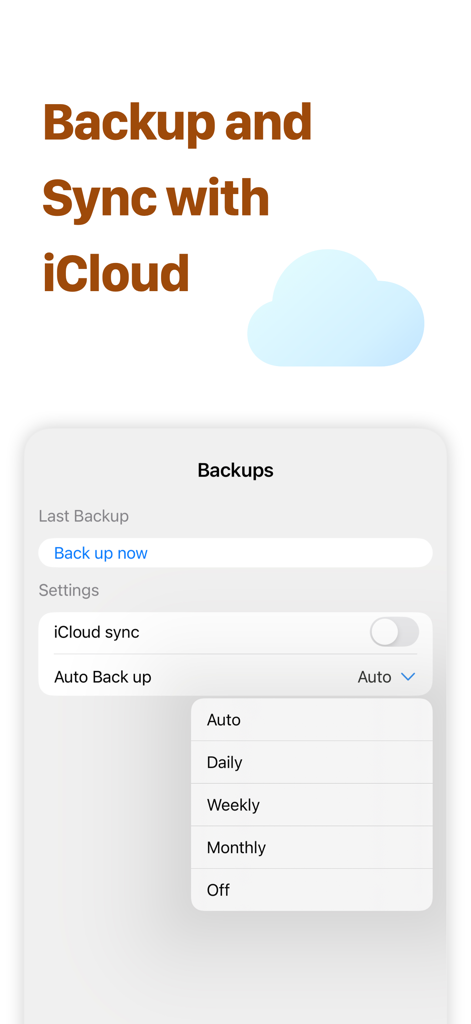
Authenticator App의 iCloud 동기화 및 자동 백업 설정 화면 스크린샷.
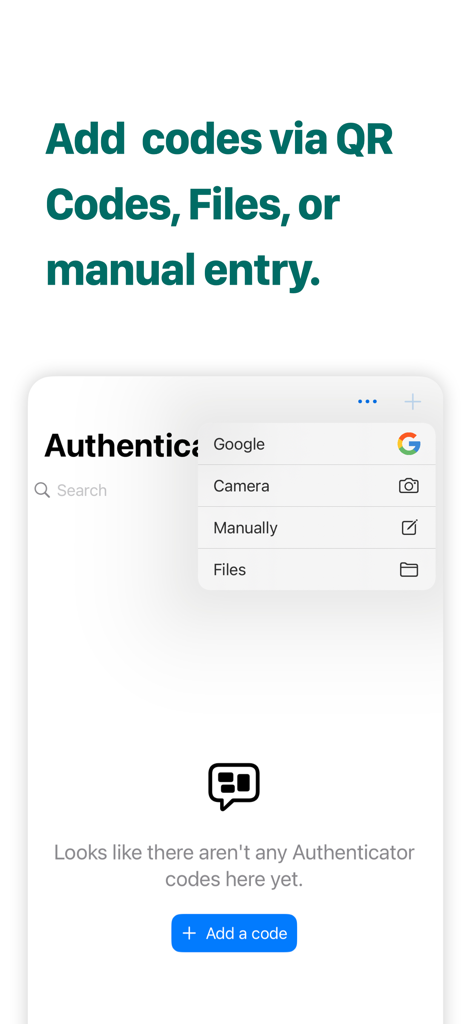
카메라 수동 입력 및 파일 포함 2FA 코드 추가 방법 표시 인터페이스
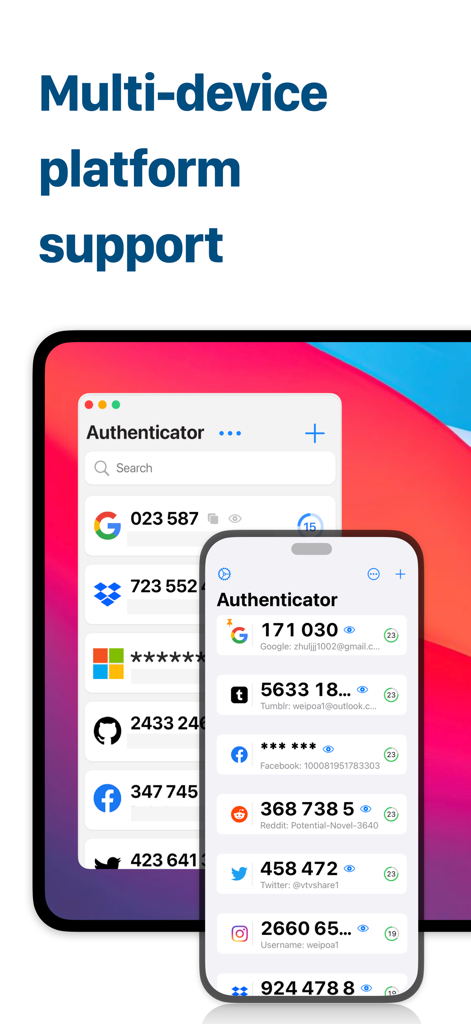
Authenticator App 인터페이스가 Mac 및 iPhone에 표시되어 동기화된 2FA 보안 코드를 보여줌.
디지털 자산을 위한 타협 없는 보안
이 앱을 돋보이게 하는 도구, 10K+ 명의 사용자가 선택.
🔄
원활한 마이그레이션 및 설정
Google Authenticator에서 몇 초 만에 전환하세요. 강력한 가져오기 기능을 통해 잠금 해제에 대한 두려움 없이 모든 민감한 토큰을 위험 없이 전환할 수 있습니다.
🛡️
고급 스누핑 방지 기능
공공 장소에서 개인 정보를 보호하세요. 독점 화면 보호기 기능은 코드를 난독화하여 어깨 너머로 엿보는 사람이 로그인 정보를 훔치는 것을 방지합니다.
⚡
프로 수준의 구성
수십 개의 계정을 가진 파워 유저를 위해 설계되었습니다. 가장 자주 사용하는 코드를 맨 위에 고정하고 iPhone, Mac 및 Apple Watch 전반에 걸쳐 즉각적인 동기화를 즐기세요.
앱 소개
에 대해 알아야 할 모든 것 Authenticator App ®.
설명
Authenticator App is your go-to application for securing your online accounts. With Authenticator App, you can enjoy unparalleled security and convenience, ensuring the strongest possible protection for your personal information and data.
Google account verification and data import
Authenticator App is a powerful application that supports Google account verification and the ability to import data from Google Authenticator. This means you can easily connect your Google account with the Authenticator app, ensuring the highest level of security for your online accounts. With the Import Data feature, you can quickly migrate your account information, making the process easier and more efficient.
Mainstream Account Authentication
Authenticator App not only supports Google account verification, but also verifies mainstream accounts such as Facebook, Twitter, Microsoft, Reddit, Dropbox, and more. This makes Authenticator ideal for unified management of multiple online accounts. Regardless of the platform you're using, Authenticator provides you with secure and convenient login verification to ensure your account information is optimally protected.
Anti-Snooping Feature
Authenticator App takes security to the next level with the featured "screen saver". By hiding and obfuscating the CAPTCHA, Authenticator effectively prevents others from snooping on your login information, providing an extra layer of security for your account. You can use Authenticator with confidence knowing that your information is safe and secure.
Quickly Add Accounts
By scanning a QR code, you don't need to save the QR code, you can add an account by scanning it directly from the desktop application, which is very easy and fast to do.Authenticator also supports a variety of adding methods, including scanning, uploading, and manually typing, so you can choose the way that best suits your needs to add an account. This flexibility and convenience makes account management much easier.
Multiple Adding Methods and Account Topping
Authenticator App offers multiple ways to add accounts, including scanning, uploading, manual entry, camera scanning, and importing data from Google Authenticator. Additionally, you can top frequently used accounts for easier management and use, and Authenticator provides you with comprehensive account management features to keep you in control of your online information anytime, anywhere.
SUBSCRIPTION OPTIONS
• Annual plan: billed annually at $39.99/year after the 3-day trial ends
LIFETIME LICENSE
• Pro License: one-time purchase for $69.99
After the free trial, the total amount for the subscription will be deducted from your iTunes account. Unless you cancel the subscription at least 24 hours before the current period ends, it will automatically renew. Your account will be charged with the renewal fee within 24 hours prior to the end of the current period. Any unused portion of a free trial, if offered, will be forfeited upon purchase. Subscriptions and auto-renewal can be managed or canceled through your iTunes account settings: Settings > iTunes & App Store > Apple ID > Manage Subscriptions.
Terms of Use: https://irocketapp.com/sevices.html
Privacy Policy: https://irocketapp.com/privacy.html
Contact Us: https://irocketapp.com
DISCLAIMER:
Auth for Google Authenticator is an independent application designed specifically to facilitate Two Factor Authentication. This app is not associated with, endorsed by, or connected to any brands such as Apple, Google, Microsoft, Zoom, Facebook, Snapchat, Safari, Mozilla Firefox, Opera, Twitter, Brave, Microsoft Edge, or others.
All trademarks, logos, and brand names are the property of their respective owners, and their use does not imply any endorsement. This app offers a convenient tool for managing Two Factor Authentication for your accounts and is not an official Google Authenticator app.
최신 버전
2.2
크기
18.0 MB
출시일
2024년 3월 27일
프로 수준의 보호로 디지털 세계를 안전하게 보호하세요
10,000명 이상의 보안 의식이 있는 전문가들과 함께 Apple 생태계 전반에 걸쳐 자산을 보호하세요. 지금 바로 궁극적인 디지털 마음의 평화를 향한 여정을 시작하세요.
App information, icons, screenshots, and descriptions displayed on this page are sourced from the Apple App Store and are the property of their respective developers. Download estimates and rankings are based on MWM's proprietary models and may not reflect actual figures. This page is provided for informational and analytical purposes only.
Believe this page infringes your intellectual property? File a dispute