Authenticator App ©

Authenticator App ©

다운로드: App Store
로고: Authenticator App ©

Authenticator App ©: 간편한 2FA로 디지털 세계를 안전하게 보호하세요

해킹으로부터 금융, 소셜, 업무 계정을 보호하세요. 암호화된 iCloud 백업, 생체 인식 보안, 모든 기기 간의 원활한 동기화를 통해 마음의 평화를 누리세요.

개발사

Yiwu Xiaobu Trading Co., Ltd.

카테고리

Productivity

다운로드

988K+

사용자 평점

3.4/5

총 평가 수

700

지원 언어

13

한눈에 보는 보안

이 인터페이스를 사용하는 988K+ 명의 사용자.

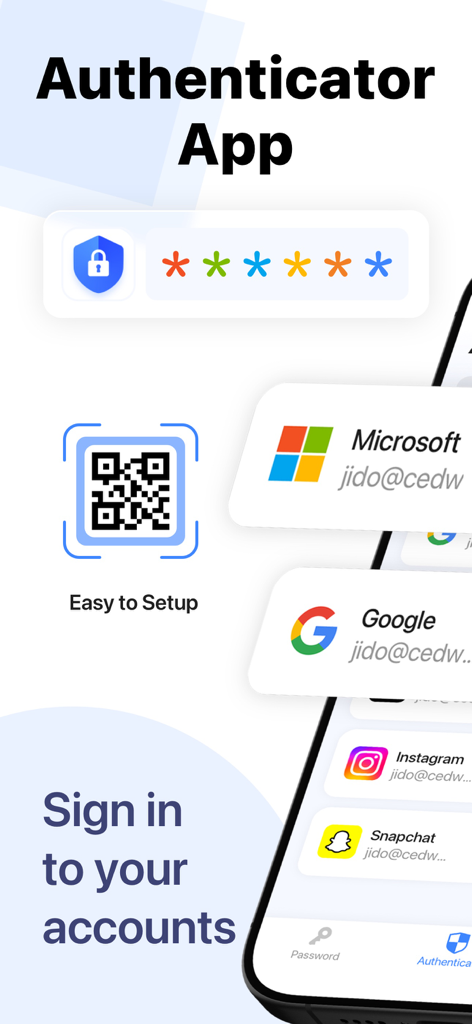
QR 코드 스캔 및 보안을 위한 소셜 미디어 계정 통합을 보여주는 Authenticator App 인터페이스

QR 코드 스캔 및 보안을 위한 소셜 미디어 계정 통합을 보여주는 Authenticator App 인터페이스

2FA 코드와 보안 계정 보호를 나타내는 방패 아이콘을 표시하는 스마트폰

2FA 코드와 보안 계정 보호를 나타내는 방패 아이콘을 표시하는 스마트폰

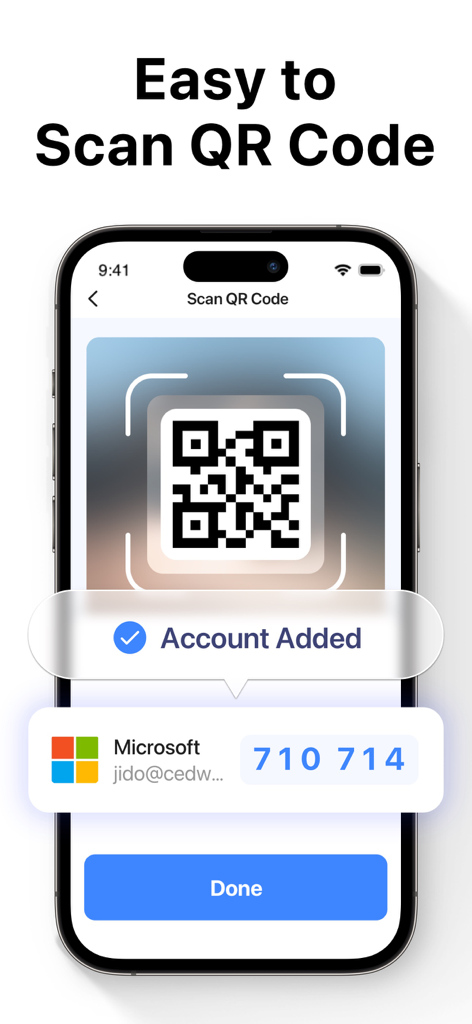
2단계 인증을 위해 Microsoft 계정을 추가하기 위해 QR 코드를 스캔하는 Authenticator App을 보여주는 iPhone 화면

2단계 인증을 위해 Microsoft 계정을 추가하기 위해 QR 코드를 스캔하는 Authenticator App을 보여주는 iPhone 화면

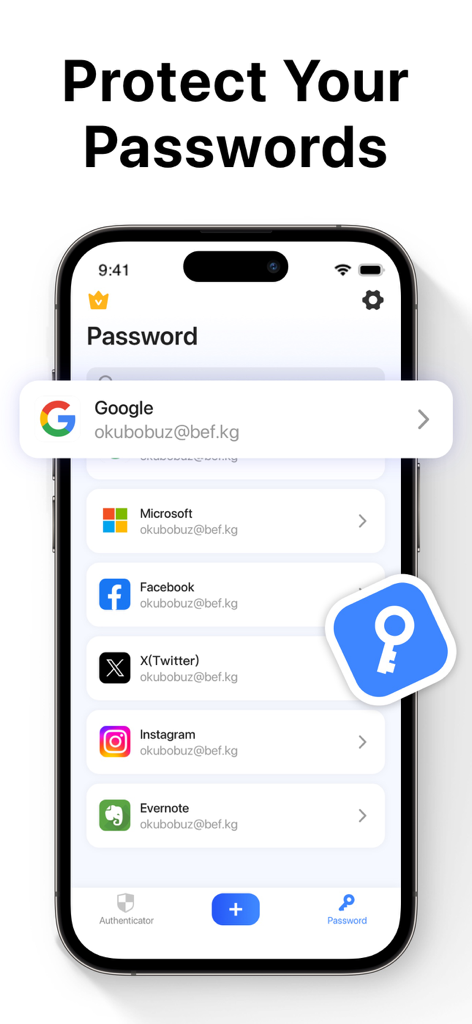
저장된 소셜 미디어 및 업무 계정 목록과 함께 Authenticator App의 비밀번호 관리자 기능을 표시하는 스마트폰 화면

저장된 소셜 미디어 및 업무 계정 목록과 함께 Authenticator App의 비밀번호 관리자 기능을 표시하는 스마트폰 화면

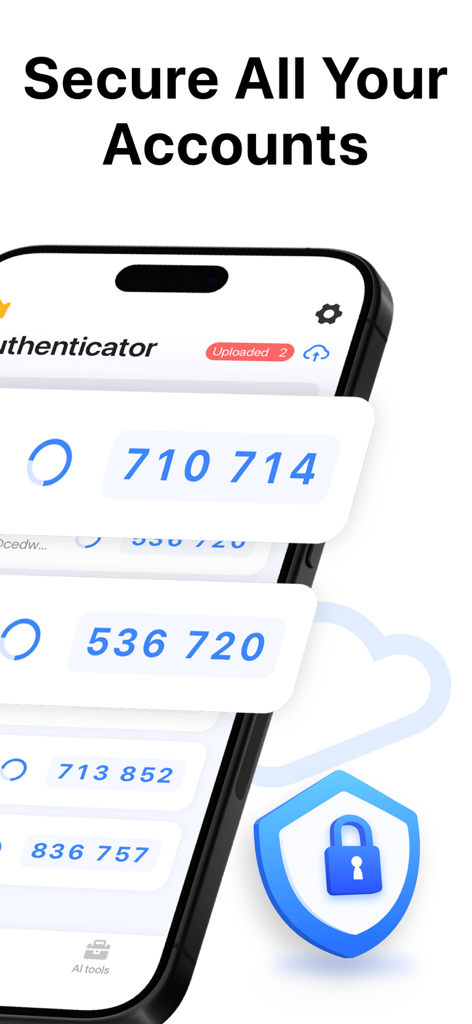
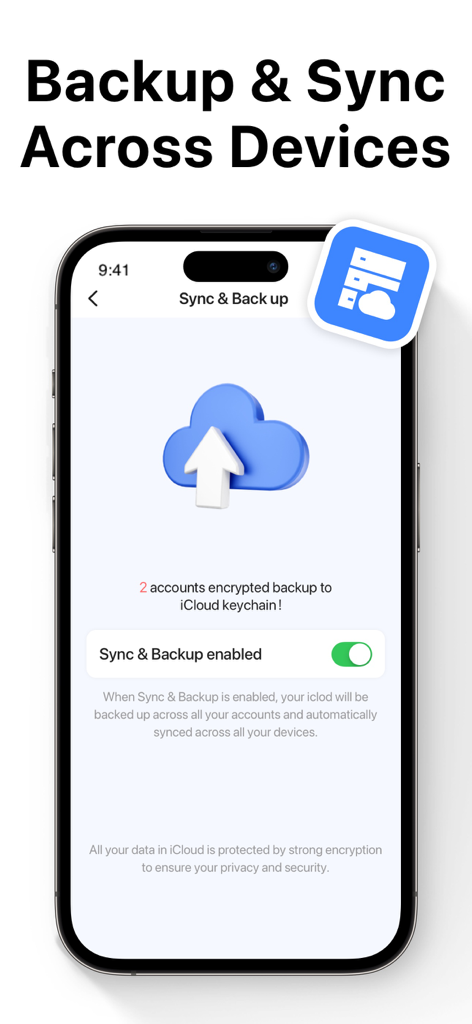
보안 클라우드 스토리지를 위해 백업 및 동기화 기능이 활성화된 Authenticator App 화면

보안 클라우드 스토리지를 위해 백업 및 동기화 기능이 활성화된 Authenticator App 화면

궁극의 계정 보안을 손쉽게

이 앱을 돋보이게 하는 도구, 988K+ 명의 사용자가 선택.

🛡️

고급 2FA 보호

모든 민감한 로그인을 위한 중요한 두 번째 방어 계층을 추가하는 TOTP(시간 기반 일회용 비밀번호)로 해커를 저지하세요.

🔄

원활한 iCloud 동기화

접근 권한을 잃을까 봐 걱정하지 마세요. 토큰은 완전히 암호화되어 모든 iOS 기기 간에 자동으로 동기화되어 쉽게 업그레이드할 수 있습니다.

🆔

생체 인식 즉시 액세스

Face ID 또는 Touch ID의 속도로 볼트를 잠금 해제하세요. 편의성과 개인 정보를 희생하지 않고 안전한 코드를 즉시 얻으세요.

앱 소개

에 대해 알아야 할 모든 것 Authenticator App ©.

설명

Two Factor Authenticator is a simple and secure Mobile Authentication app (2FA Authenticator) that generates Time-based One-time authentication Passwords (TOTP). Authenticator App to help keep your online accounts secure on supporting TOTP websites. This Authenticator app makes your login more secure! By automatically scanning a QR code, this authenticator app generates a one-time password (OTP) for two-factor authentication (2FA) or multi-factor authentication (MFA), to protect your log-in and accounts from hacking. All commonly used online services like Google, Facebook, Github, LinkedIn, Dropbox, and thousands of other cloud applications can log in using the 2FA token generated by this authenticator app. With this authenticator, you can easily log into all your online accounts without having to remember various passwords. Authenticator app features: -Easy and user friendly No account setup is required, automatically scan QR Code with this authenticator and get a one-time password to enable 2FA/MFA authentication for your login. -Secure & Private Authy Authenticate All data stored in Authenticator is always encrypted, even when it's stored in iCloud to ensure that you are the only one who can access your data with 2-step authorization. - Protect your passwords Manage & Storage your account passwords, and keeps them safe and secure behind the one password that only you know. - Backup & Sync : In 2FA Authenticator, you can always make a secure encrypted backup, in case you lose your device or switch to a new one. With Autentifikator all your tokens will automatically synchronize across all devices. -Authorize with Touch ID or Face ID Confirm your identity with the application using Touch ID or Face ID and generate one-time tokens required to log in to your online accounts. - All Popular Accounts: We support verification (but are not associated with) the most popular services including Facebook, Google Chrome, Coinbase, Binance Playstation, Steam, Amazon, Paypal, Gmail, MS Microsoft, Instagram, Discord, Epic Roblox, and thousands of other providers. Information about the auto-renewal of subscription: – Payment will be charged to iTunes Account at confirmation of purchase. – Subscription automatically renews unless auto-renew is turned off at least 24 hours before the end of the current period. – Account will be charged for renewal within 24 hours before the end of the current period. The cost depends on the selected plan. – Subscriptions may be managed by the user and auto-renewal may be turned off by going to the user's Account Settings after purchase. Privacy Policy: https://inis.inislab.com/log/inislab/page?k=privepolicy Terms of Use: https://inis.inislab.com/log/inislab/page?k=termsofuse

최신 버전

2.0

크기

36.5 MB

출시일

2022년 12월 30일

지금 디지털 세계를 안전하게 보호하세요

988,000명 이상의 전문가와 함께 암호화된 클라우드 백업 및 Face ID 보호를 통해 금융, 업무, 소셜 계정을 안전하게 유지하세요. 지금 최고의 보안 동반자를 다운로드하세요.

다운로드: App Store
FAQ

자주 묻는 질문

에 대해 알아야 할 모든 것 Authenticator App ©

Authenticator App ©란 무엇인가요?

Authenticator App ©는 시간 기반 일회용 인증 비밀번호(TOTP)를 생성하는 안전한 모바일 인증 앱입니다. 다양한 온라인 계정에 대한 2단계 인증(2FA)을 활성화하여 보안을 강화합니다.

Authenticator App ©는 계정 설정을 위해 QR 코드 스캔을 지원하나요?

예, Authenticator App ©는 QR 코드를 자동으로 스캔하여 설정을 간소화합니다. 이 프로세스는 로그인에 대한 2FA 또는 MFA 인증을 활성화하기 위한 일회용 비밀번호(OTP)를 생성합니다.

Authenticator App ©는 데이터 보안 및 개인 정보를 어떻게 보장하나요?

Authenticator App ©는 iCloud에 백업될 때조차도 모든 저장된 데이터를 암호화하여 계정을 보호합니다. 이 강력한 암호화는 2단계 인증을 통해서만 승인된 사용자만 자신의 데이터에 액세스할 수 있도록 보장합니다.

Authenticator App ©는 비밀번호를 관리하고 보호할 수 있나요?

예, Authenticator App ©는 계정 비밀번호를 안전하게 관리하고 저장하는 기능을 제공합니다. 사용자가 아는 단일 비밀번호 뒤에 안전하게 보관합니다.

Authenticator App ©는 인증 토큰에 대한 백업 및 동기화 기능을 제공하나요?

예, Authenticator App ©는 모든 토큰의 안전하고 암호화된 백업을 iCloud에 허용합니다. 해당 기능을 활성화하면 모든 기기에서 이러한 토큰을 자동으로 동기화합니다.

사용자는 Touch ID 또는 Face ID를 사용하여 Authenticator App © 내에서 인증할 수 있나요?

예, Authenticator App ©는 Touch ID 또는 Face ID를 사용한 인증을 지원합니다. 이를 통해 사용자는 생체 인식 보안으로 신원을 확인하고 일회용 토큰을 생성할 수 있습니다.

Authenticator App ©는 어떤 인기 있는 온라인 서비스를 지원하나요?

예, Authenticator App ©는 Google, Facebook, Github, LinkedIn, Dropbox를 포함한 광범위한 인기 서비스와 2FA 및 MFA를 위한 수천 개의 다른 클라우드 애플리케이션을 지원합니다.

Authenticator App ©의 구독은 어떻게 처리되나요?

Authenticator App © 구독은 현재 기간이 종료되기 최소 24시간 전에 자동 갱신을 해제하지 않는 한 자동으로 갱신됩니다. 결제는 구매 시 iTunes 계정으로 청구됩니다.

App information, icons, screenshots, and descriptions displayed on this page are sourced from the Apple App Store and are the property of their respective developers. Download estimates and rankings are based on MWM's proprietary models and may not reflect actual figures. This page is provided for informational and analytical purposes only.

Believe this page infringes your intellectual property? File a dispute