Authenticator App ‧

Authenticator App ‧

다운로드: App Store
로고: Authenticator App ‧

인증기 앱 ‧: 이중 암호화된 iCloud 동기화로 고급 2단계 인증 보안

디지털 생활을 보호하고 다시는 접근 권한을 잃지 마세요. iPhone을 위해 설계된 FaceID, 안전한 백업, 즉시 QR 설정으로 1,000개 이상의 앱에 대한 원활한 인증을 경험하세요.

다운로드: App Store

개발사

Normal Vector Limited

카테고리

Productivity

다운로드

265K+

사용자 평점

2.5/5

총 평가 수

1K+

지원 언어

2

당신의 보안, 시각화되다

이 인터페이스를 사용하는 265K+ 명의 사용자.

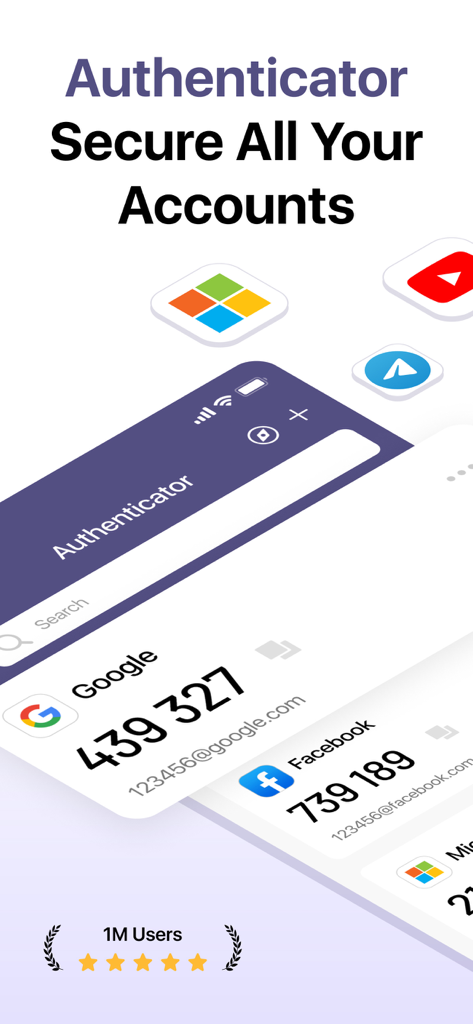
인증기 앱 대시보드에 Google 및 Facebook 계정에 대한 2단계 인증 코드가 표시됩니다.

인증기 앱 대시보드에 Google 및 Facebook 계정에 대한 2단계 인증 코드가 표시됩니다.

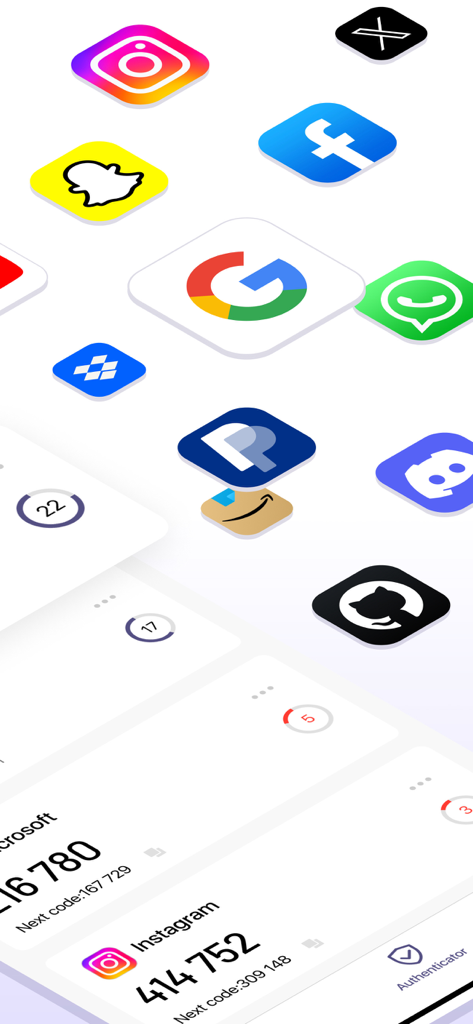
인증기 앱 인터페이스에 Instagram 및 Microsoft에 대한 2단계 인증 코드가 표시되며 소셜 미디어 아이콘이 떠 있습니다.

인증기 앱 인터페이스에 Instagram 및 Microsoft에 대한 2단계 인증 코드가 표시되며 소셜 미디어 아이콘이 떠 있습니다.

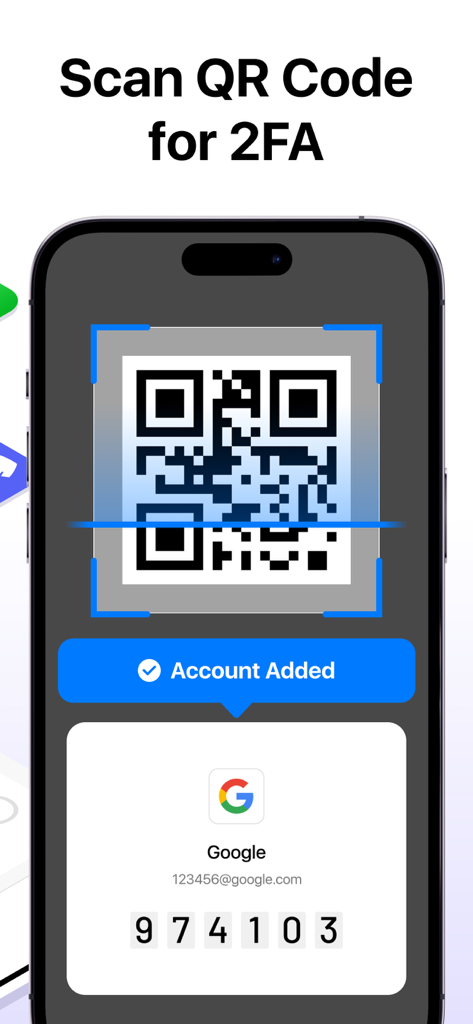
인증기 앱에서 2단계 인증 설정을 위해 QR 코드를 스캔하는 스마트폰.

인증기 앱에서 2단계 인증 설정을 위해 QR 코드를 스캔하는 스마트폰.

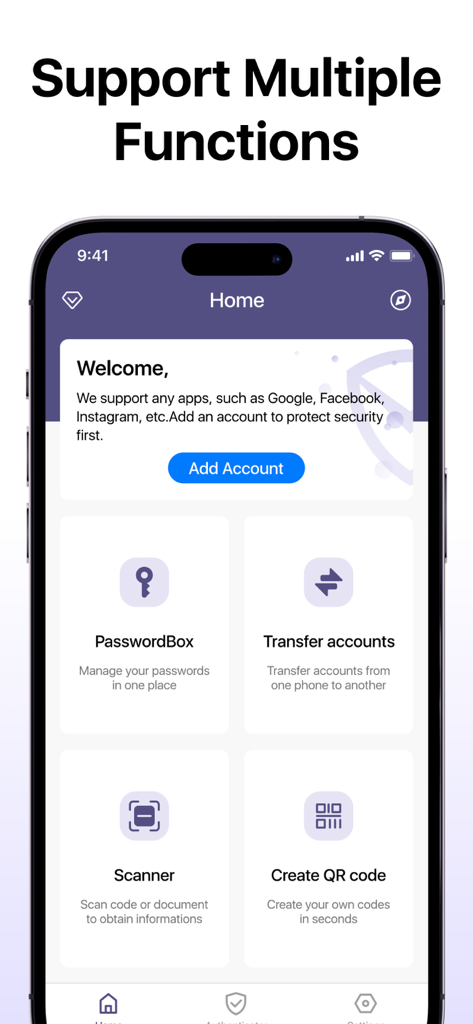
인증기 앱 대시보드에 비밀번호 상자 전송 계정 및 QR 스캐너와 같은 보안 기능이 표시됩니다.

인증기 앱 대시보드에 비밀번호 상자 전송 계정 및 QR 스캐너와 같은 보안 기능이 표시됩니다.

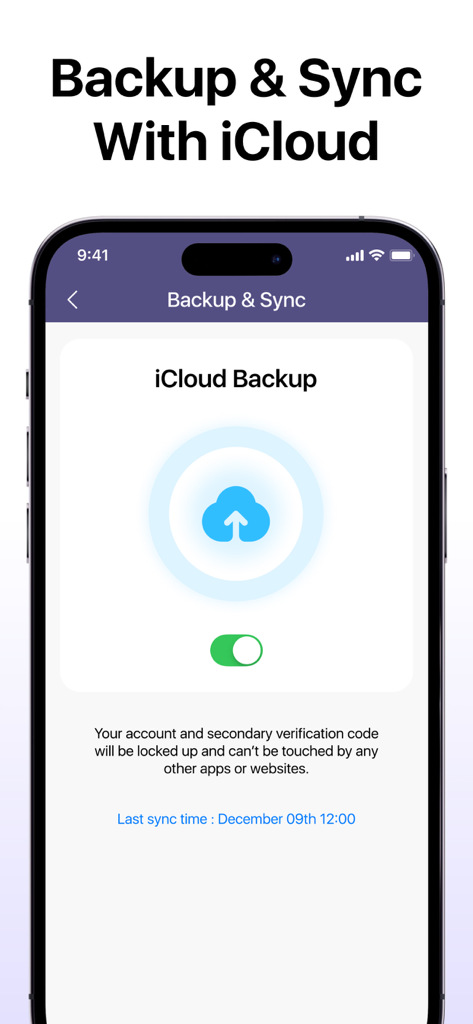
iPhone에서 인증기 앱의 iCloud 백업 및 동기화 설정 화면을 보여주는 스크린샷.

iPhone에서 인증기 앱의 iCloud 백업 및 동기화 설정 화면을 보여주는 스크린샷.

디지털 신원 정보 완벽 보호

이 앱을 돋보이게 하는 도구, 265K+ 명의 사용자가 선택.

☁️

암호화된 iCloud 동기화

다시는 잠길 걱정은 하지 마세요. 코드는 안전한 iCloud 저장소를 통해 iPhone 및 iPad 간에 자동으로 백업되고 동기화됩니다.

🤳

원활한 생체 인식 접근

비밀번호는 건너뛰세요. FaceID 또는 TouchID를 사용하여 한 번의 시선이나 터치로 인증 코드를 즉시 안전하게 접근하세요.

🛡️

통합 계정 보안

모든 것을 위한 하나의 안전한 보금자리. Google, Facebook, Amazon 및 전문 업무 도구를 포함한 1,000개 이상의 앱에 대한 2단계 인증을 손쉽게 관리하세요.

앱 소개

에 대해 알아야 할 모든 것 Authenticator App ‧.

설명

Authenticator is an advanced app designed to enhance your account security through efficient account management and robust verification processes,which provides an extra layer of protection through double encryption. This significantly boosts the security of your accounts against unauthorized access. Additionally, the iCloud storage and sync capabilities ensure that your verification codes are securely backed up and easily accessible, preventing any loss. All features are unlocked with a subscription, allowing you to take full advantage of Authenticator’s comprehensive security solutions to safeguard your sensitive information effortlessly. You can gain all the benefits included: 1.Dual security with two-step verification Secure your accounts by generating a two-step verification code during the login process. This dual authentication method adds an extra layer of protection, ensuring that only authorized one can access the accounts. By requiring a second code, it significantly reduces the risk of unauthorized access. 2.Secure account addition via QR code scanning With authenticator,you can easily scan and add accounts, streamlining the setup process. This intuitive QR code scanning simplifies adding accounts, making it fast and convenient. Once added, you can manage all your accounts securely in one place, eliminating the need to remember multiple login credentials. 3.Encrypted iCloud backup for verification codes Authenticator offers a robust iCloud storage that securely backs up your verification codes,which ensures that your codes are safe from loss or theft, providing easy access whenever needed, and you can trust that your sensitive data is protected while being readily available for use. 4.Compatibility with over 1000 popular apps Support and integrate with more than 1000 popular applications, such as Facebook, Twitter, Amazon, Google, Instagram and more,providing flexible usage across various platforms. 5.Face recognition for seamless authentication Our app incorporates advanced face recognition technology, allowing you to log in effortlessly and securely.With just a glance that you can authenticate your identity, eliminating the need for traditional passwords or verification codes. Subscription Pricing: - Auto-renewable yearly subscription at USD 39.99/year - Auto-renewable yearly subscription with 3-day trial at USD 49.99/year - Lifetime at USD 49.99 Note - Payment will be charged to the iTunes Account at confirmation of purchase - Subscription automatically renews unless auto-renew is turned off at least 24 hours before the end of the current period - Account will be charged for renewal within 24 hours before the end of the current period, and identify the cost of the renewal - The user and auto-renewal may manage subscriptions may be turned off by going to the user's Account Settings after purchase - Any unused portion of a free trial period, if offered, will be forfeited when the user purchases a subscription to that publication, where applicable Contact us by: support@normalv.com Terms of Use:https://www.normalv.com/terms.html Privacy Policy:https://www.normalv.com/privacy.html

최신 버전

1.2

크기

32.1 MB

출시일

2024년 7월 28일

디지털 보안을 직접 관리하세요

이중 암호화 및 iCloud 동기화를 사용하여 가장 중요한 계정을 보호하는 265,000명 이상의 전문가들과 함께하세요. 지금 인증기를 다운로드하여 완벽한 마음의 평화를 얻으세요.

다운로드: App Store

App information, icons, screenshots, and descriptions displayed on this page are sourced from the Apple App Store and are the property of their respective developers. Download estimates and rankings are based on MWM's proprietary models and may not reflect actual figures. This page is provided for informational and analytical purposes only.

Believe this page infringes your intellectual property? File a dispute