Authenticator App ・

Authenticator App ・

다운로드: App Store
로고: Authenticator App ・

Authenticator App ・: iPhone 및 Apple Watch를 위한 전문가급 2FA 보안

암호화되고 오프라인에서도 사용할 수 있는 인증 기능으로 디지털 신원을 보호하세요. Face ID, 개인 iCloud 백업 및 iOS 위젯과 손목에서 즉시 사용할 수 있는 코드로 계정을 보호하세요.

다운로드: App Store

개발사

TEAM V GAMES OYUN YAZILIM VE PAZARLAMA ANONIM SIRKETI

카테고리

Utilities

다운로드

5K+

사용자 평점

4.5/5

총 평가 수

0

지원 언어

8

한눈에 보는 보안

이 인터페이스를 사용하는 5K+ 명의 사용자.

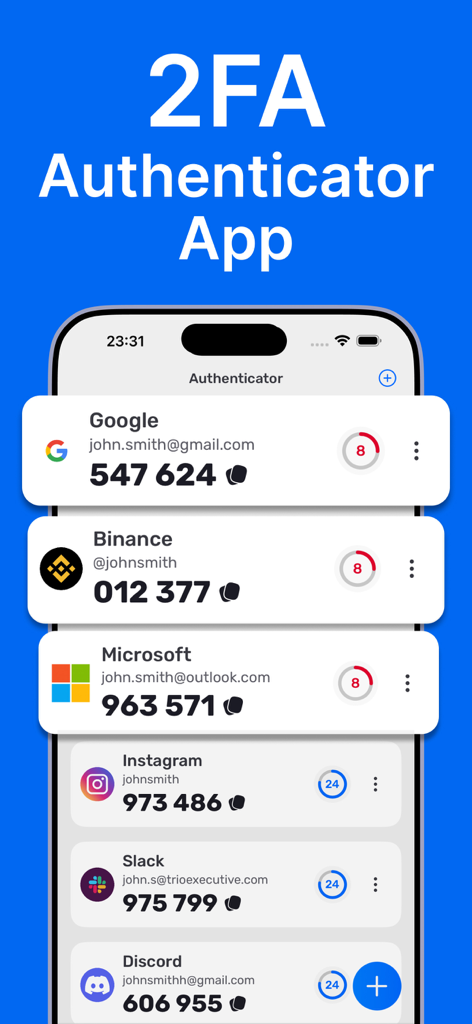
깔끔한 iOS 모바일 인터페이스에서 다양한 서비스에 대한 2FA 인증 코드 목록

깔끔한 iOS 모바일 인터페이스에서 다양한 서비스에 대한 2FA 인증 코드 목록

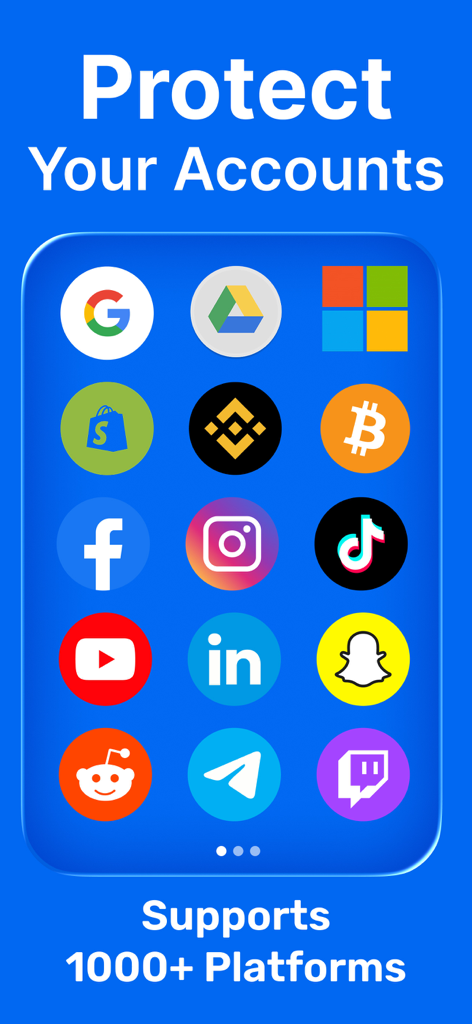
안전한 2단계 인증을 위해 지원되는 다양한 플랫폼을 표시하는 Authenticator 앱 화면

안전한 2단계 인증을 위해 지원되는 다양한 플랫폼을 표시하는 Authenticator 앱 화면

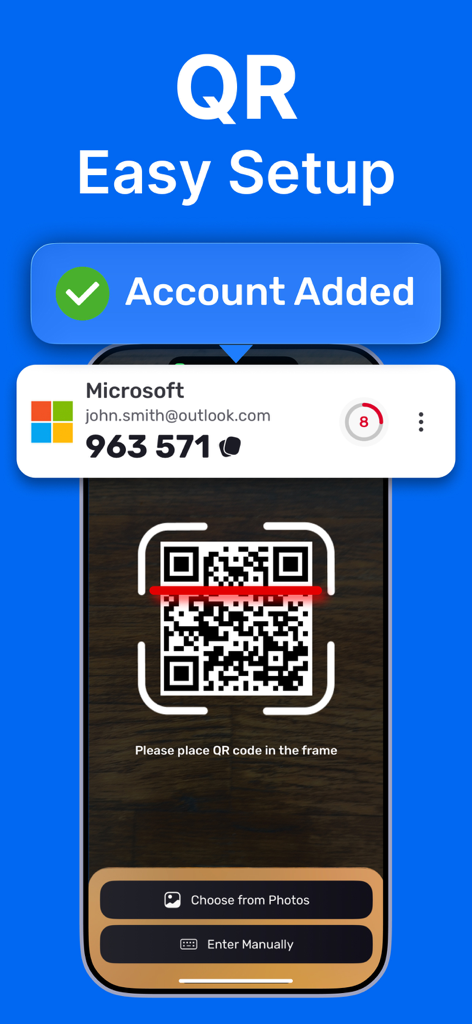
성공 알림과 함께 쉬운 계정 설정을 위해 QR 코드를 스캔하는 스마트폰을 보여주는 Authenticator 앱 인터페이스

성공 알림과 함께 쉬운 계정 설정을 위해 QR 코드를 스캔하는 스마트폰을 보여주는 Authenticator 앱 인터페이스

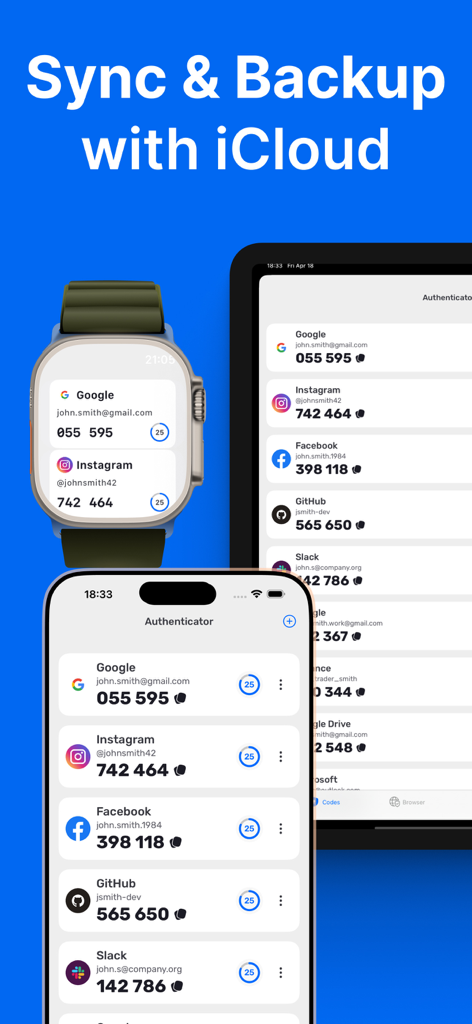
Authenticator 앱이 iCloud 백업을 통해 iPhone Apple Watch 및 iPad 전반에 동기화된 2FA 코드를 표시함

Authenticator 앱이 iCloud 백업을 통해 iPhone Apple Watch 및 iPad 전반에 동기화된 2FA 코드를 표시함

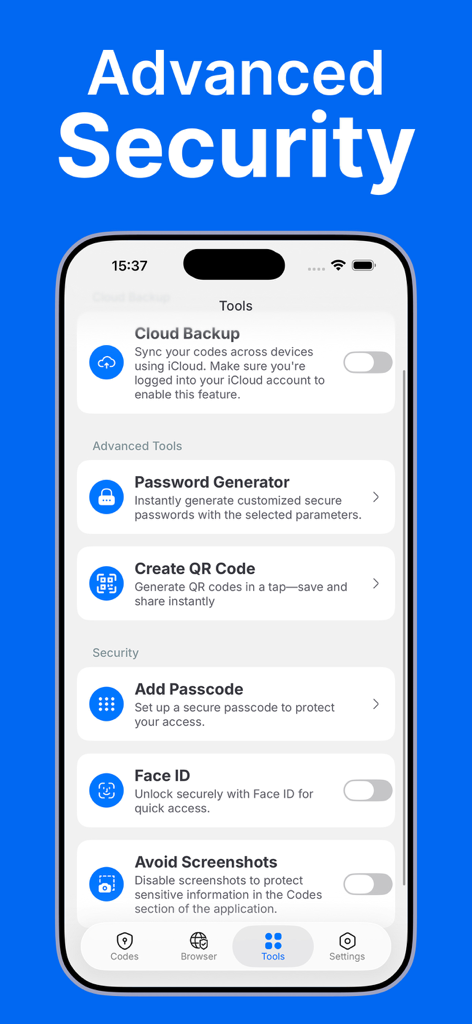
Cloud Backup, Face ID 및 Password Generator와 같은 고급 보안 도구를 보여주는 Authenticator App 인터페이스

Cloud Backup, Face ID 및 Password Generator와 같은 고급 보안 도구를 보여주는 Authenticator App 인터페이스

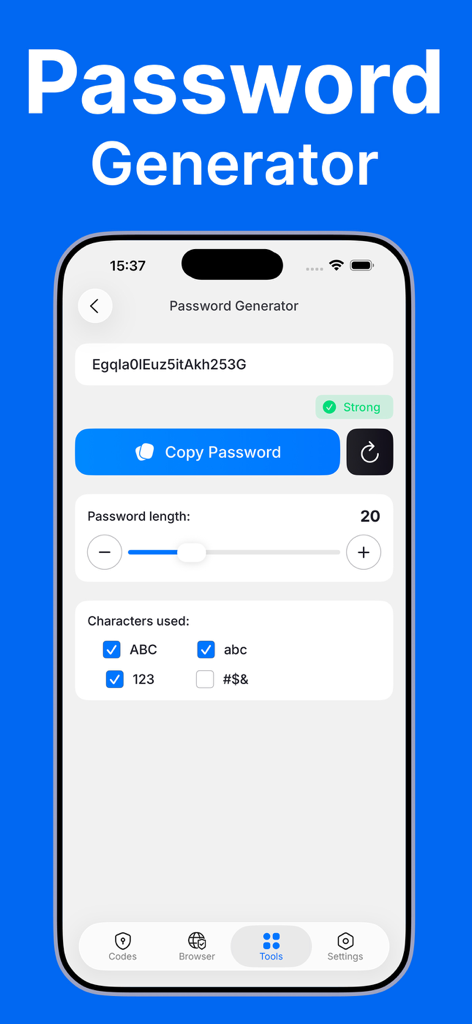
길이와 문자 유형을 사용자 정의하는 옵션을 보여주는 Authenticator App의 비밀번호 생성기 기능 인터페이스

길이와 문자 유형을 사용자 정의하는 옵션을 보여주는 Authenticator App의 비밀번호 생성기 기능 인터페이스

디지털 신원을 쉽게 강화하세요

이 앱을 돋보이게 하는 도구, 5K+ 명의 사용자가 선택.

손목 우선 인증

Apple Watch 또는 홈 화면 위젯을 통해 2FA 코드를 즉시 액세스하세요. 휴대폰을 찾을 필요 없이 워크스페이스 또는 금융 계정을 인증하세요.

🛡️

개인 정보 보호 우선 아키텍처

당신의 비밀은 당신의 것입니다. 암호화된 iCloud 백업과 스크린샷 및 화면 녹화 시도를 자동으로 가리는 고급 보호 기능의 이점을 누리세요.

📶

끊김 없는 오프라인 안정성

QR 코드를 스캔하여 몇 초 안에 설정하세요. 인터넷 연결 없이도 전 세계 어디에서나 안전한 시간 기반 비밀번호를 생성하여 로그아웃될 일이 없도록 하세요.

앱 소개

에 대해 알아야 할 모든 것 Authenticator App ・.

설명

# Authenticator App - Protect Your Accounts with Two-Factor Authentication Protect your accounts with a private, fast, and secure authenticator. Generate time-based one-time passwords (2FA/TOTP) for your favorite services and keep them encrypted on your device—ready when you need them, even offline. Features: - Effortless setup Scan a QR code or enter a setup key to add an account in seconds. Codes work offline, so you’re covered even without internet. - Secure. Encrypted. Your 2FA secrets are stored on your device with strong encryption. Access is protected by Face ID or Passcode. - iCloud Backup (Encrypted) Keep a secure, encrypted backup in iCloud so you can restore your codes on a new device when needed. - Apple Watch Support View and copy your verification codes right from your wrist for instant access on the go. - iOS Widgets Add widgets to your Home Screen or Lock Screen for quick code access when every second counts. - Extra Security Controls Face ID / Passcode lock, app-switcher privacy, and screenshot & screen-recording shielding that obscures codes when capture is detected. - Password Generator Create strong, unique passwords in seconds—no more guesswork. - Private Browser Open sign-in pages privately without unwanted tracking. - Works with your favorite services Supports thousands of sites that use TOTP, including Google, Microsoft, Facebook, Instagram, Gmail, Amazon, and many more. Built for Apple platforms: Optimized for iPhone and Apple Watch with smooth performance, accessibility, and native security features. This app is not connected to, endorsed by, or affiliated with any third-party platforms or services it is compatible with. Note: This app generates verification codes for services that support time-based one-time passwords (TOTP). Some services may require additional steps to enable 2FA. Privacy Policy: https://docs.google.com/document/d/17qlEq5t7IcmdIatX7B7uQCShzqPwYMO0mnQJgj6f0B8/edit?usp=sharing Terms & EULA: https://docs.google.com/document/d/1T5LjMl6bv6q7KaO36UxIwEsoZCllshymAqdLWKvHf5M/edit?usp=sharing

최신 버전

1.6

크기

51.1 MB

출시일

2025년 8월 10일

몇 초 만에 디지털 세상을 안전하게 보호하세요

암호화된 iCloud 백업과 즉각적인 Apple Watch 액세스로 전문가 수준의 보호 기능을 경험하세요. 가장 소중한 계정을 보호하기 위해 저희를 신뢰하는 수천 명의 디지털 전문가들과 함께하세요.

다운로드: App Store
FAQ

자주 묻는 질문

에 대해 알아야 할 모든 것 Authenticator App ・

Authenticator 앱의 주요 기능은 무엇인가요?

Authenticator 앱은 시간 기반 일회용 비밀번호(2FA/TOTP)를 생성하여 계정을 보호합니다. 이 코드는 기기에 암호화되어 저장되며 오프라인에서도 액세스할 수 있습니다.

Authenticator 앱은 2FA 코드를 어떻게 안전하게 보호하나요?

Authenticator 앱은 2FA 비밀 키를 강력한 암호화로 기기에 저장합니다. 이러한 비밀 키에 대한 액세스는 Face ID 또는 암호로 보호됩니다.

Authenticator 앱이 2FA 코드에 대한 iCloud 백업을 지원하나요?

예, Authenticator 앱은 안전하고 암호화된 iCloud 백업을 지원합니다. 사용자는 이 백업을 통해 새 기기에서 코드를 복원할 수 있습니다.

Authenticator 앱을 Apple Watch와 함께 사용할 수 있나요?

예, Authenticator 앱은 Apple Watch를 지원합니다. 사용자는 손목에서 바로 인증 코드를 확인하고 복사하여 즉시 액세스할 수 있습니다.

Authenticator 앱에 계정을 설정하는 방법은 무엇인가요?

Authenticator 앱은 간편한 설정을 제공합니다. 사용자는 QR 코드를 스캔하거나 설정 키를 수동으로 입력하여 몇 초 안에 계정을 추가할 수 있습니다.

Authenticator 앱이 비밀번호 생성기를 제공하나요?

예, Authenticator 앱에는 비밀번호 생성기가 포함되어 있습니다. 이 기능을 통해 사용자는 빠르고 쉽게 강력하고 고유한 비밀번호를 만들 수 있습니다.

Authenticator 앱이 제공하는 보안 제어 기능은 무엇인가요?

Authenticator 앱은 Face ID/암호 잠금, 앱 전환기 개인 정보 보호, 스크린샷 및 화면 녹화 차단 등 추가 보안 제어 기능을 제공합니다.

Authenticator 앱은 오프라인에서도 작동하나요?

예, Authenticator 앱은 오프라인에서도 작동하는 코드를 생성합니다. 이를 통해 인터넷 연결 없이도 인증 코드에 지속적으로 액세스할 수 있습니다.

Authenticator 앱과 함께 위젯을 사용할 수 있나요?

예, Authenticator 앱은 iOS 위젯을 지원합니다. 사용자는 홈 화면 또는 잠금 화면에 위젯을 추가하여 코드를 빠르게 액세스할 수 있습니다.

Authenticator 앱은 많은 온라인 서비스와 호환되나요?

예, Authenticator 앱은 Google, Microsoft, Facebook, Instagram, Amazon을 포함한 TOTP를 사용하는 수천 개의 서비스와 함께 작동합니다.

App information, icons, screenshots, and descriptions displayed on this page are sourced from the Apple App Store and are the property of their respective developers. Download estimates and rankings are based on MWM's proprietary models and may not reflect actual figures. This page is provided for informational and analytical purposes only.

Believe this page infringes your intellectual property? File a dispute