Backbone — Next-Level Play

Backbone — Next-Level Play


다운로드: App Store다운로드: Google Play
로고: Backbone — Next-Level Play

Backbone — 아이폰에서의 궁극의 콘솔 경험

휴대폰을 전문가 수준의 휴대용 기기로 전환하세요. 매끄러운 소셜 플레이와 멋진 클립을 녹화 및 공유할 수 있는 전문가 수준의 도구를 갖춘 통합 런처 하나로 Xbox, PlayStation, App Store 게임을 즐기세요.

개발사

Backbone Labs, Inc.

카테고리

Social Networking

다운로드

3M+

사용자 평점

4.8/5

총 평가 수

111K+

지원 언어

10

나만의 모바일 지휘 센터

이 인터페이스를 사용하는 3M+ 명의 사용자.

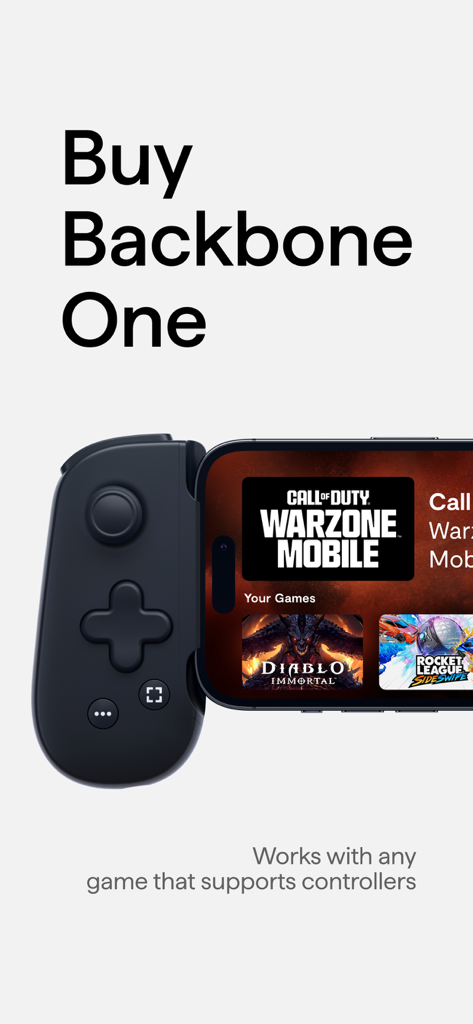
콜 오브 듀티 워존 모바일 및 디아블로 이모탈과 같은 지원 게임 라이브러리를 표시하는 스마트폰에 연결된 Backbone One 모바일 게임 컨트롤러.

콜 오브 듀티 워존 모바일 및 디아블로 이모탈과 같은 지원 게임 라이브러리를 표시하는 스마트폰에 연결된 Backbone One 모바일 게임 컨트롤러.

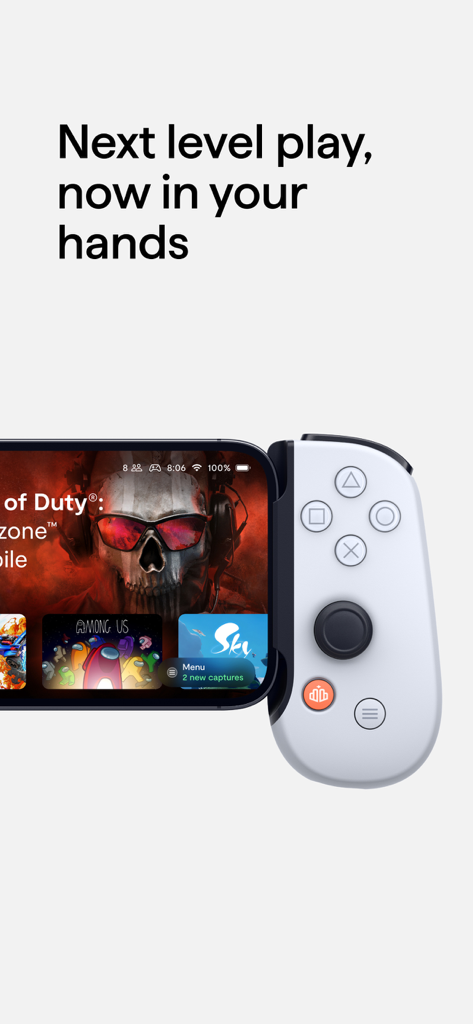
통합 게임 대시보드를 보여주는 아이폰에 연결된 Backbone One 컨트롤러.

통합 게임 대시보드를 보여주는 아이폰에 연결된 Backbone One 컨트롤러.

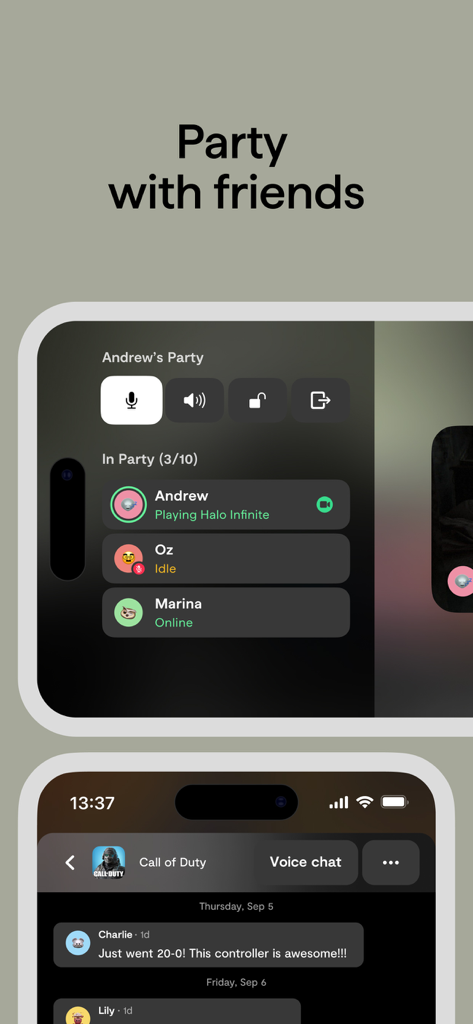
음성 채팅 및 친구 상태 업데이트가 포함된 친구와 함께하는 파티 기능을 보여주는 Backbone 앱 인터페이스

음성 채팅 및 친구 상태 업데이트가 포함된 친구와 함께하는 파티 기능을 보여주는 Backbone 앱 인터페이스

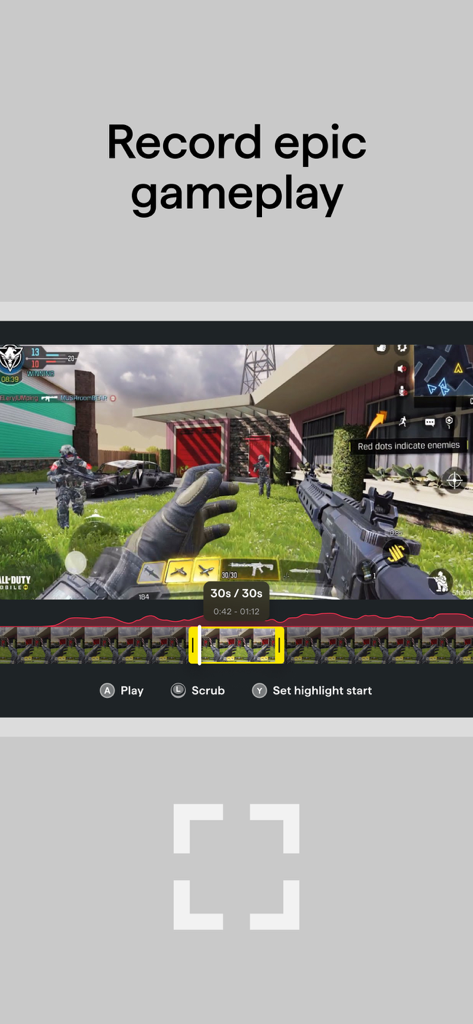
게임 플레이 클립 녹화 및 편집 도구를 보여주는 Backbone 앱 인터페이스.

게임 플레이 클립 녹화 및 편집 도구를 보여주는 Backbone 앱 인터페이스.

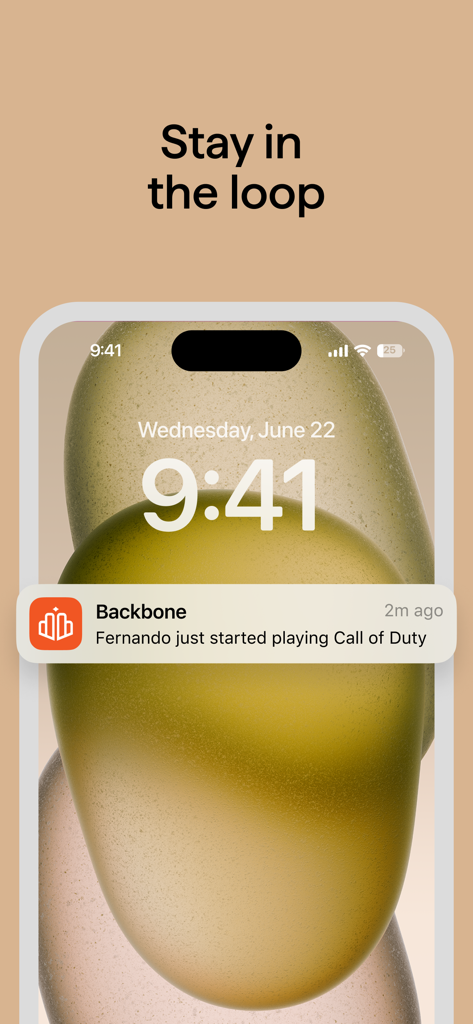
콜 오브 듀티 게임을 시작한 친구에 대한 Backbone 앱 알림을 보여주는 iPhone 잠금 화면.

콜 오브 듀티 게임을 시작한 친구에 대한 Backbone 앱 알림을 보여주는 iPhone 잠금 화면.

모바일 경험을 한 단계 업그레이드하세요

이 앱을 돋보이게 하는 도구, 3M+ 명의 사용자가 선택.

🎮

궁극의 통합 런처

앱 폴더는 잊으세요. 하나의 멋진 콘솔에서 영감을 받은 대시보드에서 Xbox, PlayStation, App Store 게임에 액세스하세요.

👥

혼자서 플레이하지 마세요

친구가 온라인 상태일 때 확인하고, 통합 음성 채팅 및 풍부한 상태 알림으로 즉시 게임에 참여하세요.

🎥

프로 플레이에서 바이럴 클립까지

PC 없이도 몇 초 만에 최고의 게임 하이라이트를 캡처, 편집 및 TikTok 또는 Instagram에 공유하세요.

앱 소개

에 대해 알아야 할 모든 것 Backbone — Next-Level Play.

설명

Backbone turns your iPhone and iPad Mini into the ultimate gaming device. ■ Play any game or service that supports game controllers. The Backbone One controller works with services like PS Remote Play, Xbox Game Pass (xCloud), Apple Arcade, Xbox Remote Play, Google Stadia, and Amazon Luna. It also works with games like Call of Duty: Mobile, Minecraft and Genshin Impact. Press the Backbone Button to bring up the app and launch into your favorite games that support controllers from one place. ■ Record, edit, and share epic gaming clips Backbone One has a built-in Capture button that allows you to easily screen record or screenshot gameplay and share directly to social platforms like Instagram Stories and iMessage, all directly from your mobile device. ■ Never miss a moment Hold the Capture Button to bookmark a moment when recording. Forgot to bookmark? Once a video is captured, Backbone’s app helps you identify your most action-packed moments automatically, allowing you to show off your best moments and highlights with ease. ■ Party with your friends With Backbone’s Rich Presence feature, you can get push notifications when your friends start playing games on Backbone, making it easy to join the action in real-time. Once you see a friend online, you can link up for voice chat inside the app and move from game to game, seamlessly. To learn more, download the app or visit https://backbone.com/ A Backbone+ subscription is required for some features within the app. Any feedback? Use the in-app feedback tool, ping us at support@playbackbone.com or tweet us @backbone Terms of Use: https://backbone.com/terms/

최신 버전

1.9.24

크기

377.6 MB

출시일

2020년 10월 19일

어디서든 즐기는 콘솔 경험

휴대폰을 최고의 휴대용 기기로 바꾸고 있는 3백만 명 이상의 게이머들과 함께하세요. Backbone 앱을 다운로드하여 컨트롤러를 동기화하고, 모든 플랫폼의 좋아하는 타이틀을 실행하고, 팀과 계속 연결 상태를 유지하세요.

다운로드: App Store다운로드: Google Play
FAQ

자주 묻는 질문

에 대해 알아야 할 모든 것 Backbone — Next-Level Play

Backbone One은 무엇인가요?

Backbone One은 iPhone 및 iPad Mini를 휴대용 게임 장치로 변환합니다. 이를 통해 사용자는 모바일 장치에서 직접 컨트롤러 지원 게임 및 클라우드 게임 서비스를 플레이할 수 있습니다.

어떤 게임 및 서비스와 Backbone One을 호환할 수 있나요?

Backbone One은 PS Remote Play, Xbox Game Pass, Apple Arcade, Google Stadia, Amazon Luna와 같은 서비스와 Call of Duty: Mobile, Minecraft, Genshin Impact와 같은 게임과 함께 작동합니다.

Backbone One으로 게임 플레이를 녹화할 수 있나요?

네, Backbone One에는 사용자가 쉽게 게임 플레이 화면을 녹화하거나 스크린샷을 찍을 수 있는 내장 캡처 버튼이 있습니다. 또한 액션이 풍부한 순간을 자동으로 식별하는 데 도움이 됩니다.

Backbone One을 사용하여 게임 플레이 클립을 어떻게 공유하나요?

사용자는 Backbone 앱을 사용하여 모바일 장치에서 Instagram Stories 및 iMessage와 같은 소셜 플랫폼에 녹화된 게임 플레이 클립 또는 스크린샷을 직접 공유할 수 있습니다.

친근한 게임 플레이를 위한 Backbone One의 소셜 기능이 있나요?

네, Backbone의 Rich Presence 기능은 친구가 게임을 할 때 푸시 알림을 보내 쉽게 참여하고 게임 전반에 걸쳐 앱 내 음성 채팅을 할 수 있도록 합니다.

모든 Backbone 기능에 Backbone+ 구독이 필요한가요?

아니요, Backbone 앱 내 일부 기능에는 Backbone+ 구독이 필요하지만 모든 기능에 필요한 것은 아닙니다. 핵심 컨트롤러 기능은 구독 없이 사용할 수 있습니다.

Backbone One 컨트롤러로 게임을 어떻게 실행하나요?

사용자는 전용 Backbone 버튼을 눌러 앱을 열 수 있습니다. 거기서 단일 인터페이스에서 좋아하는 컨트롤러 지원 게임을 실행할 수 있습니다.

Backbone One 컨트롤러는 어떤 장치를 게임 장치로 변환하나요?

Backbone One 컨트롤러는 iPhone 및 iPad Mini를 최고의 게임 장치로 변환하여 모바일 게임 플레이를 위한 향상된 컨트롤을 제공합니다.

App information, icons, screenshots, and descriptions displayed on this page are sourced from the Apple App Store and are the property of their respective developers. Download estimates and rankings are based on MWM's proprietary models and may not reflect actual figures. This page is provided for informational and analytical purposes only.

Believe this page infringes your intellectual property? File a dispute