
이 페이지는 앱이나 개발자의 공식 페이지가 아니며, 정보 제공 및 논평을 목적으로 작성된 독립 편집 간행물입니다. 명시적으로 달리 언급되지 않는 한, 해당 앱이나 개발자는 MWM, Apple, Google Play, 앱 퍼블리셔 또는 앱 개발자와 제휴, 보증, 후원, 승인 또는 공식적으로 연결되어 있지 않으며, 이 페이지의 어떤 내용도 해당 앱이 MWM의 서비스를 사용하여 개발되었음을 의미하지 않습니다. 모든 상표, 로고, 스크린샷 및 기타 콘텐츠는 해당 소유자의 자산입니다.

Google Meet
물리적 장벽? 무의미합니다. 사용자는 이 앱으로 언제 어디서든 소통의 중심에 서게 됩니다.
다운로드
100M+사용자 평점
총 평가 수
3.7M개발사
카테고리
Social Networking지원 언어
55최신 버전
352.0크기
306.7 MB출시일
2016년 9월 2일Google Meet: 주요 기능 분석
화상 통신 및 협업을 위한 종합적인 평가
Google Workspace 통합
이 앱은 Gmail, Docs, Slides, Calendar와 같은 다른 Google Workspace 앱과 통합되어 사용자가 원활하고 효과적인 회의를 진행할 수 있도록 돕습니다.
다양한 기기 접근성
이 앱은 모바일, 태블릿, 웹 및 스마트 기기에서 작동하여 모든 사용자가 회의에 참여할 수 있도록 다양한 기기 접근성을 제공합니다.
실시간 번역 자막
이 도구는 70개 이상의 언어로 실시간 번역 자막을 제공하여 사용자가 선호하는 언어로 대화를 따라가고 글로벌 커뮤니케이션을 가능하게 합니다.
고품질 비디오
이 앱은 대역폭이 허용하는 한 최대 4K 비디오 품질을 제공하여 사용자가 선명하고 전문적인 모습으로 회의에 참여할 수 있도록 합니다.
무료 영상 통화 및 회의
이 앱은 최대 24시간의 일대일 영상 통화와 최대 60분 및 100명까지 참여 가능한 그룹 회의를 무료로 제공하여 접근성을 높입니다.
시각 자료 공유
사용자가 통화 중에 사진, 비디오 및 프레젠테이션과 같은 시각 자료를 공유하여 효율적인 협업과 정보 전달을 할 수 있도록 해줍니다.
이동 중 모드 (오디오 전용)
이 도구는 오디오 전용 경험과 더 큰 통화 컨트롤을 제공하는 이동 중 모드를 통해 사용자가 걷거나 운전 중 또는 대중교통 이용 중에도 방해 없이 쉽게 통화할 수 있도록 합니다.
통화 중 채팅
사용자가 대화의 흐름을 방해하지 않고 아이디어를 공유하거나 질문하고 피드백을 제공할 수 있도록 통화 중 채팅 기능을 제공합니다.
자주 묻는 질문
에 대해 알아야 할 모든 것 Google Meet
What is Google Meet?
Google Meet is a high-quality video calling application designed for meaningful interactions with friends, family, colleagues, and classmates. It supports spontaneous calls, scheduled meetings, and video messages across various devices.
Is Google Meet free to use?
Yes, Google Meet offers free usage for one-on-one video calls up to 24 hours. Users can also host meetings for up to 60 minutes with up to 100 people at no cost.
How many people can join a Google Meet call?
Google Meet allows up to 100 people to join a meeting for up to 60 minutes at no cost. One-on-one video calls can last up to 24 hours.
Does Google Meet offer real-time captions?
Yes, Google Meet provides real-time translated captions in over 70 languages, allowing users to follow conversations in their preferred language.
Can I use Google Meet on multiple devices?
Yes, Google Meet is accessible on various devices including mobile phones, tablets, web browsers, and smart devices, ensuring broad compatibility.
What integrated features does Google Meet offer for meetings?
Google Meet integrates with Google Workspace apps and offers features like in-call chat, noise cancellation, meeting recordings, and custom effects including backgrounds, filters, and animations.
Is Google Meet secure for conversations?
Yes, Google Meet is secure by design. It implements security measures to ensure conversations are kept safe and private for all participants.
Does Google Meet have custom backgrounds and effects?
Yes, Google Meet provides stackable effects, allowing participants to add multiple backgrounds, filters, and animations to personalize their video call experience.
Can I record meetings in Google Meet?
Yes, meeting recording is available in Google Meet. This feature is offered as a premium option. More details regarding pricing are available on the Workspace website.
What is on-the-go mode in Google Meet?
On-the-go mode in Google Meet provides an audio-only experience with larger call controls. This mode helps reduce distractions when taking calls while walking, driving, or using public transportation.
다음 스크린샷과 설명은 앱의 공식 스토어 목록에서 직접 가져온 것이며 앱 개발자의 자산입니다.
앱 스토어
스크린샷
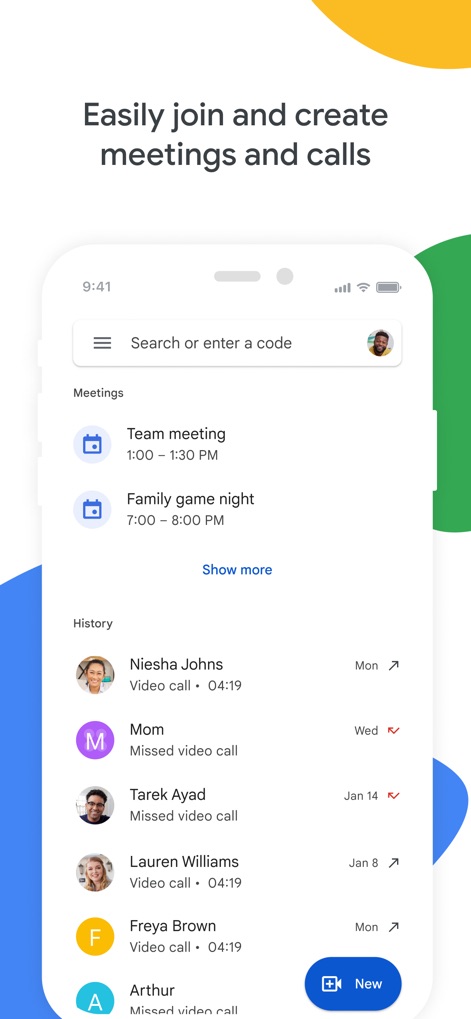
간편한 회의 관리
이 앱은 예정된 '회의 목록'과 최근 '통화 기록'을 명확하게 표시하여 사용자가 쉽게 회의를 시작하거나 참여할 수 있도록 돕습니다.
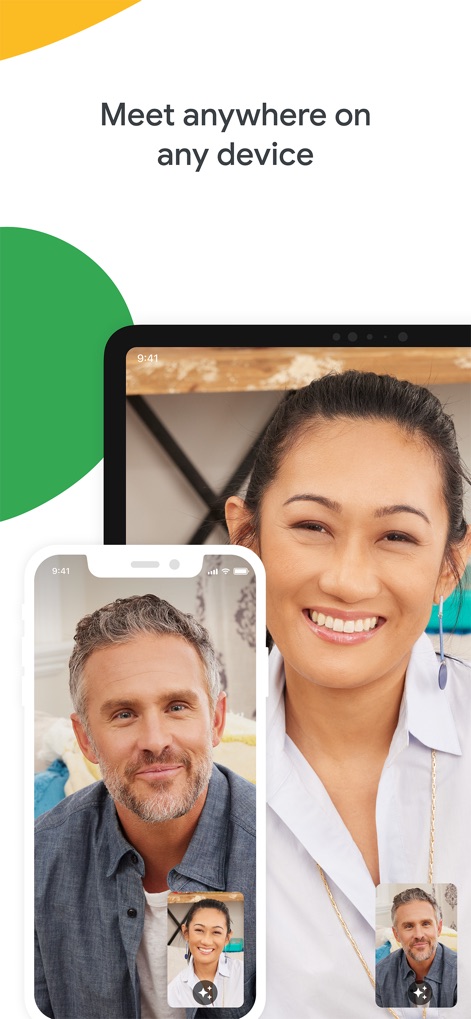
모든 기기에서 연결
사용자는 '스마트폰'과 '태블릿'을 포함한 다양한 기기에서 고품질 화상 통화를 즐기며, 언제 어디서든 끊김 없는 소통을 경험할 수 있습니다.

즐거운 효과와 배경
이 앱은 사용자가 '흥미로운 얼굴 필터'와 '맞춤형 배경'을 적용하여 대화에 재미를 더하고 자신을 표현할 수 있게 합니다.

실시간 자막 지원
이 기능은 대화 내용을 '실시간 자막'으로 제공하여 사용자가 놓치지 않고 내용을 이해할 수 있으며, 발화자의 '이름'과 함께 표시되어 명확성을 높입니다.
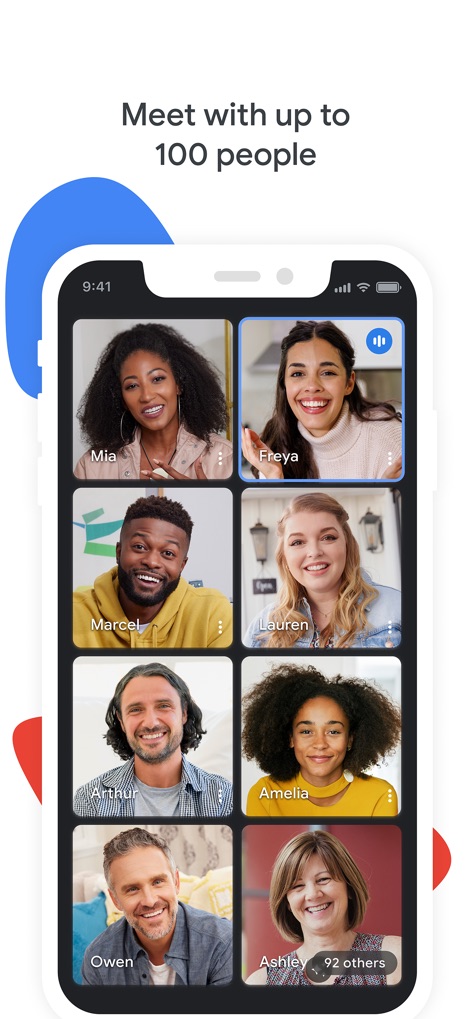
다자간 회의 지원
이 도구는 '여러 참가자의 화면'을 한눈에 볼 수 있는 격자형 레이아웃을 제공하며, '참가자 수 표시'를 통해 대규모 그룹 통화도 효율적으로 관리할 수 있습니다.

안전한 대화 보장
이 앱은 중앙에 위치한 '보안 방패 아이콘'과 '참가자 프로필 사진'을 통해 모든 대화가 안전하게 보호됨을 시각적으로 강조합니다.
설명
Download
비슷한 앱
유사한 기능과 사용자 경험을 가진 앱

GoTo
GoTo Group, Inc.

Lark - Team Collaboration
LARK TECHNOLOGIES PTE. LTD.

RingCentral
RingCentral, Inc

MTS Link
VEBINAR TEKHNOLOGII, OOO

Pronto Team Communication
Hit Labs, Inc.

Zoho Cliq - Team Communication
Zoho Corporation

Microsoft Teams
Microsoft Corporation

Zoom Workplace
Zoom Communications, Inc.
Google Chat
Google LLC
이 페이지는 앱이나 개발자의 공식 페이지가 아니며, 정보 제공 및 논평을 목적으로 작성된 독립 편집 간행물입니다. 명시적으로 달리 언급되지 않는 한, 해당 앱이나 개발자는 MWM, Apple, Google Play, 앱 퍼블리셔 또는 앱 개발자와 제휴, 보증, 후원, 승인 또는 공식적으로 연결되어 있지 않으며, 이 페이지의 어떤 내용도 해당 앱이 MWM의 서비스를 사용하여 개발되었음을 의미하지 않습니다. 모든 상표, 로고, 스크린샷 및 기타 콘텐츠는 해당 소유자의 자산입니다.