Baluster Calculator Elite

Baluster Calculator Elite


다운로드: App Store
로고: Baluster Calculator Elite

발루스터 계산기 엘리트: 프로 데크 및 계단 제작자를 위한 정밀 간격

복잡한 계단 기울기 계산을 마스터하고 몇 초 만에 정확한 마킹 중심을 얻으세요. 모든 현장에서 빠르고 규정에 맞는 난간 배치를 위한 업계 최고의 도구입니다.

다운로드: App Store

개발사

Cyberprodigy LLC

카테고리

Utilities

다운로드

15K+

사용자 평점

4.7/5

총 평가 수

500

지원 언어

8

한눈에 보는 정밀도

이 인터페이스를 사용하는 15K+ 명의 사용자.

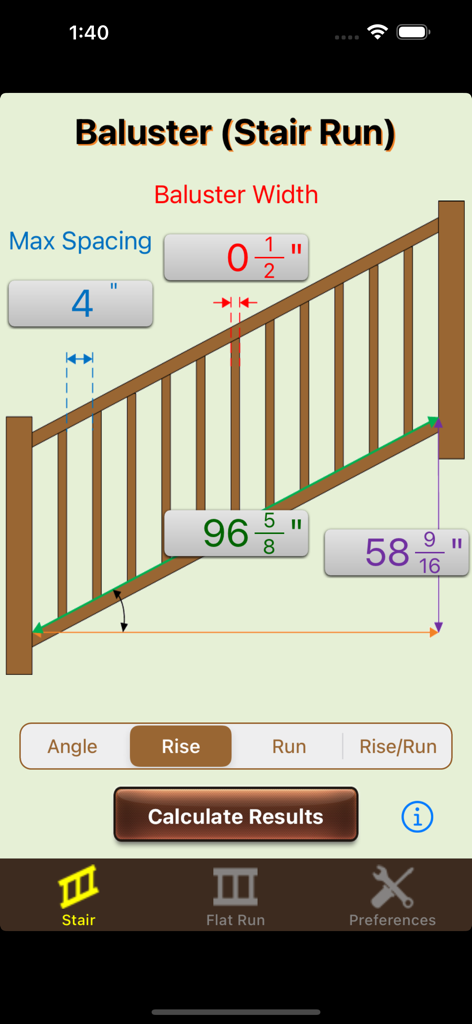
기울기 각도, 라이저 및 런 측정이 있는 계단 발루스터 간격 계산 인터페이스

기울기 각도, 라이저 및 런 측정이 있는 계단 발루스터 간격 계산 인터페이스

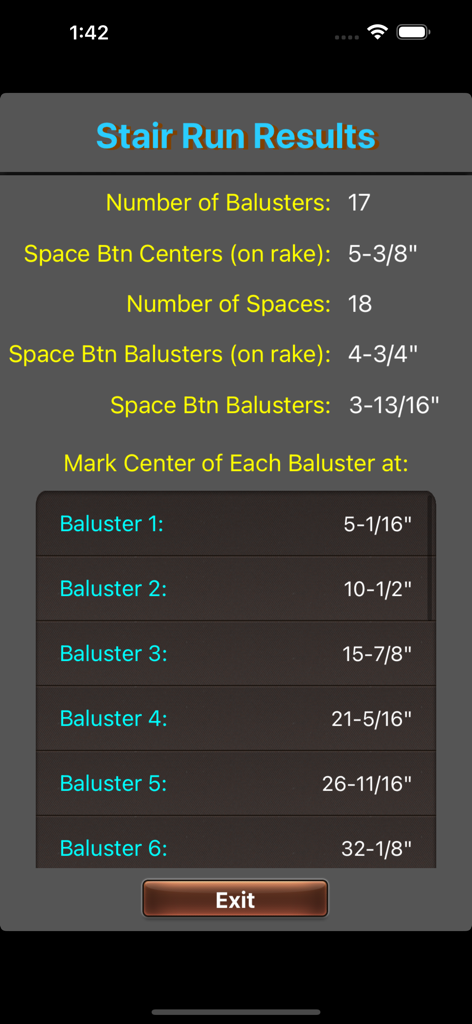
발루스터 수와 마킹 중심 측정을 보여주는 계단 런 결과

발루스터 수와 마킹 중심 측정을 보여주는 계단 런 결과

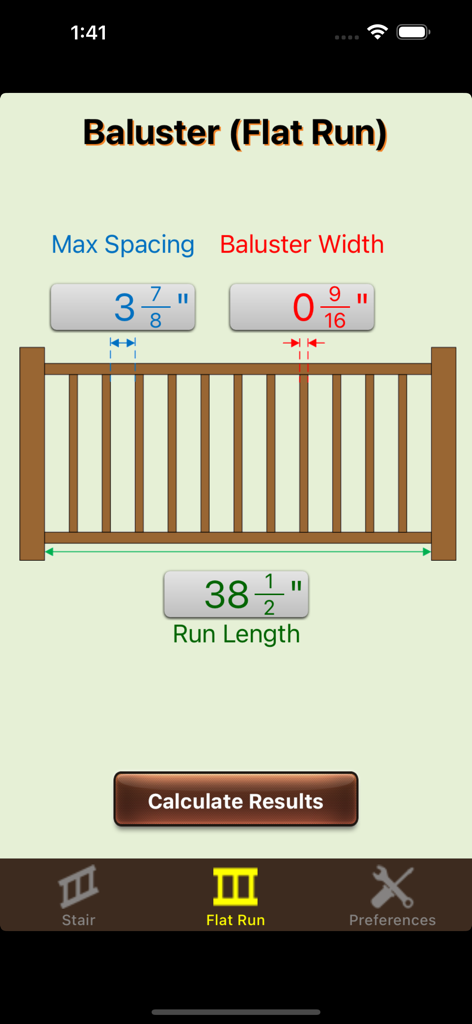
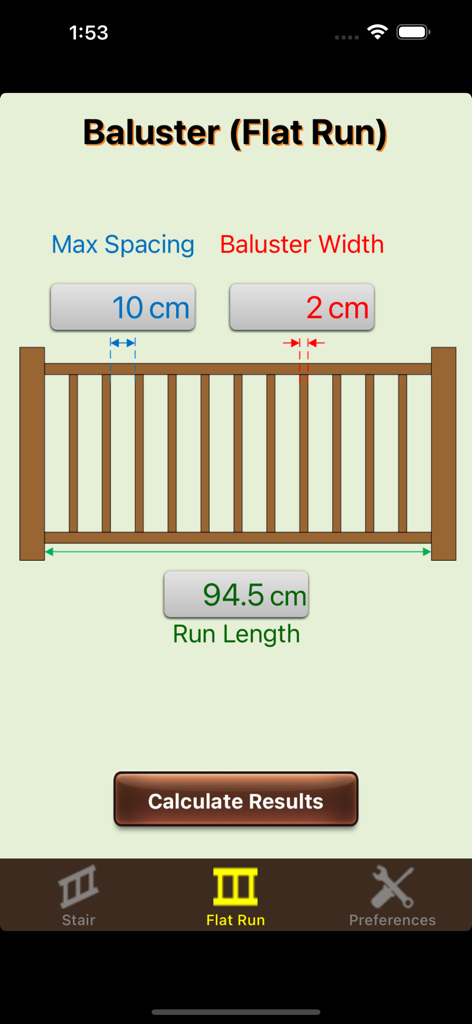
평면 런 발루스터 간격 계산 입력 인터페이스

평면 런 발루스터 간격 계산 입력 인터페이스

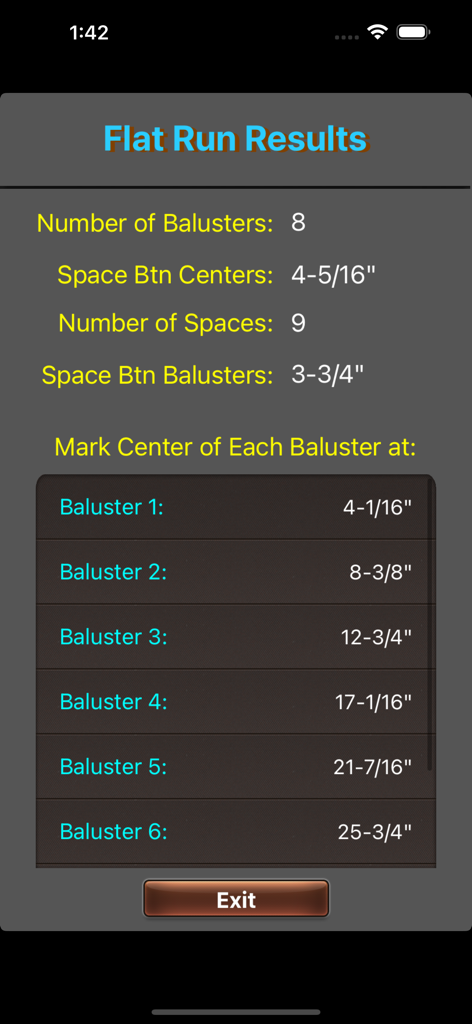
발루스터 계산기 엘리트 앱의 스크린샷으로, 인치 단위의 간격 및 마킹 중심을 포함한 평면 난간 런 결과 표시

발루스터 계산기 엘리트 앱의 스크린샷으로, 인치 단위의 간격 및 마킹 중심을 포함한 평면 난간 런 결과 표시

발루스터 계산기 엘리트 앱의 인터페이스로, 인치 단위의 계단 난간 간격 및 치수 입력 표시

발루스터 계산기 엘리트 앱의 인터페이스로, 인치 단위의 계단 난간 간격 및 치수 입력 표시

발루스터 계산기 엘리트 앱의 인터페이스로, 간격 및 너비 입력 필드가 있는 평면 런 계산 화면 표시

발루스터 계산기 엘리트 앱의 인터페이스로, 간격 및 너비 입력 필드가 있는 평면 런 계산 화면 표시

정밀도를 위해 제작, 현장을 위해 설계

이 앱을 돋보이게 하는 도구, 15K+ 명의 사용자가 선택.

📐

계단 기울기 마스터

더 이상 복잡한 삼각법은 없습니다. 라이저, 런 또는 각도만 입력하면 모든 기울기에 대한 완벽한 간격 측정을 얻을 수 있습니다.

📏

즉각적인 마킹 중심

정신적인 계산은 건너뛰세요. 모든 발루스터 중심을 표시하기 위한 정확한 측정 목록을 얻어 테이프를 당기고 드릴할 수 있습니다.

규정 준수 보장

모든 프로젝트가 안전 표준을 충족하는지 확인하세요. 4인치 간격 규칙 위반 및 값비싼 재작업을 피하기 위해 최대 간격을 쉽게 계산하세요.

앱 소개

에 대해 알아야 할 모든 것 Baluster Calculator Elite.

설명

Baluster Calc Elite is an industry leading tool and calculator designed to simplify solving baluster spacing measurements for handrails (both flat and on a rake). Flat Railing (inputs): -Max baluster spacing -Baluster width -Run length Flat Railing (outputs): -Number of balusters -Space between centers -Number of spaces -Space between balusters -Measurements for marking centers of each baluster Stair Railing (inputs): -Max baluster spacing -Baluster width -Run length (on rake) -Rake angle, stair rise, stair run, or stair run/stair rise Stair Railing (outputs): -Number of balusters -Space between centers (on rake) -Number of spaces -Space between balusters (on rake) -Space between balusters -Measurements for marking centers of each baluster Preference settings for easily switching between inches, centimeters, and millimeters for all dimensions. If you are not 100% satisfied with this calculator please email us at techsupport@cyberprodigy.com so we can make things right before posting any negative reviews. We read all emails. We are also open to any suggestions you may have for future enhancements to this app.

최신 버전

1.2.5

크기

13.0 MB

출시일

2013년 8월 23일

프로급 정밀도로 다음 난간 프로젝트를 마스터하세요

수동 계산으로 시간을 낭비하고 값비싼 재작업을 피하세요. 모든 현장에서 완벽한 배치를 위해 발루스터 계산기 엘리트를 신뢰하는 수천 명의 계약업체에 합류하세요.

다운로드: App Store

App information, icons, screenshots, and descriptions displayed on this page are sourced from the Apple App Store and are the property of their respective developers. Download estimates and rankings are based on MWM's proprietary models and may not reflect actual figures. This page is provided for informational and analytical purposes only.

Believe this page infringes your intellectual property? File a dispute