Beat Watcher: Heart Rate Alert

Beat Watcher: Heart Rate Alert


다운로드: App Store
로고: Beat Watcher: Heart Rate Alert

Beat Watcher: 심박수 알림 — 당신의 개인 바이오피드백 동반자

정밀하게 페이싱의 추측을 덜어내고 증상을 관리하세요. 사용자 지정 BPM 임계값을 설정하고 Apple Watch에서 눈에 띄지 않는 햅틱 알림을 받아 POTS 관리, 스트레스 해소 및 마음챙김 운동을 위해 특별히 설계되었습니다.

개발사

Ganotis Holdings, Inc.

카테고리

Health & Fitness

다운로드

28K+

사용자 평점

4.6/5

총 평가 수

100

지원 언어

1

당신의 심장, 시각화되다

이 인터페이스를 사용하는 28K+ 명의 사용자.

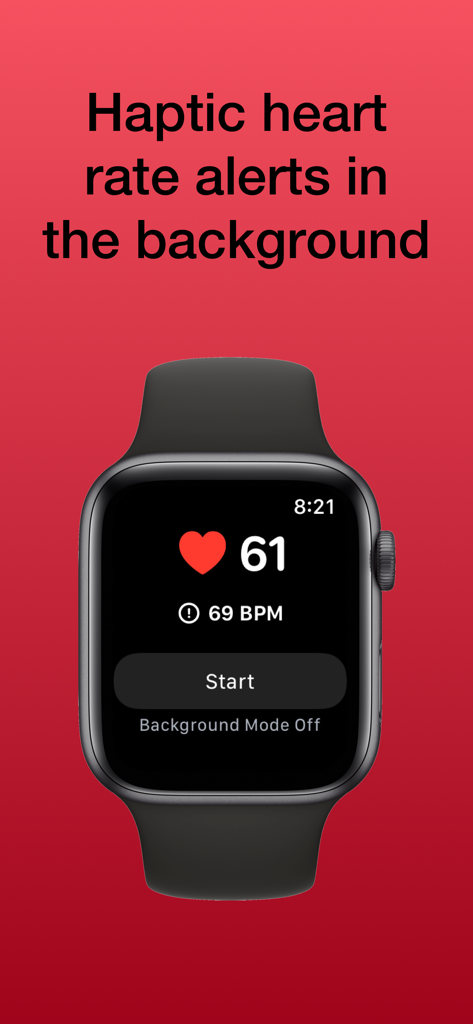
Beat Watcher 앱이 Apple Watch에서 실시간 심박수 모니터링 및 임계값 알림 설정을 보여주고 있습니다.

Beat Watcher 앱이 Apple Watch에서 실시간 심박수 모니터링 및 임계값 알림 설정을 보여주고 있습니다.

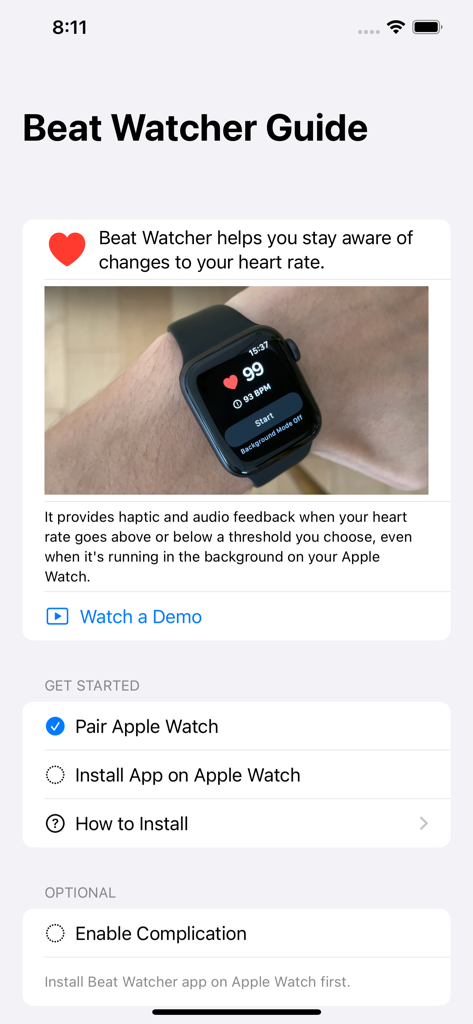
Beat Watcher 앱 가이드가 설정 지침과 Apple Watch에서 심박수 모니터링을 보여주고 있습니다.

Beat Watcher 앱 가이드가 설정 지침과 Apple Watch에서 심박수 모니터링을 보여주고 있습니다.

심박수보다 앞서나가세요

이 앱을 돋보이게 하는 도구, 28K+ 명의 사용자가 선택.

🔔

즉각적인 햅틱 피드백

설정한 BPM 한계를 초과하는 즉시 손목에서 눈에 띄지 않는 진동을 받으세요. POTS 또는 사교 환경에서의 스트레스 관리에 완벽합니다.

🔄

원활한 백그라운드 추적

백그라운드 모드를 활성화하여 앱이 닫혀 있어도 지속적인 알림을 받아 중요한 심박수 변화를 놓치지 않도록 하세요.

🎯

정밀 다이얼 조정

디지털 크라운을 사용하여 심박수 임계값을 빠르게 조정하여 모니터링 영역을 즉각적이고 촉각적으로 제어하세요.

앱 소개

에 대해 알아야 할 모든 것 Beat Watcher: Heart Rate Alert.

설명

This simple app is designed to do one thing well: alert you when your heart rate goes above and back below a BPM threshold you set. Beat Watcher integrates with the Health app to read your heart rate. Use this app as a way to listen to your body or as a continuous background tachycardia monitor or POTS tracker. It can be great for: • recognizing and managing stress • breathing exercises • meditation • mindfulness • working out Some users with Postural Orthostatic Tachycardia Syndrome (POTS) and Myalgic Encephalomyelitis/Chronic Fatigue Syndrome (ME/CFS) have found this app helpful for monitoring and managing symptoms. Turn the Digital Crown on Apple Watch to set the desired BPM threshold. Then, you'll hear a sound and feel a vibration when your heart rate goes above the threshold, and a different sound and vibration when your heart rate goes back below the level you set. Optionally turn on Background Mode to continue getting haptic and audible feedback in response to your heart rate after you drop your wrist or leave the app. Enable the Persistent Alerts setting to continue getting haptic and audible feedback every two seconds while your heart rate remains above the set threshold. Or, if you just want constant heart rate monitoring without the haptic and audible feedback, you can turn Alerts off entirely. This app also works with a Bluetooth chest strap heart rate monitor, like the Polar H10, paired with your Apple Watch. Using it this way can improve battery life of the Apple Watch when you leave Background Mode running for a long time, since your Apple Watch heart rate sensor is not running constantly. Also, this lets you continue getting audio feedback from your Apple Watch or see your heart rate on the Apple Watch screen even when you aren't wearing it, like when it's on the charger. Note: Background Mode will not work at the same time as a Workout started in another app. For example, if you start Background Mode in Beat Watcher and then start an Outdoor Run Workout in the built-in Workouts app, Beat Watcher will not continue to run in the background. This app requires watchOS 8 or newer, which requires Apple Watch Series 3 or newer.

최신 버전

2026.1

크기

8.8 MB

출시일

2020년 12월 29일

몸의 리듬을 통제하세요

수천 명의 사용자와 함께 POTS, 스트레스 및 심장 건강을 눈에 띄지 않는 실시간 알림으로 관리하세요. 오늘 당신의 심장이 말하는 것을 들어보세요.

다운로드: App Store

App information, icons, screenshots, and descriptions displayed on this page are sourced from the Apple App Store and are the property of their respective developers. Download estimates and rankings are based on MWM's proprietary models and may not reflect actual figures. This page is provided for informational and analytical purposes only.

Believe this page infringes your intellectual property? File a dispute