Bimostitch

Bimostitch

다운로드: App Store
로고: Bimostitch

Bimostitch: 풍경 및 항공 사진을 위한 전문가급 파노라마 스티칭

iPhone, 드론 또는 DSLR에서 가져온 겹치는 사진을 최대 1기가픽셀의 멋진 파노라마로 변환하세요. 고해상도, 다중 행, 완전 오프라인 — 데스크톱 소프트웨어 불필요.

개발사

Chomba Bupe

카테고리

Photo & Video

다운로드

15K+

사용자 평점

4.5/5

총 평가 수

0

지원 언어

9

와이드 뷰 마스터하기

이 인터페이스를 사용하는 15K+ 명의 사용자.

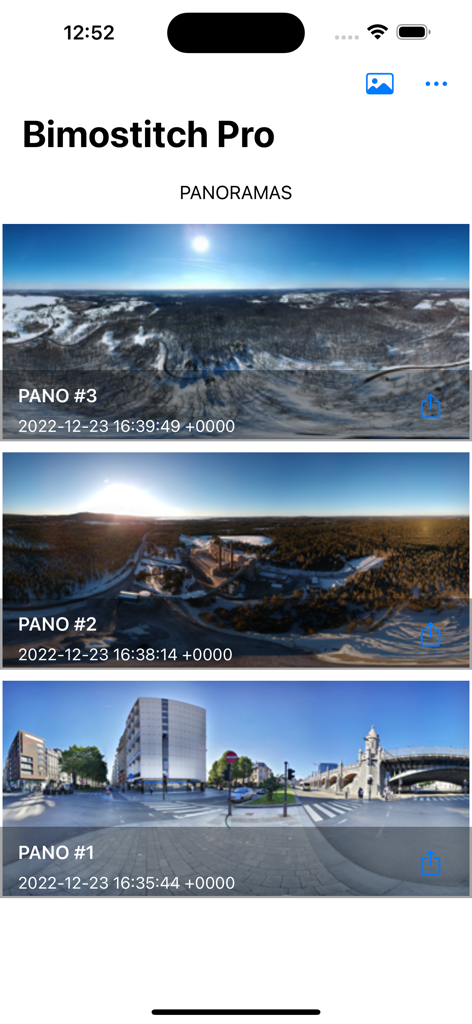
Bimostitch Pro 앱 갤러리 화면에 여러 장의 저장된 파노라마 사진이 표시됩니다.

Bimostitch Pro 앱 갤러리 화면에 여러 장의 저장된 파노라마 사진이 표시됩니다.

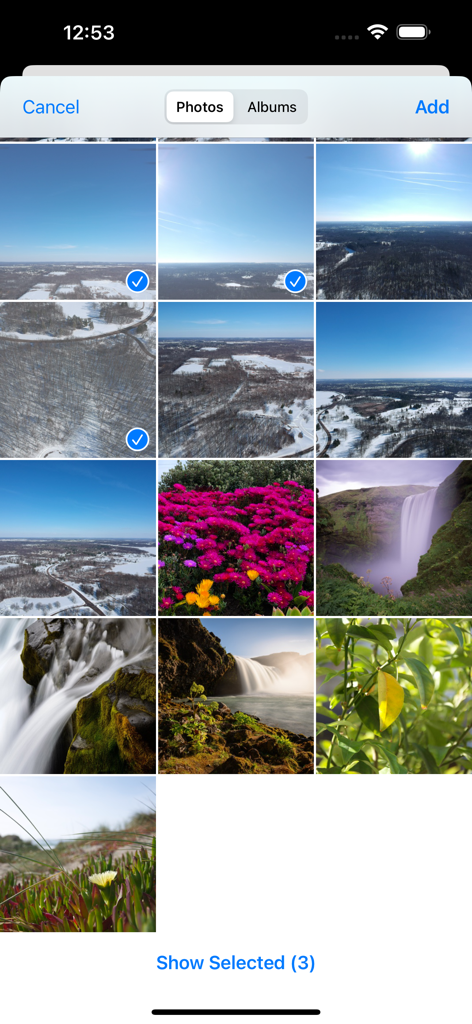
Bimostitch 앱의 사용자 인터페이스에 여러 장의 사진이 선택되어 스티칭을 위해 표시된 갤러리 그리드가 표시됩니다.

Bimostitch 앱의 사용자 인터페이스에 여러 장의 사진이 선택되어 스티칭을 위해 표시된 갤러리 그리드가 표시됩니다.

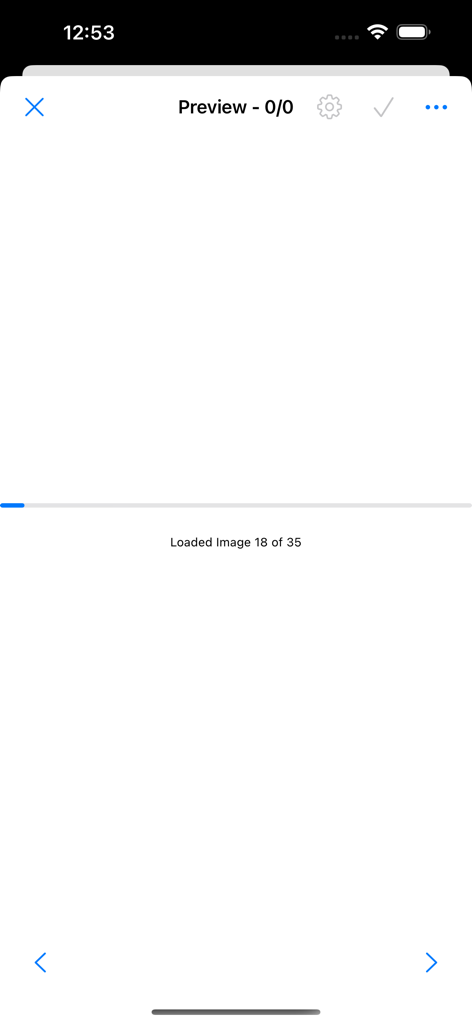
Bimostitch 앱 로딩 화면에 파노라마 스티칭을 위해 이미지가 처리되는 진행 상황이 표시됩니다.

Bimostitch 앱 로딩 화면에 파노라마 스티칭을 위해 이미지가 처리되는 진행 상황이 표시됩니다.

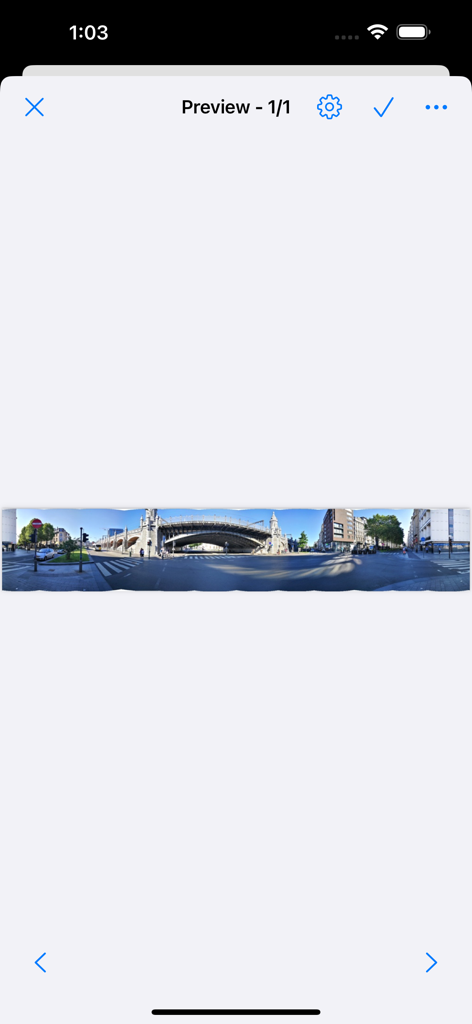
Bimostitch 앱 미리보기 화면에 표시된 도시 거리의 넓은 파노라마 이미지

Bimostitch 앱 미리보기 화면에 표시된 도시 거리의 넓은 파노라마 이미지

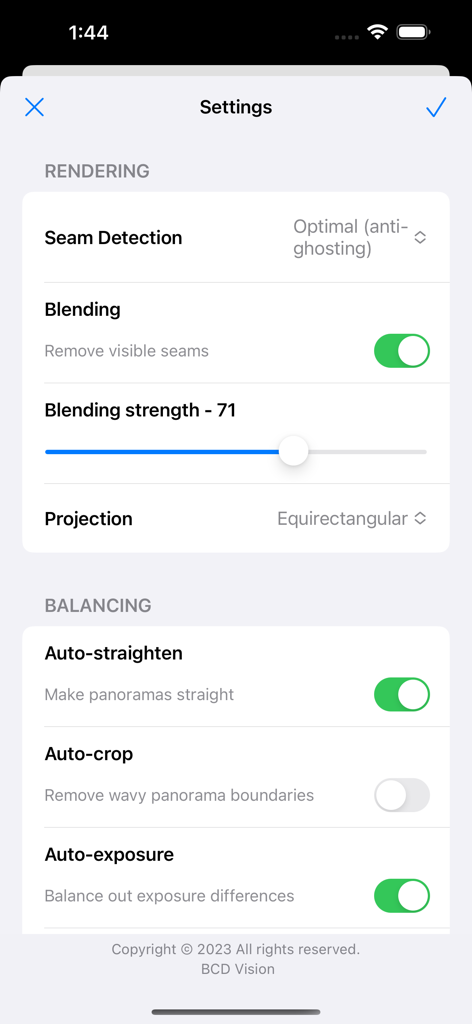
Bimostitch 앱의 설정 메뉴에 파노라마 사진의 렌더링 및 균형 조절 컨트롤이 표시됩니다.

Bimostitch 앱의 설정 메뉴에 파노라마 사진의 렌더링 및 균형 조절 컨트롤이 표시됩니다.

데스크톱 없이 만드는 전문가급 파노라마

이 앱을 돋보이게 하는 도구, 15K+ 명의 사용자가 선택.

🖼️

기가픽셀 해상도

단순한 수평 촬영을 넘어서세요. 수백 장의 사진을 놀라운 디테일로 최대 1기가픽셀까지 다중 행 그리드 또는 360도 포토스피어로 이어 붙이세요.

🚁

드론 조종사를 위한 제작

항공 사진을 위한 최고의 동반자입니다. 드론 또는 DSLR에서 가져온 겹치는 사진을 가져오면 자동 렌즈 보정이 왜곡을 즉시 수정해 줍니다.

⛰️

완전 오프라인 처리

트레일 헤드에서 바로 촬영물을 이어 붙이세요. 강력한 온디바이스 엔진은 100% 오프라인으로 작동하므로 셀룰러 신호 없이도 고해상도 결과를 미리 볼 수 있습니다.

앱 소개

에 대해 알아야 할 모든 것 Bimostitch.

설명

Automatically stitch high quality, high-res panoramas on-device, right in the palm of your hands. -- KEY FEATURES -- +Stitch hi-res single-row, multi-row, vertical, horizontal, 360° panoramas or photospheres. +Stitch many (2 to 200+) overlapping photos into impressive wide-view panoramas. +Simple and intuitive yet powerful panorama stitcher app. +Share your awesome panos with family and friends via Facebook, Twitter, Flickr, Instagram and many more. +Automatic crop with minimal reduction in resolution. +Automatic exposure balancing. +Automatic straightening of panorama. -- PRO FEATURES -- + Fast stitching. + High quality output (Maintains quality of source photos). + No ads. + Ultra high output resolution of up to 1 Gigapixels. + Video-to-panorama for converting videos of panning motion into panoramas. + JPEG or PNG output format. + Compress large panoramas to save space on your device. + Auto-color balancing. + Seam detection modes like optimal cuts for high quality output. + Save previews & load them up later + Adjust seam detection quality + Adjust intensity of auto-exposure/color balancing feature + Control the blending intensity + View source images in panorama while in preview mode + Auto-lens calibration for lens distortion compensation when stitching images captured from wide-angle, ultra-wide angle and fisheye lens. HOW IT WORKS? Simply select/get images or a video in the following ways: > Press the gallery icon then select photos to open the default photo picker, select the images then press done. > Press the gallery icon then select videos to open the video selector, select a video then press done. > Use your favourite camera app to snap overlapping photos. > Use a drone to capture aerial photos. Bimostitch will then automatically match, align and blend together the selected images or video frames into a wonderful panorama using advanced on-device image stitching algorithms. NOTE: You get multiple outputs at once if more than one set of overlapping photos are detected in your selection. All this takes just a few minutes depending on your choice of maximum output resolution and your device’s computational power. You can visit the apps settings page to change properties such as the output album name, maximum resolution and many more choices to suit your needs. You can also shoot a video while panning about a fixed reference point (the camera lens should be the reference point) then select the video in Bimostitch which will automatically merge the key video frames into a panorama. NOTE: At least 4GB RAM required for 1 GigaPixels. WHY USE THIS APP? – Works with photos from any source such as DSLR cameras, downloaded from the web or drones. – Merge vertical, horizontal, multiple rows or a grid of overlapping photos into awesome panoramic images. – Lightweight on your device and will make high quality panoramic photographs. – Create panos conveniently while on the go like on a tour and get immediate high quality results, no need to carry all that equipment anymore and it’s fully an offline app too, no Internet? no problem. – No gyroscope or special sensors needed. It doesn’t matter whether you are a professional or newbie panoramic photographer, this app will work great for you. Hope you enjoy using this panoramic app and that you will make memorable pano shots with it. Enjoy

최신 버전

1.3.80

크기

3.8 MB

출시일

2021년 12월 6일

언제 어디서든 최대 1기가픽셀의 걸작을 만드세요

손안에서 전문가 수준의 파노라마 스티칭 성능을 경험하세요. 오늘날 수천 명의 사진작가 및 드론 조종사들과 함께 고해상도 와이드 앵글 뷰를 만들어 보세요.

다운로드: App Store

App information, icons, screenshots, and descriptions displayed on this page are sourced from the Apple App Store and are the property of their respective developers. Download estimates and rankings are based on MWM's proprietary models and may not reflect actual figures. This page is provided for informational and analytical purposes only.

Believe this page infringes your intellectual property? File a dispute