
이 페이지는 앱이나 개발자의 공식 페이지가 아니며, 정보 제공 및 논평을 목적으로 작성된 독립 편집 간행물입니다. 명시적으로 달리 언급되지 않는 한, 해당 앱이나 개발자는 MWM, Apple, Google Play, 앱 퍼블리셔 또는 앱 개발자와 제휴, 보증, 후원, 승인 또는 공식적으로 연결되어 있지 않으며, 이 페이지의 어떤 내용도 해당 앱이 MWM의 서비스를 사용하여 개발되었음을 의미하지 않습니다. 모든 상표, 로고, 스크린샷 및 기타 콘텐츠는 해당 소유자의 자산입니다.

Google Photos: Backup & Edit
당신의 시각적 기억은 과거의 잔재가 아니다. 이 앱은 당신이 모든 순간을 완벽하게 통제하고, 심지어 재창조할 수 있는 권능을 부여한다.
다운로드
250M+사용자 평점
총 평가 수
4.1M개발사
카테고리
Photo & Video지원 언어
39최신 버전
7.69.0크기
382.9 MB출시일
2015년 5월 28일Google Photos: Backup & Edit 앱 분석
주요 기능 및 사용자 영향력 평가
기기 저장 공간 확보
이 앱은 클라우드에 백업된 사진을 기기에서 삭제하여, 사용자가 스마트폰의 저장 공간을 손쉽게 확보할 수 있도록 돕습니다.
클라우드 저장공간 15GB
이 앱은 사용자에게 15GB의 무료 클라우드 저장공간을 제공하여, 소중한 사진과 동영상을 안전하게 보관할 수 있게 해줍니다.
AI 기반 편집 도구
이 도구는 Magic Eraser, Unblur, Portrait Light와 같은 AI 기반 편집 기능을 갖추고 있어, 사용자가 몇 번의 탭만으로 사진을 전문가처럼 보정할 수 있게 해줍니다.
스마트한 사진 정리 및 보안
이 도구는 중복 사진 정리, 스마트 폴더 생성, 잠금 폴더 기능을 통해 사용자의 사진 갤러리를 깔끔하게 정리하고 민감한 파일을 안전하게 보호합니다.
안전한 추억 보관
이 앱은 첨단 보안 인프라를 통해 사용자의 모든 사진과 동영상을 저장하고 공유하는 동안 안전하게 보호합니다.
간편한 검색 기능
이 앱은 '웃고 있는 앨리스와 나', '산으로 둘러싸인 호수에서 카약 타기'와 같이 자연어로 사진을 검색할 수 있게 하여, 사용자가 원하는 추억을 쉽게 찾도록 돕습니다.
모든 추억을 한곳에
백업 기능을 통해 이 앱은 다른 앱이나 기기에 있는 사진도 한곳으로 모아 관리할 수 있게 하여, 사용자가 모든 디지털 추억을 통합하여 볼 수 있습니다.
추억 공유 및 회상
이 앱은 사용자가 좋아하는 사진과 동영상을 지인들과 쉽게 공유하고 과거의 추억을 다시 떠올릴 수 있도록 돕습니다.
자주 묻는 질문
에 대해 알아야 할 모든 것 Google Photos: Backup & Edit
How much free cloud storage does Google Photos offer?
Google Photos provides 15 GB of free cloud storage with every Google account. This storage is shared across Google Photos, Gmail, and Google Drive.
Does Google Photos include a Magic Eraser feature?
Yes, Google Photos includes the AI-powered Magic Eraser tool. It allows users to remove unwanted distractions and objects from their photos with ease.
Can Google Photos create videos from my pictures?
Yes, Google Photos offers a "Photo to video" feature that animates static memories. It transforms your photos into moving videos using AI-powered tools.
How can I search for specific photos in Google Photos?
Google Photos features "Ask Photos" which enables simple and complex searches. Users can quickly find specific photos or videos using natural language queries.
How does Google Photos help organize my gallery?
Google Photos automatically organizes duplicates into Photo Stacks. It also creates smart folders for screenshots, documents, and custom albums, enhancing gallery organization. A locked folder protects sensitive media.
What is the Remix feature in Google Photos?
The Remix feature in Google Photos uses AI-powered tools to transform pictures into fun, unique styles. It allows users to bring their images to life with creative variations.
Is my data secure in Google Photos?
Yes, your photos and videos are safe and secure in Google Photos. They are protected by Google's advanced security infrastructure from the moment they are stored.
Can Google Photos help free up space on my device?
Yes, Google Photos helps free up device space. Photos backed up in Google Photos can be removed from your device’s storage with a single tap, without losing the content.
Can I print photos directly from Google Photos?
Yes, Google Photos allows you to print your favorite moments. You can turn memories into photo books, prints, and canvas wall art directly from the app.
Does Google Photos integrate with Google Lens?
Yes, Google Photos includes Google Lens functionality. This feature enables users to identify text and objects within their photos to learn more and take action.
다음 스크린샷과 설명은 앱의 공식 스토어 목록에서 직접 가져온 것이며 앱 개발자의 자산입니다.
앱 스토어
스크린샷
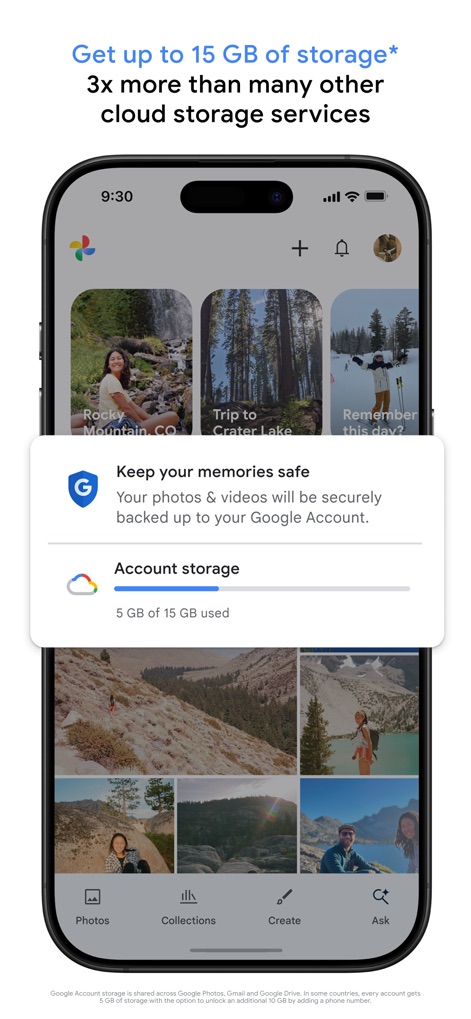
클라우드 저장, 안심 백업
사용자는 15GB의 클라우드 저장 공간을 무료로 제공받는 것을 확인할 수 있으며, '계정 저장 공간' 팝업을 통해 현재 사용량을 쉽게 파악할 수 있습니다.
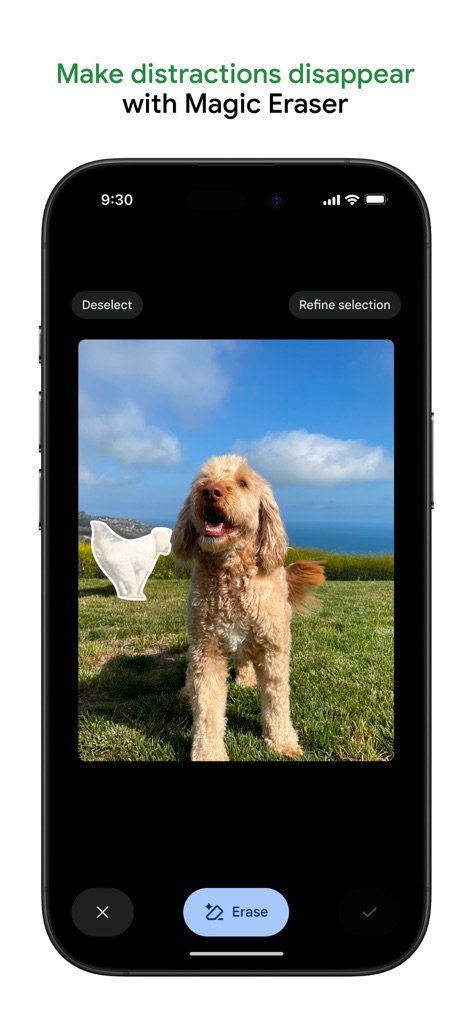
마법 지우개, 완벽한 사진
이 도구는 마법 지우개 기능을 활용하여 사진 속 원치 않는 물체에 나타난 선택 윤곽선을 통해 제거 과정을 시각적으로 보여주며, 상단의 'Magic Eraser' 텍스트로 기능을 명확히 안내합니다.
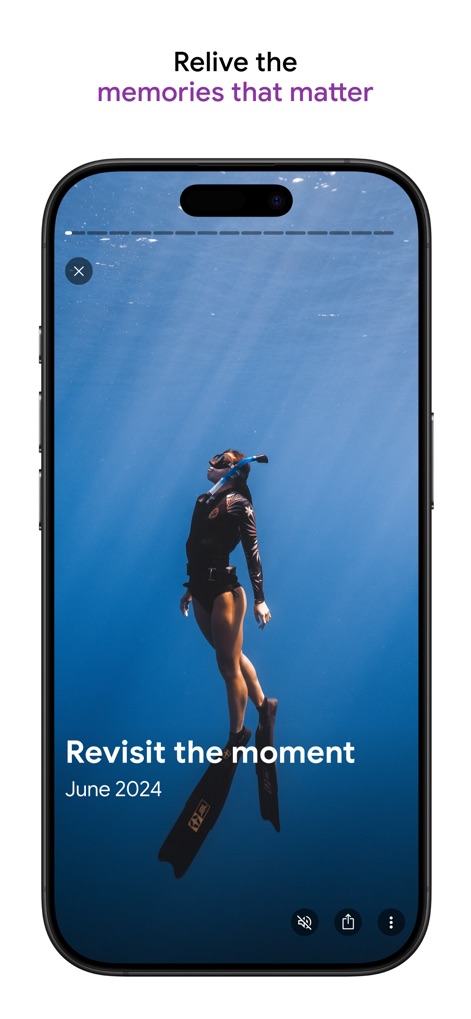
소중한 추억, 순간 재현
사용자는 스크린샷에 표시된 'Revisit the moment' 텍스트와 '2024년 6월'과 같은 특정 날짜 정보를 통해 소중한 추억을 다시 경험할 수 있습니다.
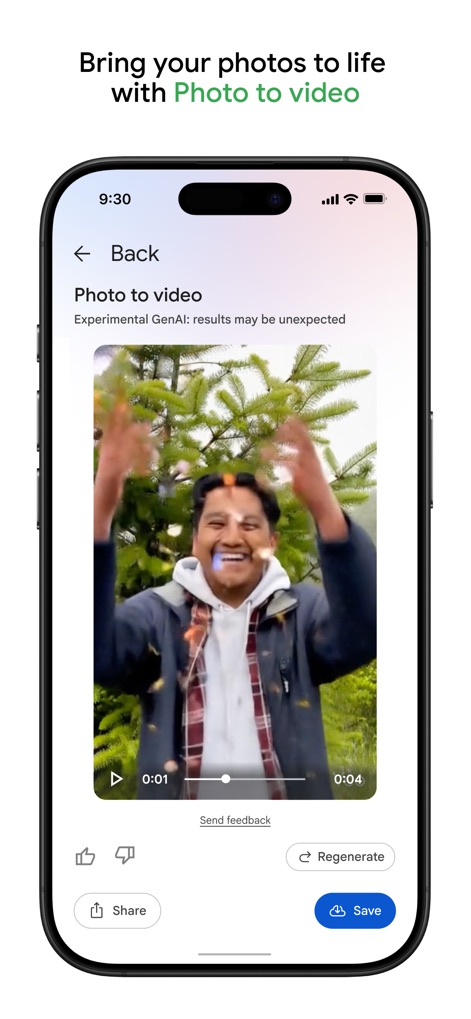
사진을 영상으로, AI 생성
이 앱은 여러 사진을 합쳐 동영상을 생성하는 기능을 제공하며, 하단의 'Share' 버튼과 'Save' 버튼을 통해 결과물을 손쉽게 공유하거나 저장할 수 있습니다.
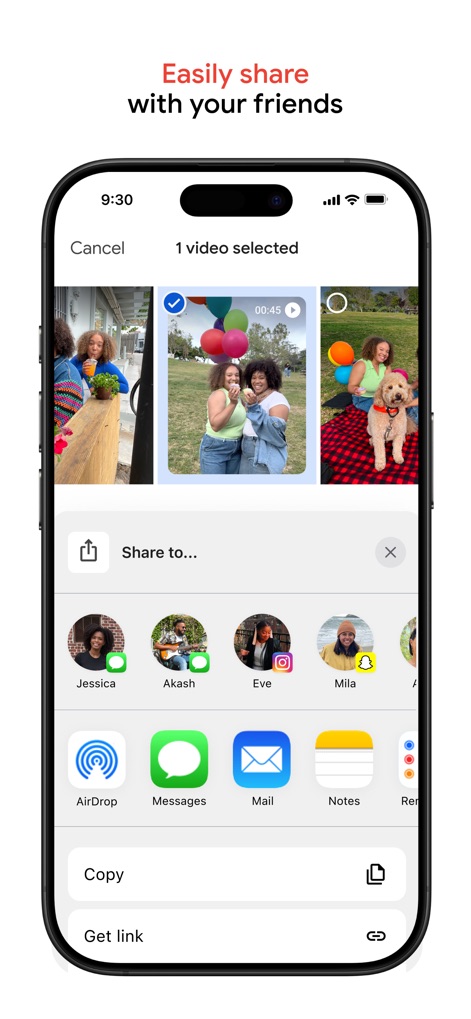
간편한 공유, 다양한 채널
사용자는 상단에 '1 video selected' 문구와 함께 AirDrop, Messages 등 다양한 앱 아이콘을 통해 선택된 동영상을 친구들과 간편하게 공유할 수 있습니다.
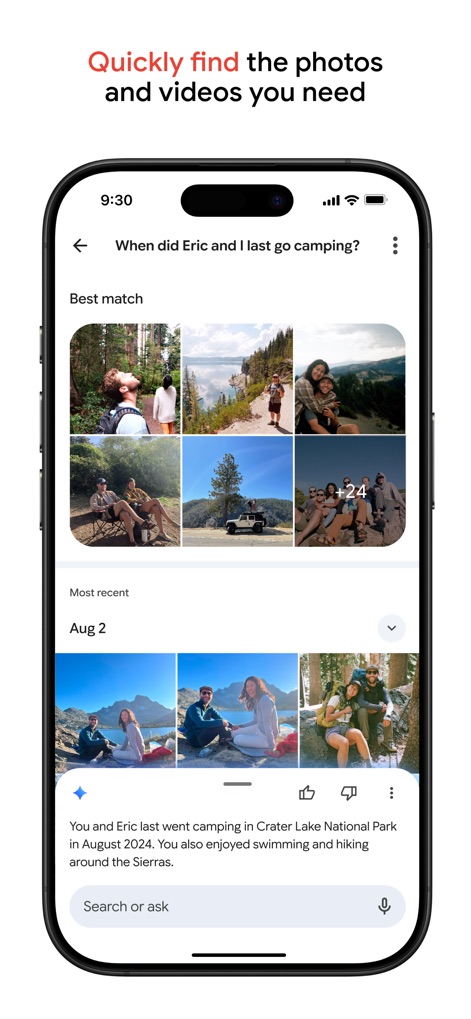
지능형 검색, 즉시 발견
이 앱의 지능형 검색 기능은 'When did Eric and I last go camping?'와 같은 자연어 질문을 통해 관련 사진 그리드 결과와 상세한 상황 설명을 제공합니다.
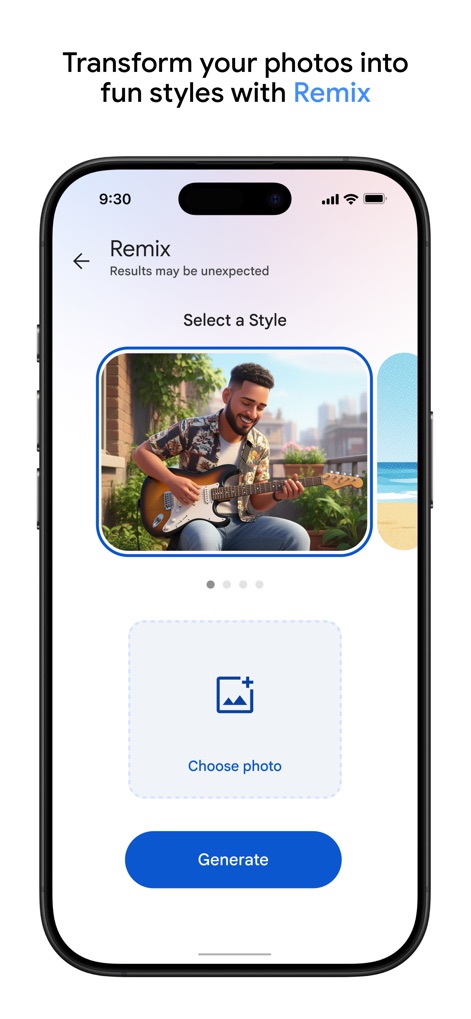
사진 리믹스, 새로운 스타일
사용자는 'Remix' 기능을 통해 사진에 새로운 스타일을 적용할 수 있으며, 'Choose photo' 버튼을 눌러 이미지를 선택하고 'Generate' 버튼으로 결과물을 생성할 수 있습니다.
설명
Download
비슷한 앱
유사한 기능과 사용자 경험을 가진 앱

iMemories
iMemories, Inc

Amazon Photos: Photo & Video
AMZN Mobile LLC

App Lock - Block Apps
文忠 许

Super App Lock: Lock Apps
Jiangsu Chengying Technology Co.,LTD

Capture App - Photo Storage
Telenor Software Lab AS

App Lock - Lock Apps & Photos
KUPERTINO BIL. YAZ. HALIL IBRAHIM KARAHAN SAFFET ARSLAN MUSTAFA AYTEN MUHAMMET YALCIN OZDEMIR K. S.

App Lock, Hide App & Lock Apps
KINGSMEN VIETNAM COMPANY LIMITED

Lock Apps ⁺ Safe Photo Album
Plane Cubes

App Lock, Hide Passwords Apps
CLEARPATH ACQUISITIONS LLC
이 페이지는 앱이나 개발자의 공식 페이지가 아니며, 정보 제공 및 논평을 목적으로 작성된 독립 편집 간행물입니다. 명시적으로 달리 언급되지 않는 한, 해당 앱이나 개발자는 MWM, Apple, Google Play, 앱 퍼블리셔 또는 앱 개발자와 제휴, 보증, 후원, 승인 또는 공식적으로 연결되어 있지 않으며, 이 페이지의 어떤 내용도 해당 앱이 MWM의 서비스를 사용하여 개발되었음을 의미하지 않습니다. 모든 상표, 로고, 스크린샷 및 기타 콘텐츠는 해당 소유자의 자산입니다.