C Code Develop

C Code Develop

다운로드: App Store
로고: C Code Develop

C Code Develop: 전문적인 모바일 C 및 C++ IDE

데이터 구조를 마스터하고 어디서든 C99 프로젝트를 구축하세요. 풀기능 디버거, 자동 완성, 학생 및 취미 개발자를 위해 설계된 프로젝트 관리 기능으로 오프라인에서 코드를 실행하세요.

개발사

铖 邢

카테고리

Developer Tools

다운로드

64K+

사용자 평점

4.6/5

총 평가 수

600

지원 언어

2

실험실 내부 엿보기

이 인터페이스를 사용하는 64K+ 명의 사용자.

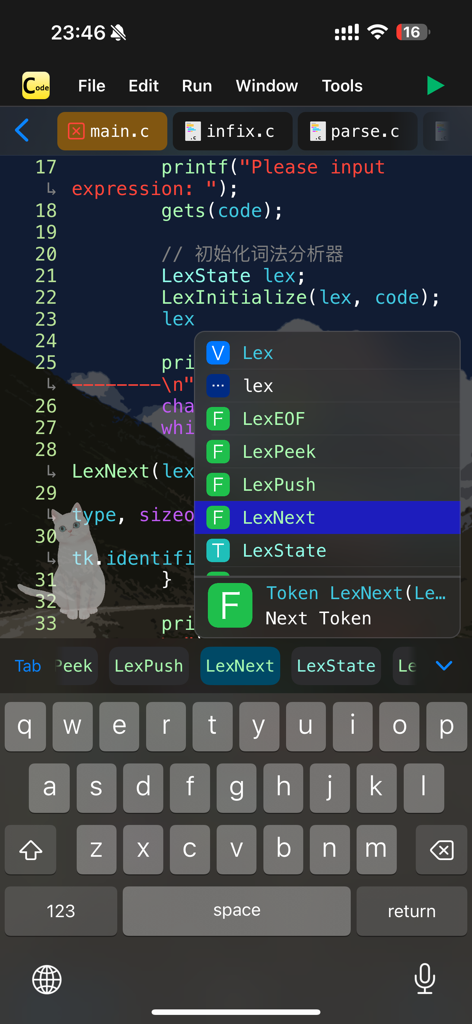
C Code Develop 모바일 앱 인터페이스가 C 프로그래밍용 자동 완성 메뉴가 있는 코드 편집기를 보여줍니다.

C Code Develop 모바일 앱 인터페이스가 C 프로그래밍용 자동 완성 메뉴가 있는 코드 편집기를 보여줍니다.

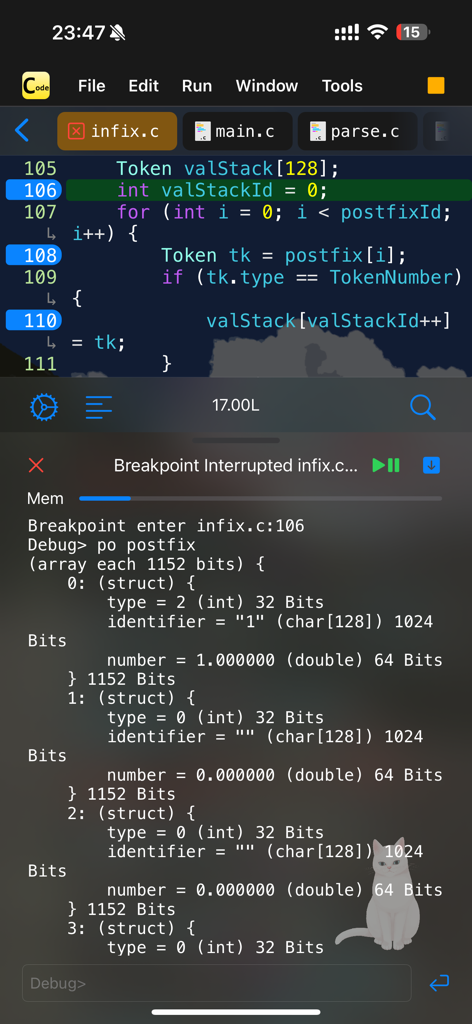
C Code Develop 앱 인터페이스가 모바일 장치에서 중단점이 있는 코드 편집기 및 디버거를 보여줍니다.

C Code Develop 앱 인터페이스가 모바일 장치에서 중단점이 있는 코드 편집기 및 디버거를 보여줍니다.

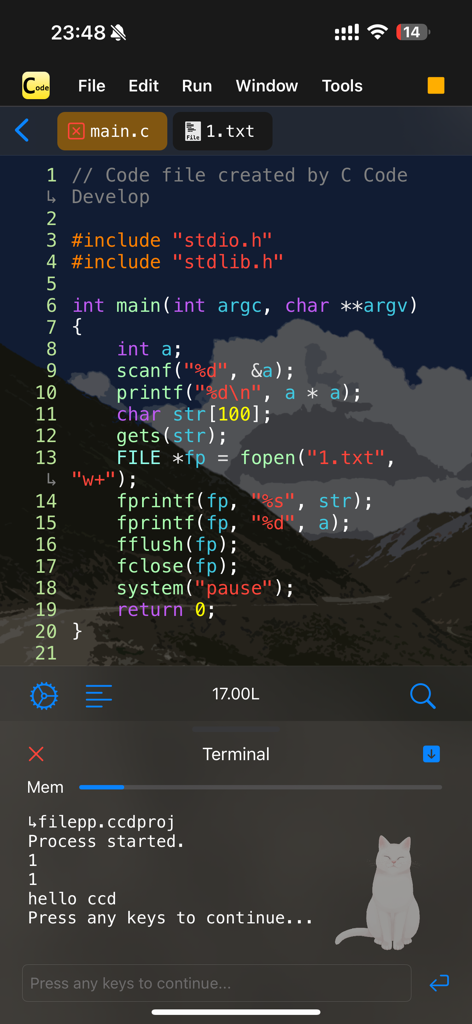
C Code Develop 앱 인터페이스가 구문 강조 표시가 있는 코드 편집기 및 터미널 창을 보여줍니다.

C Code Develop 앱 인터페이스가 구문 강조 표시가 있는 코드 편집기 및 터미널 창을 보여줍니다.

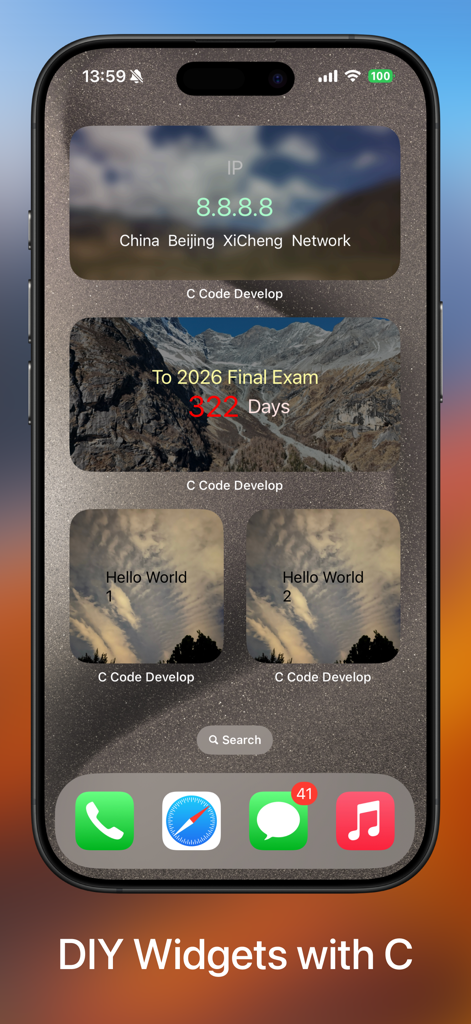
C Code Develop를 사용하여 생성된 사용자 지정 위젯이 있는 iPhone 홈 화면

C Code Develop를 사용하여 생성된 사용자 지정 위젯이 있는 iPhone 홈 화면

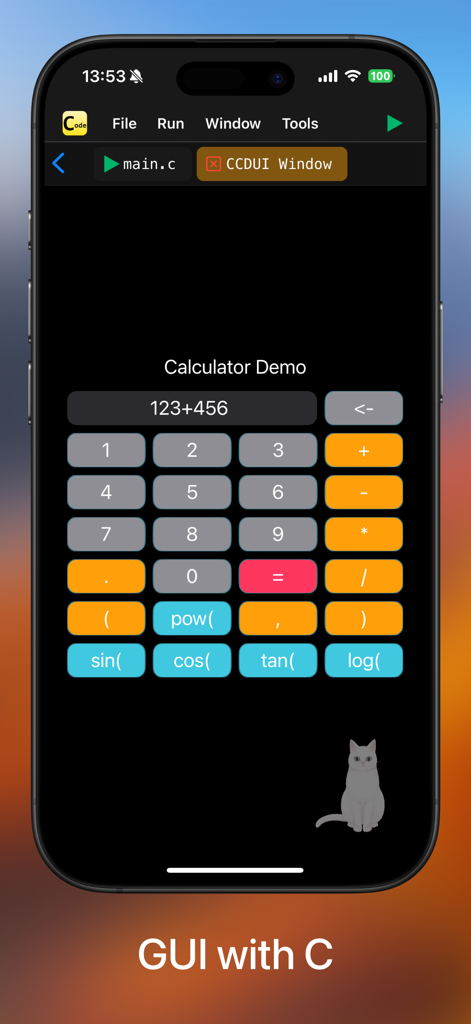
C Code Develop 앱의 인터페이스가 iPhone에서 계산기 그래픽 사용자 인터페이스 데모를 보여줍니다.

C Code Develop 앱의 인터페이스가 iPhone에서 계산기 그래픽 사용자 인터페이스 데모를 보여줍니다.

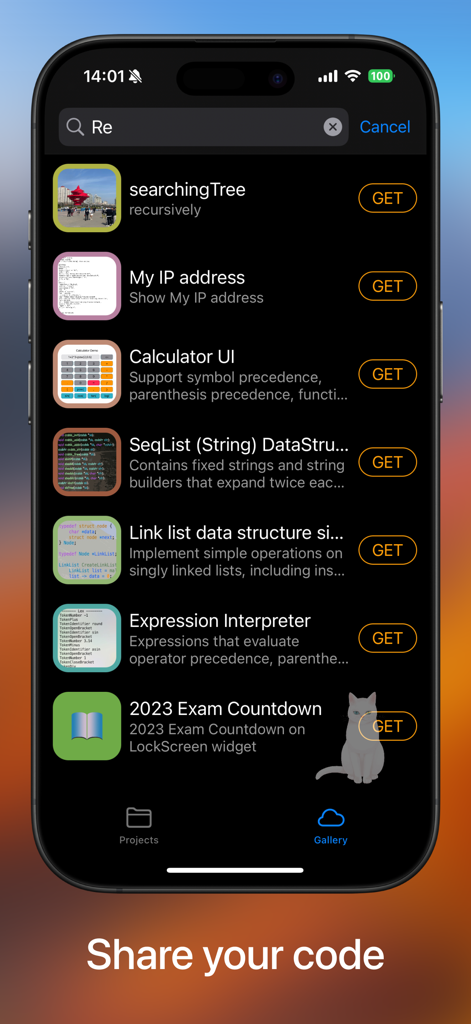
C Code Develop 앱의 갤러리 섹션 스크린샷으로, 다운로드 가능한 C 프로그래밍 프로젝트 및 자료 구조 예시 목록을 표시합니다.

C Code Develop 앱의 갤러리 섹션 스크린샷으로, 다운로드 가능한 C 프로그래밍 프로젝트 및 자료 구조 예시 목록을 표시합니다.

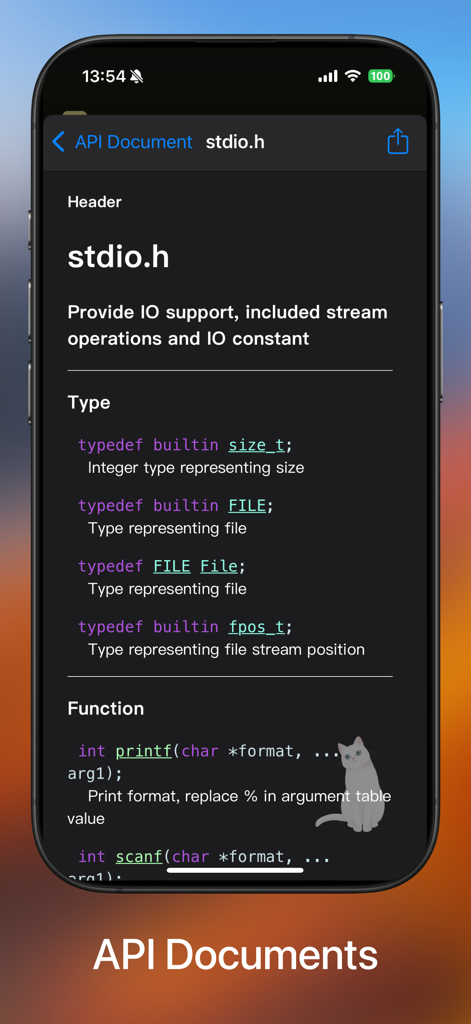
C 프로그래밍 함수 및 유형을 보여주는 stdio.h용 API 문서 인터페이스

C 프로그래밍 함수 및 유형을 보여주는 stdio.h용 API 문서 인터페이스

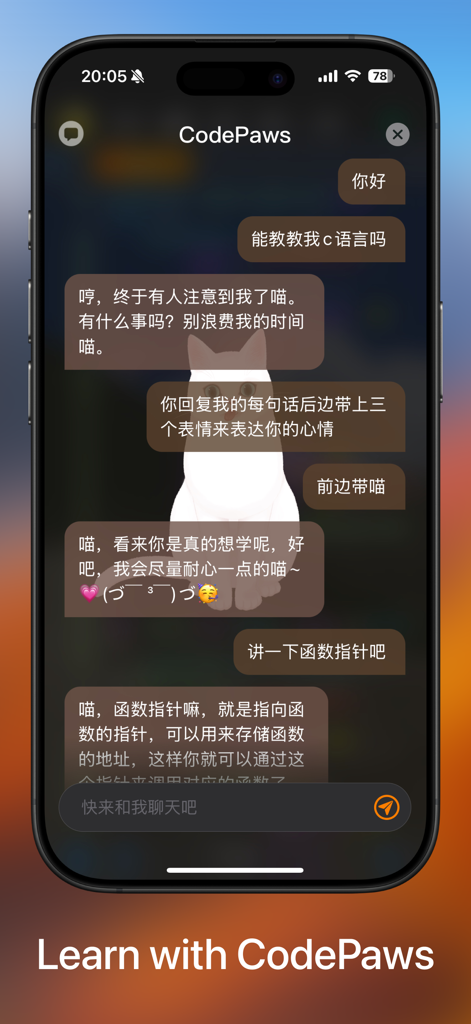
C Code Develop 앱의 채팅 인터페이스로, CodePaws AI 어시스턴트가 C 프로그래밍 개념을 설명합니다.

C Code Develop 앱의 채팅 인터페이스로, CodePaws AI 어시스턴트가 C 프로그래밍 개념을 설명합니다.

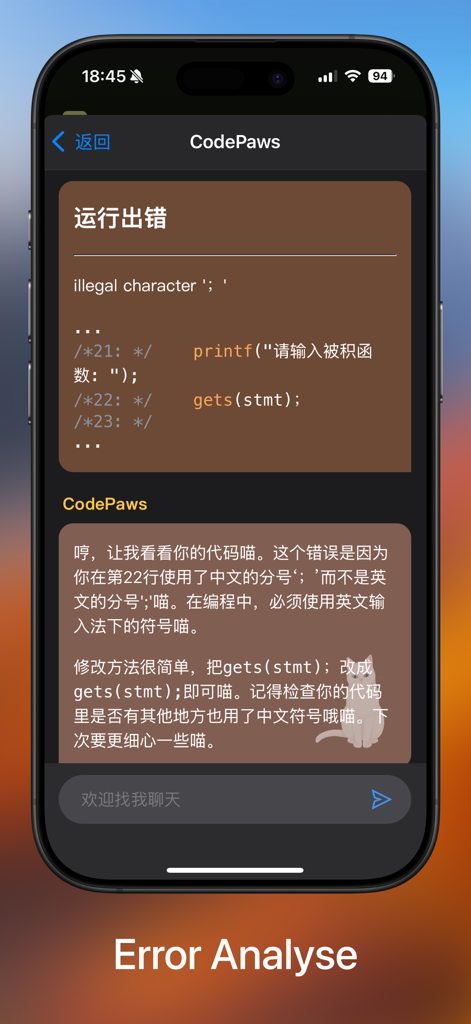
C Code Develop 앱 오류 분석 화면으로, 디버깅을 위한 코드 어시스턴트 기능이 있습니다.

C Code Develop 앱 오류 분석 화면으로, 디버깅을 위한 코드 어시스턴트 기능이 있습니다.

주머니 속 데스크톱 파워

이 앱을 돋보이게 하는 도구, 64K+ 명의 사용자가 선택.

🚀

즉시 IDE 설정

복잡한 GCC 구성을 건너뛰세요. 자동 완성 및 파일 관리가 가능한 iPhone 또는 iPad에서 즉시 C99 프로젝트 코딩을 시작하세요.

🐞

통합 디버거

실시간 중단점 및 대화형 터미널 지원으로 자료 구조 과제를 마스터하고 모든 논리 오류를 잡아내세요.

✈️

어디서든 생산적인 작업

완전한 오프라인 지원으로 버스나 도서관에서도 코딩할 수 있습니다. 로컬 실행 및 파일 IO를 통해 '죽은 시간'을 학습 시간으로 바꾸세요.

앱 소개

에 대해 알아야 할 모든 것 C Code Develop.

설명

-- Support code auto completion and automatic code formatting; -- Support debugger (breakpoints); -- Run Offline & Support File IO & Support interaction & Support multi-processing; -- Support Project References; A tiny C language development environment, support project management and header file reference, support code executing. For Coding enthusiasts and Computer-Science students, some Data-Structure projects are included. You can use the tiny environment provided to run your project locally, or you can export the project to your computer to compile and run the project. The tiny environment includes a small C standard library that supports commonly used header files and most standard C99 library functions, and C Code Develop provides a easy access header file ccd.h, also some C++ features like argument reference, iostream(cin and cout) are supported. For safety reasons, inline assembly and some other unsafe syntax are not supported. *1. Editor Support auto completion, auto format, long-press to document and other efficient features. *2. Terminal (stdin and stdout) is fully supported, and also you can open *.txt file in project use fopen(), because of the app now only support view and edit text file, you can't open file without .txt suffix or other suffix, or use binary (b) as open mode is not currently supported.

최신 버전

4.1.1

크기

74.4 MB

출시일

2021년 1월 6일

자신만의 방식으로 C 기초 마스터하기

컴퓨터 과학 학생을 위해 설계된 휴대용 IDE입니다. 복잡한 설정 없이 오프라인에서 컴파일, 디버그, 자료 구조 연습이 가능합니다.

다운로드: App Store

App information, icons, screenshots, and descriptions displayed on this page are sourced from the Apple App Store and are the property of their respective developers. Download estimates and rankings are based on MWM's proprietary models and may not reflect actual figures. This page is provided for informational and analytical purposes only.

Believe this page infringes your intellectual property? File a dispute