C Compiler(Pro)

C Compiler(Pro)

다운로드: App Store
로고: C Compiler(Pro)

C Compiler(Pro): CS 학생을 위한 최고의 모바일 IDE

교과서와 코드 사이의 간극을 메우세요. 카메라로 코드 조각을 스캔하고, 최적화된 레이아웃으로 C 구문을 마스터하고, 랩톱 없이 이동 중에 프로젝트를 관리하세요.

다운로드: App Store

개발사

Hrishi Suthar

카테고리

Education

다운로드

2K+

사용자 평점

1.0/5

총 평가 수

0

지원 언어

1

손끝에서 느껴지는 정밀함

이 인터페이스를 사용하는 2K+ 명의 사용자.

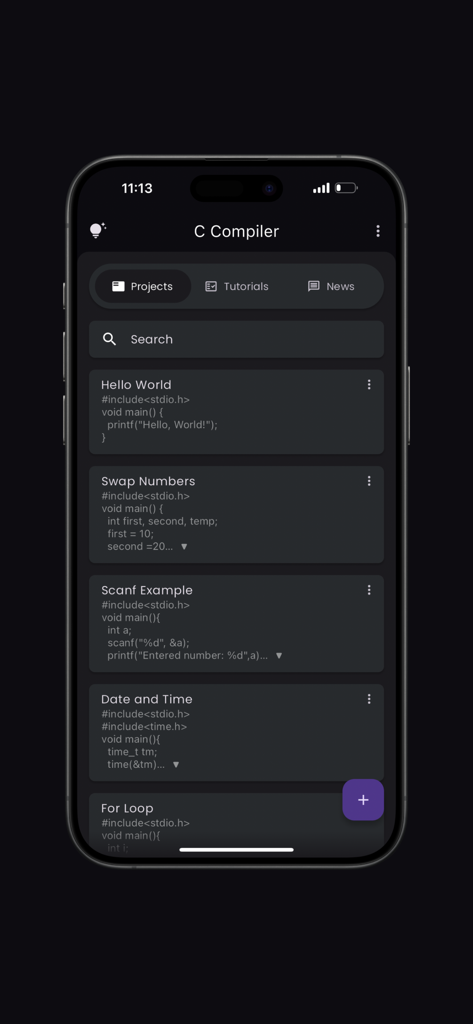
C Compiler Pro 앱의 프로젝트 관리 인터페이스가 iPhone에서 C 코드 프로젝트 목록을 표시합니다.

C Compiler Pro 앱의 프로젝트 관리 인터페이스가 iPhone에서 C 코드 프로젝트 목록을 표시합니다.

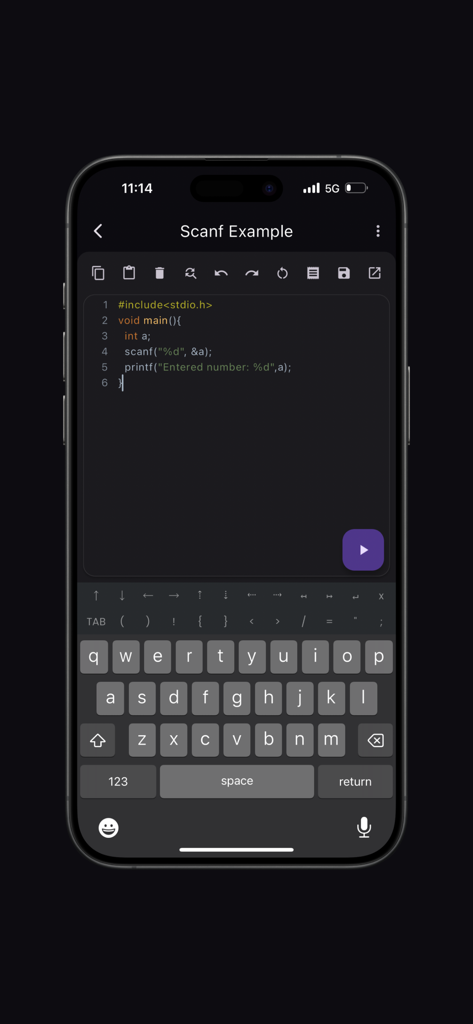
C Compiler Pro 앱 인터페이스가 구문 강조 기능과 특수 코딩 키보드가 있는 C 코드 편집기를 iPhone에서 보여줍니다.

C Compiler Pro 앱 인터페이스가 구문 강조 기능과 특수 코딩 키보드가 있는 C 코드 편집기를 iPhone에서 보여줍니다.

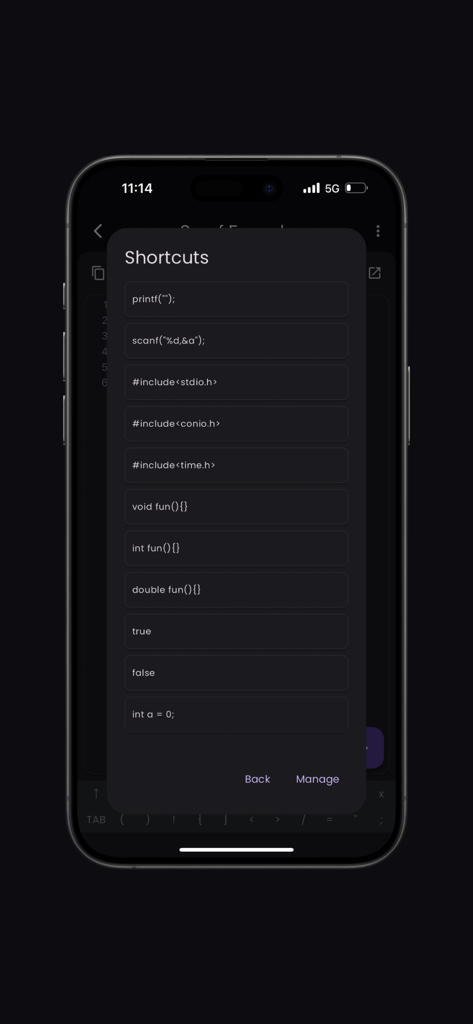
C 컴파일러 앱의 바로가기 메뉴를 보여주는 모바일 화면으로, 일반적인 C 프로그래밍 코드 조각이 포함되어 있습니다.

C 컴파일러 앱의 바로가기 메뉴를 보여주는 모바일 화면으로, 일반적인 C 프로그래밍 코드 조각이 포함되어 있습니다.

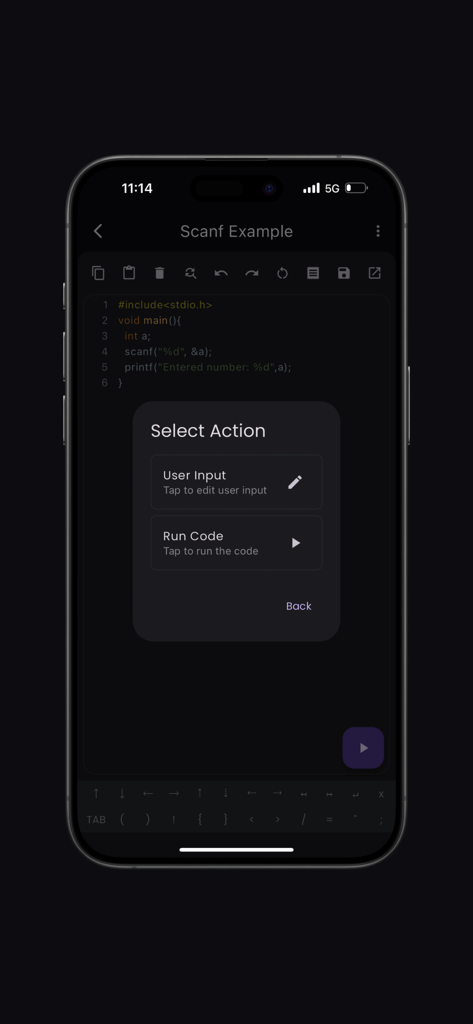
C Compiler Pro 앱 인터페이스가 C 프로그램에 대한 코드 실행 또는 사용자 입력 제공 옵션이 있는 선택 작업 메뉴를 보여줍니다.

C Compiler Pro 앱 인터페이스가 C 프로그램에 대한 코드 실행 또는 사용자 입력 제공 옵션이 있는 선택 작업 메뉴를 보여줍니다.

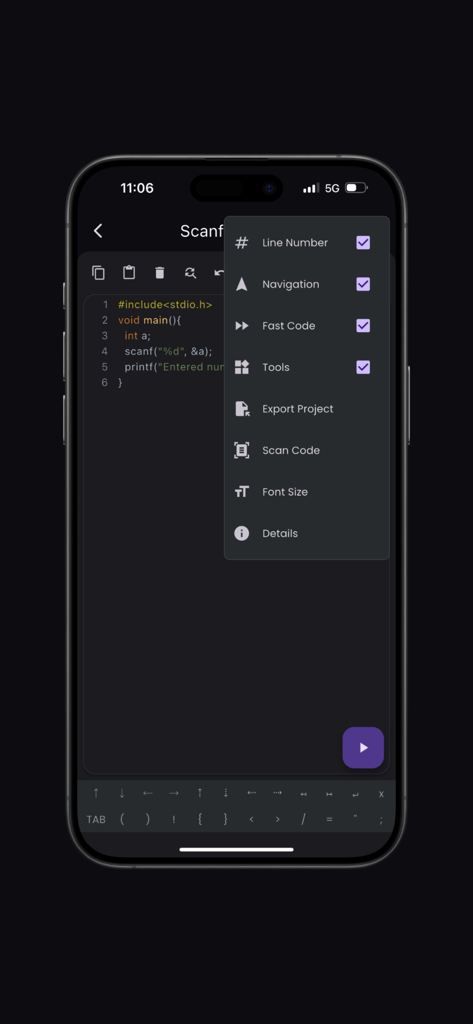
C Compiler Pro 앱 인터페이스가 코드 편집기와 코드 스캔 및 줄 번호와 같은 기능이 있는 옵션 메뉴를 보여줍니다.

C Compiler Pro 앱 인터페이스가 코드 편집기와 코드 스캔 및 줄 번호와 같은 기능이 있는 옵션 메뉴를 보여줍니다.

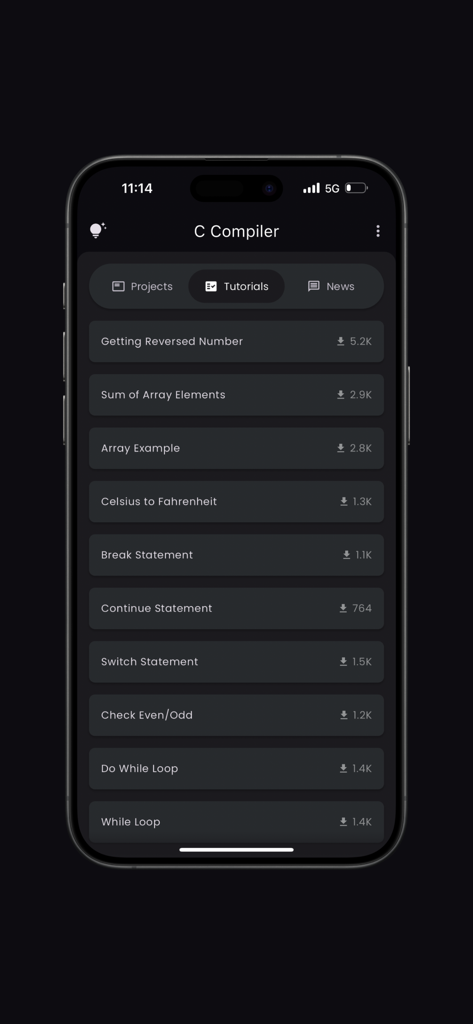
루프 및 배열 예제를 포함한 다양한 C 프로그래밍 튜토리얼을 보여주는 모바일 화면.

루프 및 배열 예제를 포함한 다양한 C 프로그래밍 튜토리얼을 보여주는 모바일 화면.

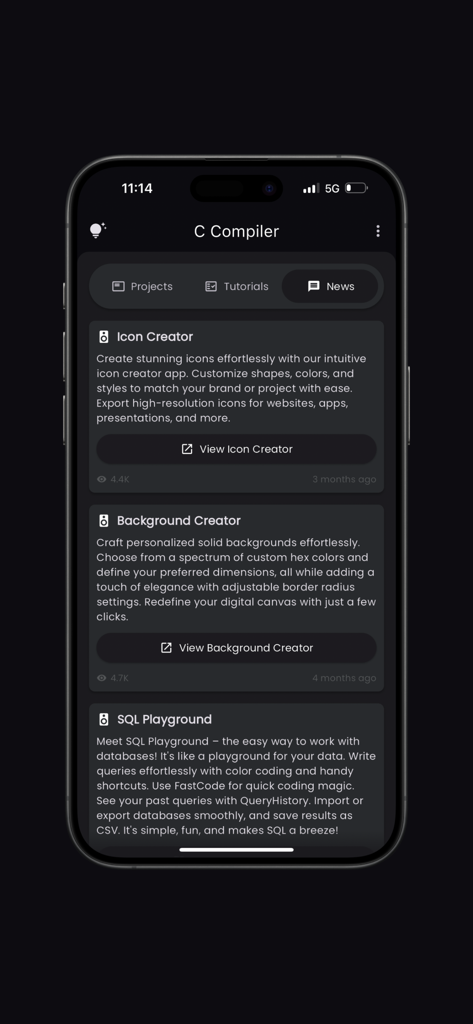
개발자 도구 및 튜토리얼을 표시하는 C Compiler Pro 앱 뉴스 섹션의 인터페이스.

개발자 도구 및 튜토리얼을 표시하는 C Compiler Pro 앱 뉴스 섹션의 인터페이스.

이동 중에도 C 프로그래밍 마스터

이 앱을 돋보이게 하는 도구, 2K+ 명의 사용자가 선택.

📸

스캔하여 코딩하기

카메라로 인쇄된 코드 조각을 즉시 스캔하여 실제 교과서를 디지털 프로젝트로 변환하세요.

모바일 우선 생산성

빠른 터치스크린 코딩을 위해 설계된 사용자 지정 기호 레이아웃과 탐색 도구로 입력 좌절감을 피하세요.

🎓

앞서 나가세요

야심 찬 CS 학생을 위한 맞춤형 통합 튜토리얼 및 업계 뉴스로 기술을 향상시키세요.

앱 소개

에 대해 알아야 할 모든 것 C Compiler(Pro).

설명

Welcome to the ultimate C Compiler app, designed to provide an intuitive and powerful coding experience. The app is equipped with features that cater to both beginners and seasoned developers, ensuring a seamless coding journey. Key Features: Syntax Highlighting: Enjoy a vibrant and readable code editor with color-coded syntax highlighting, making it easy to distinguish between different parts of your code. Fast Code Layout: Our fast code layout includes frequently used symbols, allowing you to code more efficiently and with fewer keystrokes. Tools Layout: Access essential shortcuts such as copy, paste, undo, redo, share, and more, all from a convenient tools layout. Customize your own shortcuts to match your workflow and enhance productivity. Navigation Layout: Move your cursor effortlessly with our navigation layout, designed to make code navigation smooth and intuitive. Scan Code Feature: Quickly scan and import code snippets using your device's camera. Perfect for grabbing code from textbooks, whiteboards, or printed documents. Tutorials and News Section: Stay updated with the latest in Python development through our integrated tutorials and news section. Learn new techniques, best practices, and keep up with industry trends. Bookmarks and Project Management: Easily bookmark important code snippets and projects for quick access. Manage your projects efficiently with our built-in project organization tools. Elevate your coding experience with the C Compiler app, where every feature is crafted to support your development needs. Whether you're writing your first line of code or debugging complex projects, the app is your perfect coding companion. Developed by Anvaysoft Programmer- Hrishi Suthar Made with love in India

최신 버전

2.0.7

크기

65.7 MB

출시일

2023년 2월 3일

랩톱 없이 C를 마스터할 준비가 되셨나요?

모바일 장치를 전문 코딩 워크스테이션으로 바꾸는 수천 명의 CS 학생들과 함께하세요. 교과서를 스캔하고, 프로젝트를 관리하고, 최고의 모바일 IDE로 어디서든 컴파일하세요.

다운로드: App Store

App information, icons, screenshots, and descriptions displayed on this page are sourced from the Apple App Store and are the property of their respective developers. Download estimates and rankings are based on MWM's proprietary models and may not reflect actual figures. This page is provided for informational and analytical purposes only.

Believe this page infringes your intellectual property? File a dispute