
이 페이지는 앱이나 개발자의 공식 페이지가 아니며, 정보 제공 및 논평을 목적으로 작성된 독립 편집 간행물입니다. 명시적으로 달리 언급되지 않는 한, 해당 앱이나 개발자는 MWM, Apple, Google Play, 앱 퍼블리셔 또는 앱 개발자와 제휴, 보증, 후원, 승인 또는 공식적으로 연결되어 있지 않으며, 이 페이지의 어떤 내용도 해당 앱이 MWM의 서비스를 사용하여 개발되었음을 의미하지 않습니다. 모든 상표, 로고, 스크린샷 및 기타 콘텐츠는 해당 소유자의 자산입니다.

다운로드
100M+사용자 평점
총 평가 수
3.3M개발사
카테고리
Education지원 언어
69최신 버전
3.54.300046950크기
171.0 MB출시일
2015년 1월 13일Google Classroom 주요 기능 분석
효율적인 교육 환경을 위한 핵심 기능 탐구
안전하고 광고 없는 환경
이 도구는 광고가 없으며 사용자 콘텐츠나 학생 데이터를 광고 목적으로 사용하지 않아 안전하고 신뢰할 수 있는 학습 환경을 제공합니다.
간편한 과제 채점 및 피드백
이 앱은 교사가 학생들의 과제를 종이 없이 채점하고, 실시간으로 직접적인 피드백과 성적을 제공할 수 있게 해줍니다.
과제 배포 및 관리
이 앱은 교사가 과제를 생성하고 학생들에게 쉽게 배포할 수 있도록 합니다. 각 학생에게 Google 문서 사본을 자동 생성하는 기능을 포함하여 시간을 절약해줍니다.
모바일 접근성 및 편의성
이 앱은 iOS용 모바일 앱을 통해 학생과 교사가 언제 어디서든 수업을 확인하고, 과제를 수행하며, 실시간으로 소통할 수 있게 합니다.
체계적인 학습 자료 및 과제 관리
이 도구는 학생들을 위해 과제 페이지에서 기한을 추적하고, 모든 수업 자료(문서, 사진, 비디오)가 Google Drive 폴더에 자동으로 정리되도록 하여 체계적인 학습 환경을 제공합니다.
실시간 커뮤니케이션 및 알림
이 앱은 교사가 공지사항을 보내고 토론을 시작할 수 있게 하며, 학생들은 서로 자료를 공유하거나 질문에 답변할 수 있습니다. 새로운 콘텐츠가 있을 때 알림을 제공하여 항상 최신 정보를 유지할 수 있게 해줍니다.
원활한 학습자-강사 연결
이 앱은 학교 안팎에서 학습자와 강사의 소통을 용이하게 합니다.
쉬운 수업 설정 및 참여
이 도구는 교사가 학생을 직접 추가하거나 참여 코드를 공유하여 몇 분 안에 손쉽게 수업을 설정하고 학생들이 참여할 수 있게 해줍니다.
자주 묻는 질문
에 대해 알아야 할 모든 것 Google Classroom
What is Google Classroom?
Google Classroom is a free service connecting learners and instructors for education. It streamlines class creation, assignment distribution, communication, and organization, saving time and paper for schools, non-profits, and personal Google account users.
Is Google Classroom available at no cost?
Yes, Google Classroom is a free service. It is provided without charge for schools, non-profits, and any user with a personal Google account, making its features accessible to a wide audience.
How does Google Classroom assist teachers with assignment management?
Google Classroom helps teachers create, distribute, and grade assignments paperlessly. It automates tasks like making Google Document copies for each student and organizing materials into Drive folders, streamlining the workflow.
How can students track their assignments in Google Classroom?
Students can track all their assignments through a dedicated Assignments page in Google Classroom. This page shows what's due, allowing students to start working on their tasks with a single click and stay organized.
Does Google Classroom ensure user privacy and security?
Yes, Google Classroom ensures privacy and security. As part of Google Workspace for Education, it contains no advertisements and never uses content or student data for advertising purposes, protecting user information.
What communication features are available in Google Classroom?
Google Classroom enhances communication by enabling teachers to send instant announcements and initiate class discussions. Students can also share resources and provide answers to questions directly on the class stream.
Can I use Google Classroom on my iPhone or iPad?
Yes, Google Classroom has a mobile app for iOS. Students and teachers can view classes, communicate, open assignments, work from their iPhone or iPad, and receive notifications to stay updated.
How do teachers invite students to join a class in Google Classroom?
Teachers can invite students to Google Classroom by adding them directly or by sharing a unique class code. The setup process is designed to be quick, allowing classes to be operational in minutes.
Does Google Classroom automatically organize digital class materials?
Yes, Google Classroom improves organization by automatically filing all digital class materials, including documents, photos, and videos, into structured folders within Google Drive. This ensures everything is neatly categorized.
Can teachers provide real-time feedback and grades within Google Classroom?
Yes, teachers can provide direct, real-time feedback and assign grades directly within Google Classroom. They can also quickly see which students have turned in their work for any given assignment.
다음 스크린샷과 설명은 앱의 공식 스토어 목록에서 직접 가져온 것이며 앱 개발자의 자산입니다.
앱 스토어
스크린샷
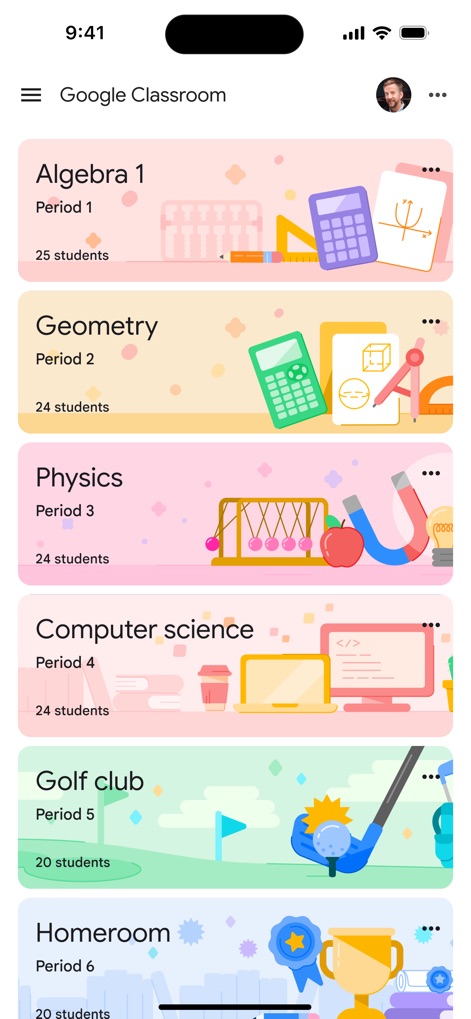
다양한 수업 보기
사용자는 앱의 홈 화면에서 가입한 모든 수업 목록을 확인할 수 있으며, 각 수업 카드에는 과목 이름과 함께 '25 students', '24 students'와 같은 학생 수가 표시됩니다.
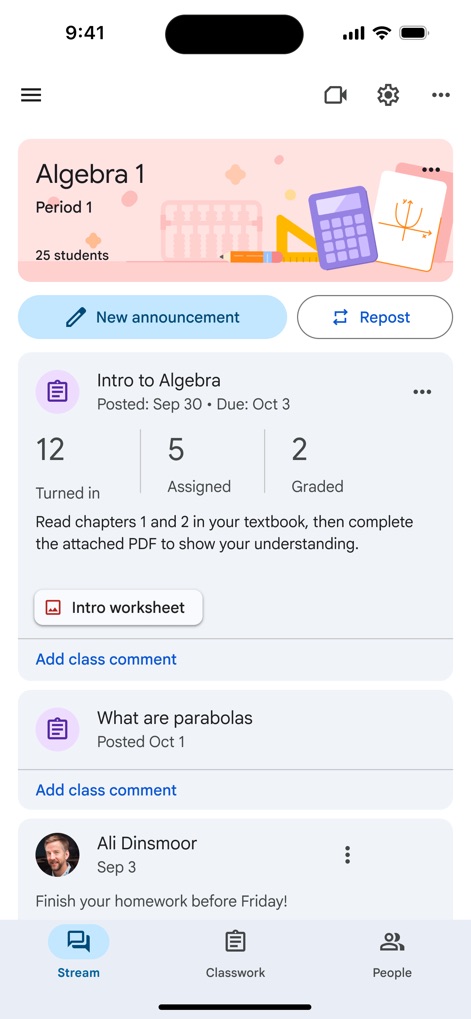
수업 스트림 확인
이 화면에서는 공지사항 및 과제 업데이트가 실시간으로 표시되며, 사용자는 과제 'Intro to Algebra'의 제출 상태('12 Turned in', '5 Assigned', '2 Graded')를 한눈에 파악할 수 있습니다.
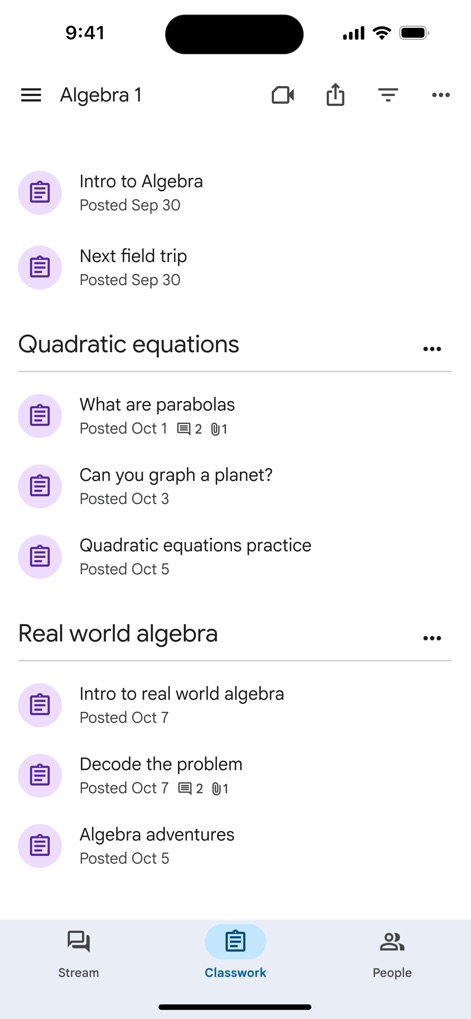
과제 목록 탐색
사용자는 '수업 과제' 탭에서 모든 과제를 주제별로 분류하여 볼 수 있으며, 각 과제에는 제목과 함께 'Posted Sep 30', 'Posted Oct 1'과 같은 게시 날짜 정보가 명확히 기재되어 있습니다.
학생 과제 관리
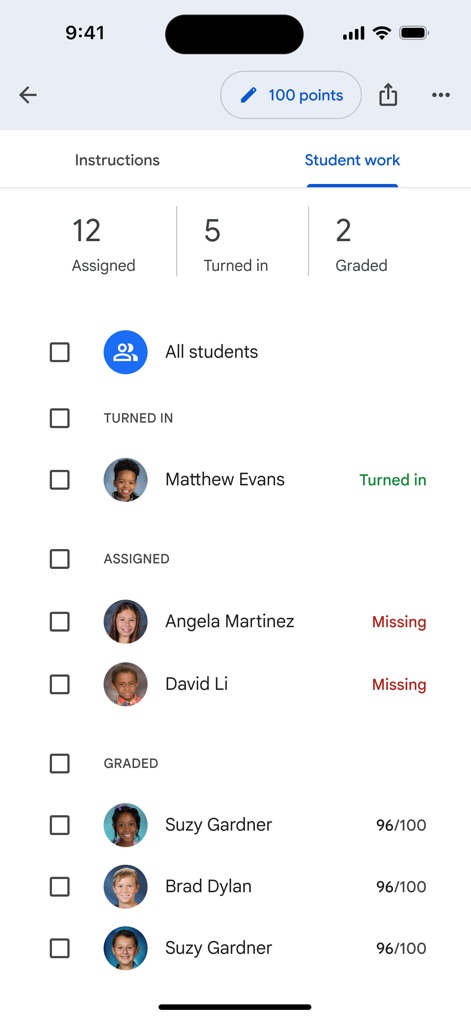
이 화면은 과제별 학생 제출 현황을 보여주며, 교사는 'Turned in', 'Assigned', 'Graded' 상태를 통해 각 학생의 과제 진행 상황과 특정 학생의 점수('96/100')를 쉽게 확인할 수 있습니다.
새로운 수업 참여
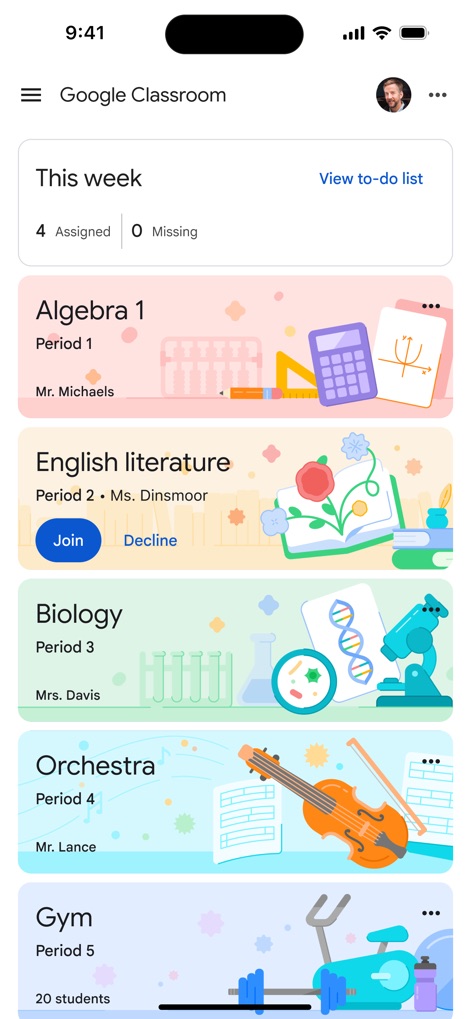
앱의 홈 화면은 'This week' 섹션을 통해 다가오는 과제를 요약하여 보여주며, 'English literature' 수업 카드에 있는 'Join' 및 'Decline' 버튼으로 새로운 수업 초대에 응답할 수 있습니다.
설문형 과제 제출
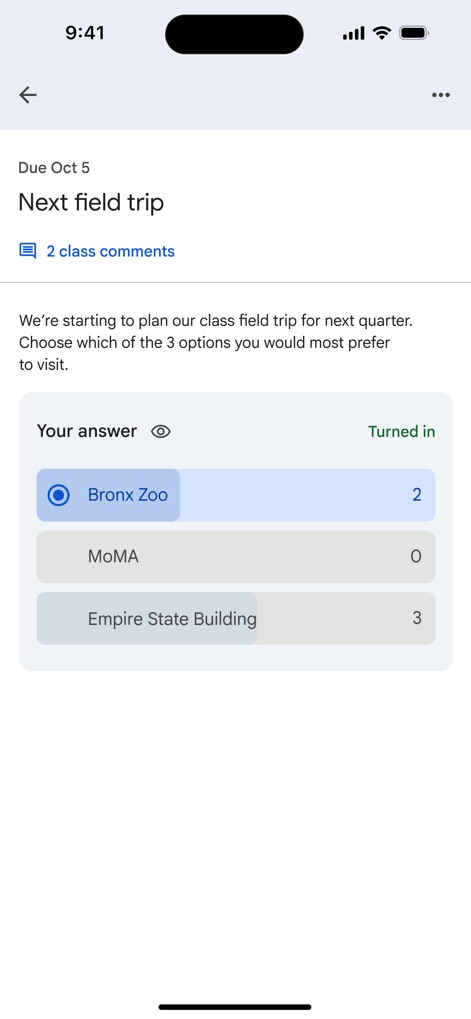
이 과제 화면에서 학생은 'Next field trip'에 대한 질문에 투표를 통해 답변할 수 있으며, 'Bronx Zoo'와 'Empire State Building' 옵션에 대한 학생들의 선택 수('2표', '3표')를 확인할 수 있습니다.
과제 내용 확인
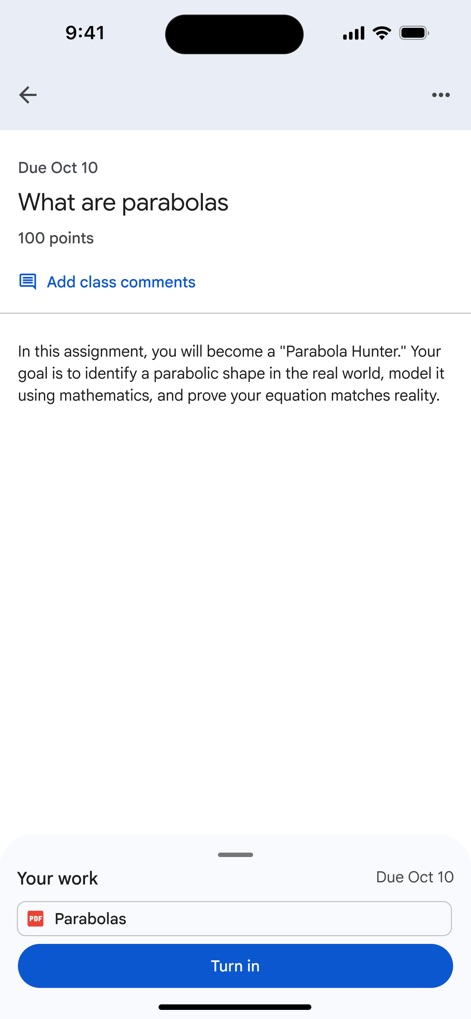
사용자는 'What are parabolas' 과제의 상세 지침을 볼 수 있으며, 'Your work' 섹션 아래에 있는 'Parabolas'라는 이름의 PDF 파일을 통해 과제 자료를 첨부하여 제출할 수 있습니다.
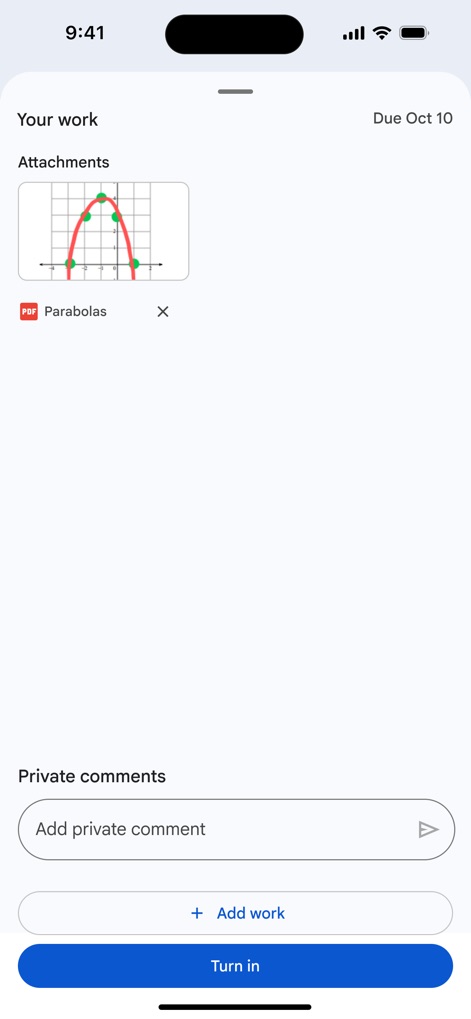
작업물 첨부 및 제출
이 화면은 과제에 첨부된 포물선 그래프 이미지와 'Parabolas'라는 PDF 문서 같은 작업물을 보여주며, 사용자는 'Add work' 버튼을 사용하여 추가 자료를 업로드하거나 'Add private comment'를 통해 교사에게 개인적인 의견을 전달할 수 있습니다.
설명
Download
비슷한 앱
유사한 기능과 사용자 경험을 가진 앱

ClassDojo
ClassDojo, Inc.

Госуслуги Моя школа
MINKOMSVYAZ ROSSII, FKU

Remind: School Communication
PARENTSQUARE LLC

Agenda Edu SuperApp
Agenda Kids Ltda ME

FAMILIES | TalkingPoints
TalkingPoints Corp

Canvas by Instructure
Instructure, Inc.

ParentSquare
PARENTSQUARE LLC

Brightspace Pulse
D2L Corporation

PowerSchool Mobile
PowerSchool Group LLC
이 페이지는 앱이나 개발자의 공식 페이지가 아니며, 정보 제공 및 논평을 목적으로 작성된 독립 편집 간행물입니다. 명시적으로 달리 언급되지 않는 한, 해당 앱이나 개발자는 MWM, Apple, Google Play, 앱 퍼블리셔 또는 앱 개발자와 제휴, 보증, 후원, 승인 또는 공식적으로 연결되어 있지 않으며, 이 페이지의 어떤 내용도 해당 앱이 MWM의 서비스를 사용하여 개발되었음을 의미하지 않습니다. 모든 상표, 로고, 스크린샷 및 기타 콘텐츠는 해당 소유자의 자산입니다.