
이 페이지는 앱이나 개발자의 공식 페이지가 아니며, 정보 제공 및 논평을 목적으로 작성된 독립 편집 간행물입니다. 명시적으로 달리 언급되지 않는 한, 해당 앱이나 개발자는 MWM, Apple, Google Play, 앱 퍼블리셔 또는 앱 개발자와 제휴, 보증, 후원, 승인 또는 공식적으로 연결되어 있지 않으며, 이 페이지의 어떤 내용도 해당 앱이 MWM의 서비스를 사용하여 개발되었음을 의미하지 않습니다. 모든 상표, 로고, 스크린샷 및 기타 콘텐츠는 해당 소유자의 자산입니다.

PowerSchool Mobile
성적, 출석 및 GPA 추적에 즉시 액세스하여 앞서나가세요. 학부모와 학생이 진행 상황을 모니터링하고 손안에서 학교 생활을 마스터할 수 있도록 지원합니다.
다운로드
19M+사용자 평점
총 평가 수
943K+개발사
카테고리
Education지원 언어
3최신 버전
25.12.0크기
129.3 MB출시일
2015년 6월 30일학업 성공에 계속 연결되세요
모든 성적, 과제 및 출석 기록을 앞서 나갈 수 있도록 설계된 실시간 통찰력과 개인화된 도구.
실시간 진행 상황 추적
성적, GPA 및 출석 현황을 실시간으로 모니터링하여 성적표의 놀라움을 제거하고 즉각적인 학업 지원을 가능하게 합니다.
즉각적인 스마트 알림
새로운 성적, 누락된 과제 및 학교 공지에 대한 즉각적인 푸시 알림을 받아 중요한 업데이트를 놓치지 마세요.
자주 묻는 질문
에 대해 알아야 할 모든 것 PowerSchool Mobile
PowerSchool 모바일 앱이란 무엇인가요?
PowerSchool 모바일 앱은 학부모, 보호자, 학생에게 성적, 과제, 출석 등 실시간 학생 정보에 편리하게 접근할 수 있도록 제공합니다. 업데이트된 사용자 인터페이스와 대시보드가 특징입니다.
PowerSchool 모바일 앱을 통해 어떤 학생 정보에 접근할 수 있나요?
PowerSchool 모바일 앱은 GPA, 수업 개요, 마감 과제, 채점된 과제, 출석, 학교 게시판, 식사 잔액, 수수료 등 실시간 학생 데이터에 접근할 수 있도록 제공합니다.
사용자는 PowerSchool 모바일 앱에서 대시보드를 사용자 정의할 수 있나요?
예, 사용자는 PowerSchool 모바일 앱에서 대시보드를 사용자 정의할 수 있습니다. 가장 중요한 정보를 우선순위로 지정하기 위해 다양한 위젯의 순서를 재지정하거나 숨길 수 있습니다.
PowerSchool 모바일 앱은 상세한 수업 과제를 보여주나요?
예, PowerSchool 모바일 앱은 상세한 수업 과제를 표시합니다. 사용자는 수업 정보에서 드릴다운하여 특정 과제 세부 정보 및 성적을 볼 수 있습니다.
PowerSchool 모바일 앱의 시스템 요구 사항은 무엇인가요?
PowerSchool 모바일 앱은 iOS 버전 13.0 이상이 필요합니다. 작동을 위해서는 무선 연결 또는 모바일 데이터 요금제도 필요합니다.
앱을 사용하려면 PowerSchool 학생 정보 시스템이 필요하나요?
예, PowerSchool 모바일 앱을 사용하려면 학교에서 PowerSchool 학생 정보 시스템(SIS)을 사용해야 합니다. 앱은 해당 시스템 없이는 작동하지 않습니다.
PowerSchool 모바일에서 과제와 함께 학업 달력을 볼 수 있나요?
예, PowerSchool 모바일 앱에는 새로운 달력 보기가 포함되어 있습니다. 이를 통해 사용자는 주 또는 월별 수업 과제를 확인하고 과제 세부 정보로 드릴다운할 수 있습니다.
PowerSchool 모바일 앱에서 알림을 어떻게 관리할 수 있나요?
PowerSchool 모바일 앱을 통해 사용자는 푸시 알림 및 이메일 알림을 모두 관리할 수 있습니다. 이 기능을 통해 학생 및 학부모가 업데이트를 받는 방식을 제어할 수 있습니다.
PowerSchool Mobile은 출석 기록을 제공하나요?
예, PowerSchool 모바일 앱은 출석 정보에 접근할 수 있도록 제공합니다. 사용자는 수업 개요 및 상세 보기의 일부로 이 데이터를 볼 수 있습니다.
PowerSchool 모바일 앱에서 식사 잔액 합계 정보를 볼 수 있나요?
예, 식사 잔액 합계는 PowerSchool 모바일 앱에서 확인할 수 있지만, 학교에서 PowerSchool SIS 내의 PowerLunch 식사 관리 기능을 사용하는 경우에만 해당됩니다.
다음 스크린샷과 설명은 앱의 공식 스토어 목록에서 직접 가져온 것이며 앱 개발자의 자산입니다.
앱 스토어
스크린샷
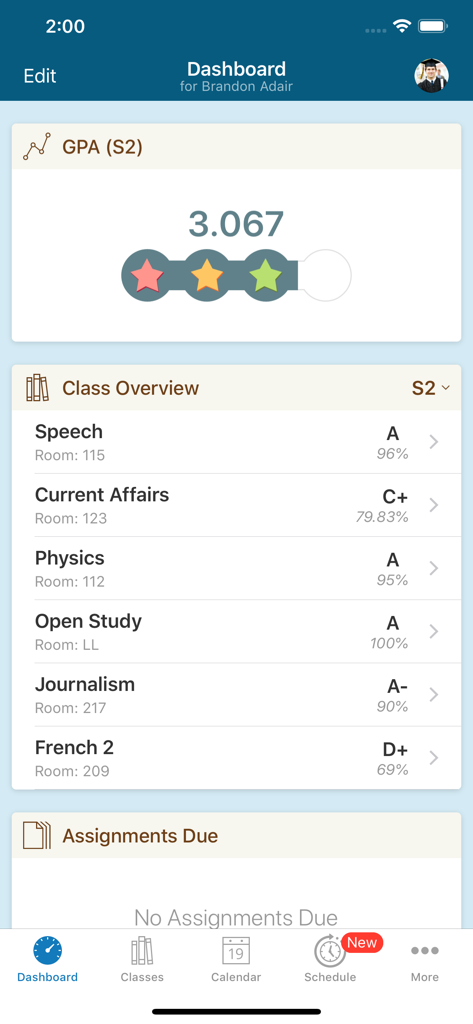
학생 GPA 및 반 성적을 보여주는 PowerSchool Mobile 앱 대시보드 스크린샷
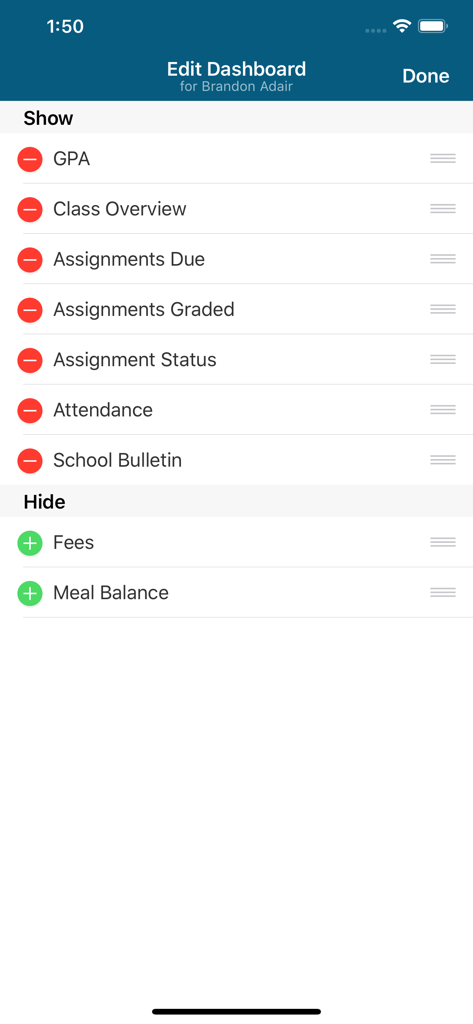
GPA 과제 및 출석을 포함한 대시보드 위젯을 사용자 정의하는 PowerSchool Mobile 앱 화면
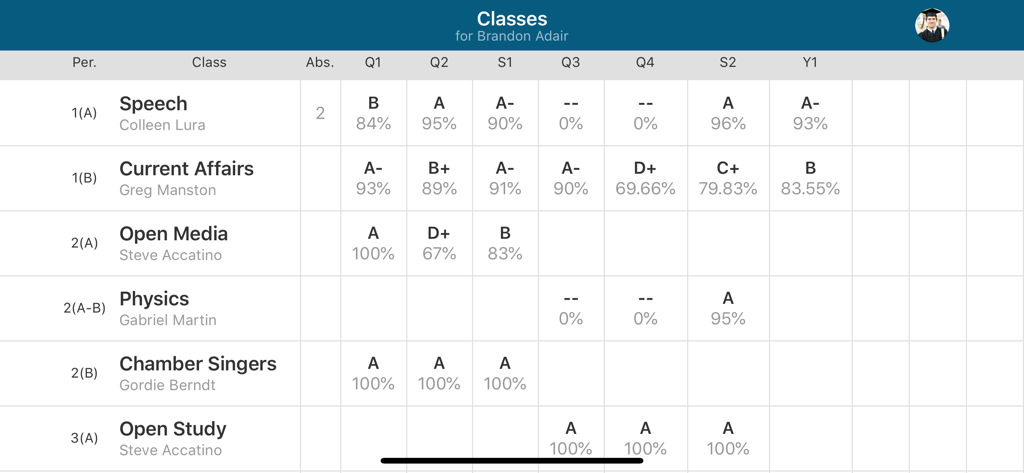
PowerSchool Mobile 앱의 학생 성적 및 출석 기록 테이블 보기
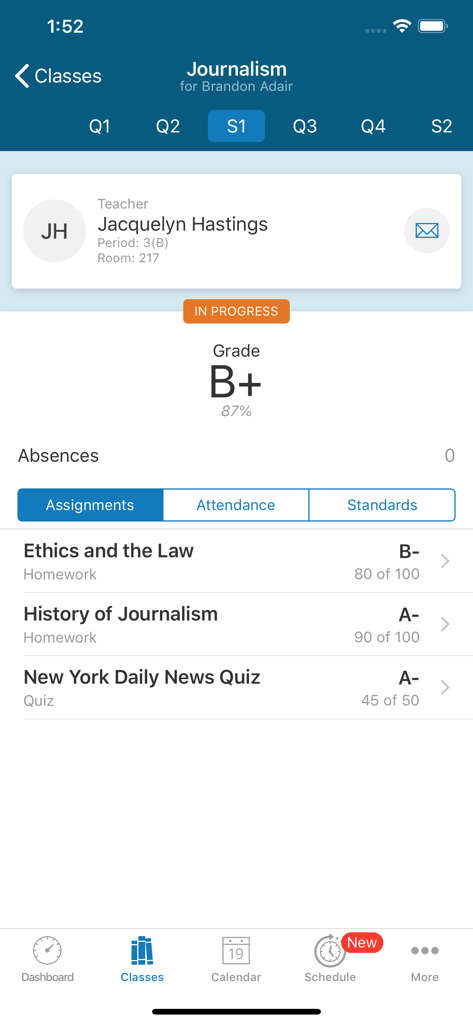
학생의 저널리즘 수업 성적, 과제 및 교사 정보를 보여주는 PowerSchool Mobile 앱 스크린샷
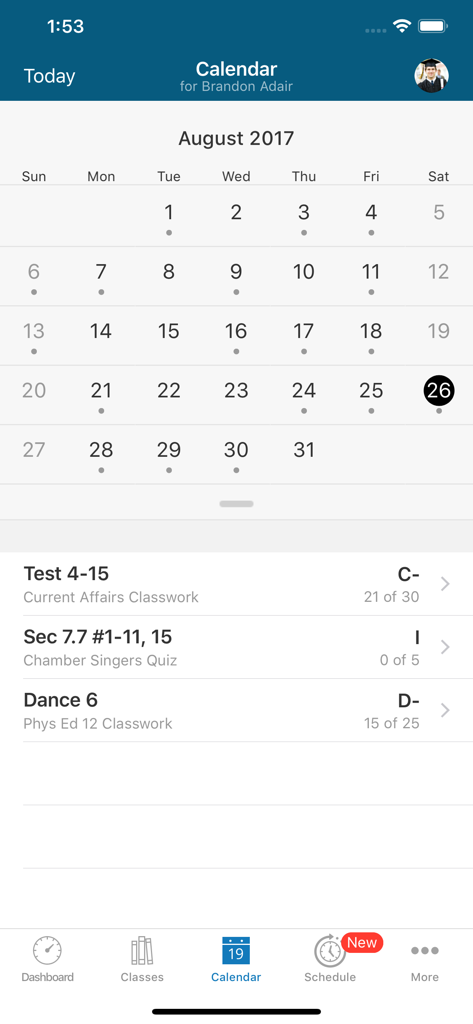
8월의 학생 과제 및 성적을 보여주는 PowerSchool Mobile 앱 캘린더 인터페이스
설명
Download
비슷한 앱
유사한 기능과 사용자 경험을 가진 앱

ClassDojo
ClassDojo, Inc.

Госуслуги Моя школа
MINKOMSVYAZ ROSSII, FKU

Remind: School Communication
PARENTSQUARE LLC

Agenda Edu SuperApp
Agenda Kids Ltda ME

FAMILIES | TalkingPoints
TalkingPoints Corp

Canvas by Instructure
Instructure, Inc.

ParentSquare
PARENTSQUARE LLC

Brightspace Pulse
D2L Corporation

Compass School Manager
Compass Operations Pty Ltd
이 페이지는 앱이나 개발자의 공식 페이지가 아니며, 정보 제공 및 논평을 목적으로 작성된 독립 편집 간행물입니다. 명시적으로 달리 언급되지 않는 한, 해당 앱이나 개발자는 MWM, Apple, Google Play, 앱 퍼블리셔 또는 앱 개발자와 제휴, 보증, 후원, 승인 또는 공식적으로 연결되어 있지 않으며, 이 페이지의 어떤 내용도 해당 앱이 MWM의 서비스를 사용하여 개발되었음을 의미하지 않습니다. 모든 상표, 로고, 스크린샷 및 기타 콘텐츠는 해당 소유자의 자산입니다.