CalcMe Calculator

CalcMe Calculator

다운로드: App Store
로고: CalcMe Calculator

CalcMe 계산기: 공학용 계산기의 우아한 진화

구식 하드웨어를 들고 다니는 것을 멈추세요. 세련되고 전문적인 인터페이스에 담긴 직관적인 2D 표기법, 실시간 플로팅, 대화형 슬라이더로 복잡한 방정식을 마스터하세요. 현대 STEM 워크플로우를 위해 디자인되었습니다.

다운로드: App Store

개발사

Edoardo Orzes

카테고리

Utilities

다운로드

1K+

사용자 평점

1.0/5

총 평가 수

0

지원 언어

8

모든 픽셀에 담긴 정밀도

이 인터페이스를 사용하는 1K+ 명의 사용자.

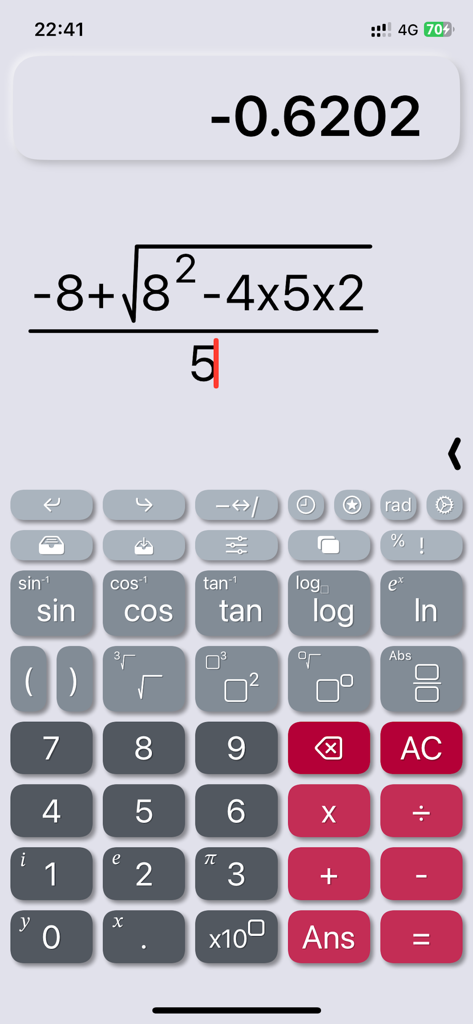
CalcMe 앱 인터페이스가 자연스러운 표기법을 사용하여 복잡한 대수 공식을 표시하고 있습니다.

CalcMe 앱 인터페이스가 자연스러운 표기법을 사용하여 복잡한 대수 공식을 표시하고 있습니다.

CalcMe 공학용 계산기 인터페이스가 함수 그래프와 자연스러운 표기법 공식을 보여주고 있습니다.

CalcMe 공학용 계산기 인터페이스가 함수 그래프와 자연스러운 표기법 공식을 보여주고 있습니다.

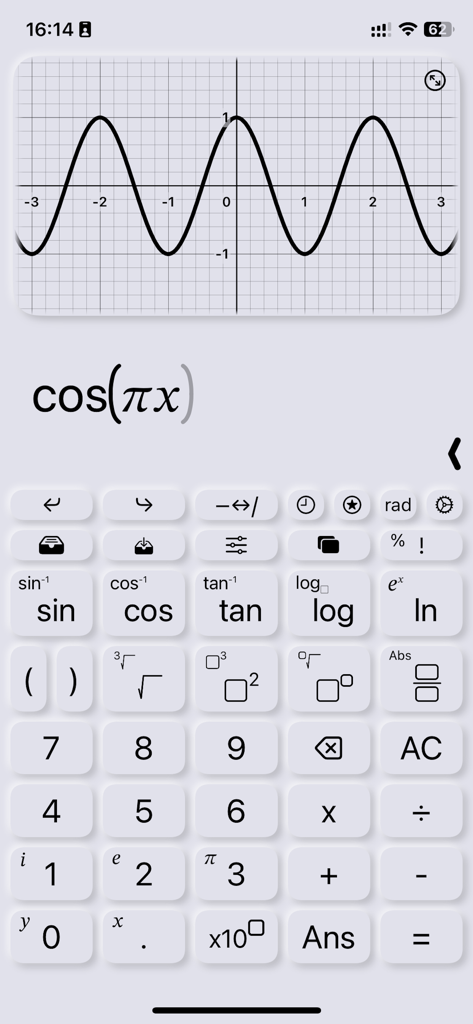
CalcMe 공학용 계산기 앱 인터페이스에 표시되는 코사인 함수 그래프.

CalcMe 공학용 계산기 앱 인터페이스에 표시되는 코사인 함수 그래프.

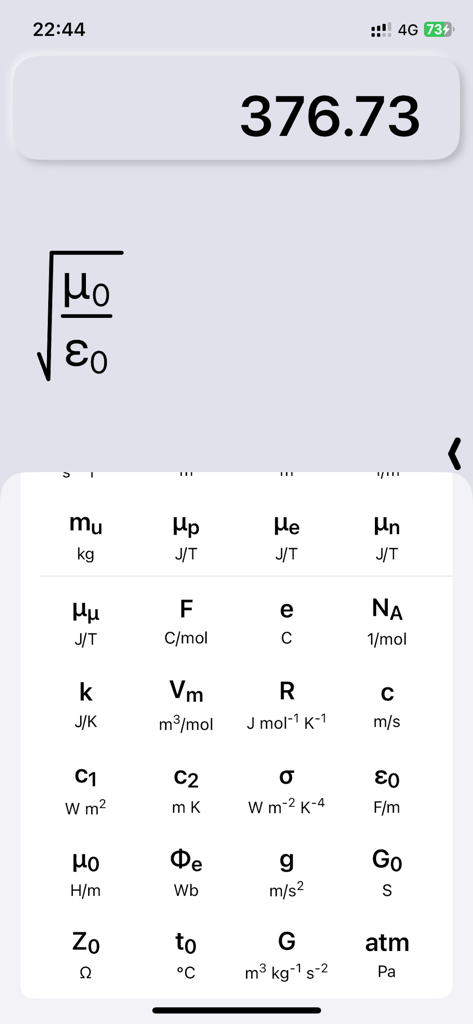
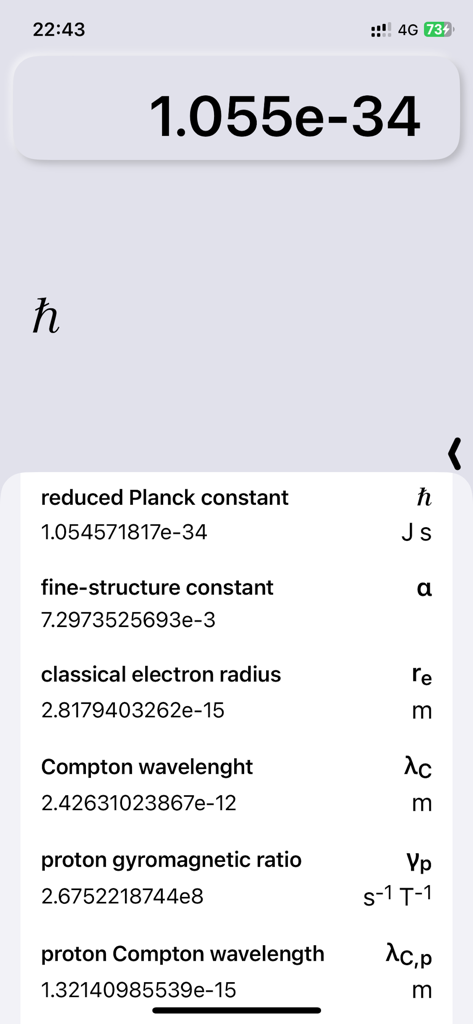
CalcMe 앱이 물리 상수 라이브러리와 자연스러운 수학적 표기법의 공식을 표시하고 있습니다.

CalcMe 앱이 물리 상수 라이브러리와 자연스러운 수학적 표기법의 공식을 표시하고 있습니다.

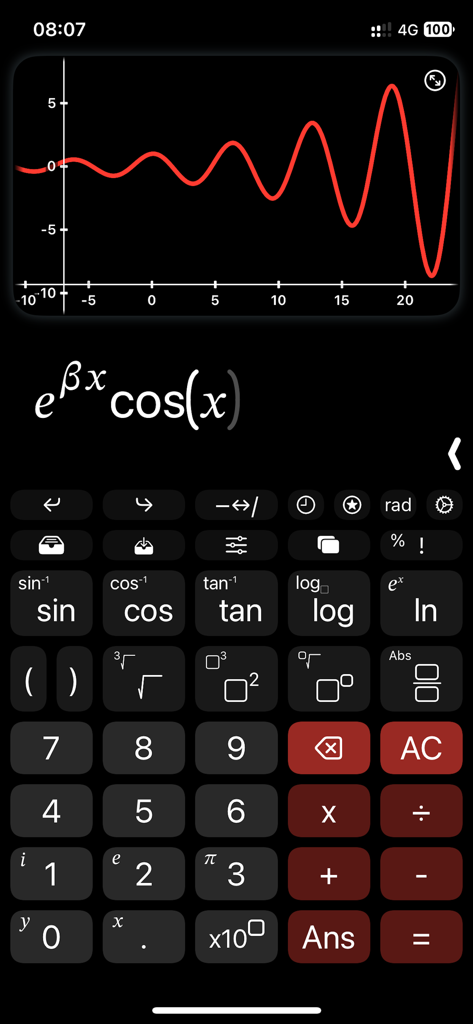
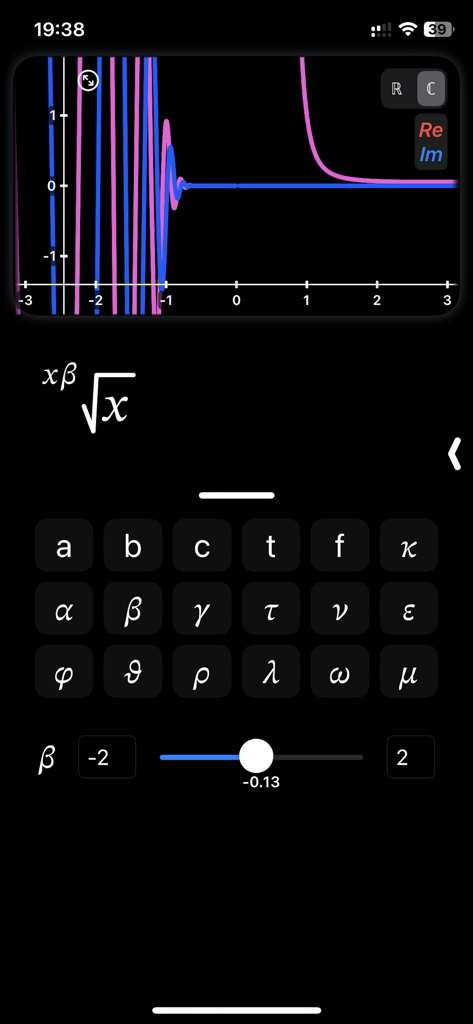
CalcMe 계산기 앱 인터페이스가 대화형 슬라이더로 매개변수를 조정하는 복잡한 함수 그래프를 보여주고 있습니다.

CalcMe 계산기 앱 인터페이스가 대화형 슬라이더로 매개변수를 조정하는 복잡한 함수 그래프를 보여주고 있습니다.

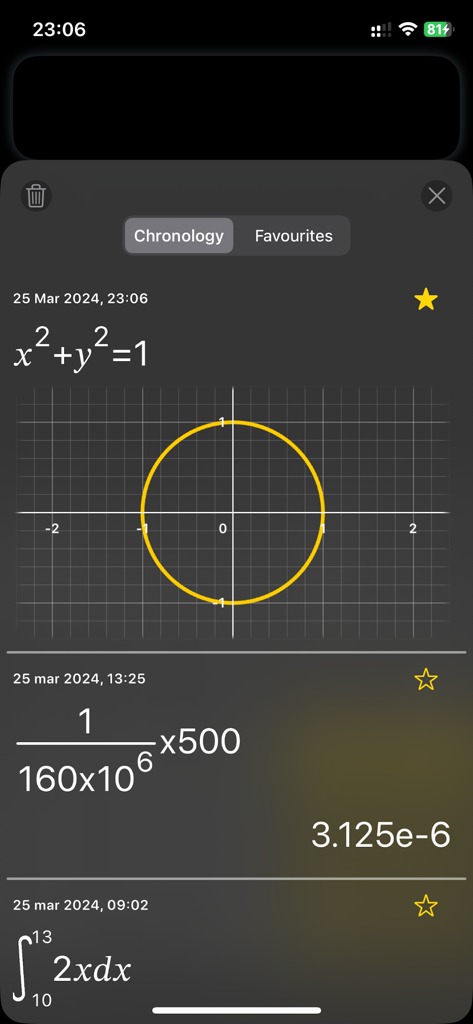
CalcMe 계산기 연대기 화면 스크린샷: 원 그래프, 자연스러운 표기법의 분수 계산, 정적분 표시.

CalcMe 계산기 연대기 화면 스크린샷: 원 그래프, 자연스러운 표기법의 분수 계산, 정적분 표시.

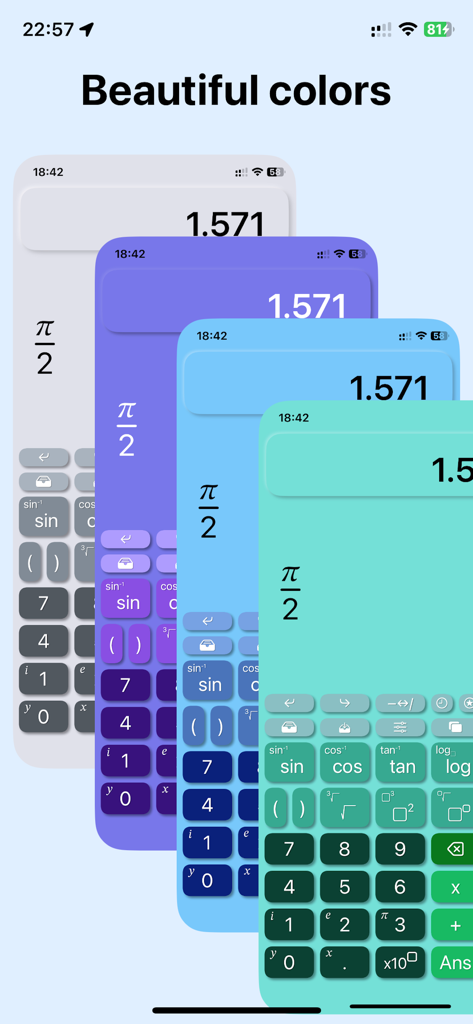
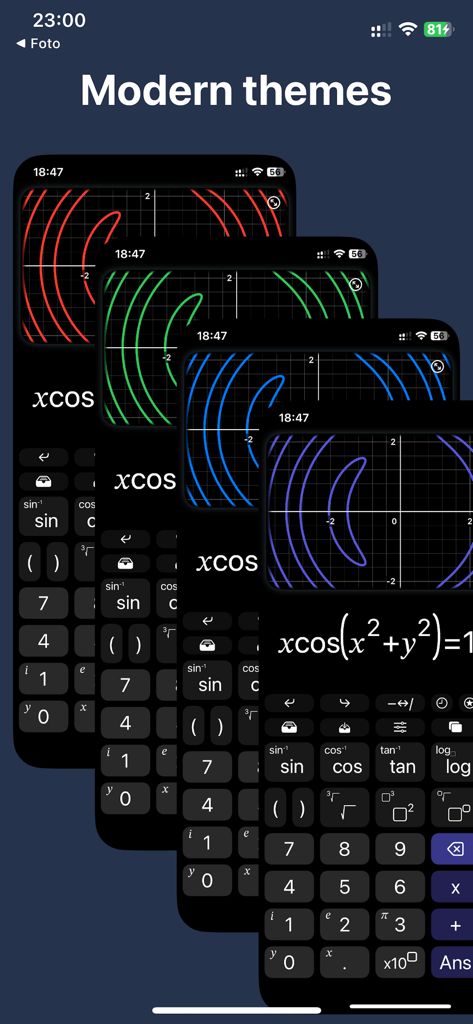
CalcMe 공학용 계산기의 우아하고 현대적인 색상 테마.

CalcMe 공학용 계산기의 우아하고 현대적인 색상 테마.

CalcMe 공학용 계산기가 iOS에서 다양한 우아한 색상 테마와 다크 모드 옵션을 표시하고 있습니다.

CalcMe 공학용 계산기가 iOS에서 다양한 우아한 색상 테마와 다크 모드 옵션을 표시하고 있습니다.

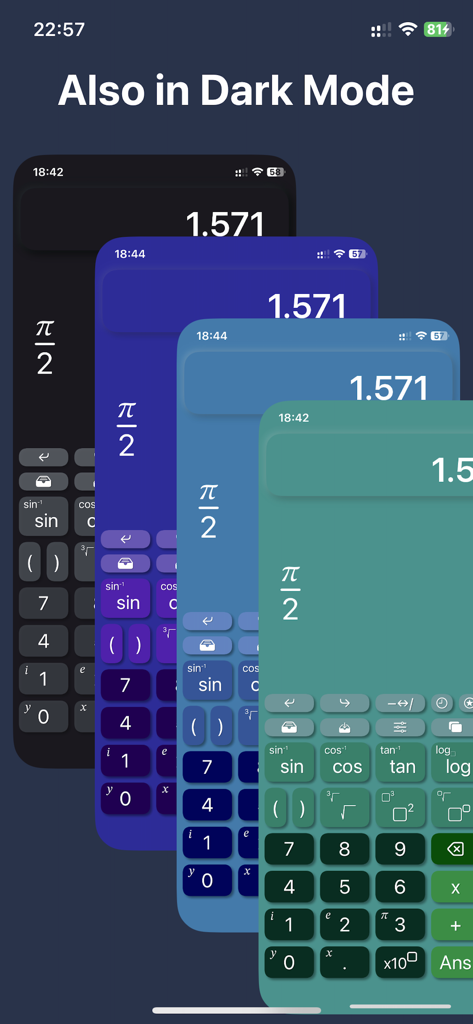
어두운 UI에서 그래프 플롯을 위한 다양한 현대적인 색상 테마를 보여주는 CalcMe 계산기 앱의 겹쳐진 네 개의 화면.

어두운 UI에서 그래프 플롯을 위한 다양한 현대적인 색상 테마를 보여주는 CalcMe 계산기 앱의 겹쳐진 네 개의 화면.

CalcMe 공학용 계산기 앱에 표시되는 값과 단위가 있는 기본적인 물리 상수 목록.

CalcMe 공학용 계산기 앱에 표시되는 값과 단위가 있는 기본적인 물리 상수 목록.

재해석된 전문 수학

이 앱을 돋보이게 하는 도구, 1K+ 명의 사용자가 선택.

📐

자연스러운 2D 표기법

복잡한 분수, 거듭제곱, 루트를 교과서에 표시되는 그대로 작성하고 편집하세요. 더 이상 혼란스러운 한 줄 문자열은 없습니다.

📈

대화형 슬라이더 & 플롯

개념을 즉시 시각화하세요. 슬라이더로 매개변수를 조정하고 플롯이 실시간으로 진화하는 것을 보면서 더 깊은 직관적인 통찰력을 얻으세요.

⚛️

STEM의 엄격함을 위해 제작됨

모드를 전환하거나 메뉴를 뒤지지 않고도 40가지 기본적인 물리 상수와 네이티브 복소수 지원에 액세스하세요.

앱 소개

에 대해 알아야 할 모든 것 CalcMe Calculator.

설명

This scientific calculator has been created to overcome the lack of a both good and nice looking calculator on App Store. I spent my high school and university periods using hardware calculators, they were very quick to use, but I always thought why should I carry around a second device while I have my phone in the pocket. So I searched for years for a good calculator app that was able to replace the hardware one, but I never found one, they were all too unhandy to use, with important buttons on a second page, annoying to reach when you need them often; with a complex interface and very difficult to tap and edit directly on the calculation. I thought it's crazy that no one have exploited the amazing system provided by Apple to not only create a really good scientific calculator, but to make it even easier to use and interact with than the hardware ones. So I decided to do it. What CalcMe offers: - Nice looking interface, intuitive, immediate and able to not only replace, but to enrich hardware calculators. - Elegant and modern themes and colors to choose from, all included in the first purchase. - A little magic feature: in scientific notation, swipe over the result to move the decimal dot and see the ten power change :) - All scientific function (sin, cos, tan, ..., log, ln, exp, ..., atan2). - Calculation structured in 2D, with fractions, powers, roots, brackets and so on, with very easy to nest operations, no limits! - Tap on the calculation to place the cursor and write. - Undo/Redo buttons - A catalog with 40 physics fundamentals constants, with name and unit of measure, ready to be inserted. - Possibility to store values. - Chronology. - Sliders: yes, you can insert many parameters and change them swiping on a slider to see the effect in real time. - Spaces: access to up to 4 spaces on which you can edit and keep calculations, useful also to superpose different plots. - Joystick mode: swipe over the buttons to move the cursor (still in beta). - Plots: inserting a variable, like x or y, the calculator automatically generates the plot. - Locus of points: if you insert both a variable and the = symbol, instead of showing the function of the variable, it is shown the locus of points. - Complex numbers: the app automatically uses complex numbers when needed, no need to set the complex mode. - Plots also support for complex values. - Integrals and derivatives (in the future also limits). - Export plot and calculation as image/PDF, copy result as text Enjoy! I wish this app existed while I was a student.

최신 버전

3.1

크기

8.2 MB

출시일

2023년 1월 3일

하드웨어 계산기를 대체할 준비가 되셨나요?

수천 명의 STEM 전문가 및 학생들이 구식의 투박한 기기를 버리고 iOS에서 가장 우아하고 강력하며 직관적인 공학용 도구를 선택했습니다. 지금 CalcMe를 다운로드하고 고화질 수학을 경험해 보세요.

다운로드: App Store

App information, icons, screenshots, and descriptions displayed on this page are sourced from the Apple App Store and are the property of their respective developers. Download estimates and rankings are based on MWM's proprietary models and may not reflect actual figures. This page is provided for informational and analytical purposes only.

Believe this page infringes your intellectual property? File a dispute