Canvas: LiDAR 3D Measurements

Canvas: LiDAR 3D Measurements


다운로드: App Store
로고: Canvas: LiDAR 3D Measurements

Canvas: LiDAR 3D 측정 — Scan-to-CAD를 위한 강력한 도구

더 이상 줄자로 시간을 낭비하지 마세요. 몇 분 만에 정확한 3D 현황 도면을 캡처하고 빠르면 하루 만에 전문적인 Revit, SketchUp 또는 AutoCAD 모델을 받아보세요.

개발사

Occipital, Inc.

카테고리

Utilities

다운로드

131K+

사용자 평점

4.6/5

총 평가 수

1K+

지원 언어

1

모든 픽셀에 담긴 정밀함

이 인터페이스를 사용하는 131K+ 명의 사용자.

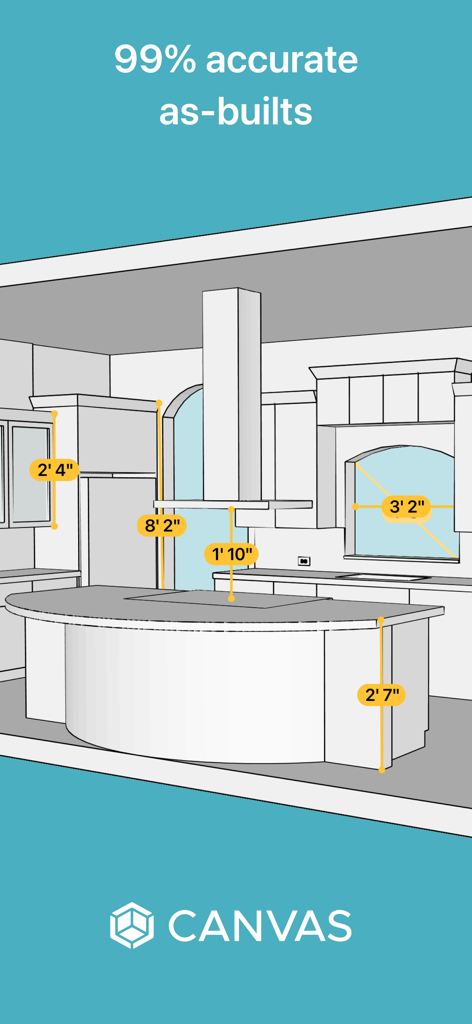
수납장과 조리대의 정밀한 치수가 표시된 주방의 3D 건축 모델

수납장과 조리대의 정밀한 치수가 표시된 주방의 3D 건축 모델

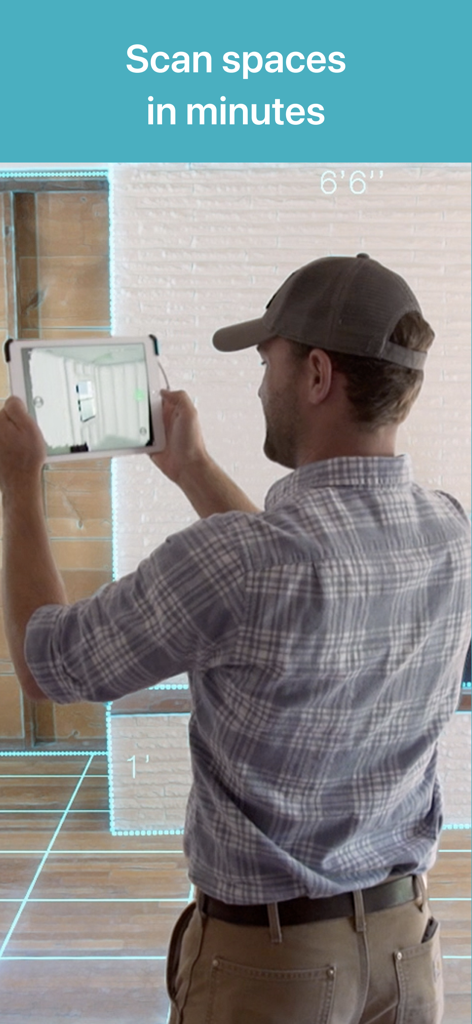
Canvas LiDAR 3D 측정 앱을 사용하여 iPad로 방을 스캔하는 전문가

Canvas LiDAR 3D 측정 앱을 사용하여 iPad로 방을 스캔하는 전문가

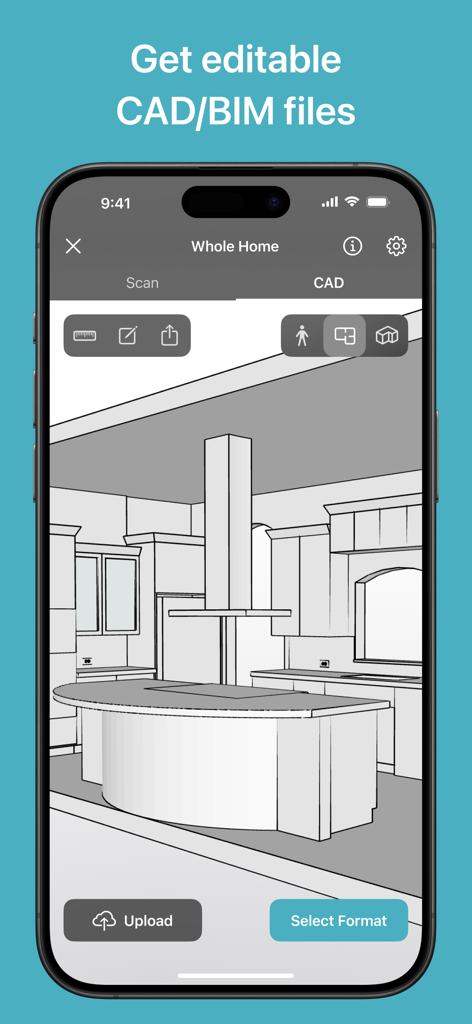
Canvas LiDAR로 생성된 주방의 편집 가능한 3D CAD 모델을 보여주는 스마트폰

Canvas LiDAR로 생성된 주방의 편집 가능한 3D CAD 모델을 보여주는 스마트폰

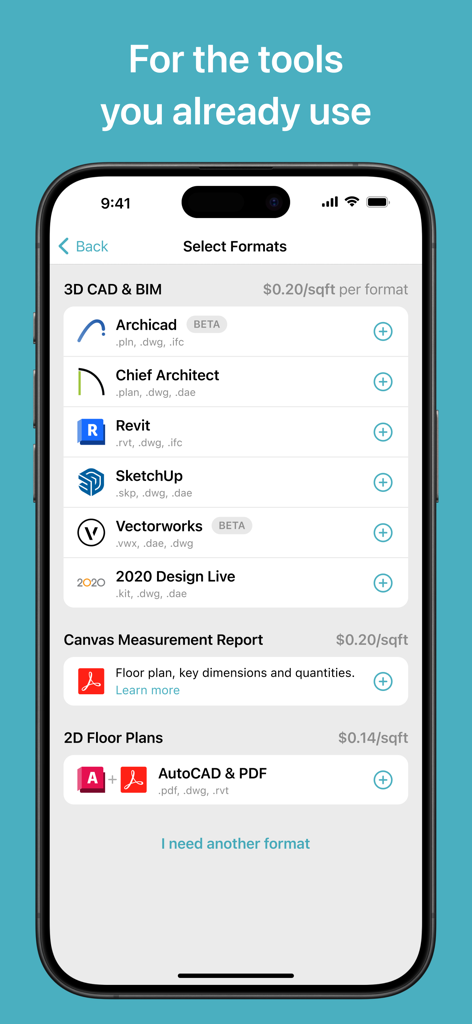
Revit 및 SketchUp과 같은 다양한 3D CAD 및 2D 평면도 내보내기 형식을 보여주는 Canvas 앱 인터페이스

Revit 및 SketchUp과 같은 다양한 3D CAD 및 2D 평면도 내보내기 형식을 보여주는 Canvas 앱 인터페이스

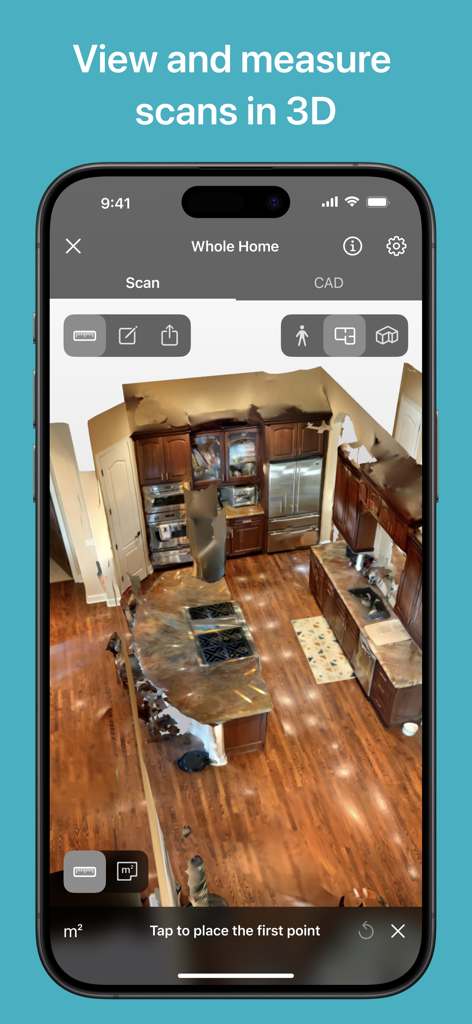
Canvas 앱의 주방 내부 3D LiDAR 스캔

Canvas 앱의 주방 내부 3D LiDAR 스캔

현장에서 스튜디오까지 워크플로우를 간소화하세요

이 앱을 돋보이게 하는 도구, 131K+ 명의 사용자가 선택.

빛처럼 빠른 캡처

몇 초 만에 방 전체를, 몇 분 만에 집 전체를 스캔하세요. 줄자를 전혀 대지 않고도 공간을 걸어 다니기만 하면 정확한 3D 디지털 트윈을 만들 수 있습니다.

📐

전문가용 CAD 내보내기

Revit, SketchUp, Chief Architect 등을 위한 편집 가능한 업계 표준 파일을 받아보세요. 처음부터 도면을 그릴 필요 없이 즉시 디자인을 시작할 수 있습니다.

🎯

비용이 많이 드는 오류 제거

모든 프로젝트에서 정확성과 전문가 수준의 결과를 보장합니다. 기술 중심의 '현황' 문서화로 고객에게 깊은 인상을 주는 동시에 인건비를 수천 달러 절약하세요.

앱 소개

에 대해 알아야 할 모든 것 Canvas: LiDAR 3D Measurements.

설명

Canvas empowers remodelers, architects, interior designers, and other professionals to 3D scan spaces in minutes and get accurate as-built CAD models, measurement reports, and floor plans. Save hours by replacing tedious measuring with 3D scanning, which is easy to learn via our video tutorials. Save even more time by having Canvas transform your scans into editable, professional-grade 3D CAD/BIM files and 2D drawings in as little as one day. Canvas is trusted by thousands of design-build firms, kitchen and bath remodelers, general contractors, architects, interior designers, and more. Canvas creates 3D CAD/BIM as-builts in industry-standard formats like Revit, SketchUp, Chief Architect, Archicad, Vectorworks, and 2020 Design Live, as well as detailed measurement reports and 2D floor plans in AutoCAD and PDF. Open the as-built in your program of choice and jump right into design, quoting, and planning. 2D as-builts are only 14 cents per square foot, while 3D as-builts are only 20 cents per square foot. Canvas requires a LiDAR-equipped Pro iOS device: an iPhone 12 Pro / Pro Max or newer or an iPad Pro from 2020 or newer. Download Canvas to turn your iPad Pro or iPhone Pro into a power tool. 3D capture is easy: simply walk around rooms as if you’re taking a video. Canvas uses computer vision and AI to create accurate 3D digital twins. Scan rooms in seconds and entire homes in minutes. Turning your scans into a measurement report or editable CAD model is even easier. Our editable models feature standardized, design-ready groups and tags so that you can get straight to design in your program of choice. Canvas saves our customers hours and thousands of dollars. Don’t take our word for it, here's what Canvas customers say: “Using Canvas saves my clients approximately $1,500 on measuring and modeling their home, and they get me out of their house in 15% of the time.” – Walter Faustlin, Lotus Construction Group "I have reduced the time to measure a 2,500 square foot building from 2 hours of measuring and 1.5 hours of data input to 30 minutes of scanning and sending the scans to be converted to a Revit model." – Thomas Reynolds, Green Stories Architecture "It allows me to take on more clients than I would otherwise be able to." – Noz Nozawa, Noz Design

최신 버전

3.94

크기

758.3 MB

출시일

2016년 11월 10일

측정은 그만, 디자인을 시작하세요.

모든 프로젝트에서 시간을 절약하고 있는 수천 명의 건축가 및 계약업체와 함께하세요. 지금 바로 iPhone 또는 iPad Pro를 강력한 3D 스캐닝 도구로 변환하세요.

다운로드: App Store

App information, icons, screenshots, and descriptions displayed on this page are sourced from the Apple App Store and are the property of their respective developers. Download estimates and rankings are based on MWM's proprietary models and may not reflect actual figures. This page is provided for informational and analytical purposes only.

Believe this page infringes your intellectual property? File a dispute