CDR Viewer Plus

CDR Viewer Plus

다운로드: App Store
로고: CDR Viewer Plus

CDR Viewer Plus: 원활한 CorelDraw 파일 액세스 및 버전 변환

인쇄소 및 디자이너를 위한 궁극의 유틸리티. 모든 CDR 파일을 열고, 버전을 X4-2020으로 변환하고, 즉각적인 기술 정보를 얻어 이동 중에도 생산 워크플로우를 간소화하세요.

개발사

Foshan Ourfuture Technology Co., Ltd.

카테고리

Graphics & Design

다운로드

1K+

사용자 평점

1.0/5

총 평가 수

0

지원 언어

3

인터페이스 내부 보기

이 인터페이스를 사용하는 1K+ 명의 사용자.

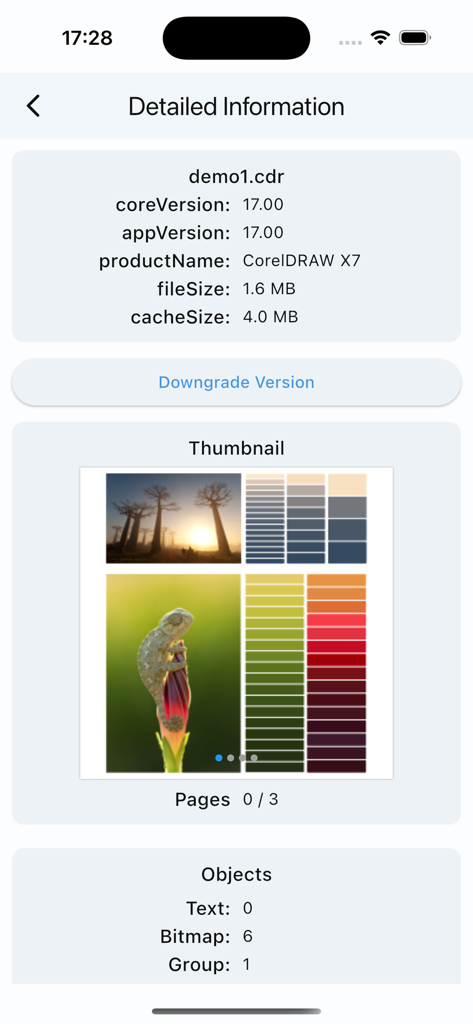
CorelDRAW X7 파일의 버전 정보 및 개체 수를 보여주는 CDR Viewer Plus 인터페이스.

CorelDRAW X7 파일의 버전 정보 및 개체 수를 보여주는 CDR Viewer Plus 인터페이스.

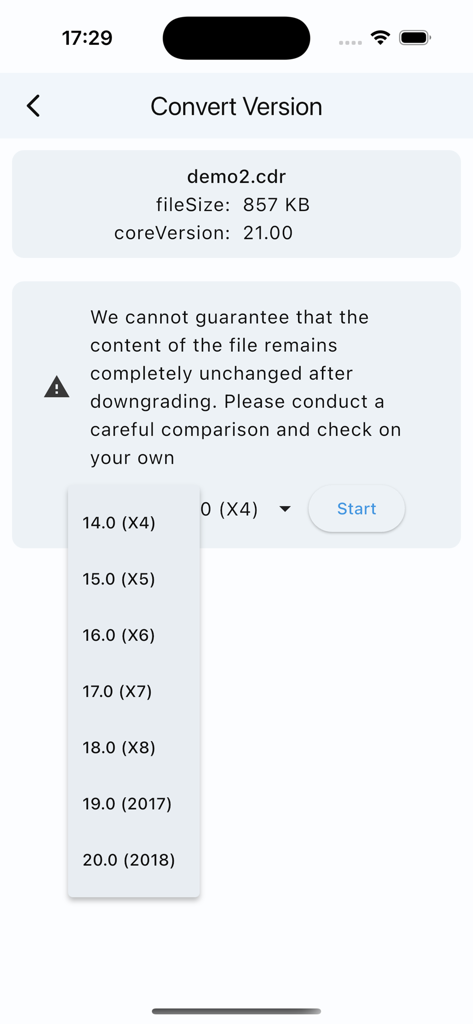
파일 다운그레이딩을 위해 X4부터 2018까지의 레거시 버전 드롭다운 목록을 보여주는 CorelDraw 버전 변환 화면

파일 다운그레이딩을 위해 X4부터 2018까지의 레거시 버전 드롭다운 목록을 보여주는 CorelDraw 버전 변환 화면

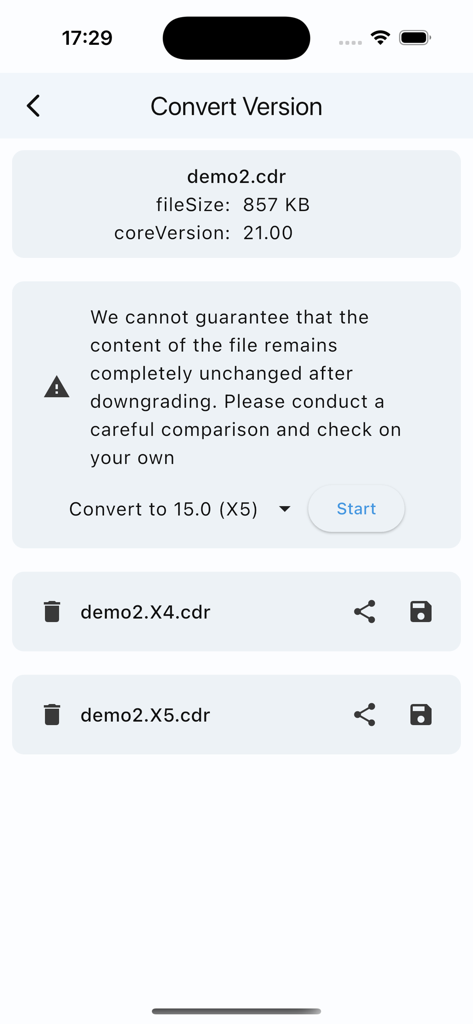
CDR Viewer Plus 앱에서 버전 21에서 X5로 CorelDraw 파일 버전 변환을 보여주는 모바일 인터페이스

CDR Viewer Plus 앱에서 버전 21에서 X5로 CorelDraw 파일 버전 변환을 보여주는 모바일 인터페이스

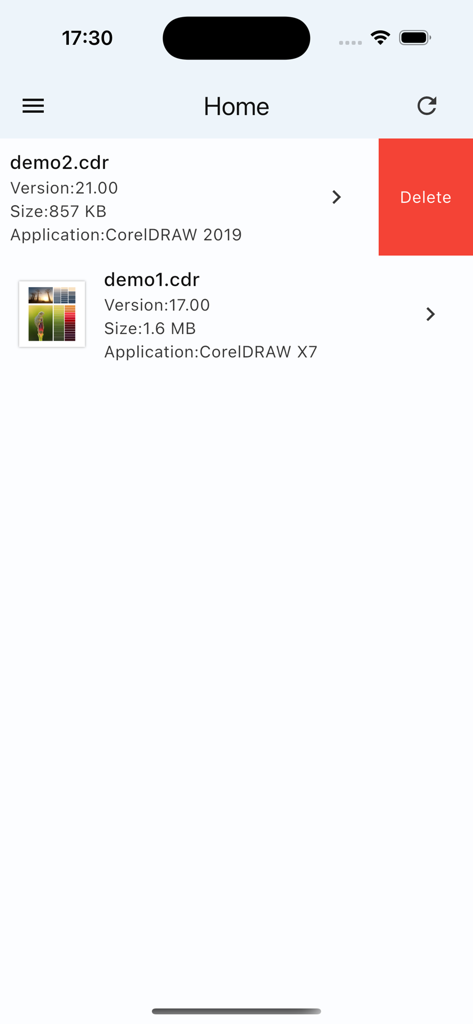
버전 및 크기 정보가 있는 CorelDraw 파일 목록을 보여주는 CDR Viewer Plus 앱의 홈 화면

버전 및 크기 정보가 있는 CorelDraw 파일 목록을 보여주는 CDR Viewer Plus 앱의 홈 화면

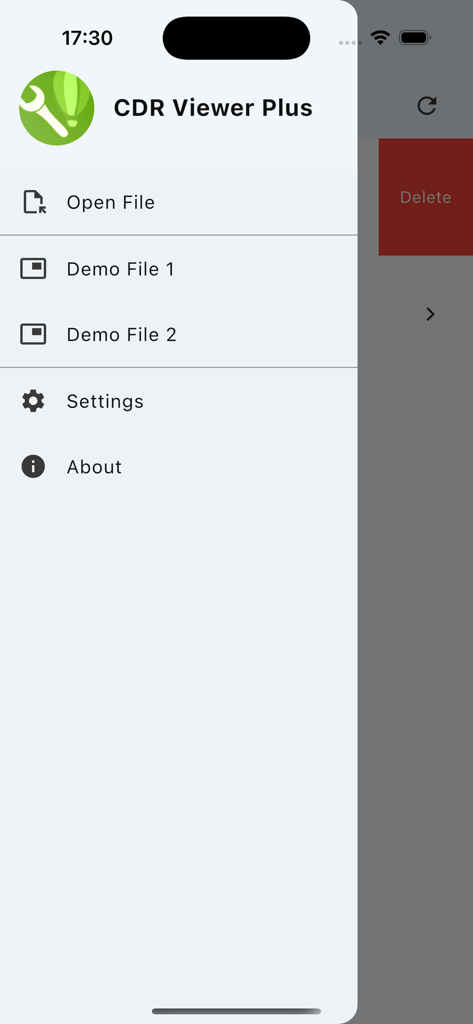
파일 열기 및 설정 옵션이 있는 CDR Viewer Plus 앱의 측면 탐색 메뉴

파일 열기 및 설정 옵션이 있는 CDR Viewer Plus 앱의 측면 탐색 메뉴

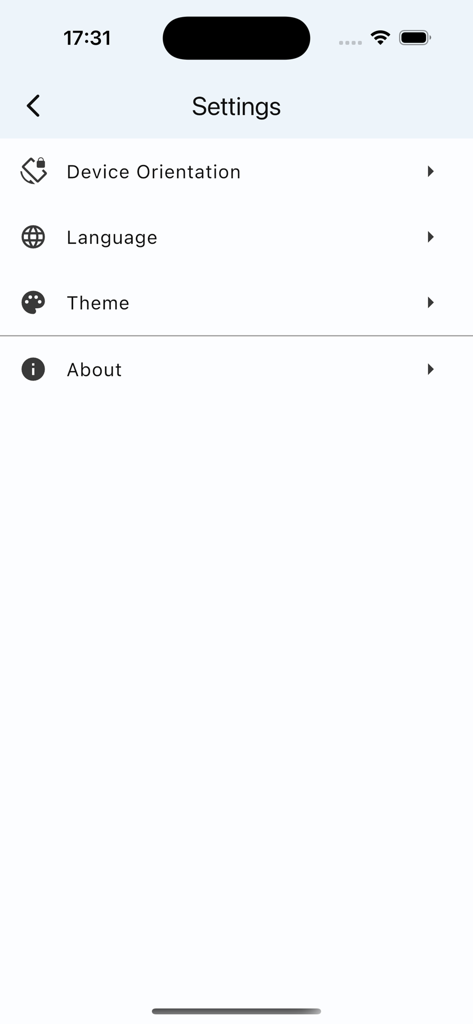
장치 방향, 언어 및 테마에 대한 옵션을 보여주는 CDR Viewer Plus 앱의 설정 메뉴

장치 방향, 언어 및 테마에 대한 옵션을 보여주는 CDR Viewer Plus 앱의 설정 메뉴

전문적인 CDR 도구를 손안에서

이 앱을 돋보이게 하는 도구, 1K+ 명의 사용자가 선택.

🔄

원클릭 버전 다운세이빙

X4 또는 X7과 같은 레거시 버전으로 최신 파일을 원활하게 변환하여 생산 호환성을 보장합니다.

📊

상세 기술 감사

요소 수와 효과를 즉시 확인하여 프로젝트를 정확하게 견적하고 워크플로우를 최적화하세요.

📱

이동 중 파일 검증

모바일 장치에서 직접 CDR 버전을 미리 보고 검사하여 책상에서 벗어나 있는 시간을 절약하세요.

앱 소개

에 대해 알아야 할 모든 것 CDR Viewer Plus.

설명

Dear designers, Have you ever been frustrated by not being able to open higher-version CorelDraw files? Want to get detailed information about CDR files? Now, all of this is possible! We proudly launch a brand new app - CDR Viewer Plus. Designed specifically for designers, this app offers the following powerful features: ======One-click version conversion====== 1. Convert to X4 and X5, Safety Rating: ** 2. Convert to X6 and X7, Safety Rating: *** 3. Convert to X8~2020, Safety Rating: **** Important reminder: Please carefully check the consistency of the content before and after conversion!!! ======Basic Information Display====== 1. Version Number Display: Quickly view the CorelDraw file version number to ensure file compatibility. 2. Element Count: Detailed count of the number of elements within a file, such as text and curves, helps you fully understand the file content. 3. Effect Count: Counts the number of effects like gradients and prisms used in a file, allowing you to clearly see the impact of your design. 4. Fill and Outline Type Count: Detailed counts of fill and outline types used in a file help you better manage and optimize your designs. This app is not only powerful but also easy to use with a user-friendly interface, making your design work more efficient and convenient. Download CDR Viewer Plus now and start your efficient design journey!

최신 버전

1.2.5

크기

47.3 MB

출시일

2025년 7월 24일

파일 버전 때문에 생산이 멈추는 일은 이제 그만

CDR Viewer Plus를 다운로드하고 모든 CorelDraw 파일을 자신 있게 처리하세요. 레거시 버전을 변환하고 디자인 세부 정보를 언제 어디서든 감사하세요.

다운로드: App Store

App information, icons, screenshots, and descriptions displayed on this page are sourced from the Apple App Store and are the property of their respective developers. Download estimates and rankings are based on MWM's proprietary models and may not reflect actual figures. This page is provided for informational and analytical purposes only.

Believe this page infringes your intellectual property? File a dispute