Change Video Speed for Safari

Change Video Speed for Safari


다운로드: App Store
로고: Change Video Speed for Safari

Safari 비디오 속도 변경: 시간과 재생 속도를 마스터하세요

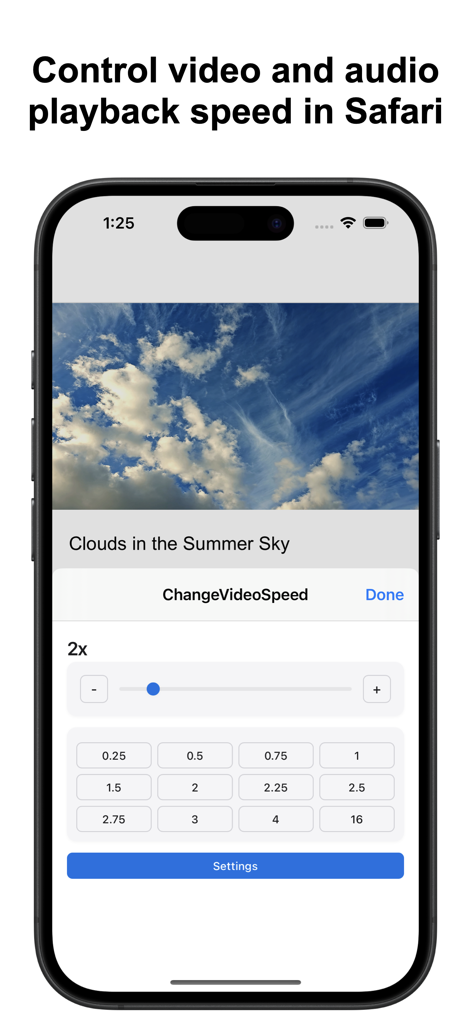
웹사이트 전체의 HTML5 비디오를 완벽하게 제어하세요. 0.1배속에서 16배속까지, iPhone, iPad, Mac의 고효율 파워 유저를 위해 설계된 정밀 제어 및 사용자 지정 단축키를 즐기세요.

개발사

Yoshiko Sato

카테고리

Utilities

다운로드

18K+

사용자 평점

4.3/5

총 평가 수

0

지원 언어

25

재생 속도를 마스터하세요

이 인터페이스를 사용하는 18K+ 명의 사용자.

재생 속도 사전 설정 및 슬라이더를 보여주는 Safari 비디오 속도 변경 확장 프로그램의 iPhone 인터페이스.

재생 속도 사전 설정 및 슬라이더를 보여주는 Safari 비디오 속도 변경 확장 프로그램의 iPhone 인터페이스.

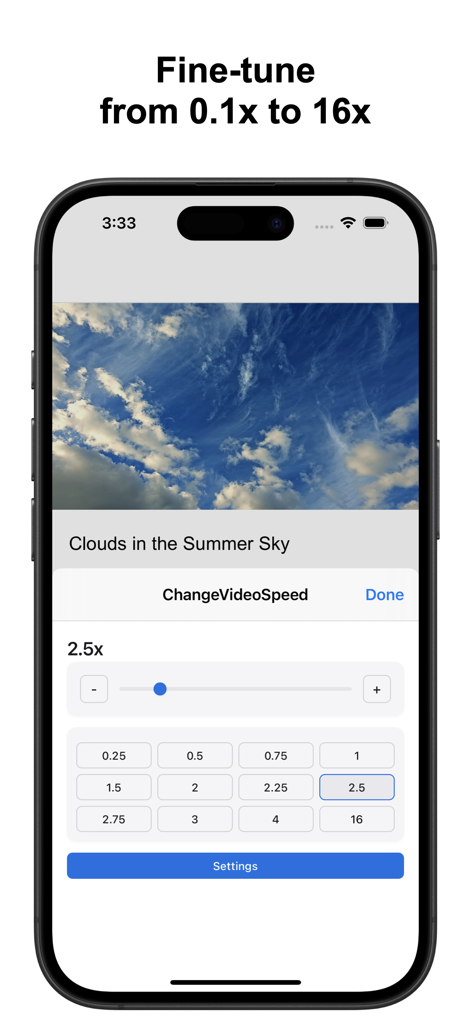
0.1배속에서 16배속까지의 슬라이더 및 사전 설정 속도 버튼이 있는 Safari 비디오 속도 확장 프로그램 인터페이스를 보여주는 iPhone 스크린샷.

0.1배속에서 16배속까지의 슬라이더 및 사전 설정 속도 버튼이 있는 Safari 비디오 속도 확장 프로그램 인터페이스를 보여주는 iPhone 스크린샷.

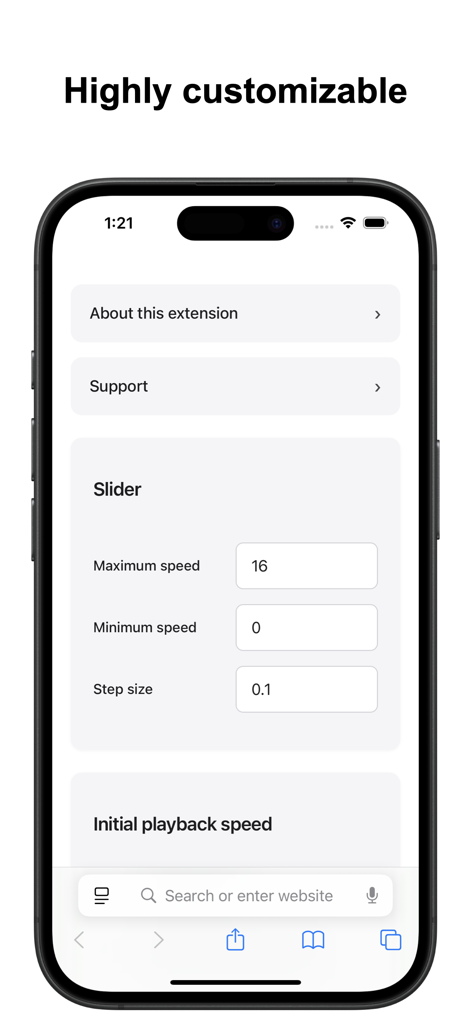
최대 속도, 최소 속도 및 단계 크기 사용자 지정을 위한 옵션을 보여주는 Safari 비디오 속도 확장 프로그램의 설정 화면

최대 속도, 최소 속도 및 단계 크기 사용자 지정을 위한 옵션을 보여주는 Safari 비디오 속도 확장 프로그램의 설정 화면

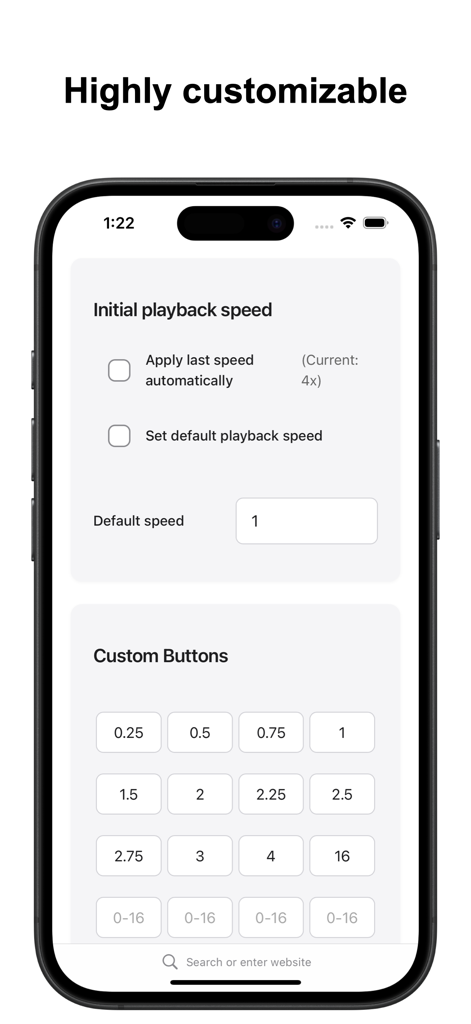
Safari 비디오 속도 확장 프로그램의 사용자 지정 속도 버튼 및 초기 재생 설정을 보여주는 인터페이스.

Safari 비디오 속도 확장 프로그램의 사용자 지정 속도 버튼 및 초기 재생 설정을 보여주는 인터페이스.

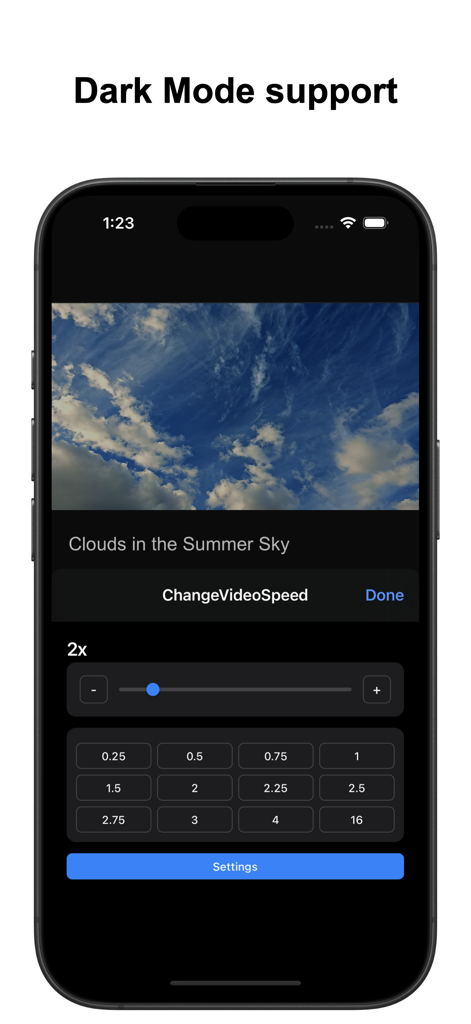
iPhone에서 속도 슬라이더 및 사전 설정 버튼을 보여주는 다크 모드의 Safari 비디오 속도 변경 앱 인터페이스

iPhone에서 속도 슬라이더 및 사전 설정 버튼을 보여주는 다크 모드의 Safari 비디오 속도 변경 앱 인터페이스

시청 생산성 초강력 강화

이 앱을 돋보이게 하는 도구, 18K+ 명의 사용자가 선택.

🎯

정밀 속도 제어

제한된 기본 사전 설정에서 벗어나세요. 정밀 슬라이더를 사용하여 0.1배속에서 16배속까지 0.1배속 증분으로 완벽한 속도를 찾으세요.

즉각적인 자동 속도

새 탭마다 시간을 절약하세요. 비디오가 시작되자마자 좋아하는 재생 속도를 자동으로 적용하도록 '초기 속도'를 구성하세요.

⌨️

파워 유저 단축키

사용자 지정 가능한 macOS 핫키로 워크플로우를 마스터하세요. 마우스를 건드리지 않고도 불필요한 부분을 빠르게 건너뛰고 복잡한 튜토리얼을 위해 속도를 늦추세요.

앱 소개

에 대해 알아야 할 모든 것 Change Video Speed for Safari.

설명

Easily control the playback speed of HTML5 videos and audio across websites in Safari. This Safari extension offers quick controls, rich customization options, and convenient keyboard shortcuts. Key Features: • Quick Popup Controls – Adjust speed instantly with a slider, plus +/- buttons and customizable preset buttons. • Precision Slider – Define your own minimum, maximum, and step values for fine-tuned control (0.1x–16x). • Initial Speed Options – Choose to automatically apply the last used speed, a custom default speed, or start at normal speed. • Keyboard Shortcuts (macOS only) – Assign custom keys to increase or decrease speed by a chosen amount, or jump directly to a specific speed. Both the speed values and key bindings are fully customizable. Limitations: • Works only with HTML5 media. • Some websites may block speed control or restrict playback speeds (e.g., limit to 2x). • Embedded videos may require opening the original source page. • Due to the wide variety of websites, compatibility with every site cannot be guaranteed. If needed, you can contact us to check whether this extension works on a specific site before installing. For feature requests, questions, or bug reports, please visit our support page: https://www.wide-apps.com

최신 버전

4.0.1

크기

1.0 MB

출시일

2022년 5월 4일

시청 속도를 마스터할 준비가 되셨나요?

18,000명 이상의 고효율 Apple 사용자들과 함께하며 시간을 완전히 제어하세요. 오늘 iPhone, iPad, Mac용 궁극의 Safari 확장 프로그램을 다운로드하세요.

다운로드: App Store

App information, icons, screenshots, and descriptions displayed on this page are sourced from the Apple App Store and are the property of their respective developers. Download estimates and rankings are based on MWM's proprietary models and may not reflect actual figures. This page is provided for informational and analytical purposes only.

Believe this page infringes your intellectual property? File a dispute