Circuit Calculator

Circuit Calculator

다운로드: App Store
로고: Circuit Calculator

회로 계산기: 선형 회로 분석 및 시뮬레이션 마스터하기

학생 및 엔지니어가 AC/DC 회로를 구축, 해결 및 시각화하는 데 필수적인 도구입니다. 모바일 장치에서 바로 극좌표 표기법과 실시간 애니메이션으로 교과서 수준의 정확한 결과를 얻으세요.

다운로드: App Store

개발사

Neil Woodcock

카테고리

Education

다운로드

10K+

사용자 평점

3.8/5

총 평가 수

100

지원 언어

1

실제 정밀도

이 인터페이스를 사용하는 10K+ 명의 사용자.

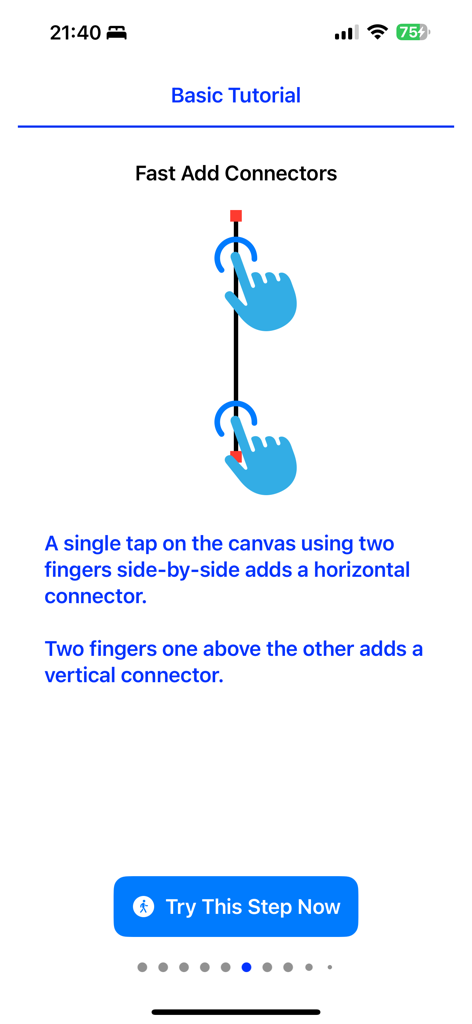
두 손가락 제스처를 사용하여 세로 커넥터 추가 방법을 설명하는 기본 튜토리얼 화면.

두 손가락 제스처를 사용하여 세로 커넥터 추가 방법을 설명하는 기본 튜토리얼 화면.

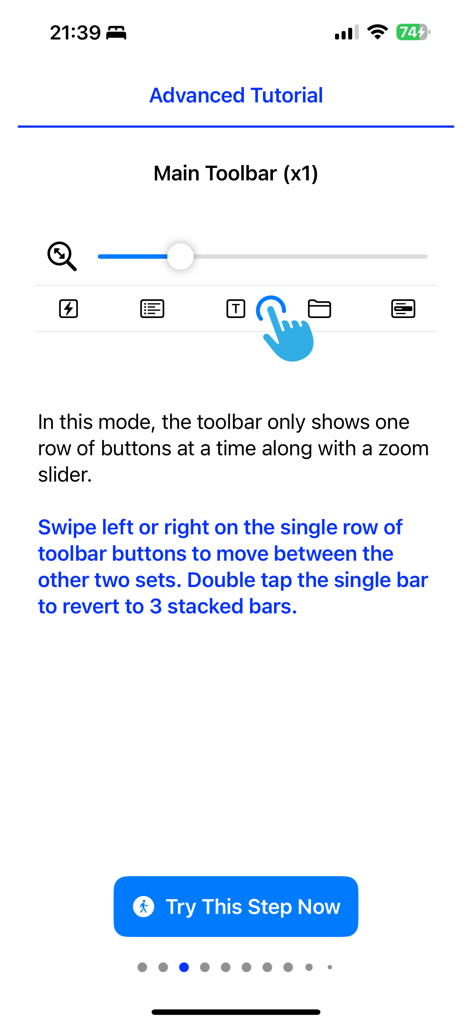
Circuit Calculator 앱의 고급 튜토리얼은 주요 도구 모음 탐색 및 확대/축소 슬라이더 인터페이스를 보여줍니다

Circuit Calculator 앱의 고급 튜토리얼은 주요 도구 모음 탐색 및 확대/축소 슬라이더 인터페이스를 보여줍니다

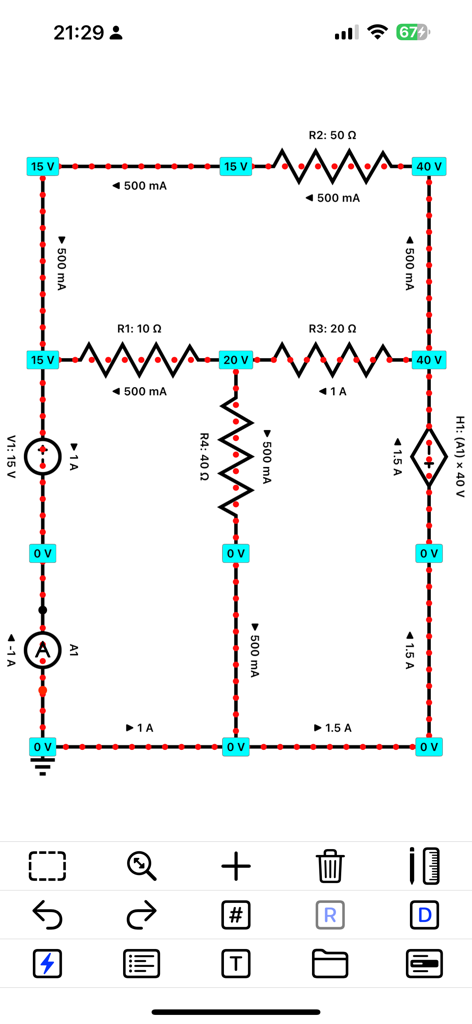
실시간 전류 흐름 애니메이션 및 노드 전압이 있는 회로도

실시간 전류 흐름 애니메이션 및 노드 전압이 있는 회로도

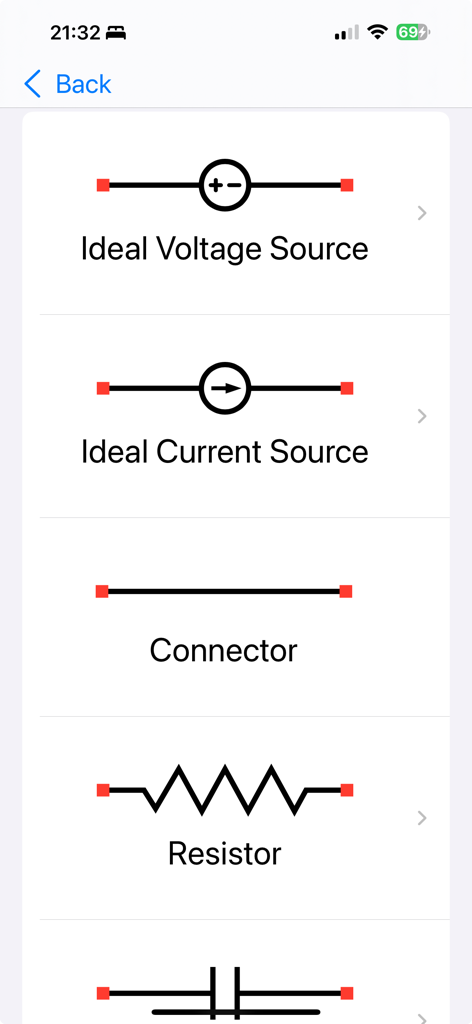
이상적인 전압 소스 및 저항을 포함한 Circuit Calculator 앱의 전기 부품 목록

이상적인 전압 소스 및 저항을 포함한 Circuit Calculator 앱의 전기 부품 목록

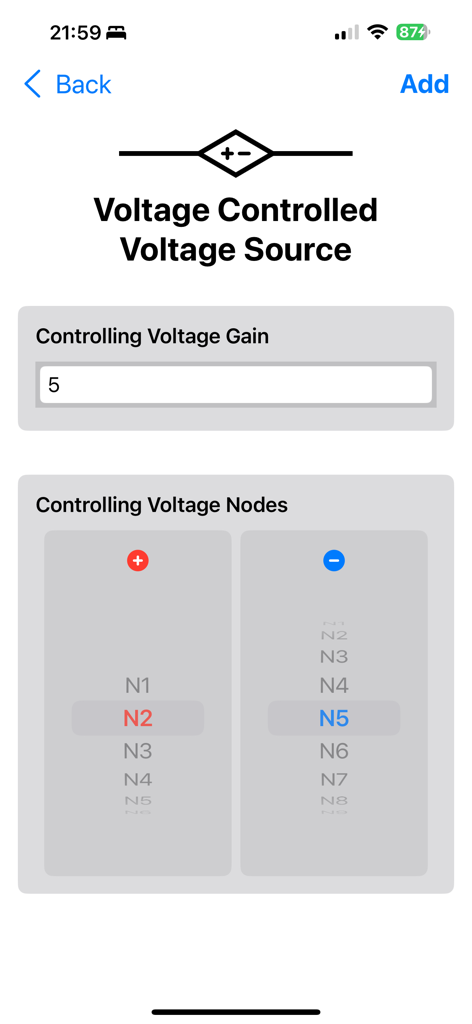
Circuit Calculator의 전압 제어 전압 소스 설정

Circuit Calculator의 전압 제어 전압 소스 설정

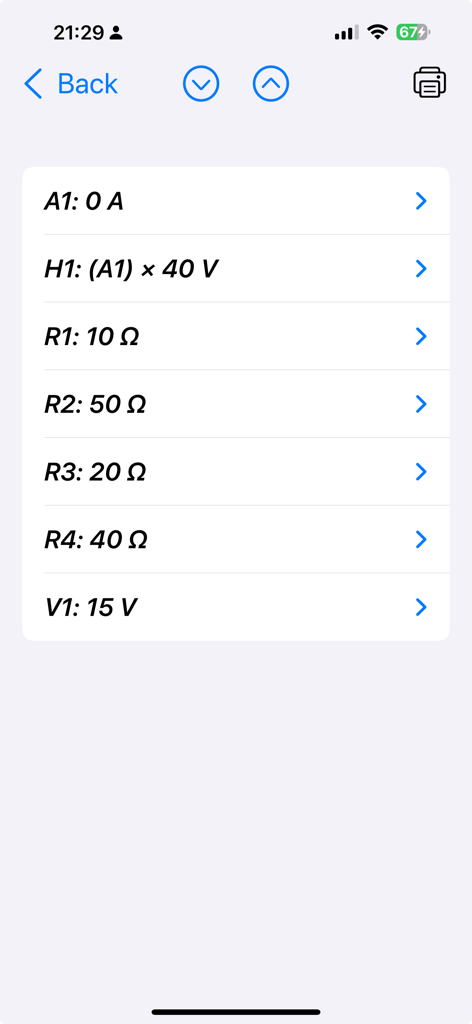
저항 및 전압 소스를 포함한 Circuit Calculator 앱의 회로 부품 및 해당 수치 값 목록

저항 및 전압 소스를 포함한 Circuit Calculator 앱의 회로 부품 및 해당 수치 값 목록

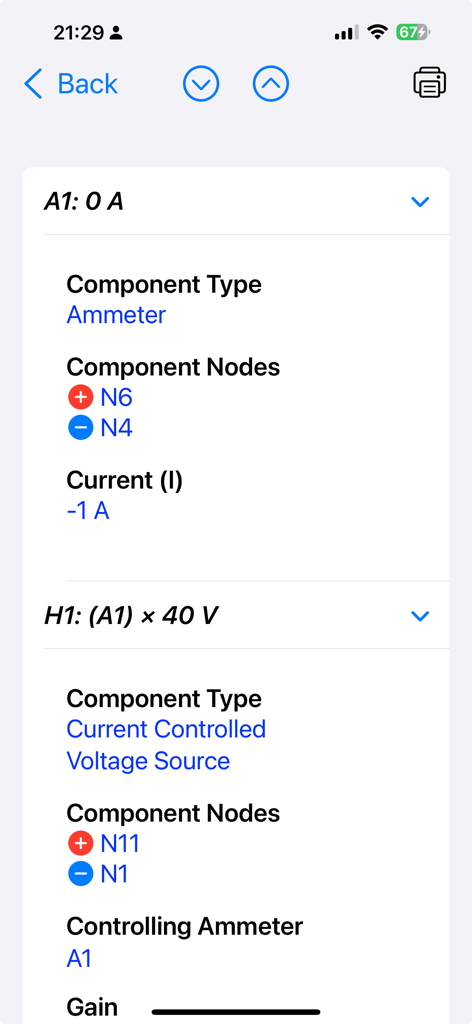
회로 계산기 앱의 전류계 및 전압 제어 전압 소스에 대한 상세 분석을 보여주는 스크린샷

회로 계산기 앱의 전류계 및 전압 제어 전압 소스에 대한 상세 분석을 보여주는 스크린샷

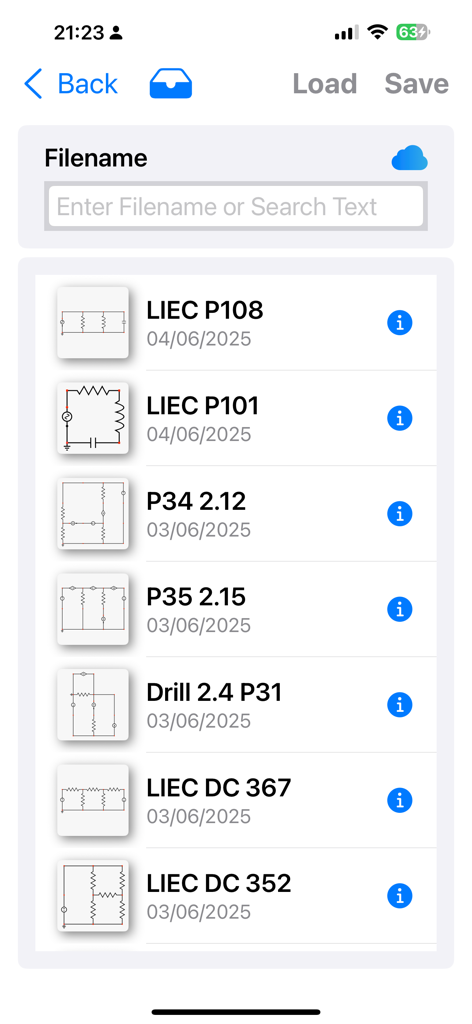
Circuit Calculator 앱 내에 저장된 회로도의 목록으로 파일 이름과 날짜 표시

Circuit Calculator 앱 내에 저장된 회로도의 목록으로 파일 이름과 날짜 표시

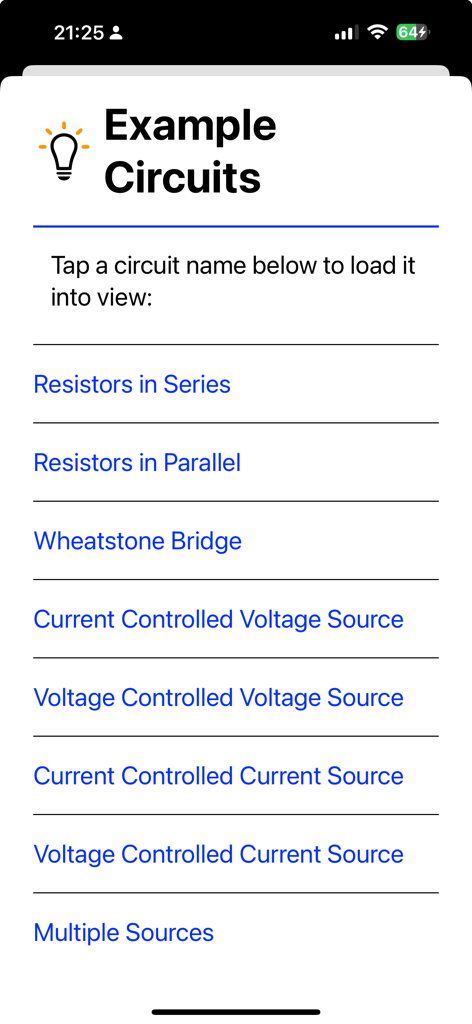
Circuit Calculator 앱에서 빠른 참조 및 학습을 위해 제공되는 사전 제작된 예제 회로 목록

Circuit Calculator 앱에서 빠른 참조 및 학습을 위해 제공되는 사전 제작된 예제 회로 목록

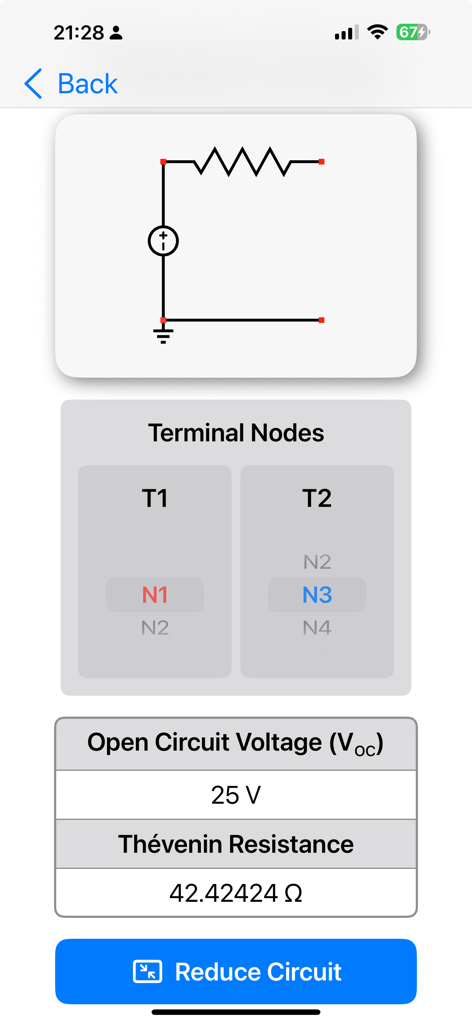
테브난 등가 저항 및 개방 회로 전압 결과를 보여주는 Circuit Calculator 앱 화면

테브난 등가 저항 및 개방 회로 전압 결과를 보여주는 Circuit Calculator 앱 화면

전문적인 정밀도로 회로 마스터하기

이 앱을 돋보이게 하는 도구, 10K+ 명의 사용자가 선택.

대화형 회로도 빌더

직관적인 그리드 스냅 인터페이스로 몇 초 만에 회로를 설계하고 실시간 DC 전류 흐름 애니메이션을 통해 이론을 시각화하세요.

📚

교과서와 일치하는 분석

직사각형 또는 극좌표 표기법을 사용하여 AC/DC 문제를 해결하고 교과 과정에 나오는 그대로 테브난/노튼 등가 회로를 계산하세요.

📲

휴대성을 위한 엔지니어링

iCloud를 사용하여 장치 간에 프로젝트를 동기화하고 고품질 PDF 스냅샷을 디지털 실험실 보고서 또는 엔지니어링 노트에 직접 내보내세요.

앱 소개

에 대해 알아야 할 모든 것 Circuit Calculator.

설명

Circuit Calculator - The Essential Tool for Circuit Solutions: Solve circuit problems effortlessly! Circuit Calculator is the go-to app for students, engineers, and electronics enthusiasts. Quickly build, simulate, and solve linear AC and DC circuits - ideal for study, verification, or practical use. Build, Solve & Review Results: • Create schematics by dragging, rotating, and snapping components • Tap solve to compute steady-state voltages and currents • Follow DC current flow with real-time animations • Zoom and pan around to review results directly on the schematic • Tap detailed analysis to also compute power values Perfect for Learning & Quick Verification: Whether you're checking your homework or confirming a design, Circuit Calculator supports both rectangular and polar notation - just like textbook problems. It focuses on steady-state behaviour in linear circuits, making it ideal for academic and professional use. Other Key Features: • Interactive user guide • Pre-built example circuits • Supports DC and sinusoidal AC circuits • Computes Thévenin and Norton equivalents • Save to iCloud for access across devices • Export/share circuits or PDF snapshots • Import circuits from others • Undo/redo and copy/paste support Available Components: • Independent Ideal Current Sources • Independent Ideal Voltage Sources • Current-Controlled Current Sources • Current-Controlled Voltage Sources • Voltage-Controlled Current Sources • Voltage-Controlled Voltage Sources • Resistors, Capacitors & Inductors • Mutually Coupled Inductors (AC only) • Impedances (AC only) • Diodes (DC only) Learn More & See It in Action! Want to see Circuit Calculator in action? Visit our website or check out our YouTube channel for tutorials!

최신 버전

3.01

크기

2.1 MB

출시일

2014년 3월 25일

몇 초 만에 회로를 구축, 해결 및 검증하세요

AC/DC 분석을 마스터하는 10,000명 이상의 학생 및 엔지니어와 함께하세요. 지금 바로 다음 실험실 또는 설계 프로젝트에 필수적인 도구를 받으세요.

다운로드: App Store

App information, icons, screenshots, and descriptions displayed on this page are sourced from the Apple App Store and are the property of their respective developers. Download estimates and rankings are based on MWM's proprietary models and may not reflect actual figures. This page is provided for informational and analytical purposes only.

Believe this page infringes your intellectual property? File a dispute