ClinoScope

ClinoScope

다운로드: App Store
로고: ClinoScope

ClinoScope: 정밀 레벨링을 위한 전문 3D 경사계

iPhone을 건설, 오디오 캘리브레이션, 스포츠를 위한 고정밀 도구로 변환하세요. 실시간 그래프로 피치(Pitch), 롤(Roll), 요(Yaw)를 추적하고 타임스탬프가 찍힌 스냅샷으로 작업 증빙 자료를 캡처하십시오.

다운로드: App Store

개발사

TOON,LLC

카테고리

Utilities

다운로드

2K+

사용자 평점

1.0/5

총 평가 수

0

지원 언어

1

정밀함의 시각화

이 인터페이스를 사용하는 2K+ 명의 사용자.

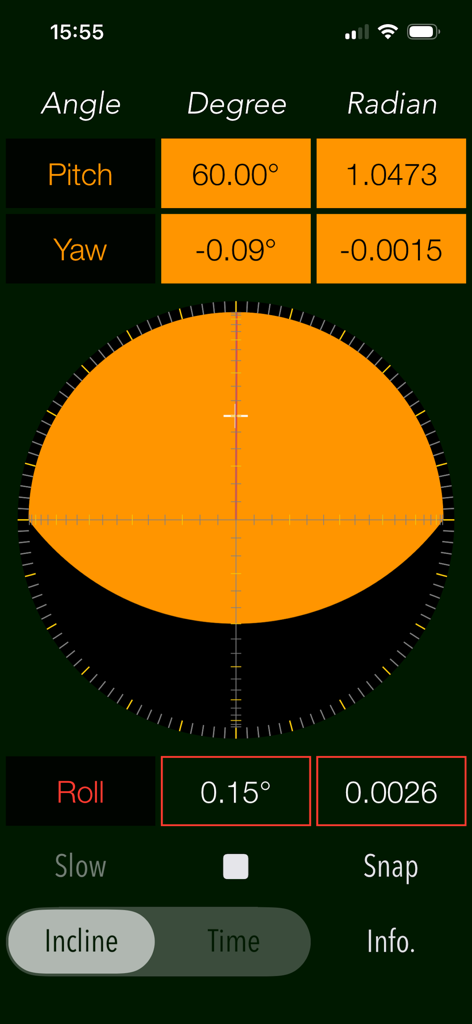
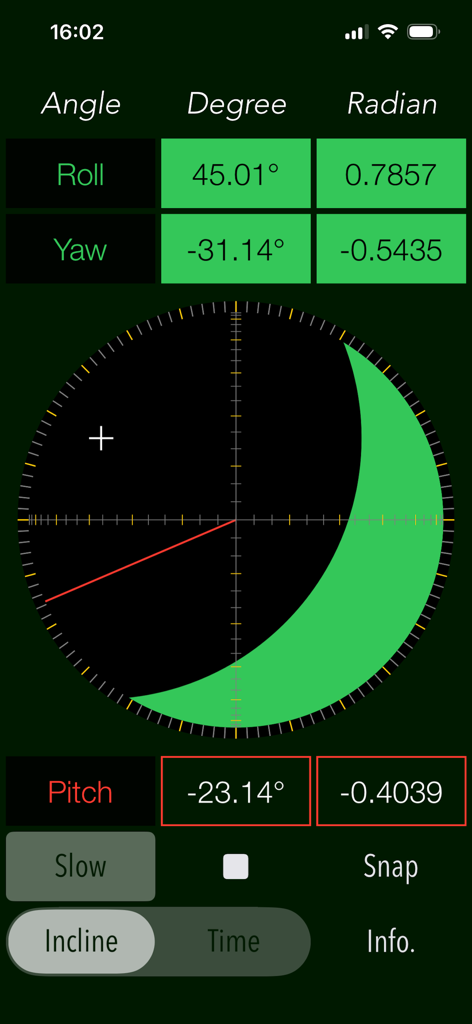
실시간 피치, 요, 롤 측정값을 보여주는 ClinoScope 3D 경사계 인터페이스

실시간 피치, 요, 롤 측정값을 보여주는 ClinoScope 3D 경사계 인터페이스

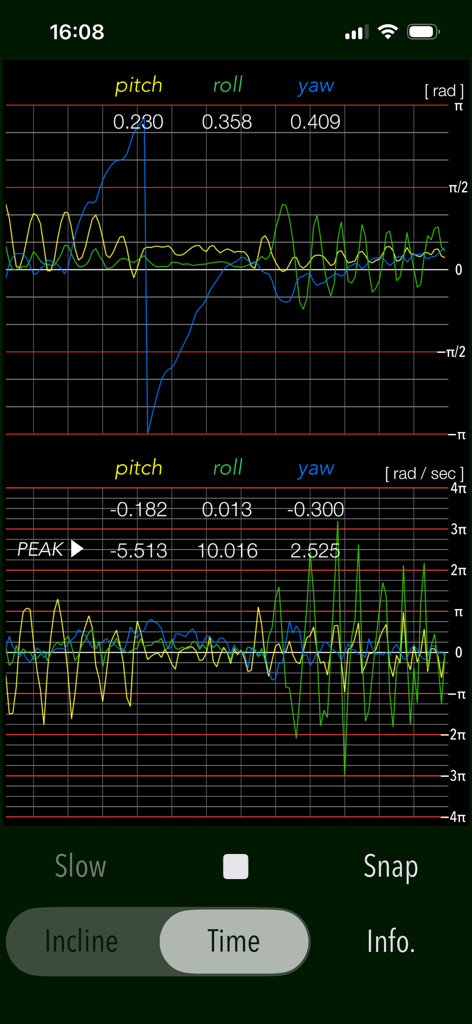
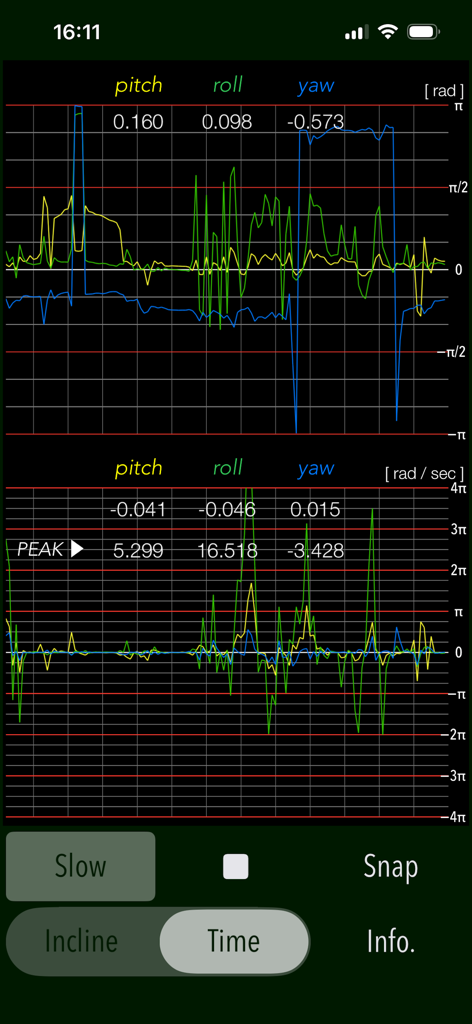
ClinoScope 앱의 피치, 롤, 요 센서 실시간 그래프

ClinoScope 앱의 피치, 롤, 요 센서 실시간 그래프

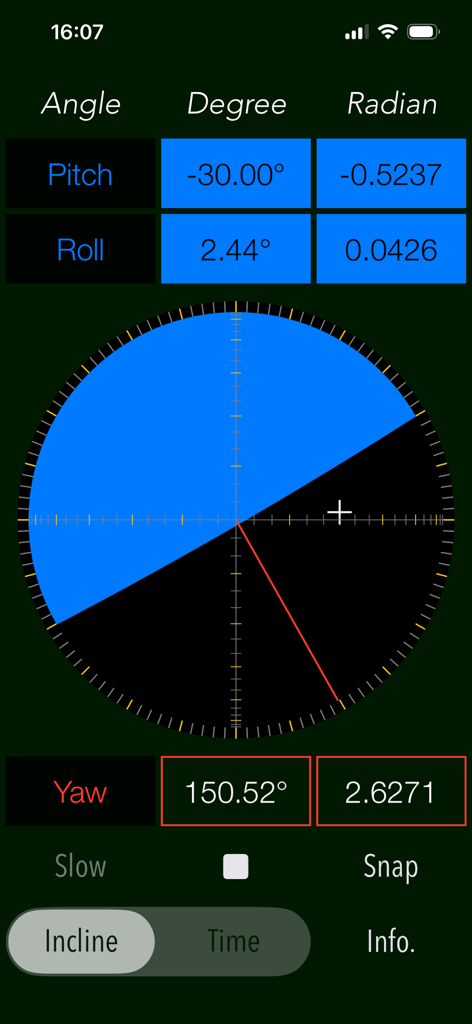
피치, 롤, 요 측정값이 포함된 3D 경사를 보여주는 ClinoScope 앱 인터페이스

피치, 롤, 요 측정값이 포함된 3D 경사를 보여주는 ClinoScope 앱 인터페이스

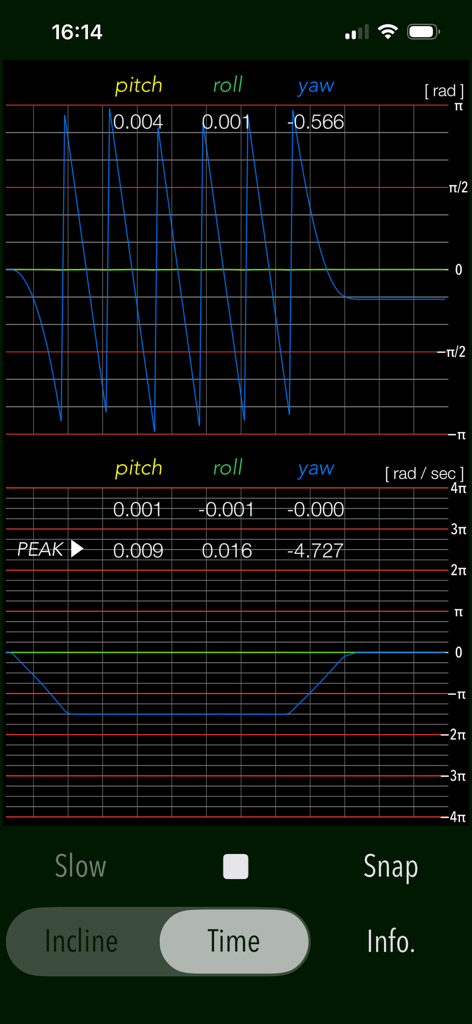
ClinoScope 앱 TIME 모드의 실시간 피치, 롤, 요 측정 그래프

ClinoScope 앱 TIME 모드의 실시간 피치, 롤, 요 측정 그래프

도(degree) 및 라디안(radian) 단위로 롤, 요, 피치에 대한 3차원 경사계 측정값을 보여주는 ClinoScope 앱 인터페이스

도(degree) 및 라디안(radian) 단위로 롤, 요, 피치에 대한 3차원 경사계 측정값을 보여주는 ClinoScope 앱 인터페이스

ClinoScope 앱의 피치, 롤, 요 각도 및 각속도 실시간 그래프

ClinoScope 앱의 피치, 롤, 요 각도 및 각속도 실시간 그래프

전문가급 정밀도로 모든 각도를 마스터하십시오

이 앱을 돋보이게 하는 도구, 2K+ 명의 사용자가 선택.

🎯

고정밀 3축 감지

iPhone의 내부 센서를 활용하여 피치, 롤, 요에 걸친 의료 기기 수준의 경사 데이터를 실시간 시각적 피드백과 함께 제공합니다.

📊

실시간 모션 추적

TIME 모드를 사용하여 각속도와 안정성을 그래프로 표시하고, 정밀한 장비 캘리브레이션에 필요한 과학적 통찰력을 제공합니다.

문서화된 작업 증빙

타임스탬프와 방향 데이터가 포함된 측정값을 즉시 캡처하고 저장하여 고객이나 프로젝트 기록을 위해 수평 정확도를 검증하십시오.

앱 소개

에 대해 알아야 할 모든 것 ClinoScope.

설명

"ClinoScope" is a handy incline analysis tool that measures tilt angles and the three-dimensional inclination of objects relative to gravity, using your iPhone’s accelerometer and gyro sensors. You can quickly check slopes in various places, like uneven floors, leaning buildings, or leveling equipment. It can display the current terminal posture in real time by two measurement modes: INCLINE mode for inclinometer readings and TIME mode for a gyro-positioning time graph. Features: - Optimized for iPhone, Compact code size. - Measurement of three-dimensional angles of elevation, slope or inclination. - Inclination measurement function (INCLINE) - Gyro-positioning time graph function (TIME) - Switching function of sensor sampling period (SLOW): fast 10Hz / slow 1Hz - Snapshot (SNAP): Capture the measurement results to Photos. Applications: - Measurement of tilt states, such as furniture and floors. - Adjustment of the horizontal reference level when installing the equipment. - Measuring angle on moving vehicles. - Setting adjustment, such as audio equipment. - Use in various Sports, for example, measurement of the green inclination angle of the golf. Functions: 1) INCLINE (3-dimensional inclinometer) INCLINE mode utilizes the information of the acceleration sensor and operates as the three-dimensional inclinometer. It displays the angle and gradient in visually in accordance with the spatial attitude of the iPhone devices. The measurement display is slightly different by the terminal posture state (FaceUp, Portrait, Landscape) as follows: - FaceUP (Terminal horizontal, Flat): FaceUP is the state that the terminal has become horizontal to the ground plane. In this case, it appears the angle of pitch and roll in the arc, and the angle of yaw in the circle needle. It also displays the cross mark (+) on the position of the zenith (or the nadir), such as seeing the terminal from directly above. - Portrait (Vertical possession): Portrait is a state that you have hold the terminal to the vertical. The lower side of the Home button is standard. In this case, it appears the angle of pitch and yaw in the arc, and the angle of the roll in a circle needle. - Landscape (Horizontal possession): Landscape is the state that you have got sideways a terminal, the home button right side will be the standard. In this case, it appears the angle of roll and yaw in the arc, and the angle of the pitch in the circle needle. 2) TIME (time graph) TIME mode is used to see in real time the data of the 3-axis (pitch / yaw / roll) angle and the angular velocity output from the gyro sensor to display the graph. Please use this mode in the state of FaceUP. - Angle display: pitch: -π/2 - π/2 [rad] (-90° - +90°) yaw: -π - π [rad] (-180° - +180°) roll: -π - π [rad] (-180°- +180°) - Acceleration: pitch/yaw/roll: -4π(-12.56) - +4π(12.56) [rad/sec] 3) Snapshot Measurement results can be saved as a picture image in the Photo Library. Time stamp and device orientation information will also be displayed. # Display of device orientation: - Flat: indicates terminal horizontal and is synonymous with FaceUP. - Portrait: indicates Vertical possession. - Landscape: indicates Horizontal possession. Note: - Avoid using the device with excessive acceleration as it may cause device malfunction. - To ensure accurate posture measurement, turn off “Portrait Orientation Lock” in the iPhone's Control Center. Please visit our iOS app support page for more information on this app.

최신 버전

7.0

크기

0.4 MB

출시일

2016년 4월 26일

주머니 속의 정밀함. 신뢰할 수 있는 결과.

전문적인 작업 현장의 수평을 맞추든, 하이엔드 오디오를 교정하든, 골프 그린을 읽든, 필요한 데이터 기반의 정확성을 확보하세요. 지금 ClinoScope를 다운로드하고 iPhone을 전문가급 3D 경사계로 바꿔보세요.

다운로드: App Store

App information, icons, screenshots, and descriptions displayed on this page are sourced from the Apple App Store and are the property of their respective developers. Download estimates and rankings are based on MWM's proprietary models and may not reflect actual figures. This page is provided for informational and analytical purposes only.

Believe this page infringes your intellectual property? File a dispute