CompassTip: AR Compass

CompassTip: AR Compass

다운로드: App Store
로고: CompassTip: AR Compass

CompassTip: AR 나침반 & 3D 내비게이터

직관적인 헤드업 내비게이션을 경험하세요. 카메라 피드에 정밀한 3D 방향과 실시간 지도를 오버레이하여 주변 환경에서 눈을 떼지 않고도 길을 찾으세요.

다운로드: App Store

개발사

Tanadium Pte. Ltd.

카테고리

Navigation

다운로드

3K+

사용자 평점

1.0/5

총 평가 수

0

지원 언어

1

방향의 비전

이 인터페이스를 사용하는 3K+ 명의 사용자.

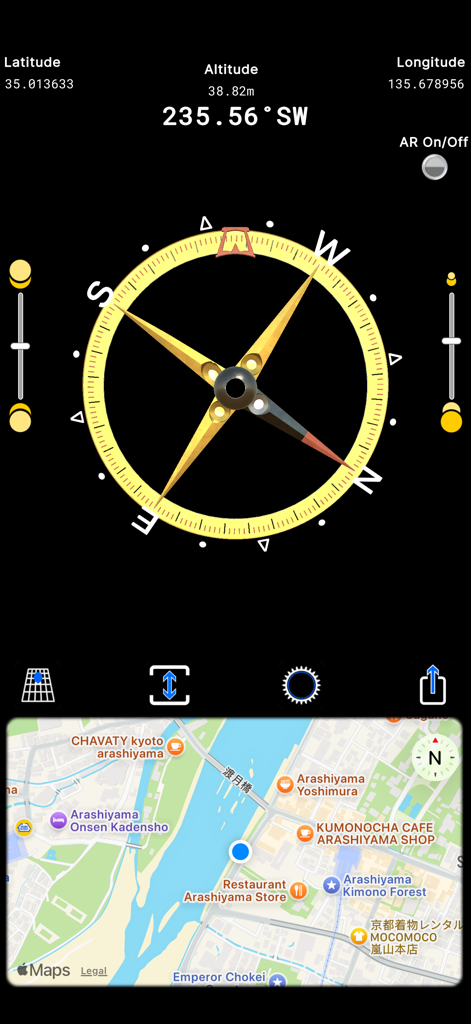
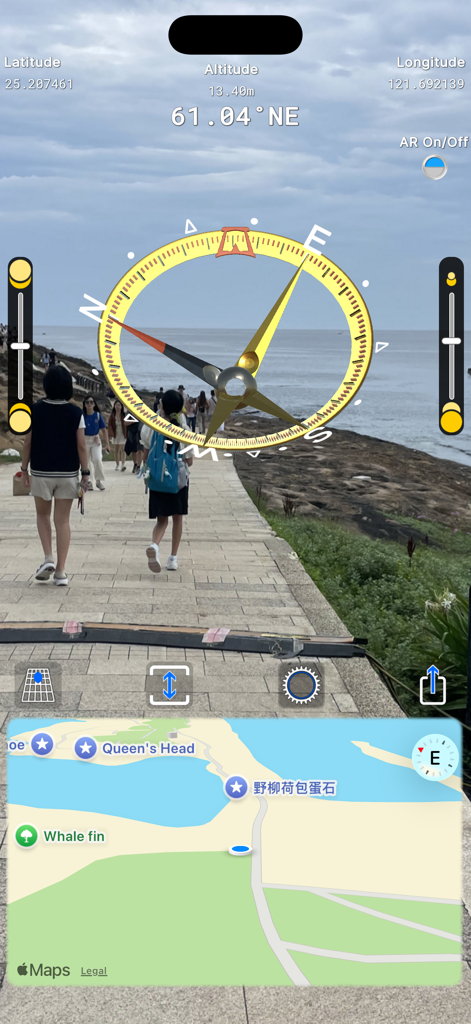
CompassTip 앱 인터페이스에 GPS 좌표가 있는 3D 나침반 다이얼과 동기화된 지도 보기가 표시됨

CompassTip 앱 인터페이스에 GPS 좌표가 있는 3D 나침반 다이얼과 동기화된 지도 보기가 표시됨

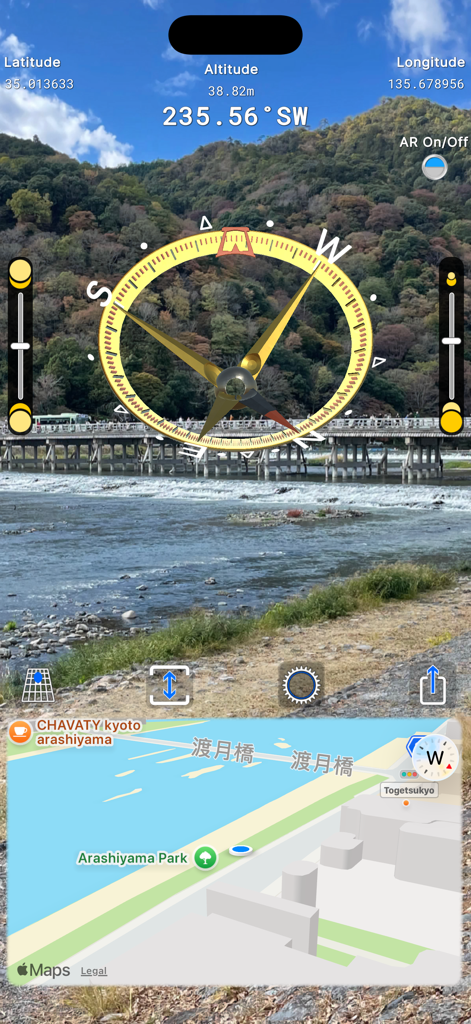
CompassTip 앱의 증강 현실 인터페이스에 3D 나침반 오버레이와 지도 내비게이션이 표시됨

CompassTip 앱의 증강 현실 인터페이스에 3D 나침반 오버레이와 지도 내비게이션이 표시됨

디지털 지도 및 GPS 데이터와 함께 라이브 카메라 보기에 오버레이된 증강 현실 나침반

디지털 지도 및 GPS 데이터와 함께 라이브 카메라 보기에 오버레이된 증강 현실 나침반

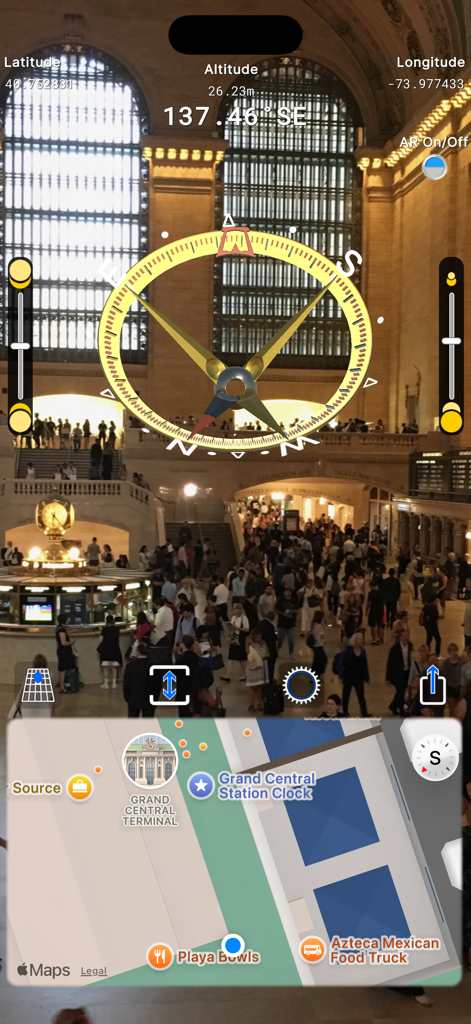
3D 오버레이 및 지도 표시가 있는 증강 현실 나침반 인터페이스

3D 오버레이 및 지도 표시가 있는 증강 현실 나침반 인터페이스

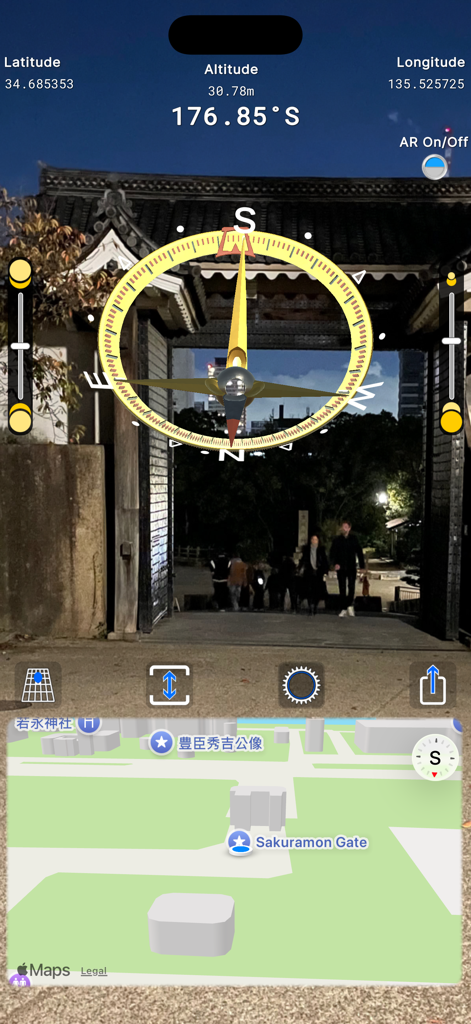
CompassTip 모바일 앱 인터페이스에 라이브 카메라 보기에 증강 현실 3D 나침반 및 지도 오버레이가 표시됨

CompassTip 모바일 앱 인터페이스에 라이브 카메라 보기에 증강 현실 3D 나침반 및 지도 오버레이가 표시됨

세상을 3D로 탐색하세요

이 앱을 돋보이게 하는 도구, 3K+ 명의 사용자가 선택.

🧭

증강 현실 가이드

실시간 카메라 피드에 3D 방향 바늘을 오버레이하여 주변을 둘러보면서도 관심 지점을 찾을 수 있습니다.

📍

실시간 지도 & 프로 텔레메트리

탐험함에 따라 자동으로 업데이트되는 동기화된 지도에서 경도, 위도 및 고도를 실시간으로 정확하게 추적합니다.

🔄

기기를 세로로 잡아도 부드럽게 조정되는 독특한 3D 표시기를 통해 길 찾기 추측을 없앱니다.

앱 소개

에 대해 알아야 할 모든 것 CompassTip: AR Compass.

설명

CompassTip app features an augmented reality virtual 3D compass presented on the live camera feed of your device. Easily find your point of interest via your camera and also through the focus eyelet in the middle of the compass. From there, you can read the compass directions without having to lift your head or shift your eyes to away from your point of interest. The compass also features a map that automatically updates as you move your device. The app features a unique responsive compass where the indicators tilt and move according to the tilt of your device. The indicators are designed to tilt and move in a way that display intuitive directions in 3D space. For example, normal standard compasses and standard indicators of direction have a fixed arrow that points downwards when you have your device held vertically in front of you even if that direction is directly behind you. CompassTip is designed to tilt that arrow so that it points inwards towards the screen to indicate a direction that is behind you, and this happens accurately and smoothly as you move your device around. This is coupled with augmented reality so that you can view what you are pointing at and have a proper indication of directions in relation to your camera. Key features: • Augmented reality compass with 3D direction needles that also moves according to the tilt of your device; • A map that is synchronized to your current location and heading, which automatically updates as you move your device; • Adjustable map size; • Ability to turn AR on and off; • Ability to share a screenshot of your compass screen; and • Information display that includes current heading, longitude, latitude and elevation. This app uses an in-app credit system called, CompassTip Beans. You earn CompassTip Beans by interacting with advertisements or making consumable in-app purchases that top-up the number of beans. You may then exchange and redeem these beans for other features in the app including activating ad-free periods. The app offers the following consumable items: • Title: Purchase 10000 Beans - Description: Adds 10000 CompassTip Beans to your account - Price: (Please check the app or the App Store for the latest price as it may be subject to change) • Title: Purchase 200 Beans - Description: Adds 200 CompassTip Beans to your account - Price: (Please check the app or the App Store for the latest price as it may be subject to change) For more information, please see our Terms of Use (https://compasstip.com/terms) and Privacy Policy (https://compasstip.com/privacy-policy).

최신 버전

2.0.2

크기

238.9 MB

출시일

2020년 2월 8일

진정한 3D AR로 길 찾기를 경험하세요

방향을 추측하는 것을 멈춘 수천 명의 탐험가들과 함께하세요. 반응성이 뛰어난 AR 렌즈를 통해 경로를 확인하고 목적지를 다시는 놓치지 않도록 CompassTip을 지금 다운로드하세요.

다운로드: App Store

App information, icons, screenshots, and descriptions displayed on this page are sourced from the Apple App Store and are the property of their respective developers. Download estimates and rankings are based on MWM's proprietary models and may not reflect actual figures. This page is provided for informational and analytical purposes only.

Believe this page infringes your intellectual property? File a dispute