Conota Camera: GPS & Timestamp

Conota Camera: GPS & Timestamp


다운로드: App Store
로고: Conota Camera: GPS & Timestamp

Conota Camera: GPS 및 타임스탬프 – 현장 문서화를 위한 전문가 표준

수동 메모 및 사진 분류에 몇 시간씩 낭비하는 것을 중단하십시오. 정확한 GPS 좌표, 프로젝트 데이터 및 회사 로고를 이미지에 직접 내장하여 완벽한 현장 보고서 및 법적 보호를 받으십시오.

개발사

Conota e.U.

카테고리

Photo & Video

다운로드

18K+

사용자 평점

4.7/5

총 평가 수

200

지원 언어

9

모든 프레임의 정밀도

이 인터페이스를 사용하는 18K+ 명의 사용자.

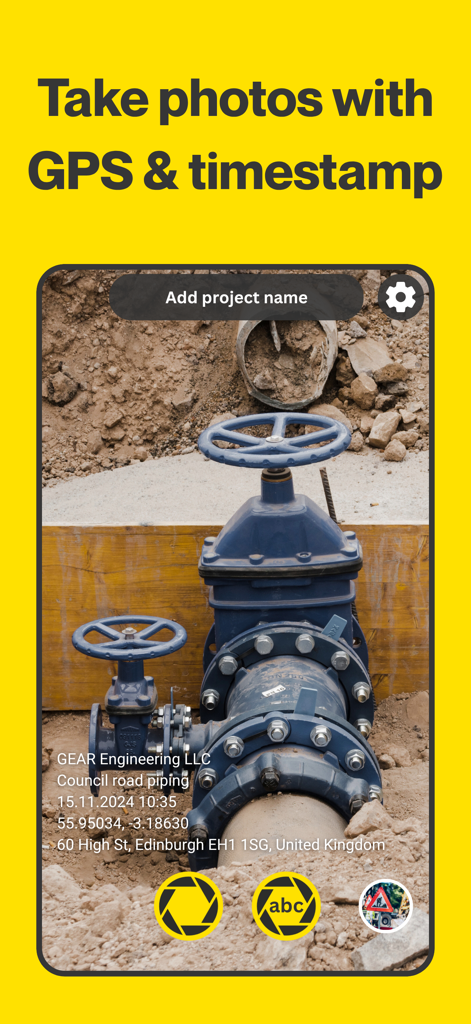
Conota Camera 앱 인터페이스는 GPS 및 타임스탬프 워터마크가 있는 건설 현장 사진을 보여줍니다.

Conota Camera 앱 인터페이스는 GPS 및 타임스탬프 워터마크가 있는 건설 현장 사진을 보여줍니다.

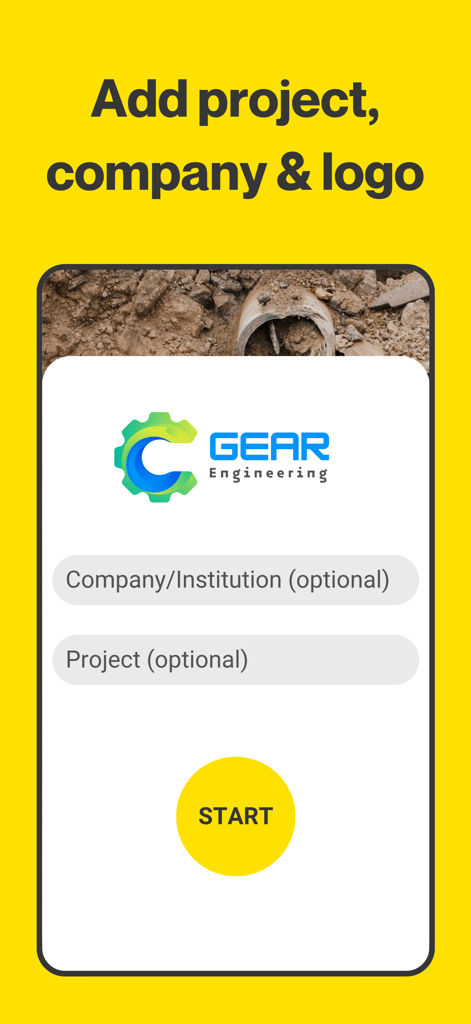
Conota Camera 앱 인터페이스는 회사 로고 및 프로젝트 세부 정보를 추가하고 시작 버튼을 누르는 옵션을 보여줍니다.

Conota Camera 앱 인터페이스는 회사 로고 및 프로젝트 세부 정보를 추가하고 시작 버튼을 누르는 옵션을 보여줍니다.

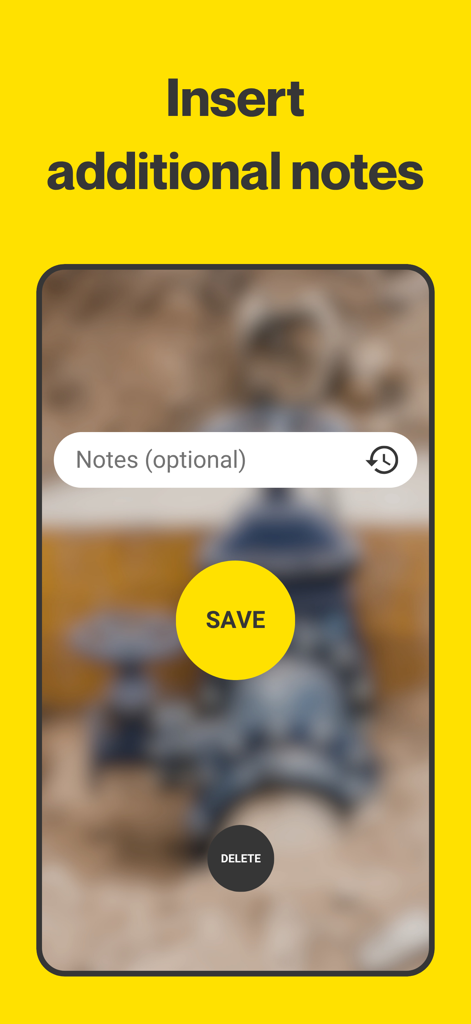
Conota Camera 앱에서 현장 사진에 전문적인 메모를 추가하기 위한 인터페이스

Conota Camera 앱에서 현장 사진에 전문적인 메모를 추가하기 위한 인터페이스

좌표 및 주소가 표시된 GPS 및 타임스탬프 워터마크가 있는 건설 현장 사진

좌표 및 주소가 표시된 GPS 및 타임스탬프 워터마크가 있는 건설 현장 사진

현장 우수성을 위해 제작됨

이 앱을 돋보이게 하는 도구, 18K+ 명의 사용자가 선택.

🛡️

감사 준비 문서

타임스탬프, GPS 좌표 및 프로젝트 세부 정보가 포함된 변경 불가능한 워터마크로 모든 사진에 직접 내장하여 법적 책임으로부터 비즈니스를 보호하십시오.

📍

측량 등급 GPS 정확도

NAD83, State Plane 및 USNG 좌표 시스템을 완벽하게 지원하여 정확한 위치 데이터를 캡처하고 최고의 전문 엔지니어링 표준을 충족합니다.

사무실 백로그 제거

수동 라벨링 악몽을 중단하십시오. 실시간으로 파일 이름과 이미지에 현장 메모를 자동으로 동기화하여 매일 저녁 몇 시간씩의 관리 작업을 절약하십시오.

앱 소개

에 대해 알아야 할 모든 것 Conota Camera: GPS & Timestamp.

설명

Conota Camera is the ideal camera app for work. It has been developed particularly for professionals like civil engineers, land surveyors, architects, construction professionals and other professionals. The app allows to take photos on site and simultaneously add information both to the file name and to the photo with use of a watermark. Conota - GPS Camera & Timestamp Camera makes capturing pictures and taking notes more efficiently, combining both processes in one single app. There is no need to take notes on a piece of paper while taking pictures. Conota will add your inserted notes automatically both to the picture and to the file name. This will give you more time to concentrate on your work, while Conota will take care of saving your notes and pictures combined in a lossless format onto your phone. Conota works, so you can work! With Conota - GPS Camera & Timestamp Camera, you can add a project name, company name, notes and more information, for example a reference no. or chainage directly in the app while taking pictures. Additional relevant data for professionals, e.g. GPS coordinates / photo location (latitude and longitude and multiple other coordinate formats), GPS accuracy, altitude, address, date and time (timestamp) will be added by Conota. Information that can be added: - Project name - Taken notes - GPS coordinates / photo location (latitude and longitude & more) - GPS accuracy (in m or ft) - Altitude (in m or ft) - Date & time (timestamp) - Address - Compass direction - Customized company logo - Reference No. / Chainage Conota - GPS Camera & Timestamp Camera supports the following coordinate/grid systems: - WGS84 (latitude and longitude) - UTM - MGRS (NAD83) - USNG (NAD83) - State Plane Coordinate System (NAD83 - sft) - State Plane Coordinate System (NAD83 - ift) - ETRS89 - ED50 - British National Grid (OS National Grid) - Map Grid of Australia (MGA2020) - RD (RDNAPTRANS2018) - Irish Grid - Swiss Grid CH1903+ / LV95 - New Zealand Transverse Mercator 2000 (NZTM2000) - Gauß-Krüger (MGI) - Bundesmeldenetz (MGI) - Gauß-Krüger (Germany) - SWEREF99 TM - MAGNA-SIRGAS / Origen-Nacional - SIRGAS 2000 - CTRM05 / CR05 - PRS92 - PT-TM06 / ETRS89 - STEREO70 / Pulkovo 1942(58) - HTRS96 / TM Conota - GPS Camera & Timestamp Camera is used by land surveyors, civil engineers, construction managers, architects, geologists, real estate agents, and other professionals world-wide. Become one of them! By using our app, you accept our Terms of Use. For information on how we handle your data, please refer to our Privacy Policy. Terms of Use: https://sites.google.com/view/conota-terms Privacy Policy: https://sites.google.com/view/conota-privacy

최신 버전

1.0.17

크기

42.5 MB

출시일

2025년 6월 23일

현장 문서화를 간소화할 준비가 되셨습니까?

Conota를 통해 완벽한 데이터를 캡처하고 규정을 준수하며 수많은 수동 서류 작업을 제거하는 18,000명 이상의 현장 전문가 팀에 합류하십시오.

다운로드: App Store

App information, icons, screenshots, and descriptions displayed on this page are sourced from the Apple App Store and are the property of their respective developers. Download estimates and rankings are based on MWM's proprietary models and may not reflect actual figures. This page is provided for informational and analytical purposes only.

Believe this page infringes your intellectual property? File a dispute