Convert PDF to Word,Excel,PPT

Convert PDF to Word,Excel,PPT

다운로드: App Store
로고: Convert PDF to Word,Excel,PPT

PDF를 Word, Excel, PPT로 변환: 올인원 모바일 문서 스튜디오

이동 중인 학생 및 전문가를 위해 설계된 번개처럼 빠른 변환, 높은 정밀도의 OCR, 전문적인 파일 관리로 워크플로우를 간소화하세요.

다운로드: App Store

개발사

贤 邹

카테고리

Utilities

다운로드

21K+

사용자 평점

4.2/5

총 평가 수

0

지원 언어

18

작업 중인 모바일 오피스

이 인터페이스를 사용하는 21K+ 명의 사용자.

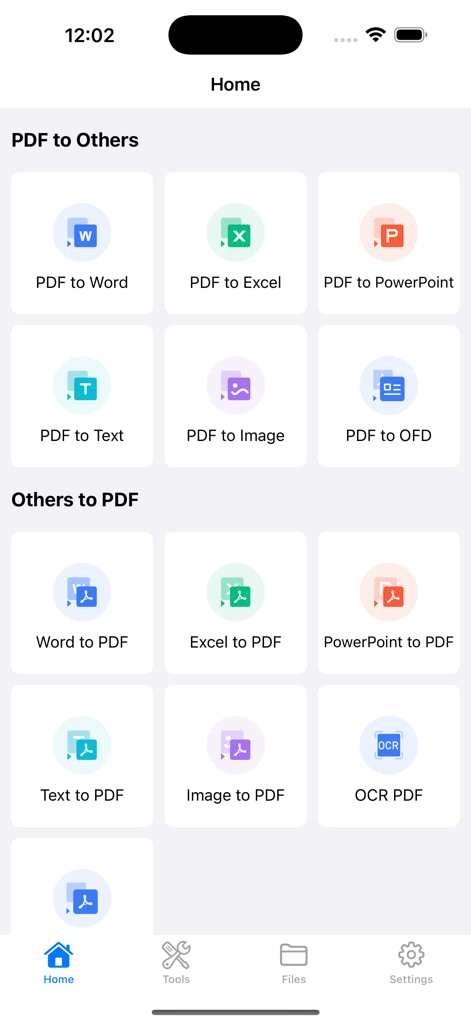
PDF 변환기 앱 인터페이스로 PDF, Word, Excel 및 PowerPoint 간에 파일을 변환하는 옵션 표시

PDF 변환기 앱 인터페이스로 PDF, Word, Excel 및 PowerPoint 간에 파일을 변환하는 옵션 표시

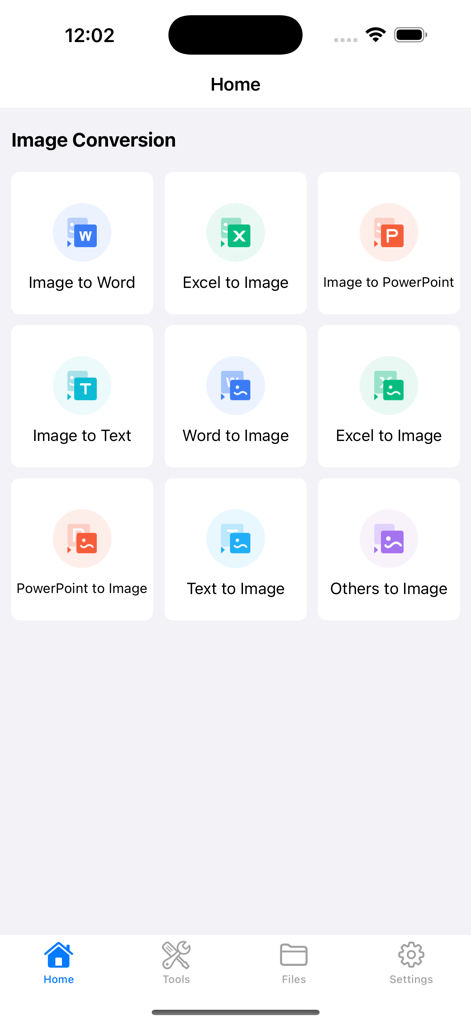
Word로 이미지, 이미지로 Excel, 이미지로 텍스트를 포함한 다양한 이미지 변환 옵션을 보여주는 모바일 앱 인터페이스.

Word로 이미지, 이미지로 Excel, 이미지로 텍스트를 포함한 다양한 이미지 변환 옵션을 보여주는 모바일 앱 인터페이스.

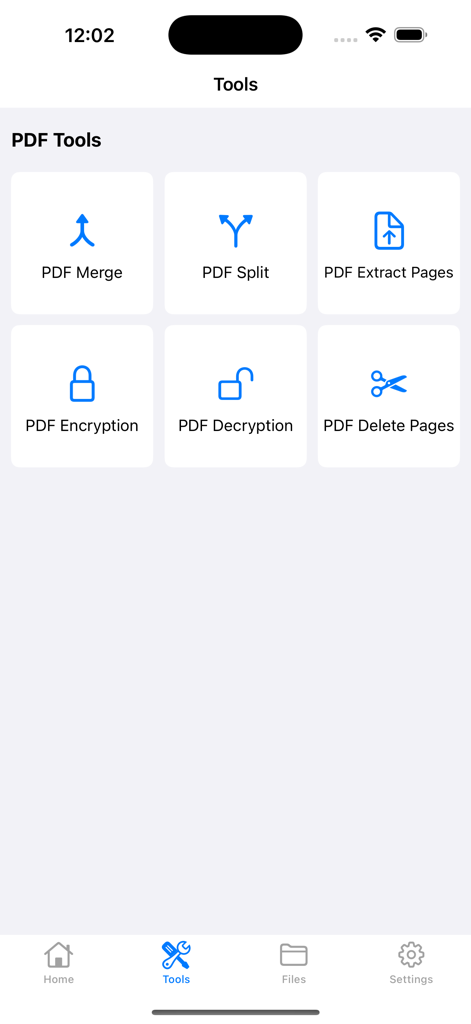
병합, 분할 및 암호화 옵션을 포함한 전문 PDF 관리 도구 메뉴

병합, 분할 및 암호화 옵션을 포함한 전문 PDF 관리 도구 메뉴

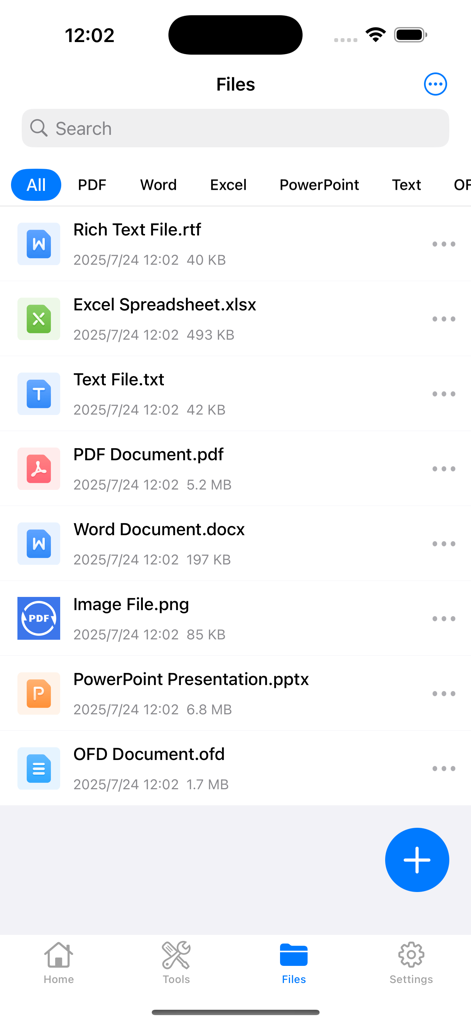
PDF, Word, Excel 및 PowerPoint를 포함한 다양한 형식의 문서 목록을 보여주는 앱 내 파일 관리 화면

PDF, Word, Excel 및 PowerPoint를 포함한 다양한 형식의 문서 목록을 보여주는 앱 내 파일 관리 화면

총체적인 문서 생산성 잠금 해제

이 앱을 돋보이게 하는 도구, 21K+ 명의 사용자가 선택.

🔄

즉각적인 모든 형식 간 변환

모바일 기기에서 모든 글꼴과 테이블을 완벽하게 유지하면서 PDF, Word, Excel 및 PPT 간에 변환하세요.

📝

스마트 OCR 텍스트 추출

더 이상 타이핑할 필요가 없습니다. 모든 문서 또는 이미지를 스캔하여 연구 또는 보고서에 사용할 편집 가능한 텍스트를 즉시 추출하세요.

🔐

쉽고 안전한 관리

전문적인 암호화로 민감한 데이터를 보호하고 강력한 병합 및 분할 도구로 라이브러리를 정리하세요.

앱 소개

에 대해 알아야 할 모든 것 Convert PDF to Word,Excel,PPT.

설명

PDF Converter is a powerful yet user-friendly document conversion and management app. It supports mutual conversion between multiple formats including PDF, Word, Excel, PowerPoint, Text, and images, meeting all your office, study, and daily document processing needs. Core Features: PDF Conversion • PDF to Other Formats: Convert to Word, Excel, PPT, Text, images, OFD, etc. with precise content preservation • Other Formats to PDF: Quickly generate PDFs from Word, Excel, PPT, Text, images while maintaining format consistency • OCR Recognition: Extract editable and copyable text from scanned PDFs Image Conversion • Convert between images and Word, Excel, PPT, Text formats for diverse needs • Supports batch processing for improved efficiency Professional PDF Tools • Merge/Split PDF: Flexibly reorganize documents • Encrypt/Decrypt: Protect sensitive files • Extract/Delete Pages: Precise PDF content management Efficient File Management • Browse files by category with quick search by type (PDF, Word, images, etc.) • Clear display of file size and modification time for easier management User Agreement: https://www.apple.com/legal/internet-services/itunes/dev/stdeula/

최신 버전

2.1.2

크기

56.9 MB

출시일

2021년 7월 8일

업무 방식을 혁신할 준비가 되셨나요?

매일의 워크플로우를 간소화하는 21,000명 이상의 전문가 및 학생들과 함께하세요. 궁극의 올인원 PDF 변환기를 다운로드하고 모바일 생산성을 한 단계 끌어올리세요.

다운로드: App Store

App information, icons, screenshots, and descriptions displayed on this page are sourced from the Apple App Store and are the property of their respective developers. Download estimates and rankings are based on MWM's proprietary models and may not reflect actual figures. This page is provided for informational and analytical purposes only.

Believe this page infringes your intellectual property? File a dispute