Cursive Writing Wizard -School

Cursive Writing Wizard -School


다운로드: App Store다운로드: Google Play
로고: Cursive Writing Wizard -School
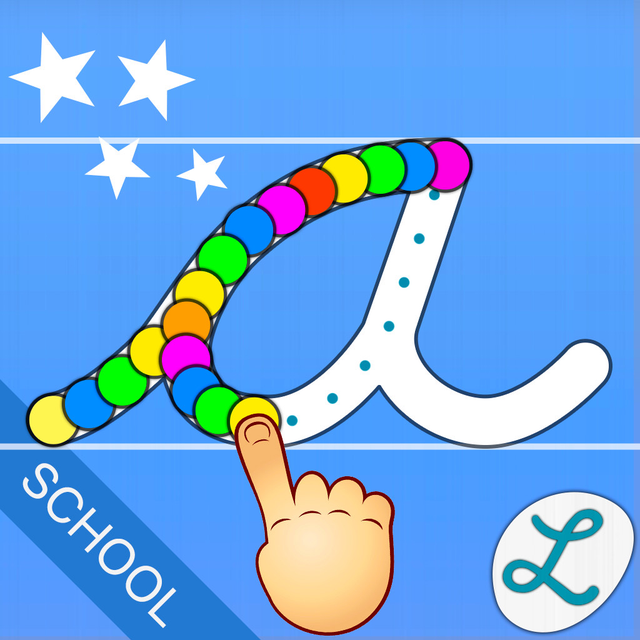
Cursive Writing Wizard - School: 필기를 마스터하는 수상 경력의 방법

전 세계 교육자와 학부모가 신뢰하는 이 앱은 전문가 승인 글꼴과 실시간 진행 상황 추적으로 흘려쓰기 연습을 흥미롭고 개인화된 학습 모험으로 변화시킵니다.

개발사

Pierre Abel

카테고리

Education

다운로드

304K+

사용자 평점

4.4/5

총 평가 수

1K+

지원 언어

6

마법 속으로의 엿보기

이 인터페이스를 사용하는 304K+ 명의 사용자.

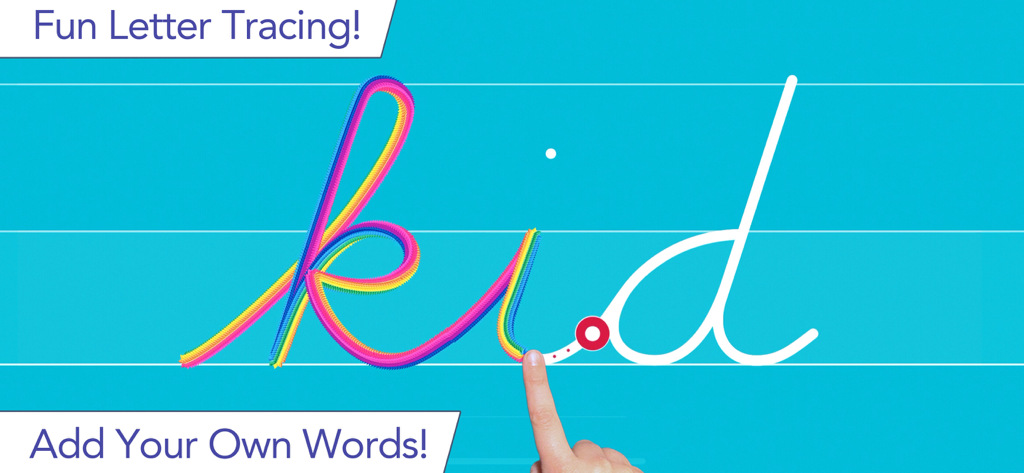
파란색 배경에 Cursive Writing Wizard 앱에서 'kid'라는 단어를 무지개 효과로 흘려쓰기하는 아이

파란색 배경에 Cursive Writing Wizard 앱에서 'kid'라는 단어를 무지개 효과로 흘려쓰기하는 아이

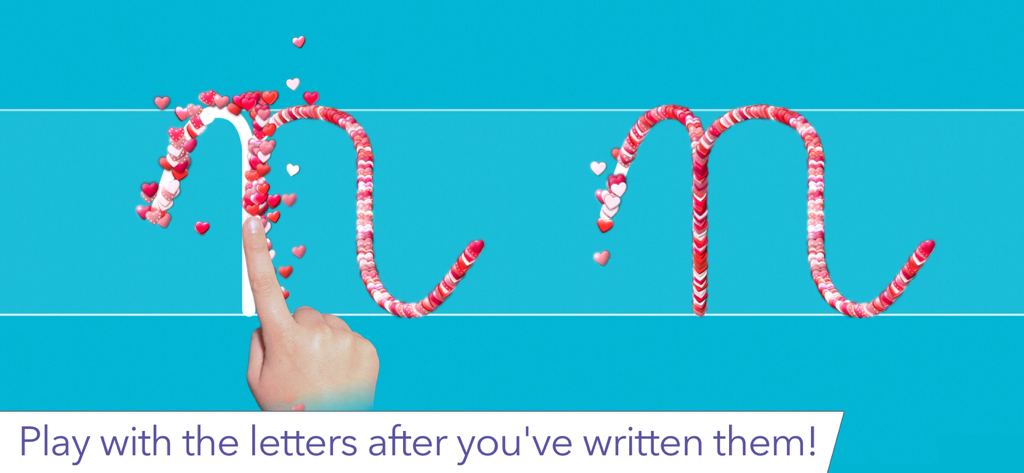
Cursive Writing Wizard 앱에서 대화형 하트 스티커로 만들어진 흘려쓰기 글자 N을 추적하는 아이의 손가락

Cursive Writing Wizard 앱에서 대화형 하트 스티커로 만들어진 흘려쓰기 글자 N을 추적하는 아이의 손가락

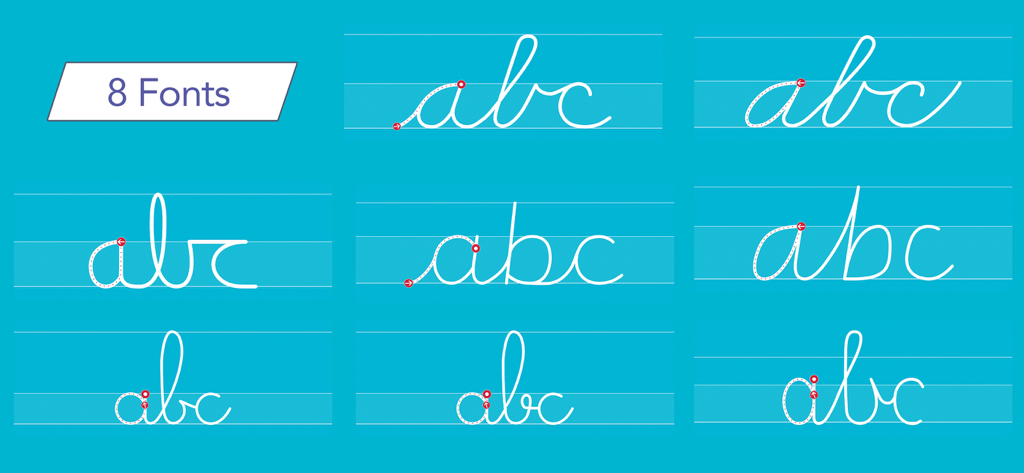
파란색 배경에 표시된 abc 글자에 대한 8가지 다른 흘려쓰기 글꼴 스타일 표시

파란색 배경에 표시된 abc 글자에 대한 8가지 다른 흘려쓰기 글꼴 스타일 표시

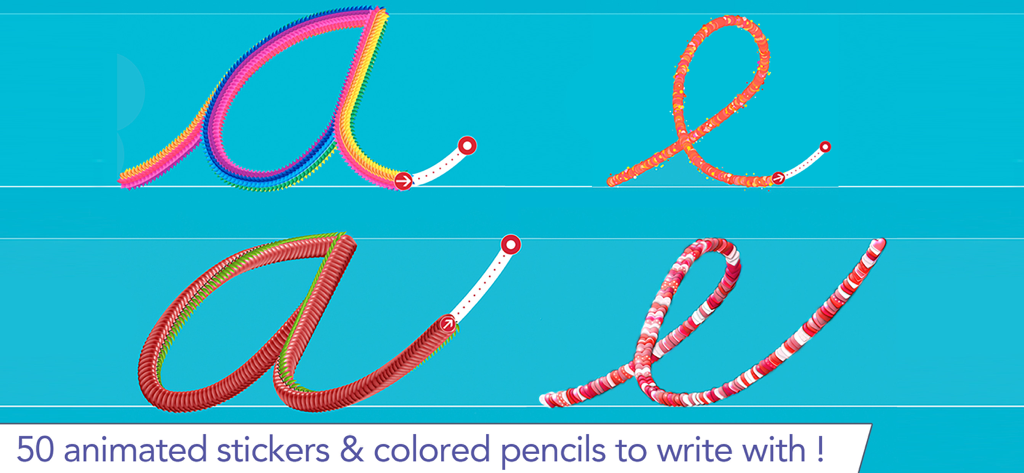
화려한 애니메이션 스티커와 연필로 흘려쓰기 글자 a와 e 추적

화려한 애니메이션 스티커와 연필로 흘려쓰기 글자 a와 e 추적

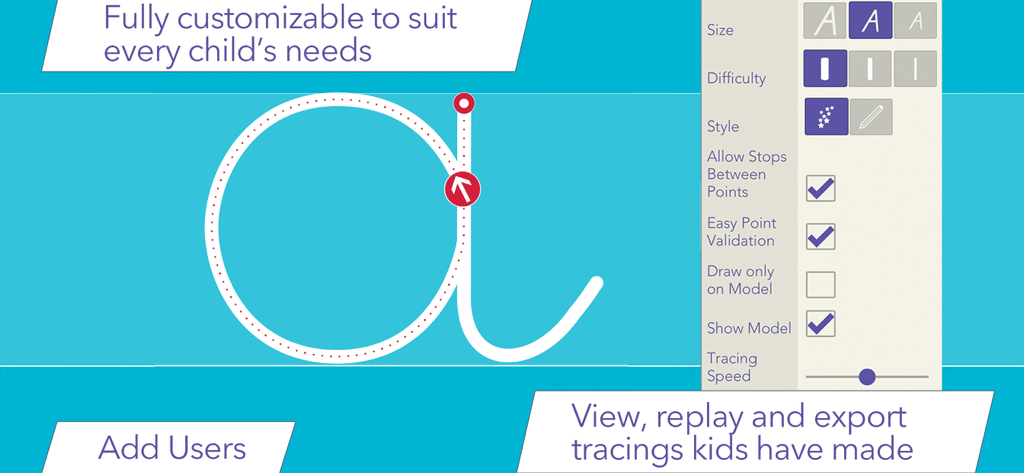
글자 추적 및 학생을 위한 사용자 지정 옵션을 보여주는 흘려쓰기 앱 인터페이스

글자 추적 및 학생을 위한 사용자 지정 옵션을 보여주는 흘려쓰기 앱 인터페이스

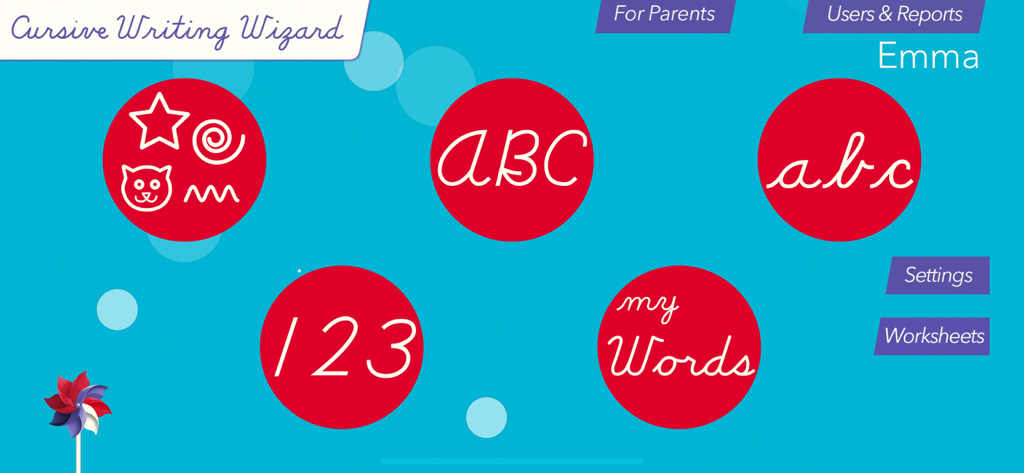
대문자, 소문자, 숫자 및 사용자 지정 단어 학습 모듈을 보여주는 Cursive Writing Wizard School 앱의 메인 메뉴.

대문자, 소문자, 숫자 및 사용자 지정 단어 학습 모듈을 보여주는 Cursive Writing Wizard School 앱의 메인 메뉴.

Cursive Writing Wizard 앱에서 노란색 퍼지 질감을 사용하여 고양이 모양을 흘려쓰기하는 아이

Cursive Writing Wizard 앱에서 노란색 퍼지 질감을 사용하여 고양이 모양을 흘려쓰기하는 아이

자신감 있고 재미있게 흘려쓰기를 마스터하세요

이 앱을 돋보이게 하는 도구, 304K+ 명의 사용자가 선택.

✍️

교실 준비 표준

정확한 미국 학교 글꼴(ZB, DN, HWT)로 연습하여 교실 학습을 강화하고 완벽한 글자 형성을 보장합니다.

🎨

동기 부여 및 재미있는 디자인

50개 이상의 애니메이션 스티커, 대화형 게임, 다중 감각 피드백으로 아이들이 학습에 대한 흥미를 유지하여 연습을 놀이처럼 느끼게 합니다.

📈

개인화된 성장 추적

사용자 지정 단어 목록을 만들고, 음성을 녹음하고, 추적 다시 보기를 포함한 상세한 진행 상황 보고서에 액세스하여 자녀의 요구에 맞게 경험을 맞춤 설정하세요.

앱 소개

에 대해 알아야 할 모든 것 Cursive Writing Wizard -School.

설명

• Editor's Choice Award (96/100) - Children's Technology Review • "Simply an amazing app for kids to learn cursive writing." - 5/5 - Top Pick - smartAppsForKids.com 142,000 units sold (including 62,000 to schools)! • Teach and reinforce the accurate tracing of cursive letters, as well as the proper way to join letters within words, utilizing our proprietary technology • 3 most popular US fonts (ZB, DN & HWT) + UK , French and Swiss fonts • Customise by adding your word lists (and record audio for each word) • Enjoy engaging tracing with 50+ animated stickers, sound effects, and interactive games that bring letters to life at the end of each tracing • Uppercase & lowercase letters, numbers, and words • Fully customizable to suit every child’s needs (letter size, difficulty,...) • Phonics and letter names for each letter • Monitor progress through reports that allow the replay of the child's tracing • Introduce toddlers to shapes tracing activities, fostering early developmental skills • Left-Handed Mode • Create printable Worksheets to assist your child with handwriting practice on paper • Apple Pencil support • Accessibility settings for children with visual impairments _______ PERFECT FOR KIDS Kids want to have fun, and Cursive Writing Wizard offers a lot of fun to keep them motivated in the learning process! • They can trace using 50+ animated stickers and sound effects • Once tracing is complete, they can interact with them on 5 games that animate letters • They can trace any word - like their name - and record their voice for each word • They can collect stars in 5-Stars play mode _______ PERFECT FOR PARENTS & TEACHERS • Ability to create your own word lists (and record audio for each word) • Detailed reports provide information on what kids have done, including the ability to replay and export the tracings to view kids' progress • Share word lists via iCloud drive or other cloud providers, adhoc network, or email • Multiple parameters to customize the app according to the child’s current education level (e.g. letter size, difficulty, show/hide model, allow to stop between key points, etc.) • 3 most popular US fonts (ZB, DN & HWT) + UK and U French fonts • Upper and lower case letters, numbers + word lists • Letter names and letter sounds (which can be customized) • A customizable 5-Stars play mode prompting the child to trace a letter or a word 5 times using different parameters (each step is more challenging) • Create an unlimited number of users • Many settings to customize the app (sound, game time limit, black background,...) • Left-Handed Mode • In the A-Z section, special graphics available to match letters (e.g. ant graphic for A/a) • Accessibility settings for children with visual impairments _______ "Cursive Writing Wizard is just as wonderful and well-designed as the original Writing Wizard" 5/5 - AppyMall.com _______ Privacy Policy KNOW WHAT'S INSIDE As a Moms with Apps member, we follow the "Know what's inside" best practices for kids’ apps L’Escapadou takes children’s privacy seriously. We believe you should not have to worry about your kids being tracked by apps or websites. This app: • Does not collect any user information (we do not use data collection tools) • Does not contain in-app purchases • External Links: Protected parent sections are available where you can send us a mail and check out our others apps. Before accessing a parent section, an addition must be solved so that young kids cannot access it.

최신 버전

5.2

크기

52.3 MB

출시일

2013년 12월 4일

흘려쓰기의 예술을 마스터할 준비가 되셨나요?

142,000명 이상의 학부모와 교육자가 수상 경력의 개인 정보 보호 우선 도구를 사용하여 필기를 재미있고 상호 작용적인 성공 스토리로 바꾸는 데 참여하고 있습니다.

다운로드: App Store다운로드: Google Play

App information, icons, screenshots, and descriptions displayed on this page are sourced from the Apple App Store and are the property of their respective developers. Download estimates and rankings are based on MWM's proprietary models and may not reflect actual figures. This page is provided for informational and analytical purposes only.

Believe this page infringes your intellectual property? File a dispute