DashCam Recorder

DashCam Recorder

다운로드: App Store
로고: DashCam Recorder

DashCam Recorder: iPhone을 고급 대시보드 카메라로 변신시키세요

매일 출퇴근하는 사람들과 긱 워커들을 위한 전문적이고 진정으로 무료인 솔루션입니다. 구독, 광고, 추가 하드웨어 없이 GPS, 속도, 충돌 감지로 모든 마일을 기록하세요.

다운로드: App Store

개발사

Jan Nutbroek

카테고리

Navigation

다운로드

19K+

사용자 평점

4.5/5

총 평가 수

300

지원 언어

1

선명함을 경험하세요

이 인터페이스를 사용하는 19K+ 명의 사용자.

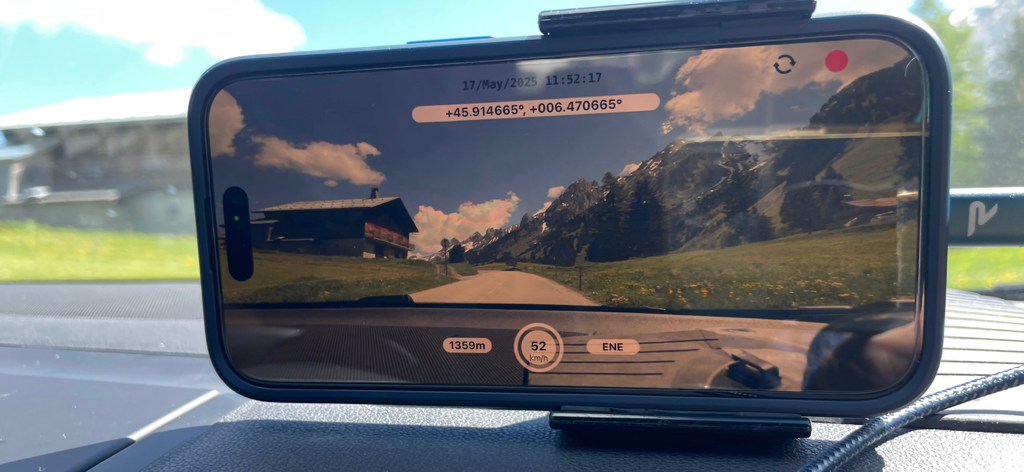
GPS 및 속도 데이터를 표시하는 DashCam Recorder를 사용하여 영상 녹화 중인 대시보드에 장착된 iPhone.

GPS 및 속도 데이터를 표시하는 DashCam Recorder를 사용하여 영상 녹화 중인 대시보드에 장착된 iPhone.

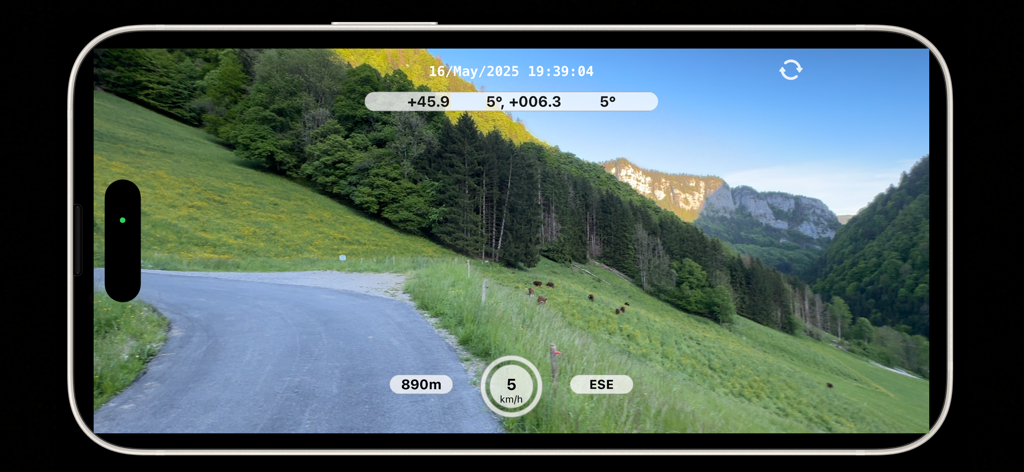
실시간 속도 및 고도 메타데이터 오버레이와 함께 멋진 산악 도로를 녹화하는 DashCam Recorder iPhone 앱

실시간 속도 및 고도 메타데이터 오버레이와 함께 멋진 산악 도로를 녹화하는 DashCam Recorder iPhone 앱

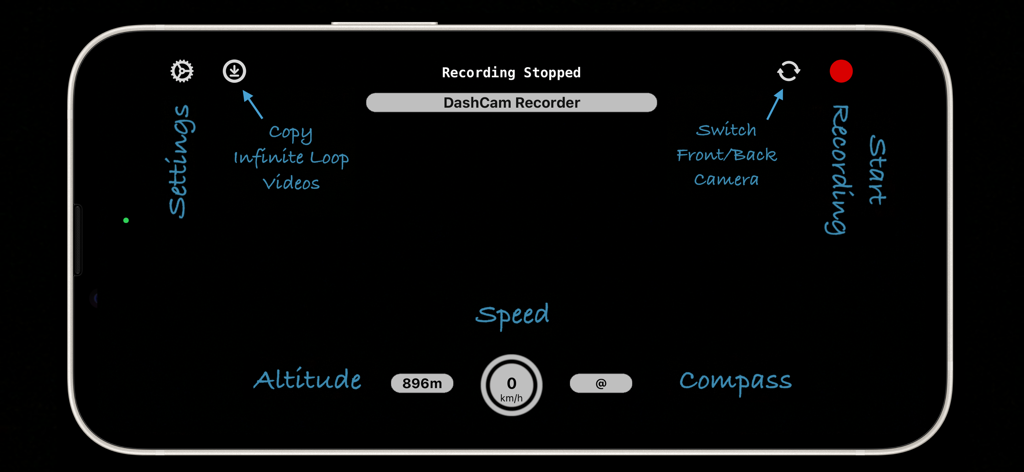
속도, 고도, 나침반 및 녹화 컨트롤과 같은 기능을 강조하는 iPhone의 DashCam Recorder 앱 인터페이스의 가로 보기.

속도, 고도, 나침반 및 녹화 컨트롤과 같은 기능을 강조하는 iPhone의 DashCam Recorder 앱 인터페이스의 가로 보기.

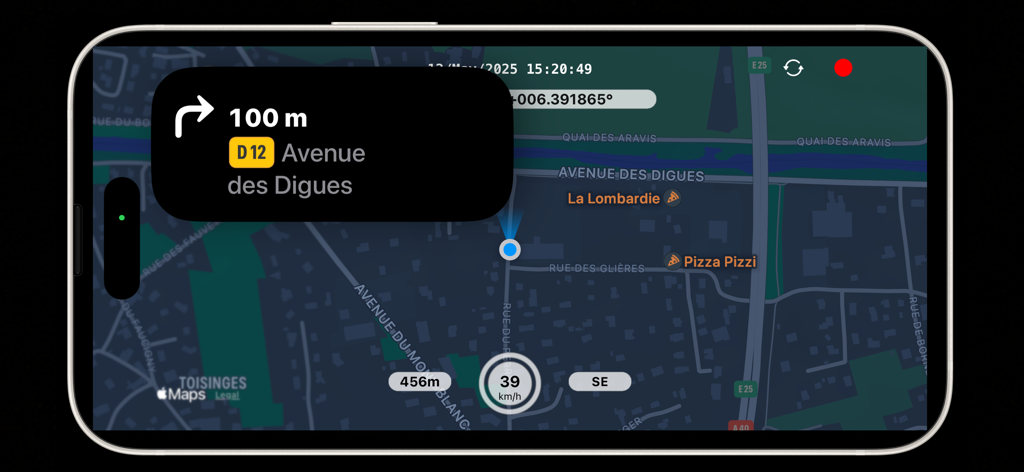
속도, 고도 및 GPS 좌표가 표시된 지도와 함께 내비게이션 지침을 보여주는 iPhone의 DashCam Recorder 앱 인터페이스.

속도, 고도 및 GPS 좌표가 표시된 지도와 함께 내비게이션 지침을 보여주는 iPhone의 DashCam Recorder 앱 인터페이스.

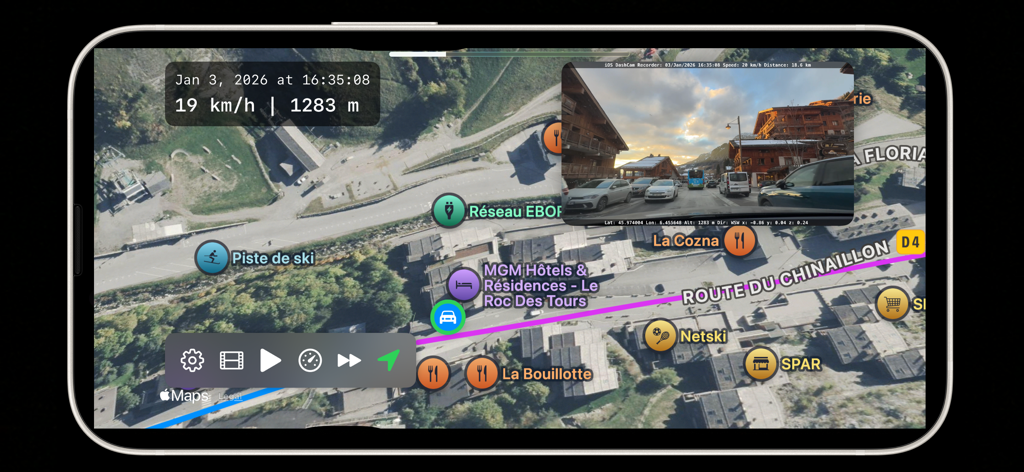
속도 및 고도 메타데이터가 포함된 위성 지도에서 녹화된 주행을 표시하는 DashCam Recorder 앱

속도 및 고도 메타데이터가 포함된 위성 지도에서 녹화된 주행을 표시하는 DashCam Recorder 앱

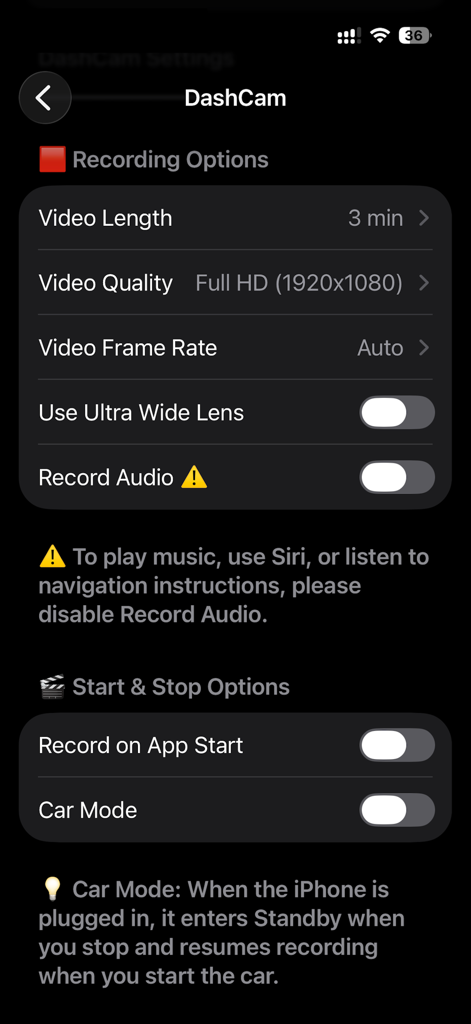
녹화 및 시작 중지 옵션을 보여주는 DashCam Recorder 앱의 설정 화면.

녹화 및 시작 중지 옵션을 보여주는 DashCam Recorder 앱의 설정 화면.

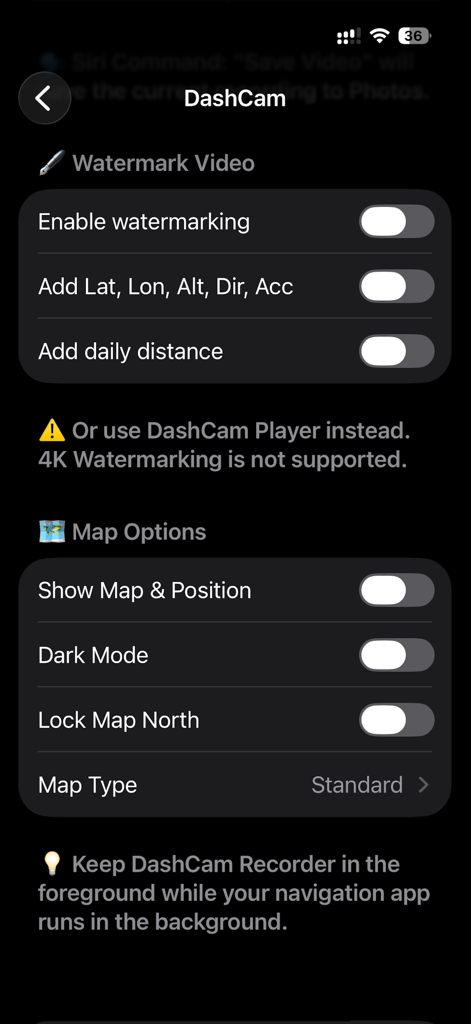
동영상 워터마킹 및 지도 표시 기본 설정 옵션을 보여주는 DashCam Recorder 앱의 설정 인터페이스.

동영상 워터마킹 및 지도 표시 기본 설정 옵션을 보여주는 DashCam Recorder 앱의 설정 인터페이스.

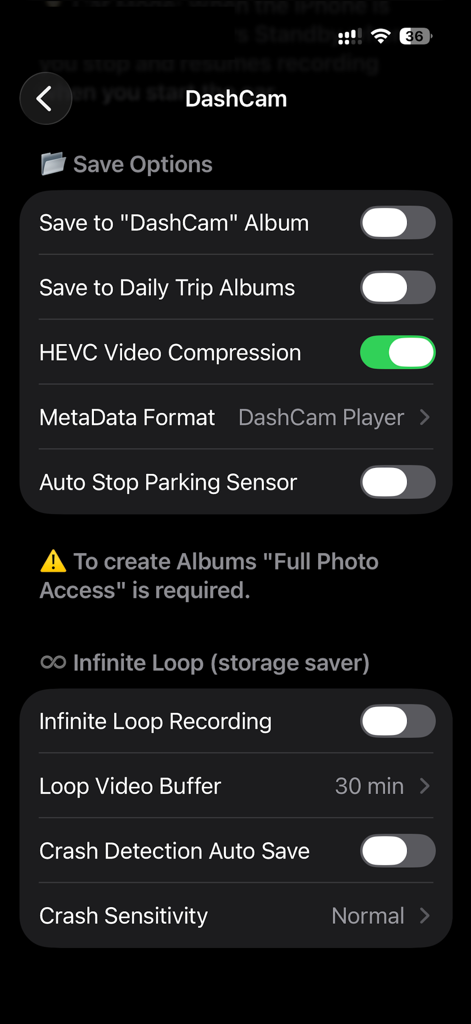
GPS 메타데이터가 포함된 동영상 워터마킹 및 지도 표시 기본 설정 옵션을 보여주는 DashCam Recorder 설정 화면.

GPS 메타데이터가 포함된 동영상 워터마킹 및 지도 표시 기본 설정 옵션을 보여주는 DashCam Recorder 설정 화면.

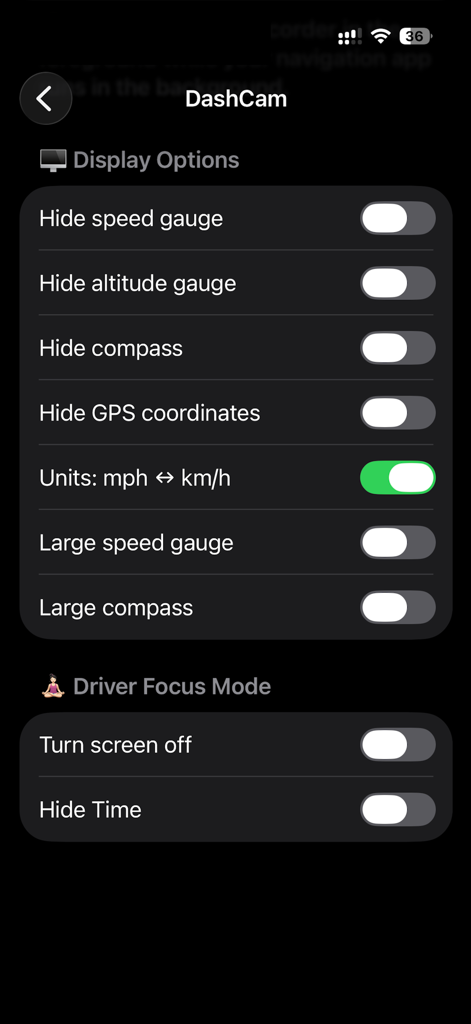
표시 옵션 및 운전자 집중 모드 토글을 보여주는 DashCam Recorder 앱의 설정 화면.

표시 옵션 및 운전자 집중 모드 토글을 보여주는 DashCam Recorder 앱의 설정 화면.

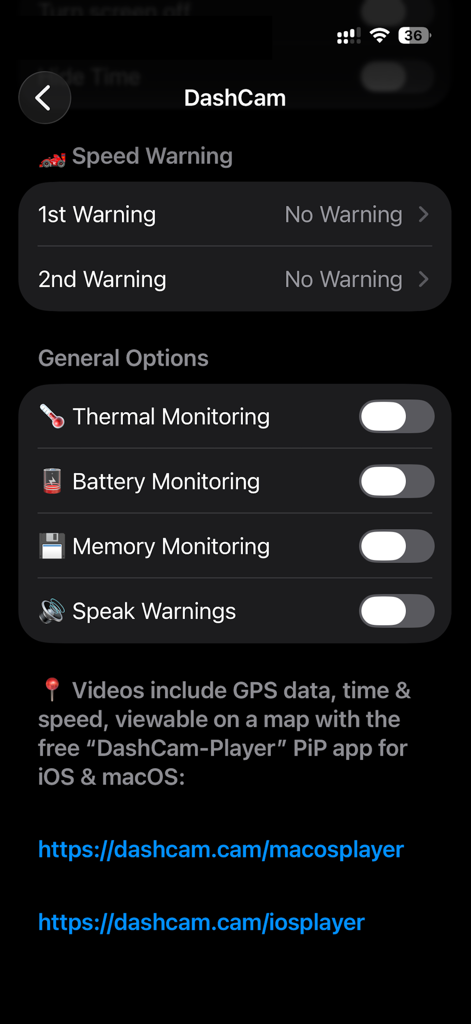
시스템 모니터링 및 속도 경고 옵션을 보여주는 DashCam Recorder 앱의 설정 화면.

시스템 모니터링 및 속도 경고 옵션을 보여주는 DashCam Recorder 앱의 설정 화면.

스마트 운전 보호, 간편하게

이 앱을 돋보이게 하는 도구, 19K+ 명의 사용자가 선택.

🆓

진정한 무료, 구독 없음

하드웨어 또는 월간 요금 지불을 중단하세요. 광고, 가입, 개인 정보 노출 없이 무료로 고화질 녹화, 자동 시작, GPS 추적 기능을 이용하세요.

🛡️

스마트 사고 보호

자동 충돌 센서와 루프 녹화 기능으로 중요한 증거가 항상 저장됩니다. Siri에게 '동영상 저장'이라고 말하여 운전 중에도 안전하게 손을 사용하지 않고 사고를 녹화하세요.

📍

검증된 증거 및 메타데이터

내장된 GPS, 속도, 시간 데이터로 당신의 입장을 증명하세요. 보험 청구 및 '그랬다더라' 분쟁으로부터 당신의 기록을 보호하는 데 완벽합니다.

앱 소개

에 대해 알아야 할 모든 것 DashCam Recorder.

설명

Keep your eyes on the road while DashCam Recorder turns your iPhone into a private, high-quality dashcam. Continuously record video with GPS, speed, altitude, accelerometer and date/time metadata. Replay your drives on a map with the free iOS & macOS DashCam-Player apps. Truly free – no ads, no subscriptions, no signups, no "pro" version. Auto-start, loop recording, crash sensor, video compression, and driver focus mode for safe, reliable operation. Why DashCam is different: • High-quality video – stabilised recording at up to your device’s maximum resolution and frame rate • Complete metadata – GPS location, speed, altitude, date and time, accelerometer. Embed in an invisible track or as a watermark/overlay • Replay and explore – view your drives on a map with the free macOS & iOS DashCam Player app Key Benefits: • Easy and reliable – start recording with one tap, auto-start, loop recording, crash sensor, and Driver Focus mode (screen off) • Seamless integration – sync videos with iCloud and save directly to Photos. Works with Siri, Navigation, and Music in the background • Adjustable recording – set video length (1 to 15 minutes) and choose front or back camera, landscape or portrait Why choose DashCam over a physical DashCam? • High-quality video recording – with advanced stabilisation and ultra-wide camera support • Enhanced privacy and security – recordings are protected with Face ID or Touch ID • Easy access to your videos – via iCloud or AirDrop • Use navigation and music apps in the background while recording • Free to use – perfect for giving older iPhones a second life Technical Highlights: • Automatic and superb video stabilisation • HEVC video compression, same quality but 30% to 50% smaller filesize • Embed GPS, speed, altitude, time + date and accelerometer as metadata • Add an Overlay / Watermark to the video with above data • Save videos to daily trip albums, add daily driving distance to the Overlay / Watermark • Save a video instantaniously to Photos with Siri: "Save Video" • Display a Map with your current position (use a Navigation App in the background for verbal instructions) • Infinite loop with automatic saving of crash events • Parking sensor – pause and resume recording automatically • Thermal and battery monitoring to protect your device • Autostart - Start/Stop recording with car (when plugged in) Tips and Notes: • Use flight mode for uninterrupted recording • Check local DashCam laws before use • DashCam Player for iOS & macOS displays route, speed, and all metadata Website and Support: • https://dashcam.cam – manual, FAQs, and macOS app downloads Do you like this app? Check out our macOS app, ADS-B Radar, for professional-grade flight tracking with your own ADS-B receiver: https://apps.apple.com/app/id1538149835 Disclaimer: This app is provided for personal use only. Always operate your vehicle safely and in compliance with local laws. Do not interact with the app while driving. The developer is not responsible for any accidents, damages, or legal issues arising from use of the app.

최신 버전

2.9

크기

18.6 MB

출시일

2024년 4월 17일

구독료 없이 안전 운전을 보호하세요

수천 명의 미국 운전자들과 함께 DashCam Recorder를 통해 고화질 보안과 마음의 평화를 누리세요. 광고, 계정, 숨겨진 비용 없이 모든 마일에 대한 전문적인 보호 기능을 제공합니다.

다운로드: App Store

App information, icons, screenshots, and descriptions displayed on this page are sourced from the Apple App Store and are the property of their respective developers. Download estimates and rankings are based on MWM's proprietary models and may not reflect actual figures. This page is provided for informational and analytical purposes only.

Believe this page infringes your intellectual property? File a dispute