Desh Gujarati Keyboard

Desh Gujarati Keyboard

다운로드: App Store
로고: Desh Gujarati Keyboard

Desh Gujarati 키보드: 영어 글자를 사용하여 구자라트어를 쉽게 입력하세요

구자라트어 커뮤니티를 위한 궁극의 음역 키보드. 스마트 단어 예측, 표현력 있는 스티커, 완전한 개인 정보 보호 기능으로 WhatsApp 및 소셜 미디어에서 채팅하세요.

다운로드: App Store

개발사

ClusterDev Technologies Private Limited

카테고리

Utilities

다운로드

4K+

사용자 평점

4.7/5

총 평가 수

1K+

지원 언어

1

구자라트어 입력, 간편화

이 인터페이스를 사용하는 4K+ 명의 사용자.

Desh Gujarati Keyboard 앱의 소개 화면, 로고 및 슬로건 표시

Desh Gujarati Keyboard 앱의 소개 화면, 로고 및 슬로건 표시

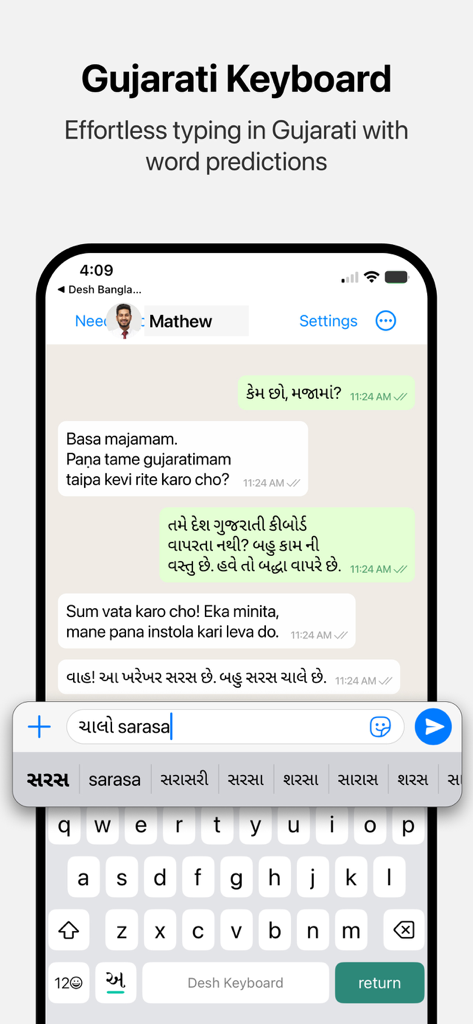
메시징 중 쉬운 음역 및 단어 예측을 보여주는 Desh Gujarati Keyboard 인터페이스

메시징 중 쉬운 음역 및 단어 예측을 보여주는 Desh Gujarati Keyboard 인터페이스

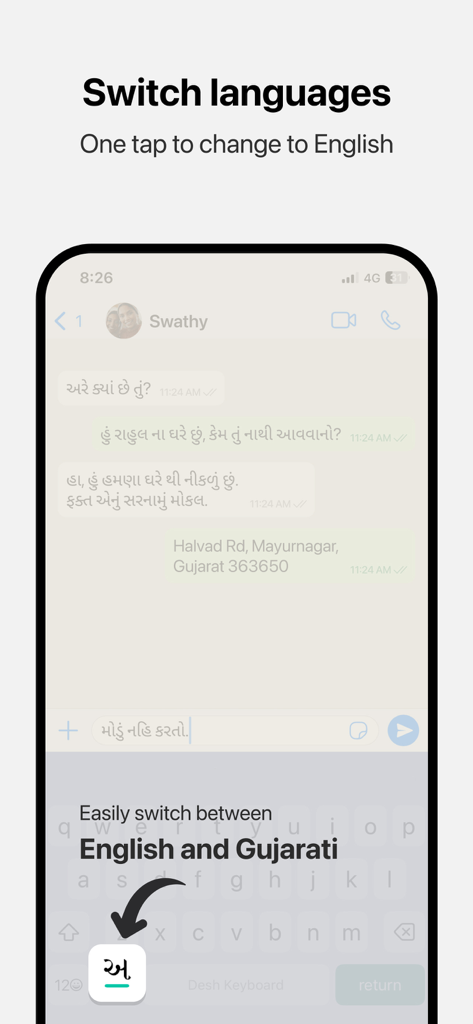
iPhone에서 영어와 구자라트어 언어 간 전환 방법을 보여주는 Desh Gujarati Keyboard 앱 인터페이스

iPhone에서 영어와 구자라트어 언어 간 전환 방법을 보여주는 Desh Gujarati Keyboard 앱 인터페이스

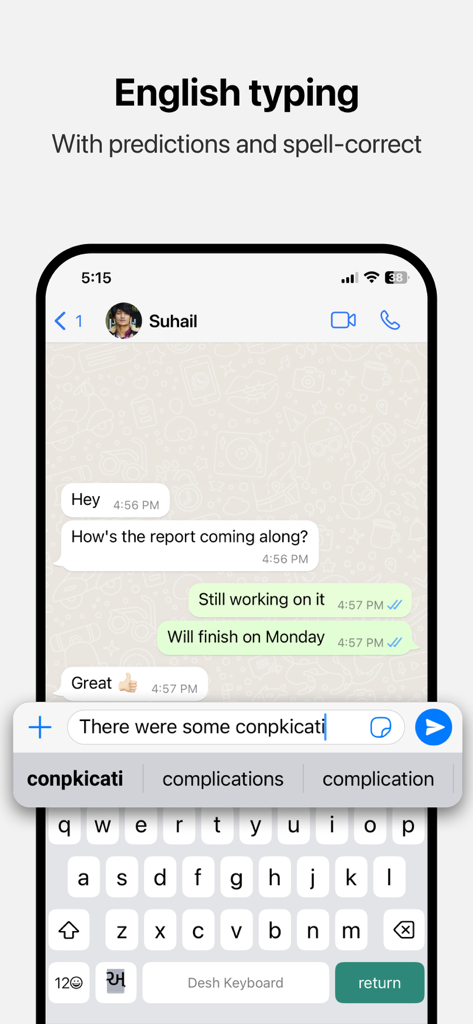
iPhone에서 단어 예측 및 맞춤법 교정 기능과 함께 영어 입력을 보여주는 Desh Gujarati Keyboard 인터페이스

iPhone에서 단어 예측 및 맞춤법 교정 기능과 함께 영어 입력을 보여주는 Desh Gujarati Keyboard 인터페이스

구자라트어를 쉽고 빠르게 입력하세요

이 앱을 돋보이게 하는 도구, 4K+ 명의 사용자가 선택.

⌨️

영어-구자라트어 음역

영어로 소리 나는 대로 입력하면 즉시 구자라트어 스크립트로 변환됩니다. 배울 새로운 레이아웃이 없습니다.

🚀

스마트 예측 텍스트

구자라트어와 영어 모두에서 지능적인 단어 제안으로 더 빠르게 소통하고, 오타를 최소화하고, 시간을 절약하세요.

🎨

표현력 있는 문화 스티커

구자라트어 커뮤니티를 위해 특별히 제작된 맞춤 스티커와 GIF로 축제와 가족 순간을 기념하세요.

앱 소개

에 대해 알아야 할 모든 것 Desh Gujarati Keyboard.

설명

Desh Gujarati Keyboard is a keyboard extension that makes Gujarati typing super easy: • Type in English letters and get Gujarati words with our transliteration technology • Type faster using word predictions • Easily switch to English with the language key • Word predictions and spell-correct is available in English also • Emoji button is available after pressing 123 Open the app and follow instructions to get your new Gujarati keyboard: • Enable keyboard from settings • Activate the keyboard by holding the Globe icon and selecting "Desh Gujarati Keyboard" • Type Gujarati everywhere! Allowing full access: • When enabling the keyboard, you may enable "Allow Full Access" • This allows us to access crash reports and will help us improve the stability of the app • We respect your privacy. No personal information is collected • A standard warning is shown when you enable any downloaded keyboard app How to access settings: • Tap on the ⋯ button after opening the app and tap Settings. This option will be available after keyboard is activated • Available settings: sound on key press, vibrate on key press, emoji row, number row Using the clipboard: • The clipboard lets you save text that you frequently use and paste them easily • After you copy any text, it can be viewed from the clipboard by tapping on "Paste copied text". You can use the Pin button to save it permanently • To show copied text automatically when clipboard is opened, you can change the "Paste from Other Apps" setting to "Allow" Using stickers to make your chats more fun: • Open the stickers page by clicking on the sticker icon on the keyboard. Click on any sticker you like to copy it • Navigate back to your chat app and use your phone's Paste option in the message box • The sticker will be pasted in the chat. Note that animations are currently sent as GIFs due to technical limitations Do share your feedback and help us improve Desh Gujarati Keyboard. And don't forget to leave a review if you like it.

최신 버전

3.0.7

크기

32.3 MB

출시일

2023년 5월 30일

대화를 더 가깝게 만드세요

미국에 있는 수천 명의 구자라트어 사용자와 함께 스마트 음역 및 재미있는 스티커로 더 빠르게 입력하세요. 오늘 iPhone용 1위 구자라트어 키보드를 다운로드하세요!

다운로드: App Store

App information, icons, screenshots, and descriptions displayed on this page are sourced from the Apple App Store and are the property of their respective developers. Download estimates and rankings are based on MWM's proprietary models and may not reflect actual figures. This page is provided for informational and analytical purposes only.

Believe this page infringes your intellectual property? File a dispute