Disk Decipher

Disk Decipher

다운로드: App Store
로고: Disk Decipher

Disk Decipher: 암호화된 볼륨에 대한 안전한 모바일 액세스

이동 중 VeraCrypt, LUKS 및 TrueCrypt 컨테이너를 잠금 해제하세요. 전문가 수준의 암호화, 원격 클라우드 지원 및 개인 정보 보호에 민감한 파워 유저를 위한 원활한 iOS 통합으로 민감한 데이터를 관리하세요.

개발사

Richard Huveneers

카테고리

Utilities

다운로드

222K+

사용자 평점

4.3/5

총 평가 수

600

지원 언어

16

모바일 요새, 시각화

이 인터페이스를 사용하는 222K+ 명의 사용자.

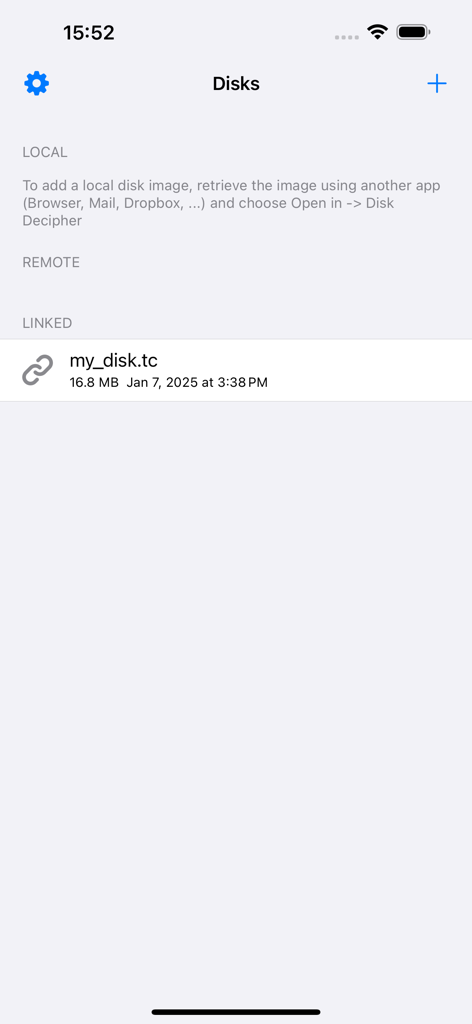
Disk Decipher 앱 인터페이스가 연결된 TrueCrypt 파일을 포함한 암호화된 디스크 이미지 목록을 보여줍니다.

Disk Decipher 앱 인터페이스가 연결된 TrueCrypt 파일을 포함한 암호화된 디스크 이미지 목록을 보여줍니다.

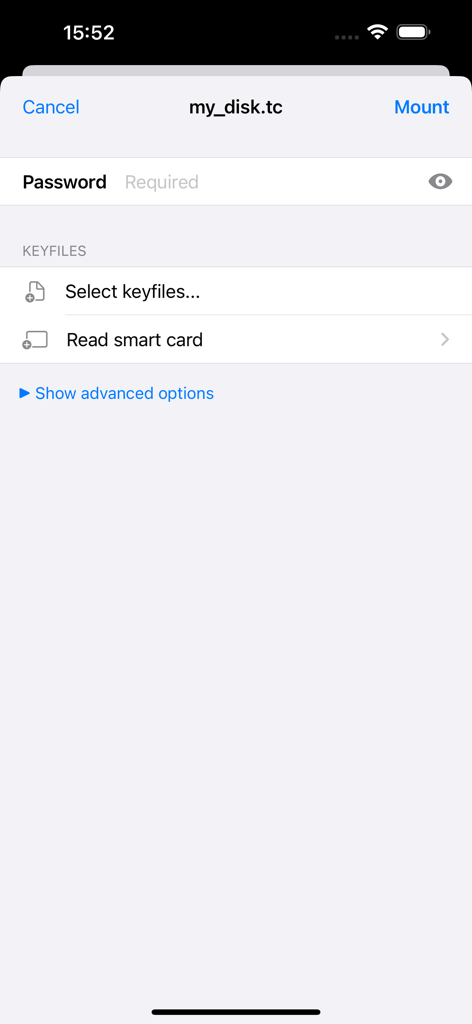
암호화된 디스크 이미지 마운트를 위한 Disk Decipher 앱 인터페이스로 비밀번호 및 키파일 입력 필드를 보여줍니다.

암호화된 디스크 이미지 마운트를 위한 Disk Decipher 앱 인터페이스로 비밀번호 및 키파일 입력 필드를 보여줍니다.

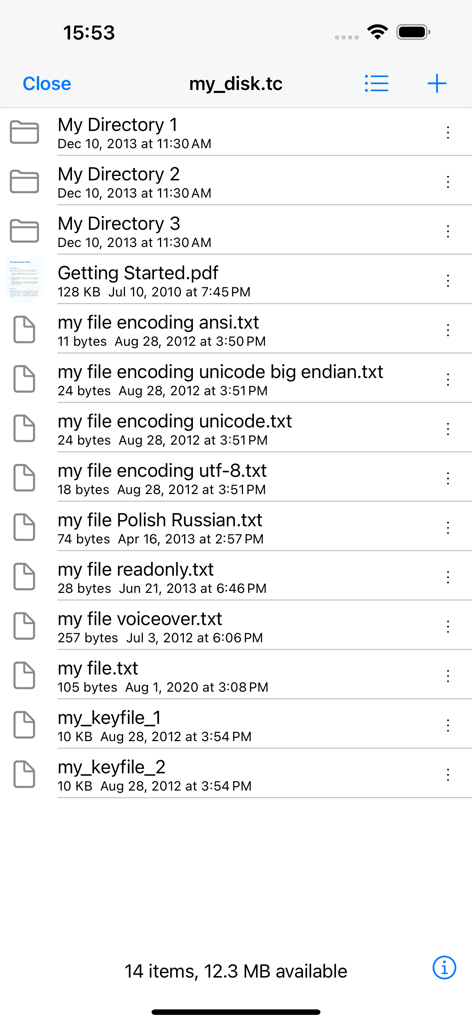
암호화된 TrueCrypt 컨테이너 내 파일 및 폴더 목록을 보여주는 Disk Decipher 앱 인터페이스.

암호화된 TrueCrypt 컨테이너 내 파일 및 폴더 목록을 보여주는 Disk Decipher 앱 인터페이스.

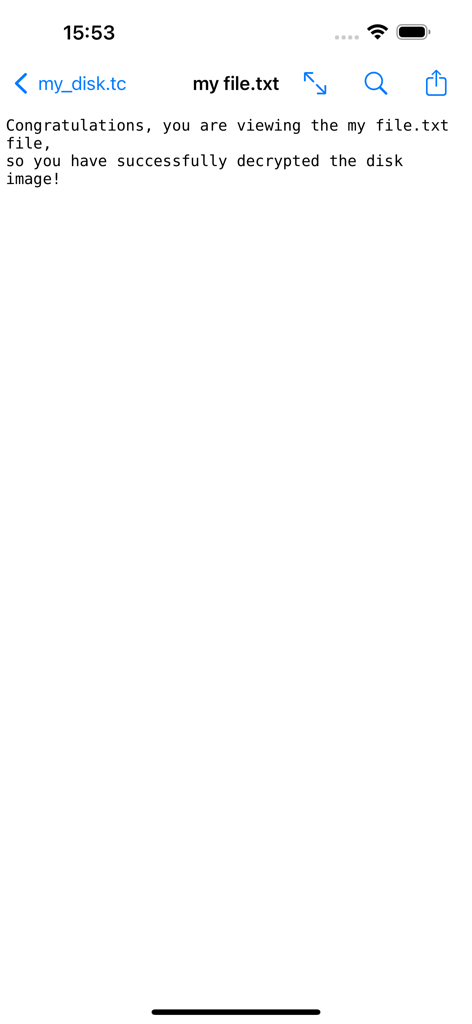
Disk Decipher 애플리케이션 내에서 보고 있는 성공적으로 해독된 텍스트 파일

Disk Decipher 애플리케이션 내에서 보고 있는 성공적으로 해독된 텍스트 파일

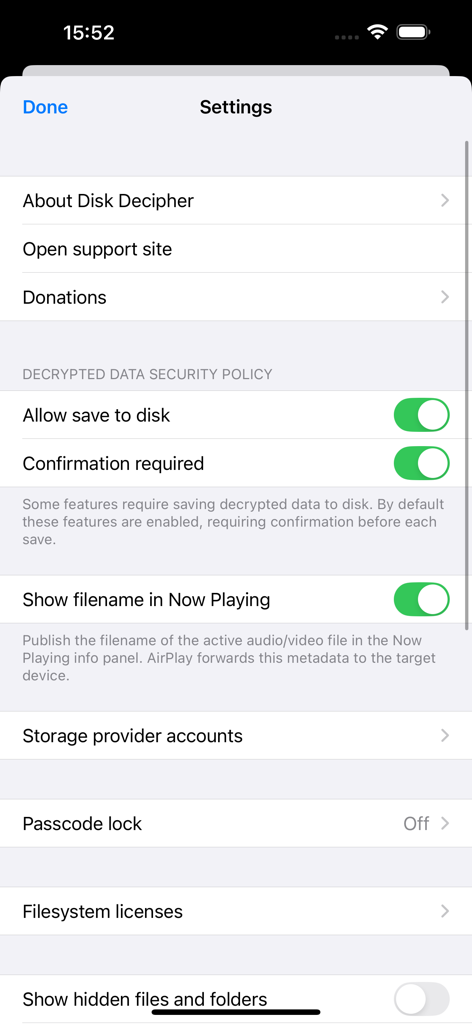
보안 정책, 스토리지 공급자 옵션 및 암호 잠금 설정을 표시하는 Disk Decipher 앱의 설정 화면.

보안 정책, 스토리지 공급자 옵션 및 암호 잠금 설정을 표시하는 Disk Decipher 앱의 설정 화면.

주머니 속 데스크톱급 보안

이 앱을 돋보이게 하는 도구, 222K+ 명의 사용자가 선택.

🔐

보편적인 볼륨 지원

VeraCrypt, LUKS, TrueCrypt 및 DMG에 대한 기본 지원. 워크스테이션에서와 마찬가지로 숨겨진 볼륨, 키파일 및 사용자 지정 PIM 설정을 처리하세요.

☁️

선택적 원격 마운팅

전체 파일을 다운로드하지 않고 S3, WebDAV 또는 Dropbox에 저장된 수 기가바이트 컨테이너에 액세스하세요. Disk Decipher는 대역폭을 절약하기 위해 필요한 섹터만 가져옵니다.

🆔

원활한 iOS 워크플로

FaceID 또는 스마트 카드로 잠금을 해제하고 기본 iOS 파일 앱을 통해 직접 파일을 검색하세요. 기본 데이터를 암호화된 상태로 유지하면서 문서를 편집하고 미디어를 스트리밍하세요.

앱 소개

에 대해 알아야 할 모든 것 Disk Decipher.

설명

Disk Decipher allows mobile access to your encrypted virtual disks. Do you have your passwords or other sensitive information stored in a VeraCrypt or TrueCrypt container or LUKS, DMG or ProxyCrypt volume? Disk Decipher will allow you to access that information from your iPhone or iPad. Disk Decipher currently supports: - Multiple disks - Storage provider: local filesystem (transfer the disk image from another app using the Open In menu, using iTunes to transfer disk images or importing from other apps supporting document providing) - Storage provider: remote (Disk Decipher will download only the necessary parts of the disk image, allowing access to disk images of arbitrary size. More details are available on the support website) - Remote storage providers: HTTP/HTTPS (WEBDAV), NFS, Dropbox, Google Drive, Microsoft OneDrive and OneDrive for Business, Box, pCloud, S3, SugarSync, Filen - Storage provider: linked (Disk Decipher will access the container stored in another app using the iOS File Provider. More details are available on the support website) - Disk image format: TrueCrypt (header version 4 and 5, created by TrueCrypt 6.0 or later) • Hidden volumes supported • Keyfiles supported - Disk image format: LUKS (version 1 and 2) - Disk image format: VeraCrypt (header version 5, created by VeraCrypt 1.0) • Hidden volumes • Keyfiles supported • PIM supported - Disk image format: encrypted and unencrypted DMG (Apple Disk Image, version 2) • Password protected • Compression (zlib, LZFSE, LZMA) - Disk image format: ProxyCrypt (version 2) - Filesystems: FAT (FAT12, FAT16 and FAT32), exFAT (in-app purchase), HFS+ and HFSX, NTFS (NTFS compression and encryption are not supported), APFS, Linux ext4 (and ext2 / ext3) - File viewer supports - many document types (Word, Excel, PDF, RTF, plain-text, images, Markdown, etc.) - streaming audio playback (MP3, WAV, etc.) - streaming movie playback (MP4, MOV, etc.) - background audio, AirPlay and Picture in Picture video - printing of all supported document types - saving images to Photos library - built-in editing of plain-text files - swiping to next/previous file - ZIP files - Open In menu to transfer decrypted files to other apps - Passcode protection with Touch ID and Face ID support - Write support (details are available on the support website) - Photo camera to store new photos securely in your encrypted container - Import files from other apps supporting document providing - Import photos and videos from iOS Photo Library - iCloud support - iOS Files external storage (as Linked Disk) - Tiled directory view (presents files as tiles, a small preview will be shown for image and PDF files to simplify browsing) - iOS File Provider (this allows accessing files inside your encrypted containers from other apps, like iOS Files) - drag & drop (or copy & paste) files in and out mounted encrypted container - optionally save disk passwords in iOS keychain - GUID Partition Table - Create new disk - Sparse Bundle / sparsebundle - Sparse Image / sparseimage (readonly, UDSP and ASIF) - Self-signed certificate - Launch URL - Keyfiles stored on smart card - Unencrypted disk images

최신 버전

6.3.0

크기

14.5 MB

출시일

2012년 4월 24일

이동 중에 디지털 요새를 보호하세요

데스크톱 암호화와 iOS 간의 격차를 해소하세요. 개인 정보 보호에 민감한 파워 유저를 위해 제작된 도구로 VeraCrypt, LUKS 및 TrueCrypt 컨테이너에 액세스하세요.

다운로드: App Store
FAQ

자주 묻는 질문

에 대해 알아야 할 모든 것 Disk Decipher

Disk Decipher란 무엇인가요?

Disk Decipher는 iPhone 또는 iPad에서 암호화된 가상 디스크에 모바일로 액세스할 수 있도록 해주는 애플리케이션입니다. VeraCrypt, TrueCrypt, LUKS와 같은 다양한 형식을 지원합니다.

Disk Decipher는 어떤 암호화 디스크 형식을 지원하나요?

Disk Decipher는 TrueCrypt (v4/v5), LUKS (v1/v2), VeraCrypt (v5), 암호화/암호화되지 않은 DMG (v2), ProxyCrypt (v2) 디스크 이미지 형식을 지원합니다.

Disk Decipher는 클라우드 스토리지 서비스의 파일에 액세스할 수 있나요?

네, Disk Decipher는 Dropbox, Google Drive, Microsoft OneDrive, Box, pCloud, S3, SugarSync, Filen을 포함한 원격 스토리지 제공업체를 HTTP/HTTPS (WEBDAV) 및 NFS를 통해 지원합니다.

Disk Decipher는 Face ID 또는 Touch ID와 같은 생체 인식 보안 기능을 제공하나요?

네, Disk Decipher는 암호화된 컨테이너의 보안을 강화하기 위해 Touch ID와 Face ID 모두를 지원하는 암호 보호 기능을 제공합니다.

Disk Decipher에서 로컬 디스크 이미지를 여는 방법은 무엇인가요?

로컬 디스크 이미지를 열려면 다른 앱을 사용하여 이미지를 가져온 다음 '열기 -> Disk Decipher'를 선택하세요. iTunes 또는 문서 제공을 지원하는 다른 앱을 사용할 수도 있습니다.

Disk Decipher는 VeraCrypt 키 파일과 숨겨진 볼륨을 지원하나요?

네, Disk Decipher는 VeraCrypt (헤더 버전 5)을 지원하며 숨겨진 볼륨, 키 파일 및 PIM (Personal Iterations Multiplier)에 대한 완벽한 호환성을 제공합니다.

Disk Decipher는 암호화된 컨테이너 내에서 파일을 쓰거나 수정할 수 있나요?

네, Disk Decipher는 쓰기 작업을 지원합니다. 이 기능에 대한 자세한 내용은 애플리케이션의 지원 웹사이트에서 확인할 수 있습니다.

Disk Decipher는 어떤 파일 시스템을 지원하나요?

Disk Decipher는 FAT, exFAT (인앱 구매), HFS+, HFSX, NTFS, APFS 및 Linux ext4 (ext2/ext3 포함)를 지원합니다. NTFS 압축 및 암호화는 지원되지 않습니다.

Disk Decipher를 사용하여 해독된 파일을 장치 디스크에 저장할 수 있나요?

네, Disk Decipher는 해독된 데이터를 디스크에 저장할 수 있습니다. 이 애플리케이션에는 이 기능에 대한 보안 정책 설정이 포함되어 있으며 기본적으로 확인이 필요합니다.

Disk Decipher는 스마트 카드에 저장된 키 파일 액세스를 지원하나요?

네, Disk Decipher는 스마트 카드에서 직접 키 파일에 액세스하는 것을 지원하여 암호화된 디스크의 보안을 강화합니다.

App information, icons, screenshots, and descriptions displayed on this page are sourced from the Apple App Store and are the property of their respective developers. Download estimates and rankings are based on MWM's proprietary models and may not reflect actual figures. This page is provided for informational and analytical purposes only.

Believe this page infringes your intellectual property? File a dispute