Docker Management

Docker Management

다운로드: App Store
로고: Docker Management

Docker 관리: 주머니 속에서 인프라를 안전하게 오케스트레이션하세요

DevOps 엔지니어 및 홈랩 애호가를 위한 최고의 도구입니다. Docker 데몬 포트를 열 필요 없이 SSH를 통해 컨테이너, 이미지 및 볼륨을 안전하게 관리하고 실시간 이벤트 알림을 받으세요.

개발사

Nevis Shkenza

카테고리

Developer Tools

다운로드

59K+

사용자 평점

3.3/5

총 평가 수

0

지원 언어

1

시각화된 당신의 인프라

이 인터페이스를 사용하는 59K+ 명의 사용자.

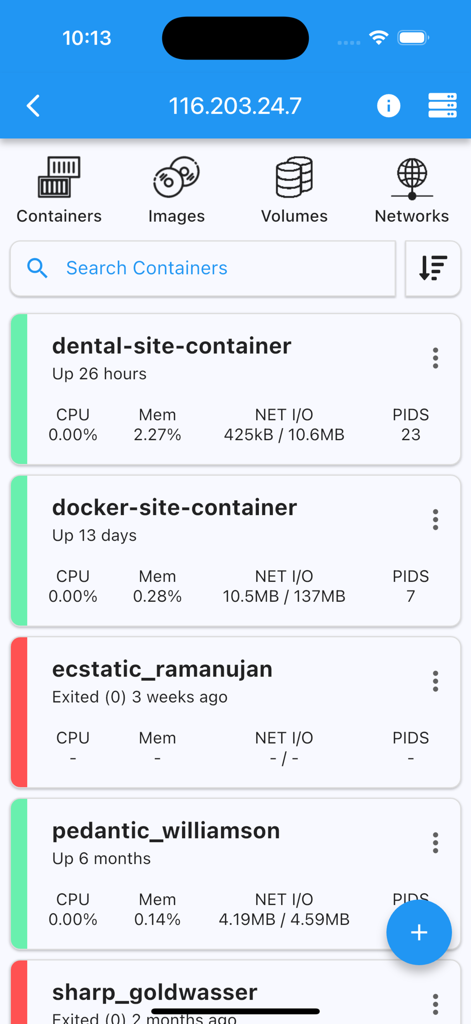
실시간 상태 및 리소스 사용량 통계를 보여주는 Docker 컨테이너 목록을 보여주는 모바일 애플리케이션 인터페이스

실시간 상태 및 리소스 사용량 통계를 보여주는 Docker 컨테이너 목록을 보여주는 모바일 애플리케이션 인터페이스

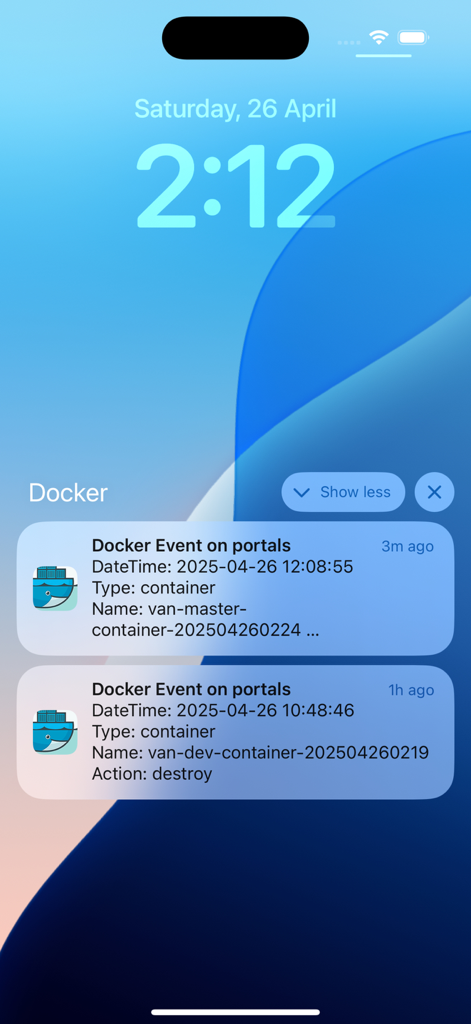
iPhone 잠금 화면에 실시간 Docker 컨테이너 이벤트 알림 표시

iPhone 잠금 화면에 실시간 Docker 컨테이너 이벤트 알림 표시

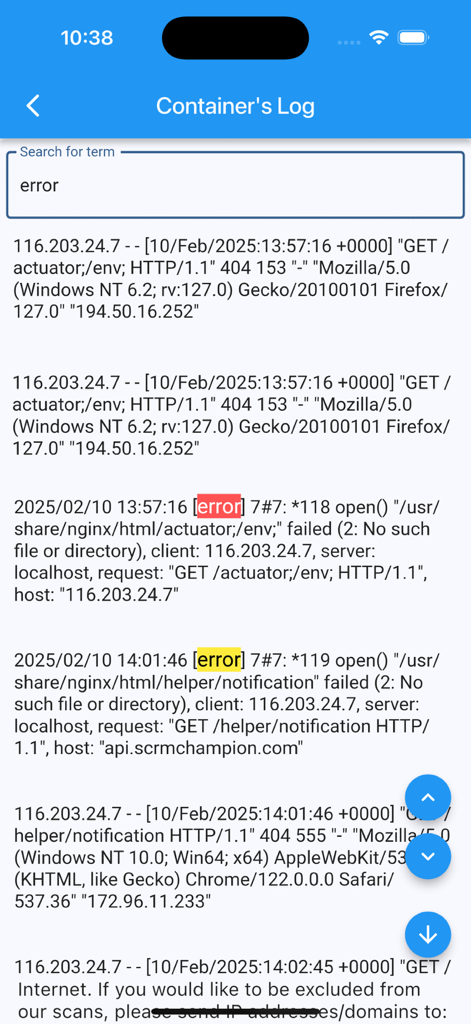
단어 'error'에 대한 검색 후 강조 표시된 오류 메시지와 함께 컨테이너 로그를 보여주는 Docker Management 앱의 인터페이스

단어 'error'에 대한 검색 후 강조 표시된 오류 메시지와 함께 컨테이너 로그를 보여주는 Docker Management 앱의 인터페이스

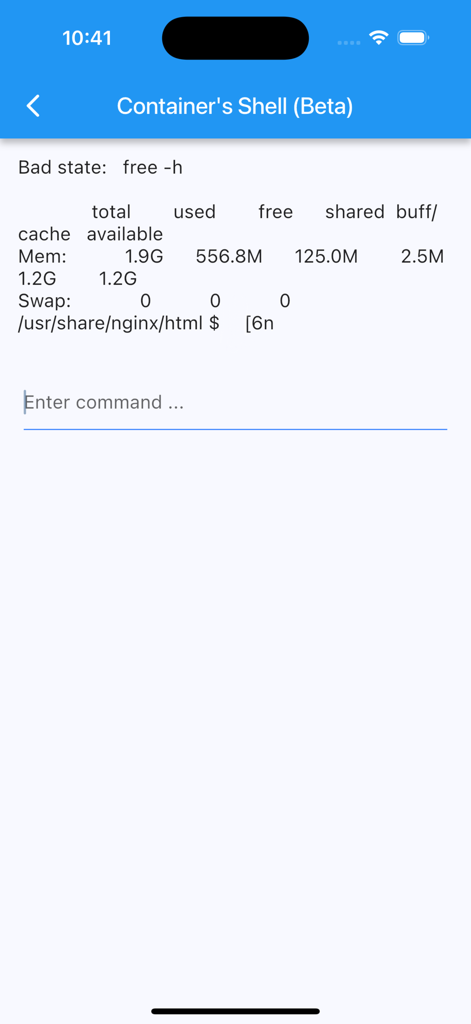
시스템 메모리 사용량과 명령 프롬프트를 보여주는 Docker 컨테이너의 모바일 터미널 인터페이스

시스템 메모리 사용량과 명령 프롬프트를 보여주는 Docker 컨테이너의 모바일 터미널 인터페이스

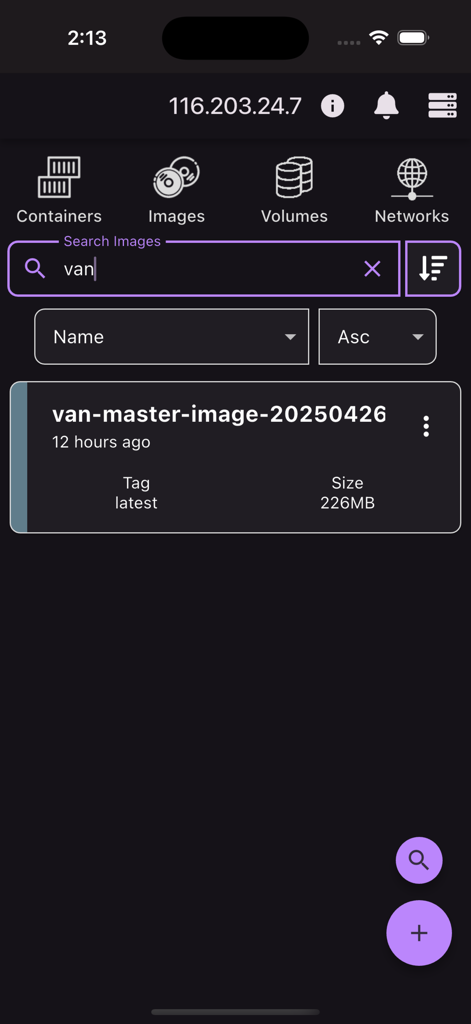
이름, 태그 및 크기 세부 정보를 포함한 Docker 이미지 검색 결과를 보여주는 모바일 앱 인터페이스

이름, 태그 및 크기 세부 정보를 포함한 Docker 이미지 검색 결과를 보여주는 모바일 앱 인터페이스

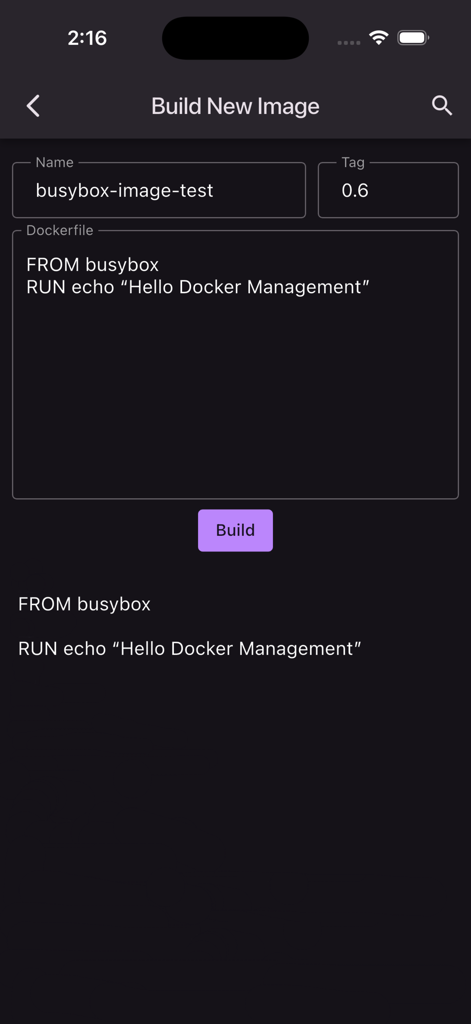
Docker Management 앱에서 Dockerfile을 사용하여 새 Docker 이미지를 빌드하는 인터페이스

Docker Management 앱에서 Dockerfile을 사용하여 새 Docker 이미지를 빌드하는 인터페이스

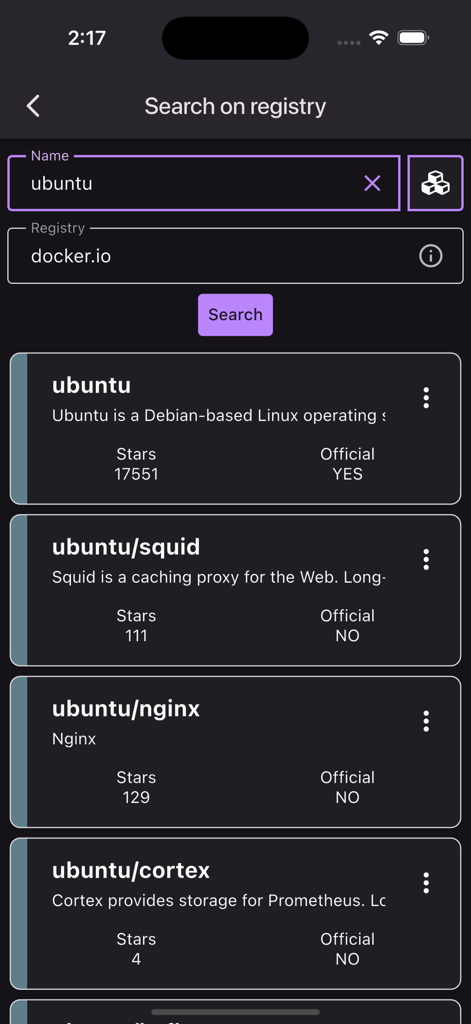
Docker 레지스트리에서 ubuntu 컨테이너 이미지에 대한 검색 결과를 보여주는 모바일 앱 화면

Docker 레지스트리에서 ubuntu 컨테이너 이미지에 대한 검색 결과를 보여주는 모바일 앱 화면

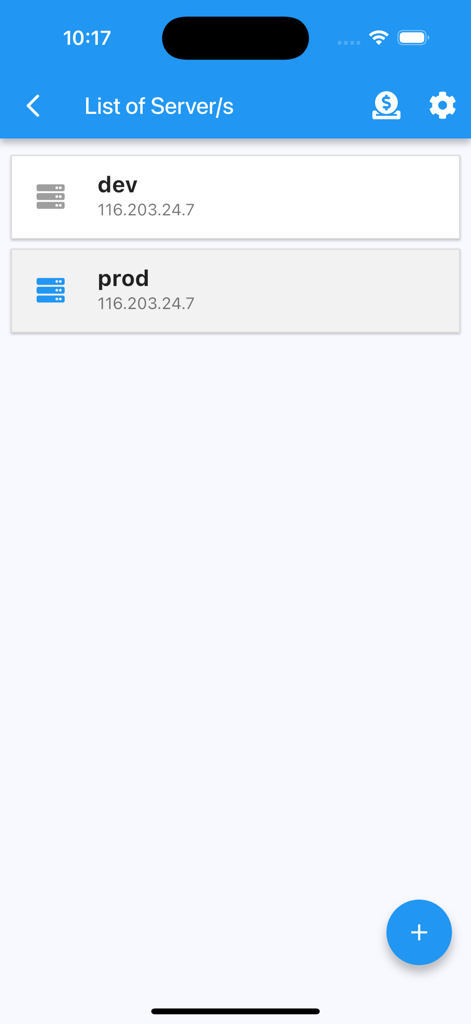
dev 및 prod와 같이 IP 주소가 표시된 서버 목록을 보여주는 Docker Management 앱의 인터페이스

dev 및 prod와 같이 IP 주소가 표시된 서버 목록을 보여주는 Docker Management 앱의 인터페이스

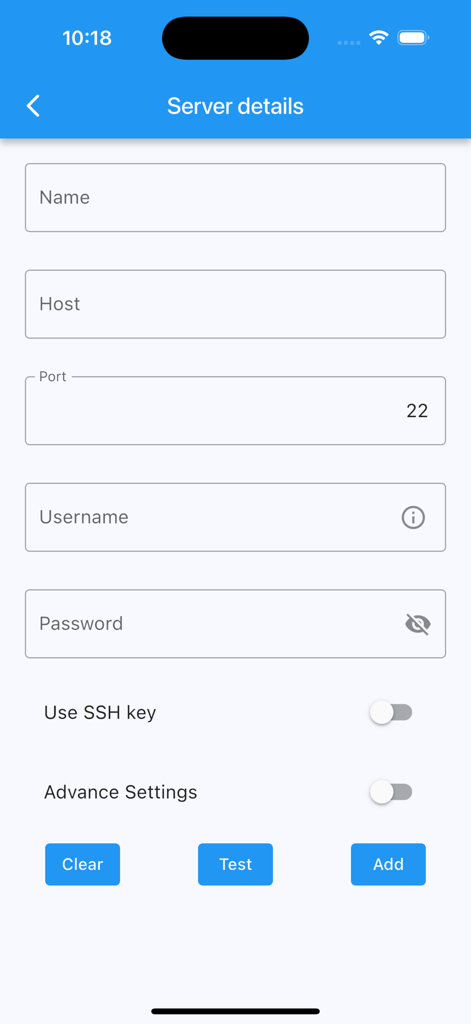
SSH 연결을 위한 호스트 이름, 포트 및 자격 증명을 포함한 서버 세부 정보를 추가하기 위한 양식

SSH 연결을 위한 호스트 이름, 포트 및 자격 증명을 포함한 서버 세부 정보를 추가하기 위한 양식

주머니 속의 당신의 인프라

이 앱을 돋보이게 하는 도구, 59K+ 명의 사용자가 선택.

🛡️

개인 정보 보호 우선 보안

암호 또는 키를 사용하여 SSH로 연결하세요. Docker API 노출이 필요 없으며 민감한 서버 자격 증명은 기기를 벗어나지 않습니다.

🔔

실시간 이벤트 알림

자리를 비울 때에도 컨테이너 충돌, 생성 또는 삭제에 대한 사용자 지정 푸시 알림으로 다운타임을 미리 방지하세요.

전체 수명 주기 관리

컨테이너 시작, 중지, 다시 시작, 실시간 로그 보기, 시스템 리소스 정리 등을 탭 한 번으로 수행하세요. 모바일 화면에서 복잡한 터미널 명령이 필요 없습니다.

앱 소개

에 대해 알아야 할 모든 것 Docker Management.

설명

Receive notifications of docker events such as "start,create,delete,tag etc" of "container/image/volume/network" directly to your mobile. Connect via ssh to your Linux/MacOS machine to monitor/manage your docker. This application allows you to: - add multiple servers - connect through password or ssh key - receive notifications on docker events - ability to customize notification triggers - select events to be notified - choose what to exclude/include - pick a silence window (to not receive notifications) - list containers - create containers - start containers (multiple at once) - stop containers (multiple at once) - restart containers (multiple at once) - remove containers (multiple at once) - inspect containers - view resource usage of containers - view logs of containers (real time) - search on logs of containers - enter shell of containers - list images - build images - search images on registries - pull images (also from private registries) - remove images (multiple at once) - inspect images - list volumes - remove volumes (multiple at once) - inspect volumes - list networks - remove networks (multiple at once) - inspect networks Features - Server info is stored on phone only (the data is wiped out once the app is removed) - Receive notifications on docker events - Run "docker system prune" to clean up unnecessary resources NOTE No docker daemon or docker api is required to be enabled for this app, simply connect via ssh. It is strongly recommended NOT to open unnecessary ports on your server (such as enabling docker daemon) as it can expose your server to more security threads. Q/A Q: Why I can not connect with non-root users? A: The docker commands are executed by the app without "sudo" so you will need to add your non-root user to the docker group with the following command: sudo usermod -aG docker $USER sudo reboot Q: How to connect to Docker Desktop on MacOS? A: On MacOS, enable 'Remote Login' and if using non-root user, add user to the docker group. Q: How to connect to Synology server? A: If using non-root user, then add user to docker group on your server: sudo synogroup --add docker sudo synogroup --memberadd docker $USER sudo chown root:docker /var/run/docker.sock Q: How to connect to QNAP server? A: If non-root user, then add user to docker group on your server: sudo addgroup $USER administrators Terms of Use (EULA) - https://www.apple.com/legal/internet-services/itunes/dev/stdeula/ Found a bug? Send an email to: nevis.applications@gmail.com

최신 버전

5.9.1

크기

49.4 MB

출시일

2021년 8월 28일

주머니 속의 당신의 인프라

59,000명 이상의 DevOps 전문가 및 홈랩 애호가와 함께하세요. Docker 데몬을 노출할 필요 없이 SSH를 통해 컨테이너, 이미지 및 볼륨을 안전하게 관리하세요.

다운로드: App Store

App information, icons, screenshots, and descriptions displayed on this page are sourced from the Apple App Store and are the property of their respective developers. Download estimates and rankings are based on MWM's proprietary models and may not reflect actual figures. This page is provided for informational and analytical purposes only.

Believe this page infringes your intellectual property? File a dispute