Epson Print Layout

Epson Print Layout

다운로드: App Store
로고: Epson Print Layout

Epson Print Layout: 모든 갤러리 품질 인쇄를 위한 전문가 수준의 정밀함

감각 있는 사진 작가 및 디지털 아티스트를 위해 설계된 고급 색상 관리, ICC 프로파일 지원, 고품질 미리 보기로 모바일 워크플로를 향상시키세요.

개발사

Seiko Epson Corporation

카테고리

Photo & Video

다운로드

47K+

사용자 평점

4.5/5

총 평가 수

5K+

지원 언어

45

모든 픽셀의 정밀함

이 인터페이스를 사용하는 47K+ 명의 사용자.

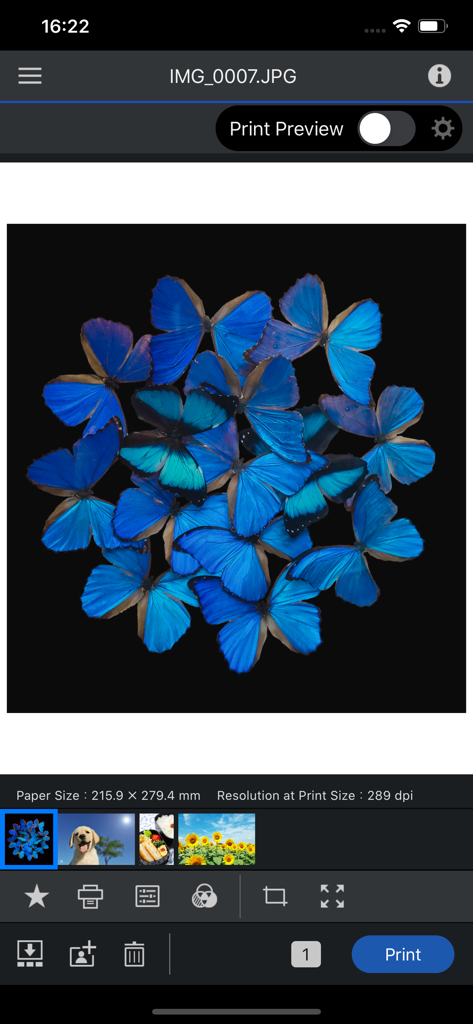
Epson Print Layout 앱 인터페이스에 전문적인 인쇄 설정 및 미리 보기 옵션과 함께 나비 사진이 표시됩니다.

Epson Print Layout 앱 인터페이스에 전문적인 인쇄 설정 및 미리 보기 옵션과 함께 나비 사진이 표시됩니다.

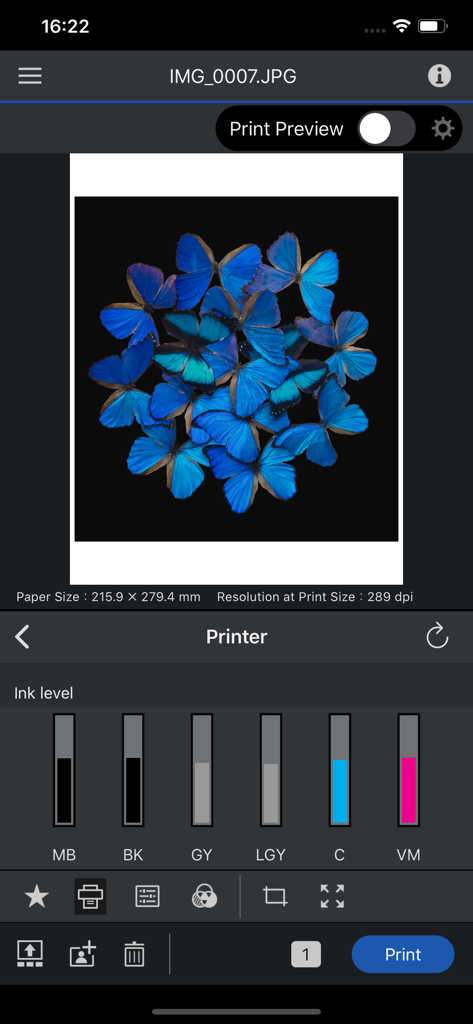
Epson Print Layout 앱의 인터페이스에 사진 미리 보기와 프린터 잉크 수준이 표시됩니다.

Epson Print Layout 앱의 인터페이스에 사진 미리 보기와 프린터 잉크 수준이 표시됩니다.

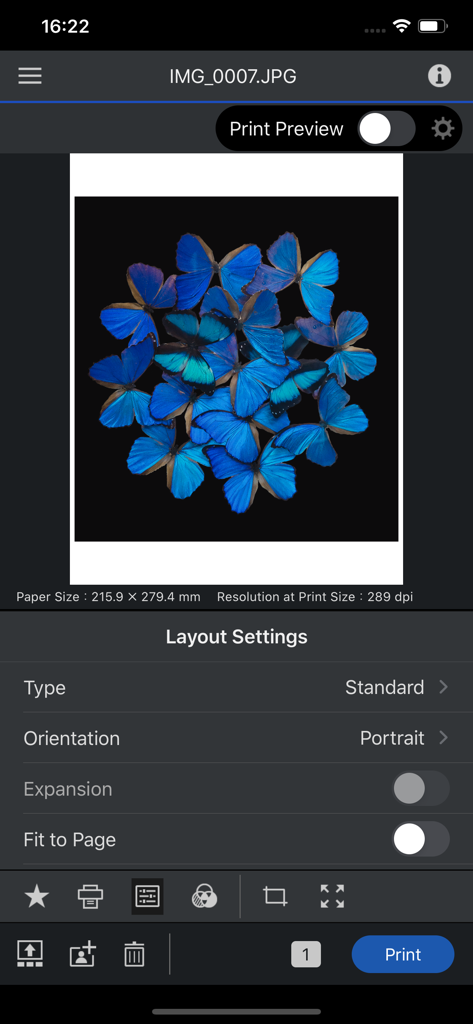
Epson Print Layout 모바일 인터페이스에 파란 나비 사진과 레이아웃 및 인쇄 설정이 표시됩니다.

Epson Print Layout 모바일 인터페이스에 파란 나비 사진과 레이아웃 및 인쇄 설정이 표시됩니다.

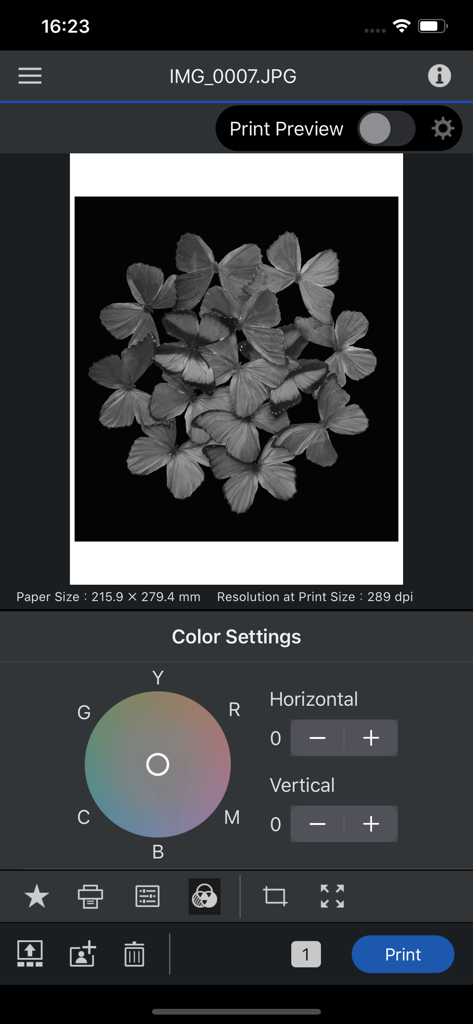
Epson Print Layout 앱 인터페이스에 나비 사진의 흑백 색상환 설정이 표시됩니다.

Epson Print Layout 앱 인터페이스에 나비 사진의 흑백 색상환 설정이 표시됩니다.

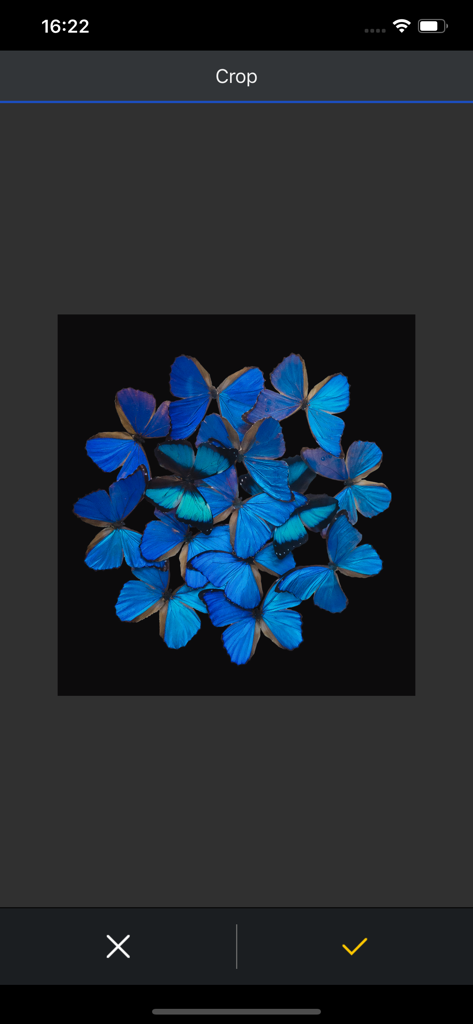
Epson Print Layout 앱 자르기 도구에 검은색 배경 위에 선명한 파란 나비 배열이 표시됩니다.

Epson Print Layout 앱 자르기 도구에 검은색 배경 위에 선명한 파란 나비 배열이 표시됩니다.

정밀하게 처리된 갤러리 품질 결과

이 앱을 돋보이게 하는 도구, 47K+ 명의 사용자가 선택.

🎯

전문가 수준의 색상 정확도

전체 ICC 프로파일 지원 및 회색조 모드를 활용하여 실제 인쇄물이 디지털 비전과 정확히 일치하도록 보장하세요.

🖼️

정밀한 레이아웃 제어

실시간 미리 보기를 통해 크기 조정, 자르기, 방향 설정을 사용자 지정하고 주변광을 시뮬레이션하여 완벽한 전시 결과를 얻으세요.

원활한 모바일 워크플로

데스크톱은 잊으세요. SC-P 또는 EcoTank 시리즈 프린터에 무선으로 연결하고 iPad에서 직접 스튜디오 출력을 관리하세요.

앱 소개

에 대해 알아야 할 모든 것 Epson Print Layout.

설명

Epson Print Layout is a high-quality print application for Epson printers from iPhone/iPad. Featuring convenient functions such as image layout, color setting, preview, etc., allows smooth printing. The following printers can be used with this application. SC-P700, SC-P900, ET-8500, ET-8550, L8160, L8180, SC-P5300 If you are using a printer other than the above, use Epson Smart Panel. [Main Functions] ≪Search/connect printer≫ - You can search for and connect to Epson printers in Wi-Fi networks to which your device is connected. ≪Printing≫ - You can select photos and retouched images from your tablet for easy printing. ≪Layout setting≫ - You can change the paper orientation, arrange and size images, and crop images. ≪Color setting≫ - The color type "ICC Profile" allows you to print using a paper profile. - You can also print grayscale and monochrome photographs. ≪Print preview≫ - You can preview your photos to take into account the ambient light they are displayed in. (Color temperature setting of ambient light does not affect printing results) ≪Management≫ - You can check the status of the connected printer and check the remaining quantity. ≪Troubleshooting≫ - You can check the manual from the system menu. 1. Epson Print Layout 앱 다운로드 및 호환되는 스마트 장치가 필요합니다. 데이터 사용 요금이 적용될 수 있습니다. 자세한 내용은 www.epson.com을 방문하여 지원을 받으십시오. [앱 접근권한] 서비스 제공을 위해 다음과 같은 접근권한을 필요로 합니다. [필수] 위치 획득 권한 사용할 프린터를 식별해서 접속하기 위한 목적 [필수] 사진 및 동영상 저장된 파일의 인쇄 및 스캔을 위한 목적 [선택] 카메라 카메라로 촬영한 이미지를 인쇄하기 위한 목적 [필수] 로컬 네트워크 사용하는 프린터와 통신하기 위한 목적 * 선택 접근 권한은 동의하지 않아도 앱을 사용하실 수 있습니다. * 선택 접근 권한 미동의시 서비스 일부 기능의 정상적인 이용이 어려울 수 있습니다.

최신 버전

1.7.4

크기

175.0 MB

출시일

2020년 4월 23일

걸작을 인쇄할 준비가 되셨나요?

이동 중에도 전문가 수준의 색상 정확도와 완벽한 레이아웃 제어를 경험하세요. Epson Print Layout을 다운로드하고 모바일 워크플로를 갤러리 품질 스튜디오로 전환하세요.

다운로드: App Store

App information, icons, screenshots, and descriptions displayed on this page are sourced from the Apple App Store and are the property of their respective developers. Download estimates and rankings are based on MWM's proprietary models and may not reflect actual figures. This page is provided for informational and analytical purposes only.

Believe this page infringes your intellectual property? File a dispute