eSign: Fill and Sign Documents

eSign: Fill and Sign Documents

다운로드: App Store
로고: eSign: Fill and Sign Documents

eSign: 서류 작성 및 서명 – 로그인, 구독 불필요

모바일 기기에서 PDF를 스캔, 작성, 서명하는 가장 빠른 방법. 월별 수수료나 계정 등록 없이 몇 초 만에 전문가 수준의 결과물을 얻을 수 있습니다.

다운로드: App Store

개발사

Babacan BURAK

카테고리

Utilities

다운로드

16K+

사용자 평점

4.5/5

총 평가 수

0

지원 언어

7

실행 중인 모바일 오피스

이 인터페이스를 사용하는 16K+ 명의 사용자.

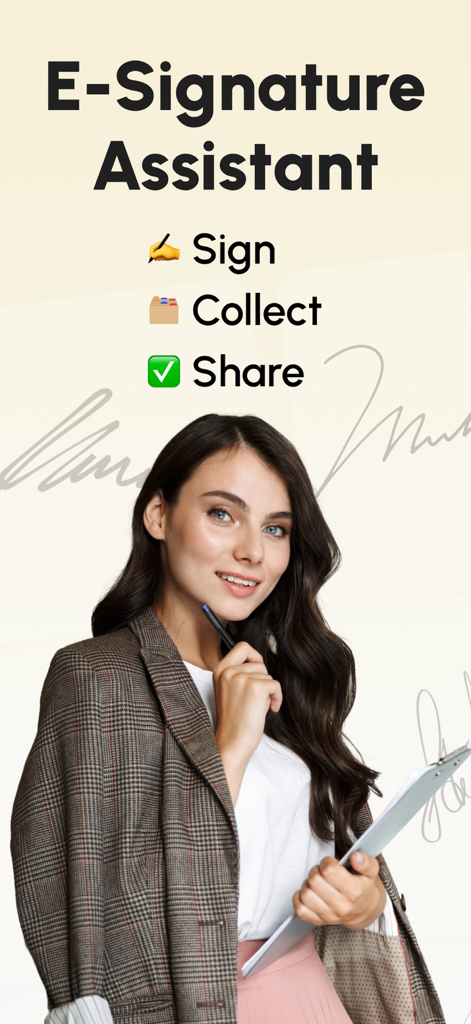
E-Signature Assistant 앱 화면, 전문적인 여성과 서명, 수집, 공유 문서 옵션 표시

E-Signature Assistant 앱 화면, 전문적인 여성과 서명, 수집, 공유 문서 옵션 표시

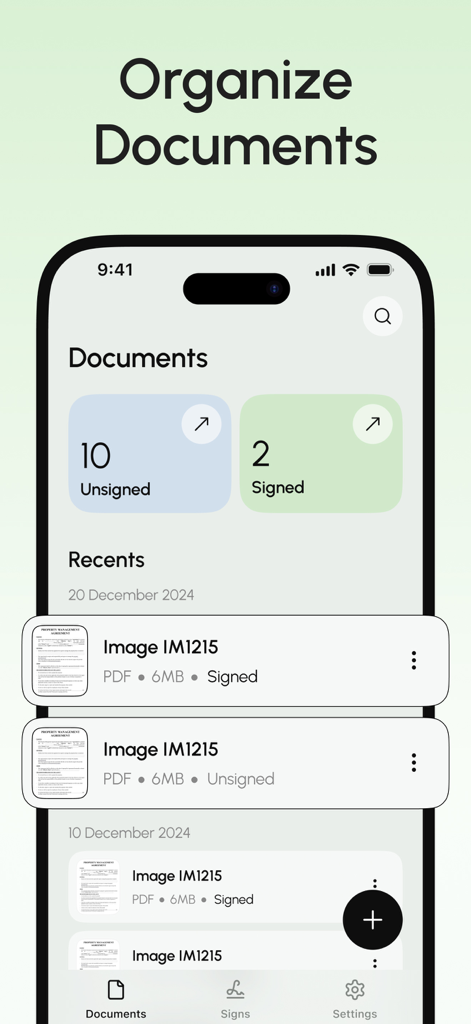
eSign 앱의 문서 관리 인터페이스, 서명된 PDF 파일 및 서명되지 않은 PDF 파일 목록 표시

eSign 앱의 문서 관리 인터페이스, 서명된 PDF 파일 및 서명되지 않은 PDF 파일 목록 표시

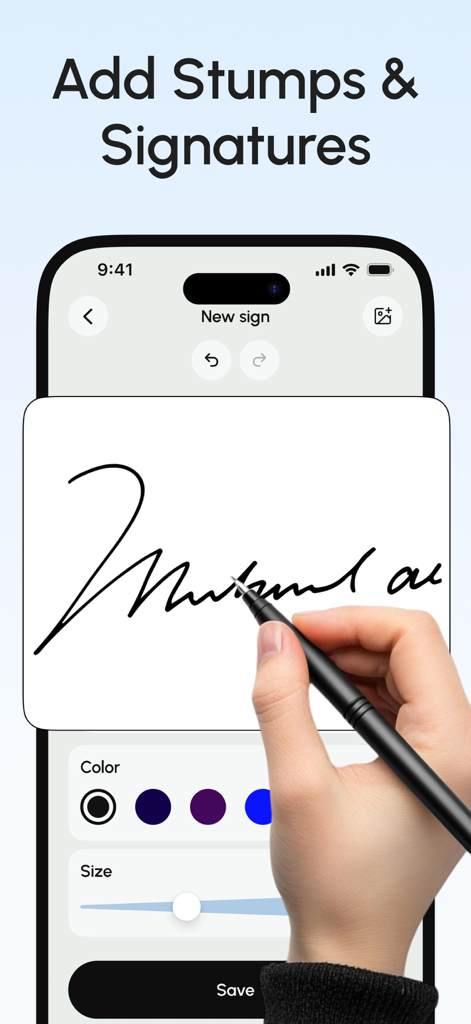
eSign 앱을 사용하여 iPhone에서 스타일러스로 디지털 서명을 그리고 있는 사용자

eSign 앱을 사용하여 iPhone에서 스타일러스로 디지털 서명을 그리고 있는 사용자

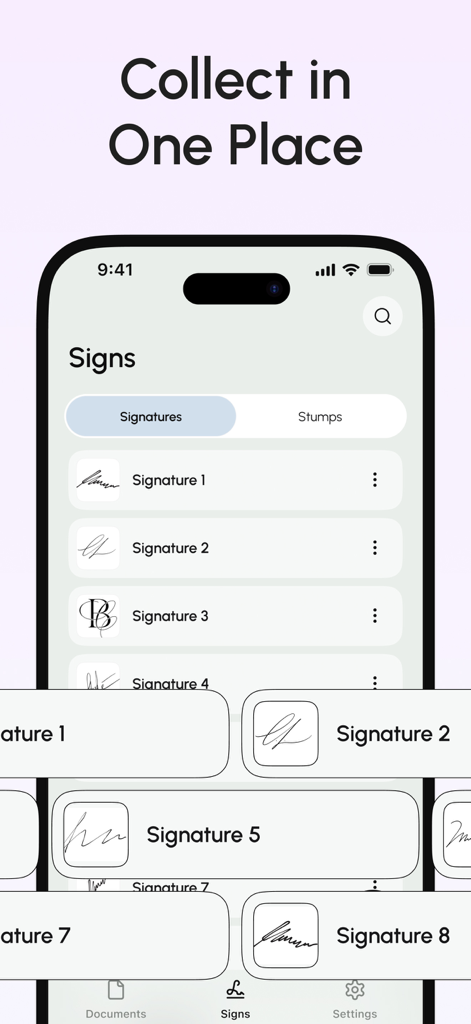
모바일 앱 화면에 쉬운 문서 서명을 위해 한곳에 정리된 여러 개의 저장된 디지털 서명이 표시됨

모바일 앱 화면에 쉬운 문서 서명을 위해 한곳에 정리된 여러 개의 저장된 디지털 서명이 표시됨

번거로움 없는 전문가급 문서 도구

이 앱을 돋보이게 하는 도구, 16K+ 명의 사용자가 선택.

💸

구독료 제로

구독 경제에서 벗어나세요. 월별 요금, 숨겨진 비용, 또는 또 다른 계정 생성 없이 서류에 서명하고 전송하세요.

✍️

실감 나는 디지털 서명

손가락이나 스타일러스로 서명하여 전문적인 느낌을 유지하거나, 실제 펜으로 종이에 그린 서명을 캡처하여 디지털 문서에 삽입하세요.

📱

모바일 오피스 스위트

내장 스캐너로 모든 실제 페이지를 전문가 수준의 PDF로 변환하고, 양식을 작성하고, Google Drive 또는 Dropbox에서 파일을 즉시 가져오세요.

앱 소개

에 대해 알아야 할 모든 것 eSign: Fill and Sign Documents.

설명

Easily sign and send documents with Scan, eSign & Fill Documents, all at your fingertips. It’s the simplest solution for your business needs, without any login or registration, and no expensive subscription charges. You can easily scan a document using your device’s camera, fill your documents within the app, and add your real signature with your finger or using a stylus. If you prefer a pen-drawn signature, you can simply sign on paper, capture a photo, and insert it into your document. Import and prepare your document entirely on your device and share it instantly. KEY FEATURES: SCAN: Quickly create a PDF scan from your camera within the app and digitize your paper documents. FILL: Fill out documents and forms with multiple options for adding Text, Checkmarks, Date, Images, QR Code, and more. SIGN: Sign realistically with hand-drawn signatures or add Initials within the app and digitally sign your documents. IMPORT: Import documents from Dropbox, OneDrive, Google Drive, iTunes Share, URL, and through other apps with “Open In” functionality. ATTACH DOCUMENTS: Attach any document at the end of your ready PDF and send it wherever you like. PRINT: You may even print your documents directly from your device and handle paperwork efficiently. Privacy Policy: https://telegra.ph/Privacy-Policy-03-04-99 Terms of use: https://telegra.ph/Terms-of-Use-03-04-2

최신 버전

1.0.1

크기

30.2 MB

출시일

2025년 3월 24일

몇 초 만에 서명 및 전송 – 구독 불필요

월별 요금제와 계정 가입을 중단하세요. 수천 명의 사용자와 함께 개인 정보 보호를 지키면서 eSign으로 서류를 즉시 스캔, 작성, 서명하세요.

다운로드: App Store

App information, icons, screenshots, and descriptions displayed on this page are sourced from the Apple App Store and are the property of their respective developers. Download estimates and rankings are based on MWM's proprietary models and may not reflect actual figures. This page is provided for informational and analytical purposes only.

Believe this page infringes your intellectual property? File a dispute