전문가, 학생, 크리에이터를 위한 가장 직관적인 모바일 우선 대시보드 및 차트 제작기. 강력한 드래그 앤 드롭 편집기로 몇 분 안에 아름답고 프레젠테이션 준비가 된 시각 자료와 깊은 데이터 통찰력을 만드세요.
개발사
朝勇 陈
카테고리
Graphics & Design
다운로드
99K+
사용자 평점
4.7/5
총 평가 수
700
지원 언어
7
데이터, 아름답게 시각화됨
이 인터페이스를 사용하는 99K+ 명의 사용자.
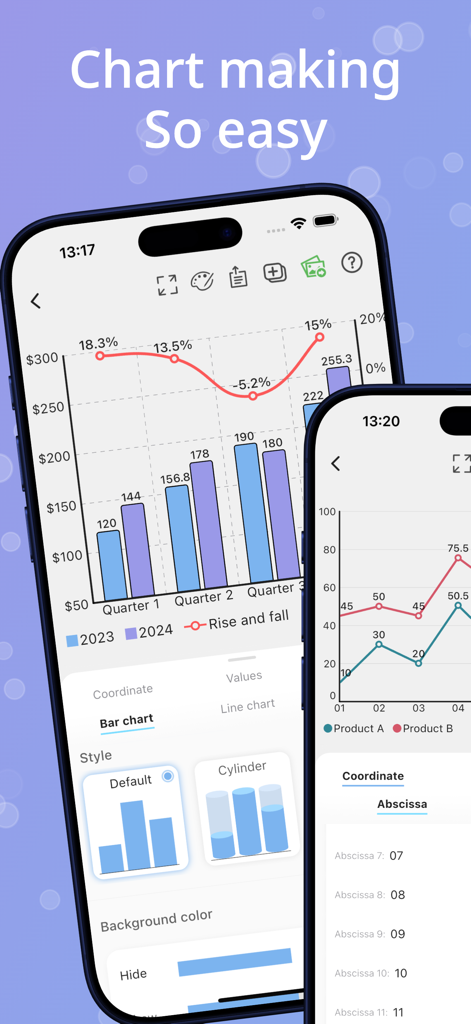
데이터 시각화 도구가 있는 사용자 정의 가능한 막대 및 선 차트를 보여주는 iPhone의 Fast Chart 앱 인터페이스.
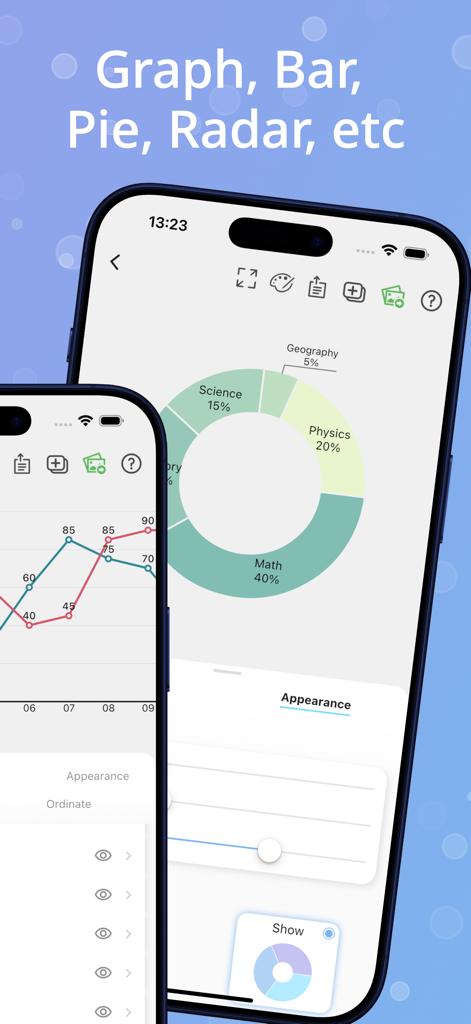
데이터 시각화를 위한 도넛 차트와 선 그래프를 보여주는 모바일 앱 화면
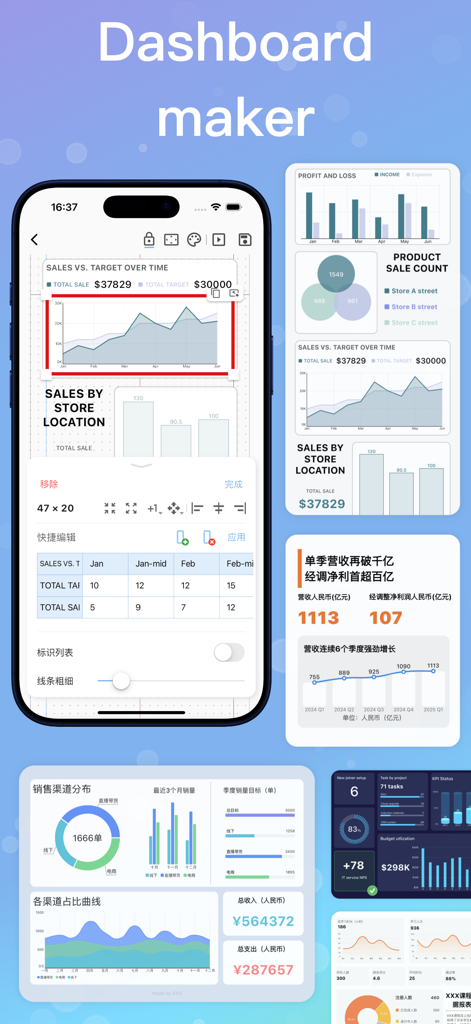
모바일 장치에서 다양한 비즈니스 차트 및 데이터 시각화 도구가 있는 대시보드 제작자를 보여주는 Fast Chart 앱 인터페이스.
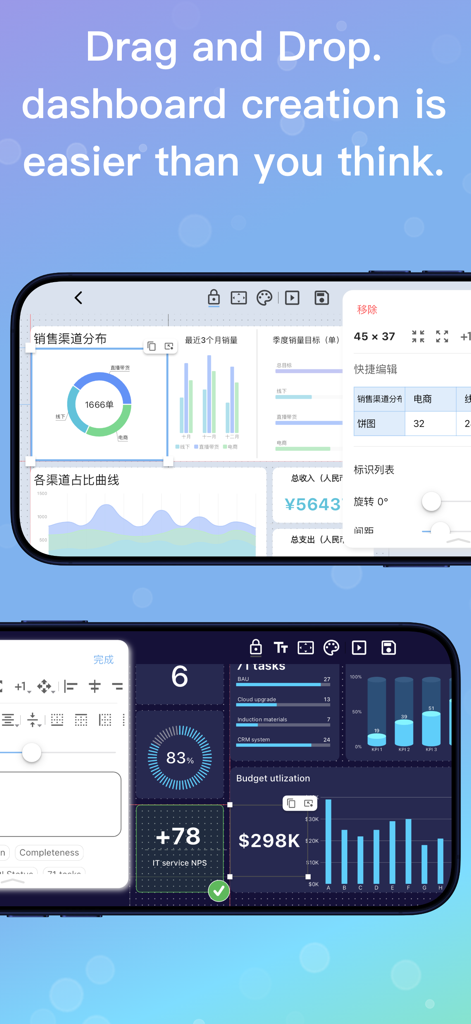
다양한 데이터 차트와 위젯을 사용하여 드래그 앤 드롭 대시보드 생성을 보여주는 모바일 앱 인터페이스.
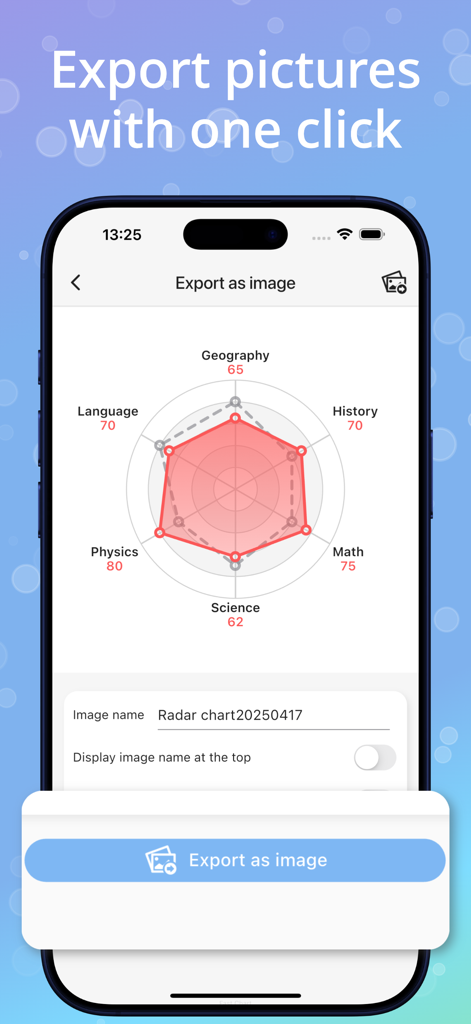
iPhone 화면에 표시되는 학업 점수가 있는 레이더 차트를 보여주는 Fast Chart 앱으로, 이미지를 내보내는 버튼이 있습니다.
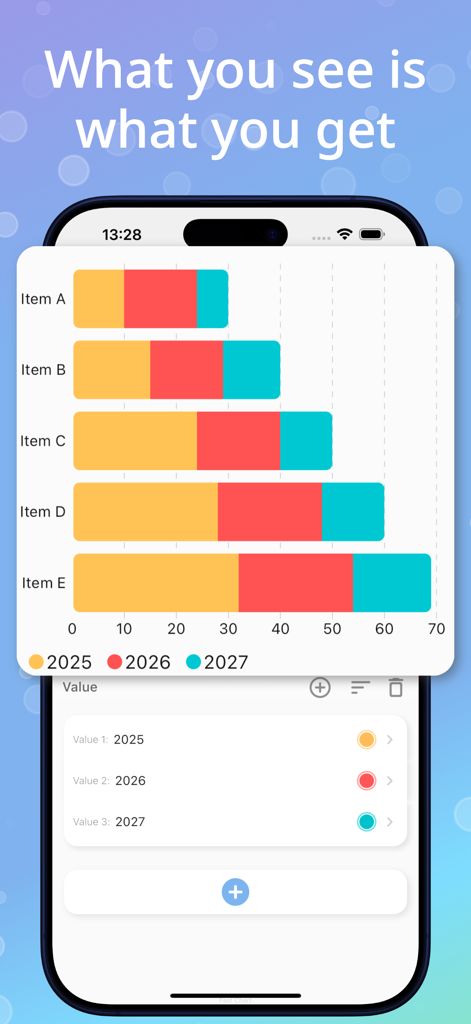
WYSIWYG 편집기가 있는 화려한 스택 가로 막대 차트를 표시하는 모바일 앱 인터페이스.
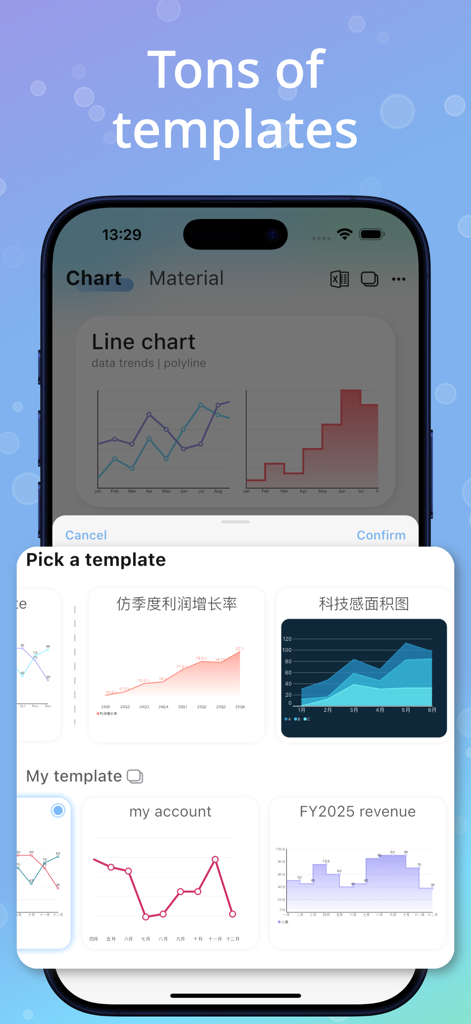
다양한 선 및 영역 차트 옵션이 있는 Fast Chart의 템플릿 선택 메뉴를 보여주는 휴대폰 화면.
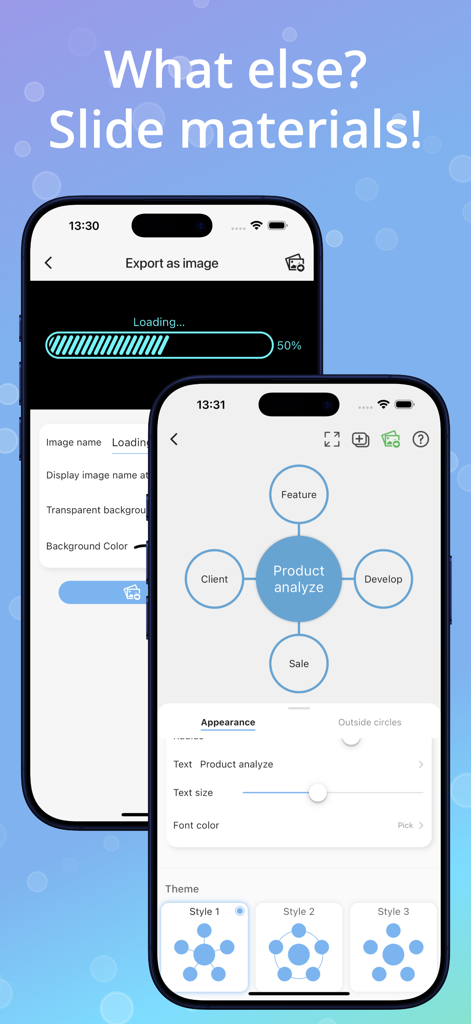
제품 분석 원형 다이어그램과 이미지 내보내기 로딩 화면을 표시하는 Fast Chart 앱의 모바일 인터페이스.
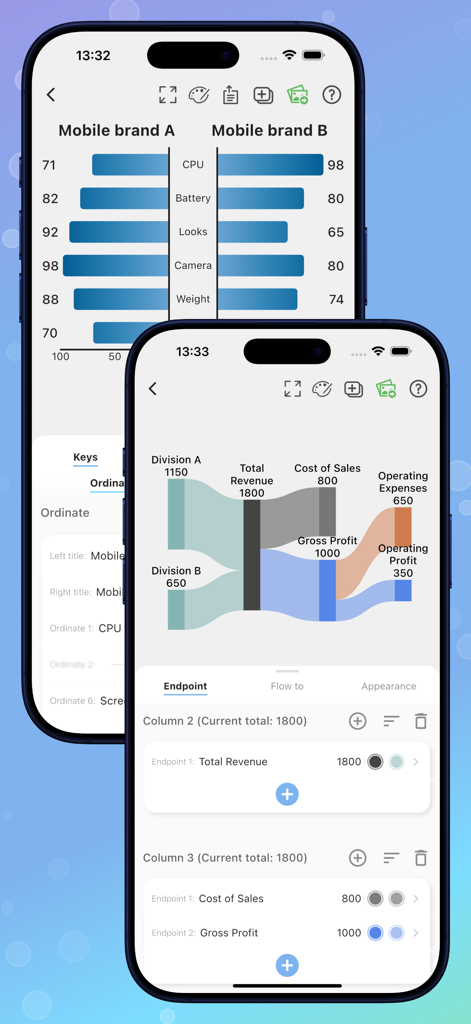
두 개의 iPhone에서 나비형 차트와 Sankey 다이어그램을 보여주는 Fast Chart 앱 인터페이스.
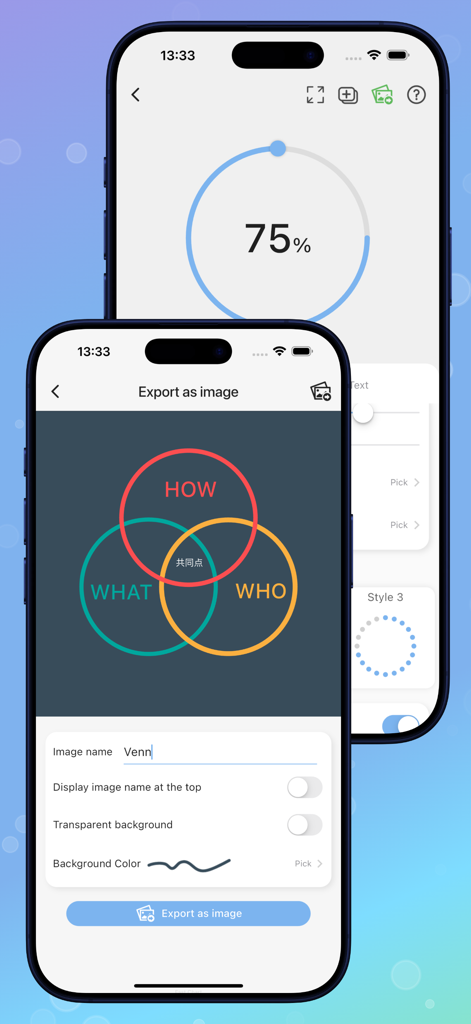
iPhone의 Fast Chart 앱에서 사용자 정의 벤 다이어그램을 내보내는 중.
전문적인 정확도로 데이터를 시각화하세요
이 앱을 돋보이게 하는 도구, 99K+ 명의 사용자가 선택.
🚀
몇 초 만에 손쉬운 차트 제작
데스크톱 소프트웨어의 복잡한 수식은 건너뛰세요. 직관적인 WYSIWYG 편집기로 데이터를 가져오거나 수동으로 입력하여 프레젠테이션 준비가 된 그래픽을 즉시 생성하세요.
📊
고급 시각적 라이브러리
기본 막대 그래프 이상으로 나아가세요. Sankey, Funnel, Radar를 포함한 20개 이상의 전문 차트 유형에 액세스하여 연구 또는 비즈니스 데이터의 깊이를 완벽하게 맞추세요.
🧩
드래그 앤 드롭 대시보드
여러 차트와 진행률 위젯을 결합하여 완전한 스토리를 구축하세요. 모바일 우선 캔버스를 통해 간단한 제스처로 포괄적인 성능 개요를 만들 수 있습니다.
앱 소개
에 대해 알아야 할 모든 것 Fast Chart - Chart maker plus.
설명
Effortlessly create beautiful charts and insightful dashboards right from your phone. Fast Chart is the all-in-one tool that makes professional data visualization simple and accessible for everyone.
Whether you need a quick chart for a report or a comprehensive dashboard to track your goals, our intuitive platform is designed for clarity and power, helping you turn raw data into a compelling visual story.
1. CREATE STUNNING CHARTS WITH EASE
This is the heart of your data storytelling. Our app simplifies the process of creating professional, single-chart visuals.
Rich Chart Library: Choose from over a dozen types, including Pie, Bar, Line, Radar, and even advanced charts like Sankey and Funnel to perfectly match your data.
Deep Customization: Easily modify colors, fonts, and labels to align with your brand or personal style. The "what you see is what you get" editor ensures your vision comes to life perfectly.
Instant Creation: Simply import your data or enter it manually, and watch as Fast Chart instantly transforms your numbers into a polished, presentation-ready graphic.
2. BUILD COMPREHENSIVE DASHBOARDS
Go one step further by weaving your charts into a complete overview. The Dashboard maker is your canvas for telling the bigger picture.
Drag-and-Drop Interface: Intuitively combine multiple charts, text boxes, and progress widgets. Arranging your layout is as simple as moving cards around on a screen.
Tell a Complete Story: Perfect for business reports, performance tracking, or academic summaries. Present all your key data points in a single, shareable, and easy-to-understand view.
Professional Templates: Use our beautifully designed background cards to give your dashboards a polished, professional look with zero design effort.
YOUR VISUALS, FOR ANY PURPOSE
Fast Chart is a versatile tool used across countless fields for its power and simplicity:
Business Reports & Financial Summaries
Academic Thesis & Research Illustrations
Government & Public Service Infographics
Student Performance & Grade Statistics
E-commerce Sales & Product Analysis
Personal Fitness & Goal Tracking Records
And so much more!
Full List of Supported Charts & Widgets:
(Charts): Pie, Line, Area, Bar, Column, Stacked Bar, Histogram, Radar, Scatter, Funnel, Butterfly, Sankey, Combination (Line + Bar).
(Dashboard Widgets): Venn Diagrams, KPI Indicators, Progress Bars (Line, Circle, Wave), Pyramids, Rating Widgets, Structure Diagrams, Customizable Cards.
[Terms of Use]
https://www.apple.com/legal/internet-services/itunes/dev/stdeula/
[Privacy Policy]
https://www.privacypolicies.com/live/c9f1fdb4-1f3f-46bc-8e7e-5e1c05444926
최신 버전
4.2.1
크기
52.2 MB
출시일
2022년 2월 23일
데이터를 영향력으로 전환할 준비가 되셨나요?
초당 전문 차트와 대시보드를 만드는 99,000명 이상의 사용자와 함께하세요. 지금 Fast Chart를 다운로드하고 iPhone, iPad, Mac에서 시각적 스토리를 만들기 시작하세요.
App information, icons, screenshots, and descriptions displayed on this page are sourced from the Apple App Store and are the property of their respective developers. Download estimates and rankings are based on MWM's proprietary models and may not reflect actual figures. This page is provided for informational and analytical purposes only.
Believe this page infringes your intellectual property? File a dispute