FAX from iPhone: Fax App

FAX from iPhone: Fax App

다운로드: App Store
로고: FAX from iPhone: Fax App

iPhone에서 팩스: 안전한 휴대용 팩스 기기

사무용품점에 갈 필요가 없습니다. 실시간 추적 및 100% 배달 신뢰성으로 문서를 즉시 스캔, 서명, 발송하세요.

다운로드: App Store

개발사

DevMeApp LLC

카테고리

Business

다운로드

612K+

사용자 평점

4.6/5

총 평가 수

6K+

지원 언어

9

휴대용 팩스 기기

이 인터페이스를 사용하는 612K+ 명의 사용자.

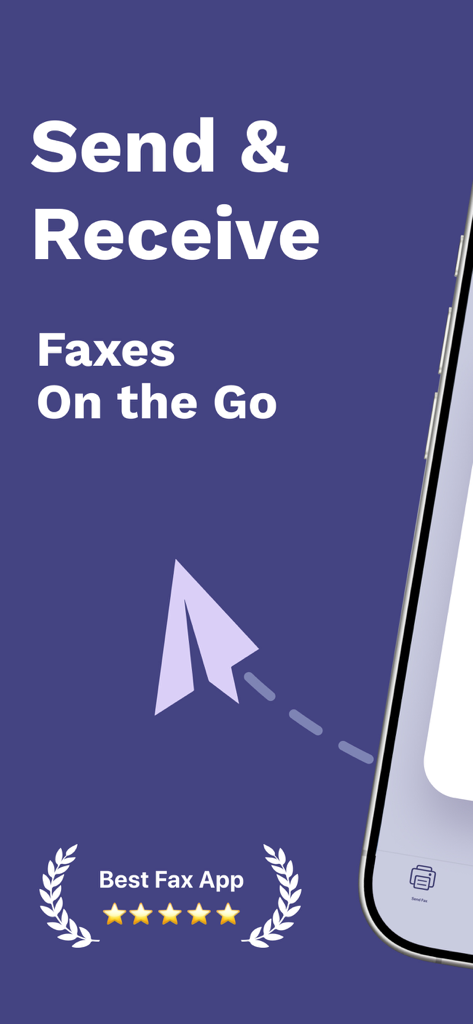
이동 중에 팩스 보내기 및 받기 텍스트와 별 5개 등급이 포함된 모바일 팩스 앱의 홍보 화면

이동 중에 팩스 보내기 및 받기 텍스트와 별 5개 등급이 포함된 모바일 팩스 앱의 홍보 화면

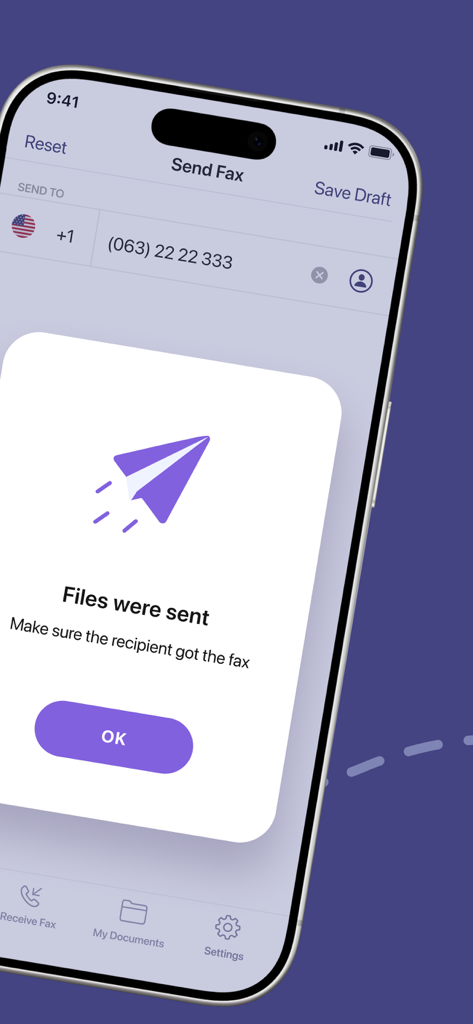
파일이 전송되었다는 텍스트와 함께 성공적인 팩스 전송 확인을 보여주는 모바일 화면

파일이 전송되었다는 텍스트와 함께 성공적인 팩스 전송 확인을 보여주는 모바일 화면

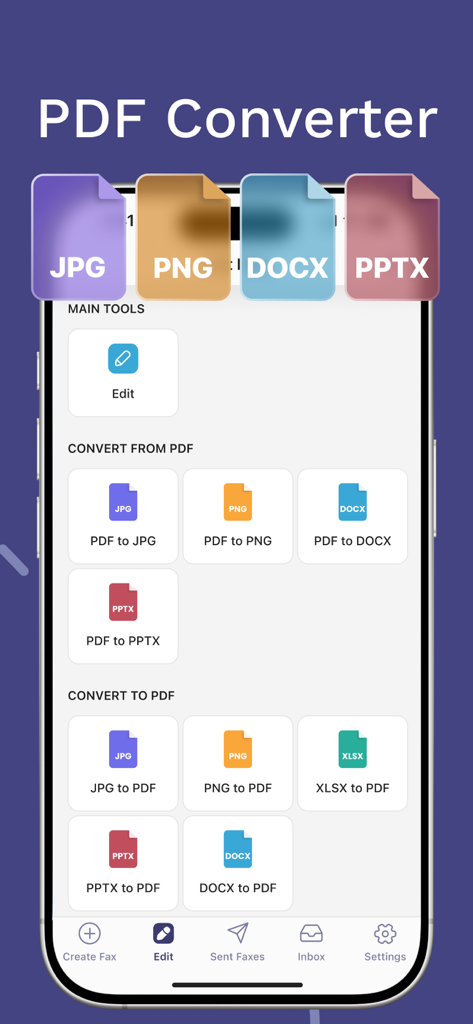
iPhone에서 팩스 모바일 애플리케이션 내에서 다양한 PDF 변환 옵션을 보여주는 인터페이스

iPhone에서 팩스 모바일 애플리케이션 내에서 다양한 PDF 변환 옵션을 보여주는 인터페이스

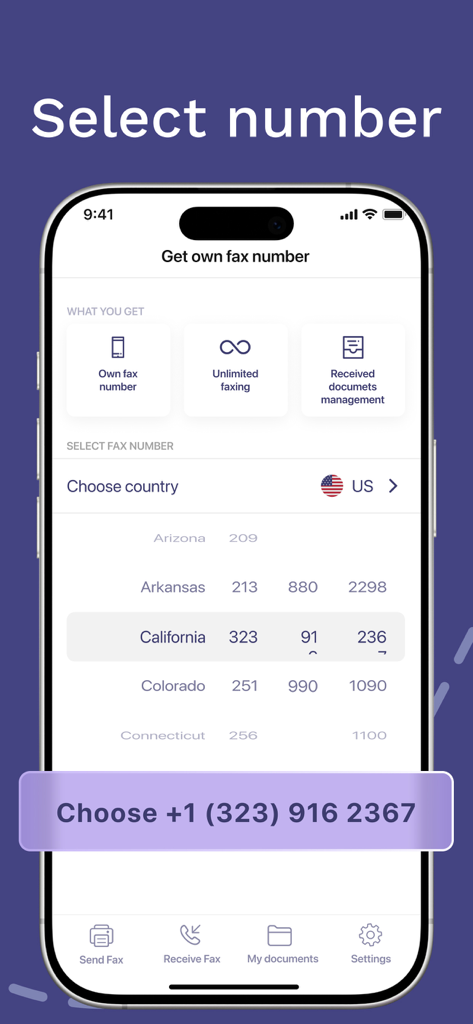
iPhone 팩스 앱에서 주별 개인 팩스 번호를 선택하는 방법을 보여주는 모바일 인터페이스

iPhone 팩스 앱에서 주별 개인 팩스 번호를 선택하는 방법을 보여주는 모바일 인터페이스

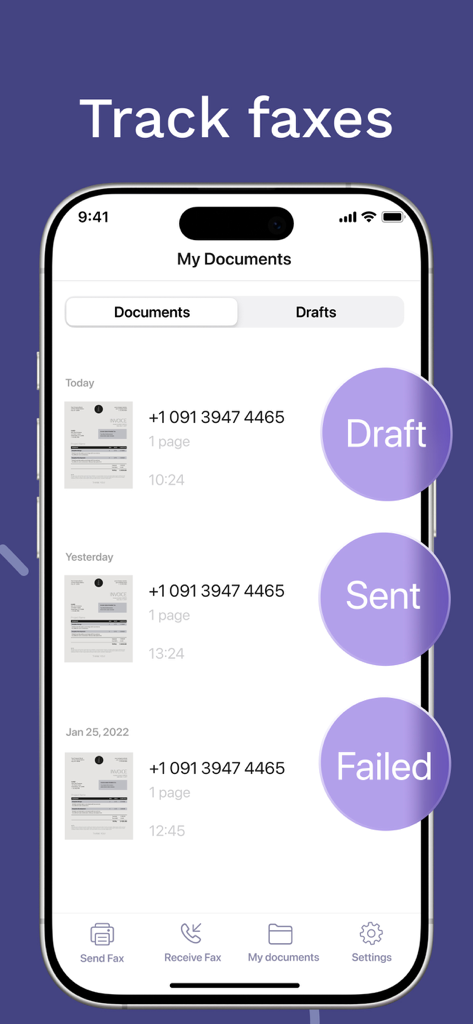
초안, 발송 또는 실패와 같은 상태와 문서 목록을 보여주는 팩스 추적 기능이 있는 iPhone 화면

초안, 발송 또는 실패와 같은 상태와 문서 목록을 보여주는 팩스 추적 기능이 있는 iPhone 화면

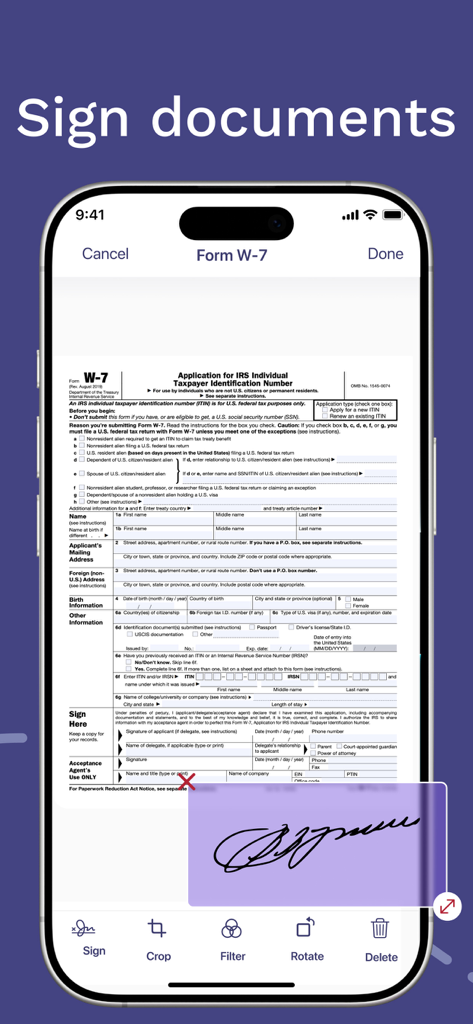
iPhone 앱 인터페이스에 사용자가 IRS 문서에 전자적으로 서명하는 모습

iPhone 앱 인터페이스에 사용자가 IRS 문서에 전자적으로 서명하는 모습

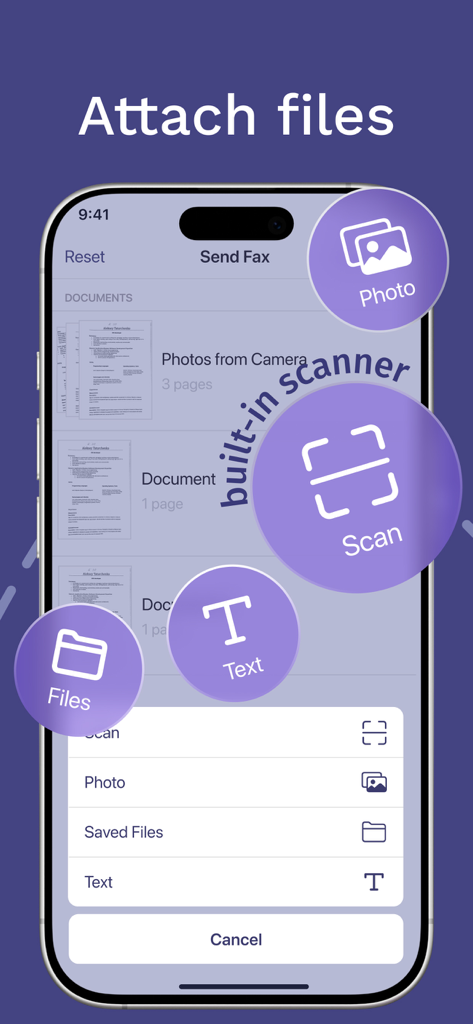
팩스 앱 인터페이스에 파일 첨부 또는 내장 스캐너 사용 옵션 표시

팩스 앱 인터페이스에 파일 첨부 또는 내장 스캐너 사용 옵션 표시

주머니 속 전기능 팩스 기기

이 앱을 돋보이게 하는 도구, 612K+ 명의 사용자가 선택.

✍️

통합 스캐너 및 전자 서명

모든 물리적 문서를 고품질 스캔으로 변환하고 즉시 법적 서명을 추가하세요. 프린터 없이 전체 서류 작업 워크플로를 완료하세요.

📡

실시간 배달 확인

문서가 도착했는지 더 이상 궁금해하지 마세요. 모든 팩스 상태를 실시간으로 추적하고 수신자에게 성공적으로 인쇄되면 즉시 알림을 받으세요.

🔒

보안 및 글로벌 전송

전 세계 어디로든 민감한 법률, 의료 또는 금융 문서를 보내세요. 완전한 개인 정보 보호 및 규정 준수를 보장하기 위해 데이터는 엔터프라이즈급 암호화로 보호됩니다.

앱 소개

에 대해 알아야 할 모든 것 FAX from iPhone: Fax App.

설명

FAX from iPhone: Fax App Sending a fax today is an inconvenient task you face on almost a daily basis: sending paperwork gets really annoying as looking for a fax machine nearby takes much time. But it’s not a problem with a FAX from iPhone — a fax app that works as a powerful tool for sending fax online just from your iPhone. The fax app that makes your life easier Our fax app can become your ultimate solution for online faxes. FAX from iPhone offers such features as: Advanced document scanner. Turn a paper document into a digital one effortlessly. Support of multiple file formats. This fax app supports all common and uncommon file formats to send and receive faxes. Tracking a fax’ status. You can ensure your fax has reached the recipient. Electronic signature feature. If you need an electronic signature for a digital document, it can be easily done with our fax app! Convenient file import. With this fax app, importing files isn’t bothersome at all. Fast fax sending on previously used numbers. No need to enter one and same numbers over and over again as they’ll get saved in your faxing history. Reliable online fax service Sending fax from iPhone is a convenient fax service that is easy to use. With FAX from iPhone you will be able to: Save time. Send fax from iPhone in no time. Just attach the file and enter the recipients number — that’s all! Send faxes from everywhere. You don’t have to run back and forth looking for a fax to send an important document as you have a fax machine in your pocket. Save forests. You don’t have to use paper to send an online fax from iPhone. In such a way, this fax app is not only convenient but also eco-friendly. Secure your personal information. Sending online faxes with our fax app means that your information is encrypted, so nobody can intercept and read it. How to use FAX from iPhone app 1. Create an account. With FAX from iPhone, you can skip this step and start using the app immediately after installation — perfect for when you need to send a fax quickly. 2. Select or scan a document. If the document is already on your iPhone, tap “Add document” to choose from your storage or photo library. You can also pick a previously sent fax, create a new document, or scan a physical one. 3. Enter the fax number. Once your document is ready, simply input the recipient's fax number. This fax app supports worldwide faxing online, so you can send and receive faxes anywhere. 4. Send fax from iPhone. That’s it! Your document will be printed at the recipient’s fax machine. Start sending faxes from iPhone online today FAX from iPhone is a convenient way to send faxes online with no hassle. With user-friendly interface, convenient features, and 100% fax document delivery rate this fax app is your go-to solution. Try it for free right now and forget about fax machine searches once and for all! Subscription details The fax app download and install are free of charge, but certain features are available for premium subscribers only. If you have a premium subscription, please remember that: Your iTunes Account will be charged upon purchase confirmation. Subscriptions auto-renew at least 24 hours before the current period ends but can be turned off in settings. You can manage subscriptions and disable auto-renewal anytime in Account Settings after purchase. Your mobile faxing solution is one click ahead Don’t hesitate to download for free FAX from iPhone app to send faxes online anywhere in a matter of minutes with no fax machine needed! Our fax app offers a convenient and user-friendly fax service that will come in handy every time you need to send an important document but don’t have a fax machine nearby. Privacy Policy: https://fax-app.com/policy/ Terms of Use: https://fax-app.com/terms/ If you have any questions or suggestions, we are always ready to help: support@fax-app.com

최신 버전

1.33.0

크기

134.3 MB

출시일

2021년 6월 11일

휴대용 팩스 기기가 준비되었습니다

서류 작업을 간소화한 600,000명 이상의 전문가 및 주택 소유자와 함께하세요. 지금 다운로드하여 몇 초 안에 문서를 안전하게 스캔, 서명, 발송하세요.

다운로드: App Store
FAQ

자주 묻는 질문

에 대해 알아야 할 모든 것 FAX from iPhone: Fax App

iPhone 팩스 앱은 무엇인가요?

iPhone 팩스 앱을 사용하면 iPhone에서 직접 팩스를 보내고 받을 수 있습니다. 물리적인 팩스 기계 없이 온라인 팩싱을 위한 강력한 도구로 기능합니다.

iPhone 팩스 앱으로 국제 팩스를 보낼 수 있나요?

예, iPhone 팩스 앱은 전 세계 온라인 팩싱을 지원합니다. 사용자는 전 세계 어느 곳에서나 팩스를 보내고 받을 수 있습니다.

iPhone 팩스 앱에 내장 문서 스캐너가 있나요?

예, iPhone 팩스 앱에는 고급 내장 문서 스캐너가 포함되어 있습니다. 종이 문서를 팩싱을 위해 디지털 형식으로 쉽게 변환합니다.

iPhone 팩스는 어떤 종류의 파일을 지원하나요?

iPhone 팩스 앱은 광범위한 일반 및 특수 파일 형식을 지원합니다. 이를 통해 사용자는 다양한 문서 유형을 보내고 받을 수 있습니다.

iPhone 팩스 앱을 사용하여 팩스 상태를 어떻게 추적하나요?

iPhone 팩스 앱은 팩스 상태 추적 기능을 제공합니다. 사용자는 팩스가 수신자에게 도달했는지 확인하기 위해 팩스를 모니터링하며 초안, 전송됨, 실패와 같은 상태를 볼 수 있습니다.

iPhone 팩스가 전자 서명을 허용하나요?

예, iPhone 팩스 앱은 전자 서명 기능을 제공합니다. 사용자는 애플리케이션 내에서 직접 디지털 문서에 쉽게 서명할 수 있습니다.

iPhone 팩스 앱을 사용할 때 개인 정보가 안전한가요?

예, iPhone 팩스 앱은 개인 정보 보안을 보장합니다. 모든 온라인 팩스를 암호화하여 무단 가로채기 또는 읽기를 방지합니다.

iPhone 팩스 앱을 무료로 다운로드하고 설치할 수 있나요?

예, iPhone 팩스 앱은 무료로 다운로드하고 설치할 수 있습니다. 그러나 일부 고급 기능에는 프리미엄 구독이 필요합니다.

iPhone 팩스 앱에서 구독은 어떻게 관리되나요?

iPhone 팩스의 구독은 현재 기간이 종료되기 최소 24시간 전에 취소하지 않으면 자동 갱신됩니다. 사용자는 계정 설정에서 자동 갱신 및 구독을 관리합니다.

iPhone 팩스 앱을 통해 전용 팩스 번호를 얻을 수 있나요?

예, iPhone 팩스 앱은 전용 팩스 번호를 얻을 수 있는 옵션을 제공합니다. 이 기능은 프리미엄 구독자에게 제공됩니다.

iPhone 팩스가 제공하는 PDF 변환 기능은 무엇인가요?

iPhone 팩스 앱에는 PDF 변환기가 포함되어 있습니다. JPG, PNG, DOCX, PPTX와 같은 파일을 PDF로 또는 PDF에서 변환하고 XLSX를 PDF로 변환합니다.

iPhone 팩스가 팩스 배달을 보장하나요?

예, iPhone 팩스는 100% 팩스 문서 배달율을 보장합니다. 이는 앱을 통해 전송된 모든 팩스의 안정적인 전송을 보장합니다.

App information, icons, screenshots, and descriptions displayed on this page are sourced from the Apple App Store and are the property of their respective developers. Download estimates and rankings are based on MWM's proprietary models and may not reflect actual figures. This page is provided for informational and analytical purposes only.

Believe this page infringes your intellectual property? File a dispute