
이 페이지는 앱이나 개발자의 공식 페이지가 아니며, 정보 제공 및 논평을 목적으로 작성된 독립 편집 간행물입니다. 명시적으로 달리 언급되지 않는 한, 해당 앱이나 개발자는 MWM, Apple, Google Play, 앱 퍼블리셔 또는 앱 개발자와 제휴, 보증, 후원, 승인 또는 공식적으로 연결되어 있지 않으며, 이 페이지의 어떤 내용도 해당 앱이 MWM의 서비스를 사용하여 개발되었음을 의미하지 않습니다. 모든 상표, 로고, 스크린샷 및 기타 콘텐츠는 해당 소유자의 자산입니다.


Fax from iPhone - Send Docs
사무실에 갈 필요 없이 어디서든 중요한 서류를 처리하세요. mFax로 몇 초 만에 스캔, 서명, 보안 문서 전송이 가능하며, 즉각적인 전송 증명으로 안심할 수 있습니다.
다운로드
198K+사용자 평점
총 평가 수
4K+개발사
카테고리
Business지원 언어
4최신 버전
1.1.11크기
14.0 MB출시일
2024년 8월 15일현대적인 전문가를 위한 기능
물리적인 팩스 기계를 찾아 시간을 낭비하지 마세요. mFax는 iPhone을 고성능 생산성 허브로 전환하여 어디서든 중요한 서류를 처리할 수 있도록 합니다.
스마트 모바일 스캐너
iPhone 카메라를 사용하여 계약서나 의료 양식을 즉시 전문적인 수준의 디지털 팩스로 변환하세요.
전송 보장 증명
실시간 알림과 전송의 법적 증거로 사용되는 상세한 전송 영수증으로 안심하세요.
자주 묻는 질문
에 대해 알아야 할 모든 것 Fax from iPhone - Send Docs
iPhone에서 팩스 보내기 - 문서 보내기 (mFax 앱)란 무엇인가요?
mFax 앱으로도 알려진 iPhone에서 팩스 보내기 - 문서 보내기는 iPhone을 다목적 팩스 도구로 바꿔줍니다. 고급 인터넷 프로토콜(IP) 기술을 사용하여 기기에서 인터넷을 통해 직접 팩스 문서를 보냅니다.
iPhone에서 팩스 보내기 - 문서 보내기는 어떻게 작동하나요?
iPhone에서 팩스 보내기 - 문서 보내기는 고급 인터넷 프로토콜(IP) 기술을 사용하여 iPhone에서 직접 팩스를 보낼 수 있도록 합니다. 사용자는 몇 가지 빠른 단계로 문서를 보낼 수 있으며, 기존 팩스 기계와 유선 전화가 필요 없습니다.
iPhone에서 팩스 보내기 - 문서 보내기로 24시간 연중무휴 팩스를 보낼 수 있나요?
예, iPhone에서 팩스 보내기 - 문서 보내기는 연중무휴 24시간 팩스 전송을 지원합니다. 사용자는 시간 제한 없이 언제든지 iPhone에서 팩스를 보낼 수 있어 지속적인 가용성을 제공합니다.
iPhone에서 팩스 보내기 - 문서 보내기에서 팩스 배송 증명을 제공하나요?
예, iPhone에서 팩스 보내기 - 문서 보내기에서는 팩스 배송 증명을 제공합니다. 이 앱은 iPhone에서 전송된 모든 팩스에 대한 확인을 보내 안심과 책임성을 보장합니다.
iPhone에서 팩스 보내기 - 문서 보내기에서 팩스 전송을 위해 어떤 파일 형식을 지원하나요?
iPhone에서 팩스 보내기 - 문서 보내기는 팩스 전송을 위해 여러 파일 형식을 지원합니다. PDF, DOC, JPG, PNG, TIFF 및 HTML을 포함하여 다양한 문서 유형에 대한 광범위한 호환성을 제공합니다.
iPhone에서 팩스 보내기 - 문서 보내기로 문서를 스캔할 수 있나요?
예, iPhone에서 팩스 보내기 - 문서 보내기에는 빠른 문서 스캐너가 포함되어 있습니다. 이 기능을 통해 사용자는 iPhone에서 직접 팩스 전송을 위해 문서를 신속하게 캡처하고 편집할 수 있습니다.
iPhone에서 팩스 보내기 - 문서 보내기에서는 전자 서명을 어떻게 처리하나요?
iPhone에서 팩스 보내기 - 문서 보내기에서는 사용자가 문서에 전자 서명을 추가할 수 있습니다. 이 기능은 iPhone에서 직접 보낸 팩스의 진위성과 보안을 보장합니다.
iPhone에서 팩스 보내기 - 문서 보내기는 안전한가요?
예, iPhone에서 팩스 보내기 - 문서 보내기는 탁월한 보안을 보장합니다. 이 앱은 안전한 전송 방법을 활용하여 팩스를 안전하게 보관하고 필요할 때 액세스할 수 있도록 합니다.
iPhone에서 팩스 보내기 - 문서 보내기에서 보낸 팩스를 추적할 수 있나요?
예, iPhone에서 팩스 보내기 - 문서 보내기는 포괄적인 팩스 기록을 제공합니다. 이 기능을 통해 사용자는 보낸 모든 팩스를 추적하여 정리할 수 있습니다.
iPhone에서 팩스 보내기 - 문서 보내기의 구독 갱신은 어떻게 작동하나요?
iPhone에서 팩스 보내기 - 문서 보내기의 구독은 현재 기간이 종료되기 최소 24시간 전에 자동 갱신을 해제하지 않는 한 자동으로 갱신됩니다. 결제는 iTunes 계정으로 청구됩니다.
mFax 앱은 HIPAA 규정을 준수하나요?
예, mFax 앱은 HIPAA 규정을 준수합니다. 이는 엄격한 규제 표준을 충족하여 애플리케이션을 통해 팩스를 보낼 때 민감한 건강 정보의 안전한 처리를 보장합니다.
다음 스크린샷과 설명은 앱의 공식 스토어 목록에서 직접 가져온 것이며 앱 개발자의 자산입니다.
앱 스토어
스크린샷
mFax 앱 시작 화면에 "iPhone에서 팩스 보내기" 텍스트와 HIPPA 규정 준수 배지가 표시됨
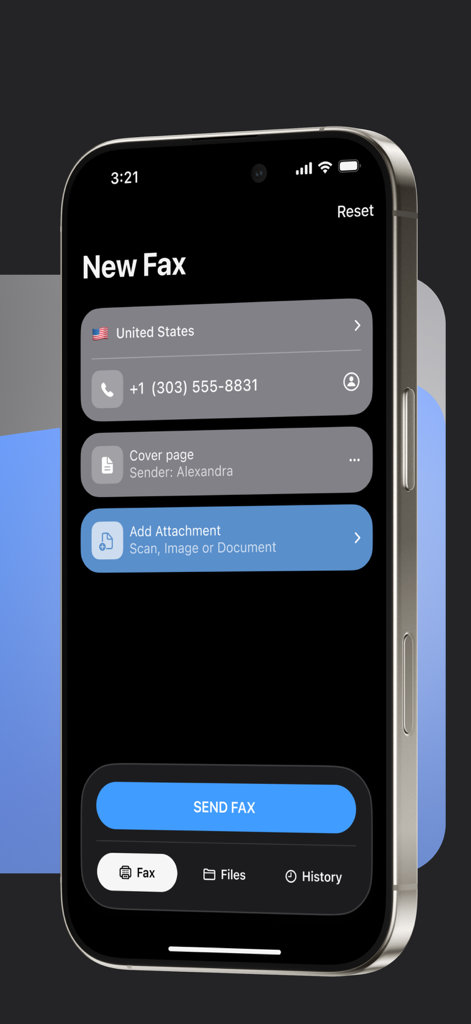
iPhone의 mFax 앱 인터페이스로, 문서 전송을 위한 새 팩스 화면이 표시됨
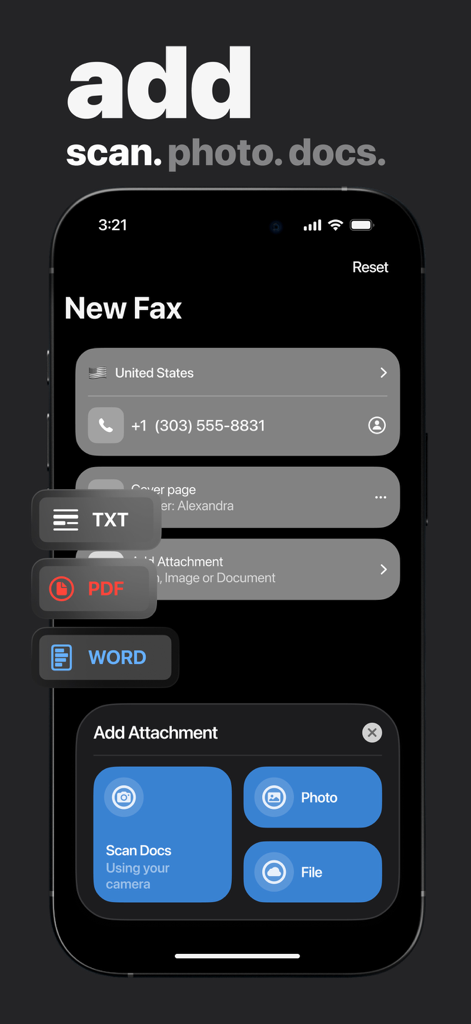
mFax 앱 인터페이스로, 새 팩스를 위해 스캔, 사진 또는 파일을 통해 첨부 파일을 추가하는 옵션이 표시됨
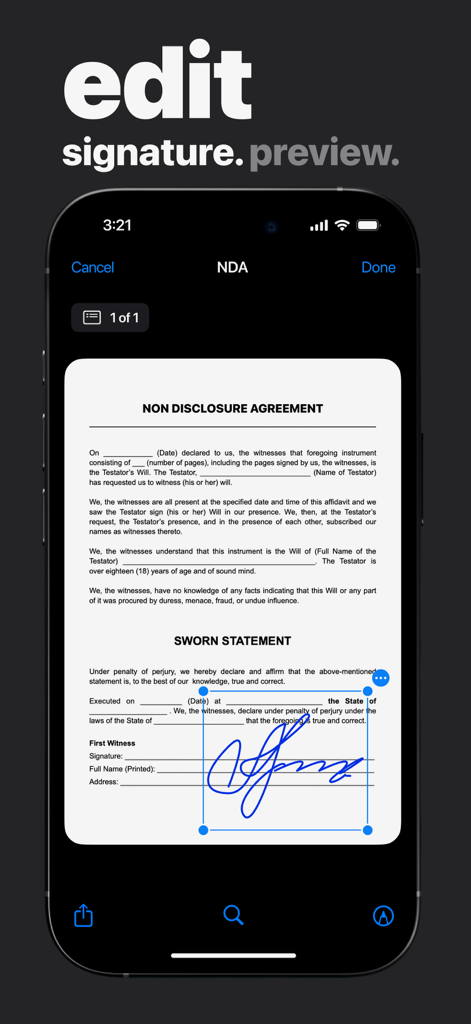
mFax 앱 내에서 NDA 문서에 전자 서명을 편집하는 사용자
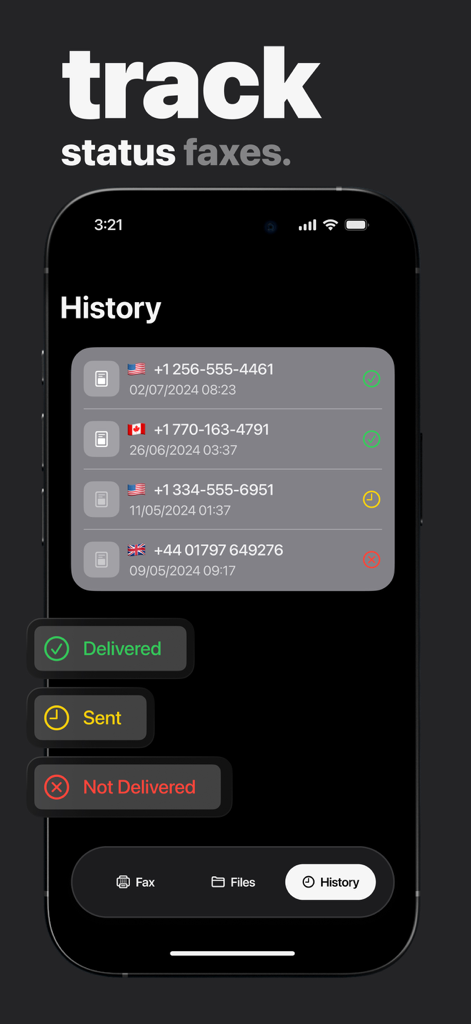
iPhone 앱에서 전송 상태 표시기가 있는 팩스 기록을 보여주는 스크린샷
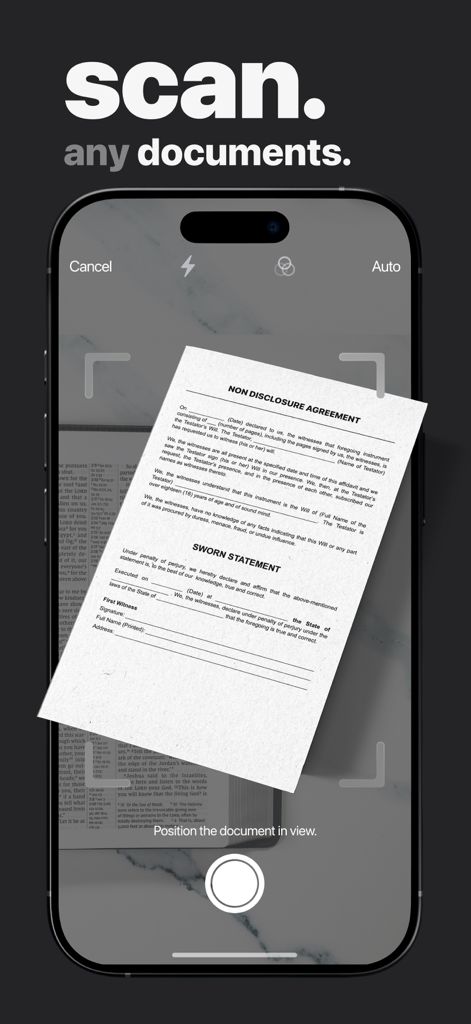
iPhone에서 팩스 전송을 위해 법률 문서를 스캔하는 모바일 앱 인터페이스
설명
Download
비슷한 앱
유사한 기능과 사용자 경험을 가진 앱

FAX ®
Trendest Insight SRL

FAX from iPhone: Send Doc App
Municorn Limited

FaxFree: Send Fax From iPhone
BP Mobile LLC

Fax From iPhone - Receive Fax
Caprinix LLC

Snapfax: Pay-as-you-go Fax
Extracomm Inc

Fax Burner: iPhone Fax App
Paul Rydell

FAX for iPhone: Send & Receive
7270356 Canada Inc

#FAX from iPhone: free sending
Vahagn Gevorgyan

Genius Fax - Faxing app
The Grizzly Labs
이 페이지는 앱이나 개발자의 공식 페이지가 아니며, 정보 제공 및 논평을 목적으로 작성된 독립 편집 간행물입니다. 명시적으로 달리 언급되지 않는 한, 해당 앱이나 개발자는 MWM, Apple, Google Play, 앱 퍼블리셔 또는 앱 개발자와 제휴, 보증, 후원, 승인 또는 공식적으로 연결되어 있지 않으며, 이 페이지의 어떤 내용도 해당 앱이 MWM의 서비스를 사용하여 개발되었음을 의미하지 않습니다. 모든 상표, 로고, 스크린샷 및 기타 콘텐츠는 해당 소유자의 자산입니다.