이 페이지는 앱이나 개발자의 공식 페이지가 아니며, 정보 제공 및 논평을 목적으로 작성된 독립 편집 간행물입니다. 명시적으로 달리 언급되지 않는 한, 해당 앱이나 개발자는 MWM, Apple, Google Play, 앱 퍼블리셔 또는 앱 개발자와 제휴, 보증, 후원, 승인 또는 공식적으로 연결되어 있지 않으며, 이 페이지의 어떤 내용도 해당 앱이 MWM의 서비스를 사용하여 개발되었음을 의미하지 않습니다. 모든 상표, 로고, 스크린샷 및 기타 콘텐츠는 해당 소유자의 자산입니다.
Genius Fax - Faxing app
꺼려지는 팩스 가게는 이제 그만. 계약서, 의료 기록, 법률 문서를 iPhone 또는 iPad에서 안전하게 보내세요. 간단한 종량제 요금과 즐겨 사용하는 클라우드 서비스와의 완벽한 통합을 즐기세요.
주요 수치
다운로드
381K+
사용자 평점
4.8/5
총 평가 수
42K+
개발사
The Grizzly Labs
카테고리
Business
지원 언어
1
최신 버전
2.19
크기
35.1 MB
출시일
2013년 2월 6일
기능
사무실 번거로움 없는 전문적인 팩스
실물 팩스 가게를 찾는 것을 멈추세요. 간단하고 비용 효율적인 플랫폼으로 모바일 장치에서 법률, 의료 및 비즈니스 문서를 안전하게 보내세요.
가게 방문 생략
iPhone 또는 iPad에서 즉시 팩스를 보내고 받으세요. 이제 스마트폰이 긴급 서류 작업을 처리하는 데 필요한 유일한 사무 장비입니다.
월간 구독 없음
투명한 크레딧 기반 요금으로 비용을 절약하세요. 숨겨진 수수료나 반복적인 월별 비용 없이 실제 보낸 페이지만 지불하면 됩니다.
다음 스크린샷과 설명은 앱의 공식 스토어 목록에서 직접 가져온 것이며 앱 개발자의 자산입니다.
앱 스토어
스크린샷
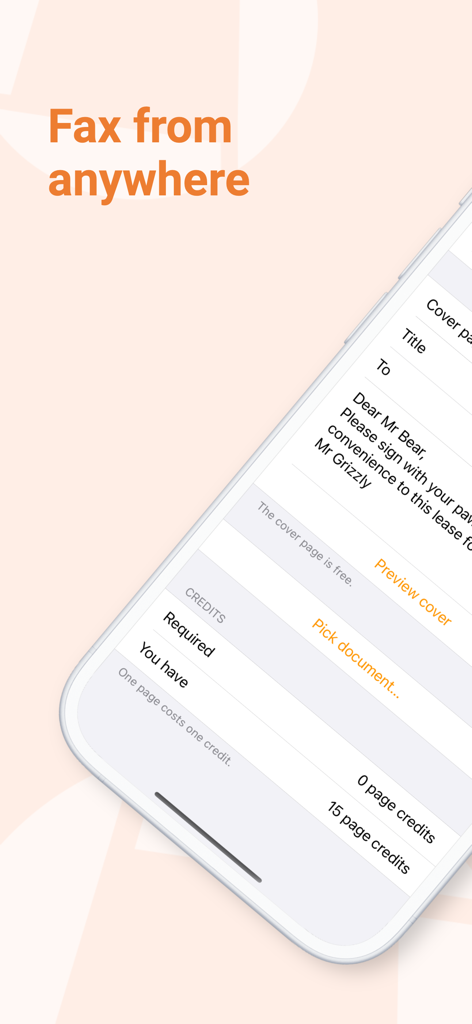
커버 페이지 초안과 크레딧 잔액이 표시된 Genius Fax 앱이 있는 iPhone 화면
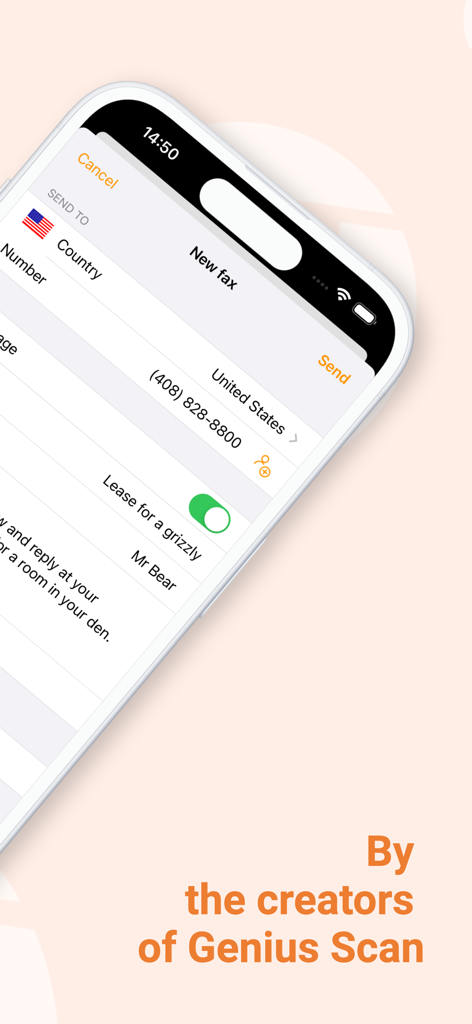
iPhone에서 새 팩스를 작성하고 보내는 화면을 보여주는 Genius Fax 앱 인터페이스
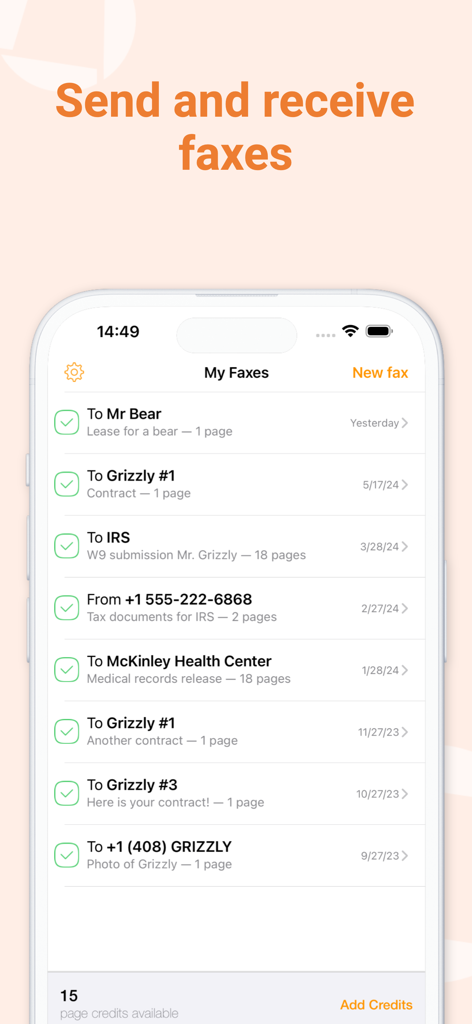
상태와 날짜를 포함한 보내고 받은 팩스 목록을 보여주는 Genius Fax 앱 인터페이스
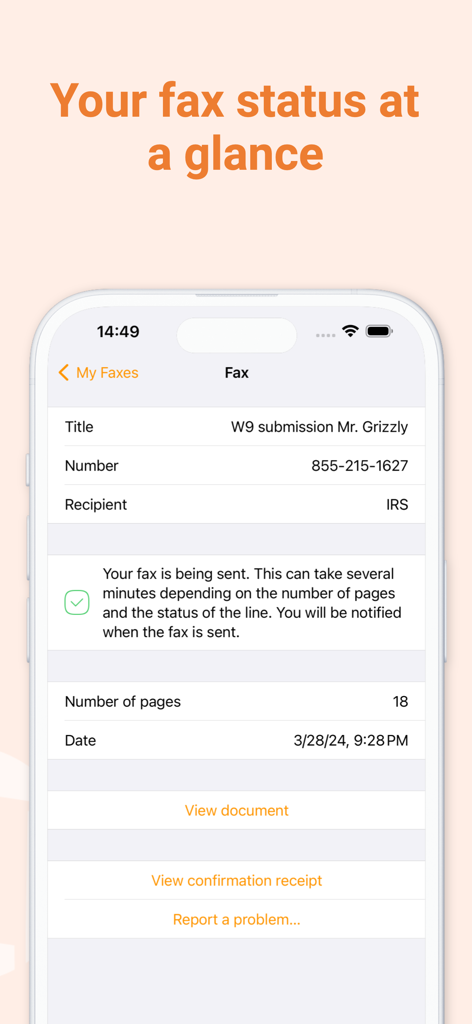
Genius Fax를 사용하여 IRS에 보낸 18페이지 팩스의 추적 상태를 보여주는 인터페이스
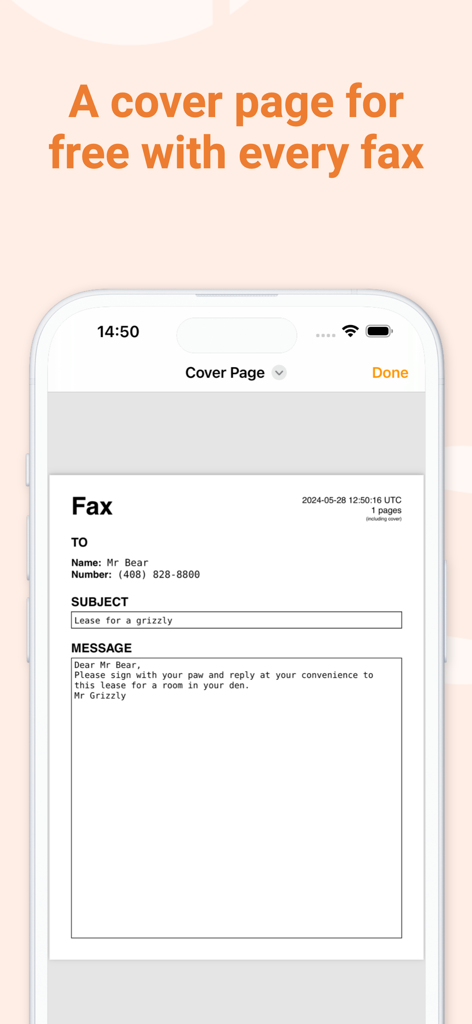
무료 사용자 지정 팩스 커버 페이지를 보여주는 Genius Fax 앱
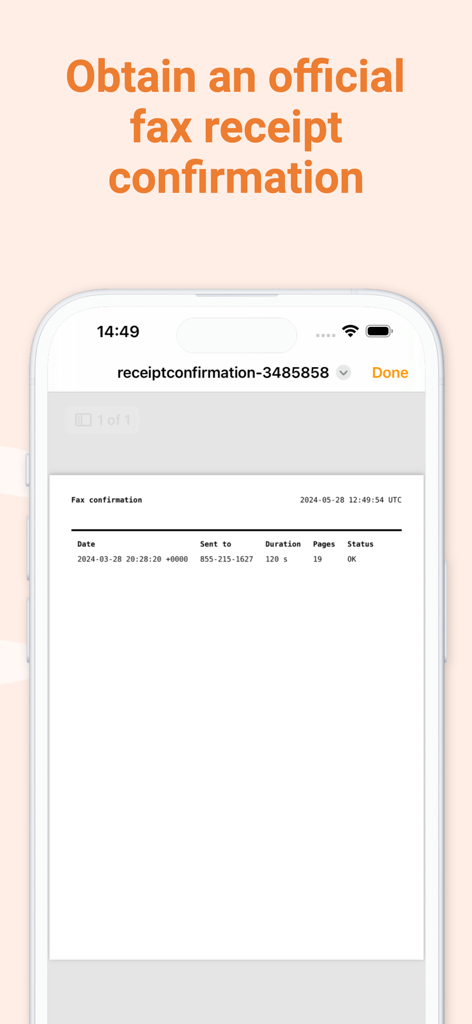
Genius Fax 모바일 앱의 공식 팩스 영수증 확인 화면
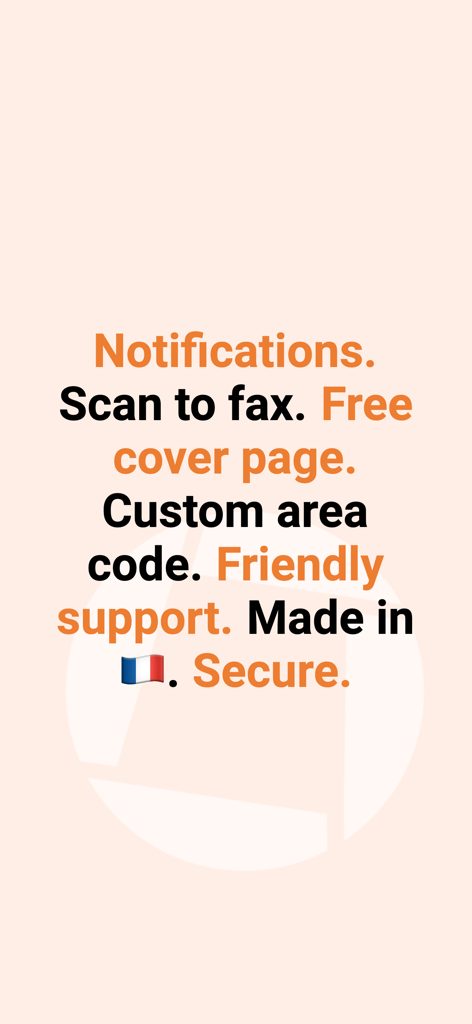
무료 커버 페이지 알림 및 보안 팩스와 같은 Genius Fax 앱의 주요 기능 요약
설명
Genius Fax is the easiest and affordable way to send and receive faxes with your iOS device.
No need to go to the dreaded fax store anymore. Faxing with Genius Fax is simple, fast and beautiful. Read below for pricing and subscription information.
To send a fax: choose a file from your favorite cloud service (Dropbox, Google Drive, Box) or from any other iOS app (Genius Scan, Safari, Mail…)
To receive a fax: subscribe for a number and you’re all set. You receive documents as PDF and can preview them or open them with any other app.
****
Sending:
- Tap the New fax button to open the fax' details screen
- Enter your recipient's fax number
- Scan your document with the Genius Fax built-in scanner or pick a document from the Files or the Photos app.
- Alternatively, open a PDF or image file in any of your favorite apps and use their “Open with” feature to open the file with Genius Fax.
- Optionally, add a title, sender, description, recipient details and enable the cover page.
- Tap the Send button!
- Each page costs a fax credit, the cover page is free.
Receiving:
- Subscribe to a number for 1, 3 or 6 months.
- Give away your number to whoever needs to fax to you.
- Add credits to receive faxes. One page costs one credit.
- Faxes appear in your fax list as soon as they are received and paid for.
Features:
- Simple and beautiful UI. We don't understand why business apps should be ugly!
- Pick a PDF or image file to send from another app or from the cloud.
- Send a fax to select international fax numbers (see list of countries below).
- Send and forget: be notified with push notifications when your recipient successfully received your fax, or if it failed to send.
- Receive faxes.
- Free cover page that includes the sender and recipient contact details, as well as a subject and a long description.
- Conveniently buy credits and fax number subscriptions.
- History of the faxes you sent available from any of your devices with Genius Fax (using your Genius Fax account).
- Easily delete from history.
Cost:
- Each page of your PDF file costs a fax credit to send or to receive.
- When sending, the cover page appended by Genius Fax is always free.
- You can buy credits in Genius Fax. A fax credit starts at $0.99 but costs as little as $0.39 if purchased in bulk.
- You can buy a number in Genius Fax for as little as $3.49/month.
- Send your fax to any supported country. It's always one credit per page.
International destinations supported:
US, Canada, UK, Japan, France, Germany, Spain, Austria, Portugal, Italy, Belgium, Luxembourg, Switzerland, Netherlands, Cyprus, Norway, Sweden, Estonia, Latvia, Greece, Hungary, Romania, Iceland, Ireland, Malta, Morocco, Turkey, Saudi Arabia, South Africa, Israel, Kazakhstan, India, China, Hong Kong, Singapore, Malaysia, Taiwan, Thailand, Mexico, Argentina, Brazil, Puerto Rico, Costa Rica, Panama, New Zealand and Australia
Genius Fax is fully compatible with Genius Scan. You can scan documents with Genius Scan and fax them with Genius Fax. Genius Fax supports documents up to 50 MB. Please share your feedback at support@geniusfax.com so that we can improve the app with the next iteration!
Legal:
- By using Genius Fax, you agree to the terms of use.
- These terms are always available from the Genius Fax' settings menu.
Terms of use: https://geniusfax.com/terms
이 페이지는 앱이나 개발자의 공식 페이지가 아니며, 정보 제공 및 논평을 목적으로 작성된 독립 편집 간행물입니다. 명시적으로 달리 언급되지 않는 한, 해당 앱이나 개발자는 MWM, Apple, Google Play, 앱 퍼블리셔 또는 앱 개발자와 제휴, 보증, 후원, 승인 또는 공식적으로 연결되어 있지 않으며, 이 페이지의 어떤 내용도 해당 앱이 MWM의 서비스를 사용하여 개발되었음을 의미하지 않습니다. 모든 상표, 로고, 스크린샷 및 기타 콘텐츠는 해당 소유자의 자산입니다.