iPhone과 iPad를 전문가 수준의 워크스테이션으로 바꾸세요. 올인원 도구로 멀티 클라우드 저장 공간을 손쉽게 관리하고, 복잡한 압축 파일을 풀고, 민감한 데이터를 안전하게 보호하세요. 디지털 파워 유저를 위해 설계되었습니다.
개발사
SUNSHINE SOFTWARE LABS YAZILIM LIMITED SIRKETI
카테고리
Utilities
다운로드
22K+
사용자 평점
4.4/5
총 평가 수
100
지원 언어
1
당신의 모바일 오피스, 시각화
이 인터페이스를 사용하는 22K+ 명의 사용자.
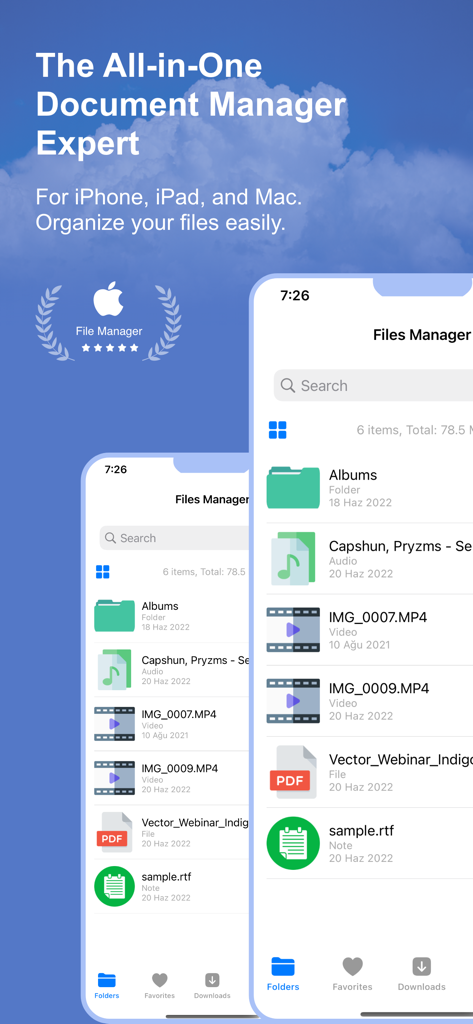
다양한 파일 유형과 문서 구성 기능을 표시하는 iPhone의 파일 관리자 앱 인터페이스
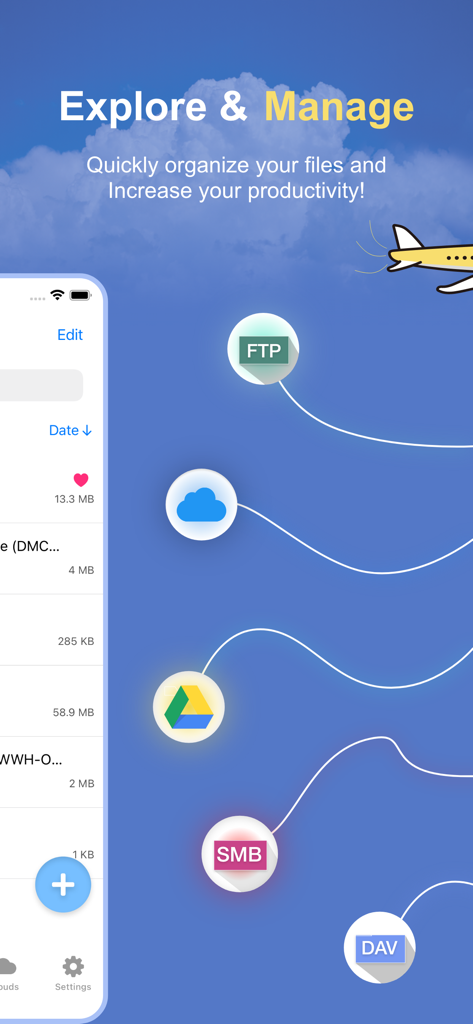
FTP 및 Google Drive와 같은 클라우드 저장소 아이콘이 있는 탐색 및 관리 헤드라인을 보여주는 파일 관리자 앱 스크린샷
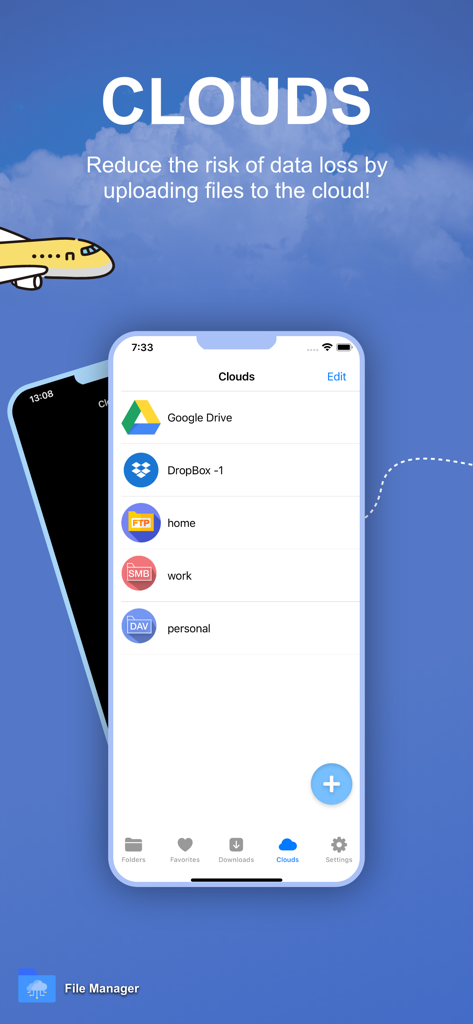
Google Drive 및 Dropbox를 포함하여 파일 관리자 앱에 통합된 여러 클라우드 저장소 서비스를 보여주는 인터페이스
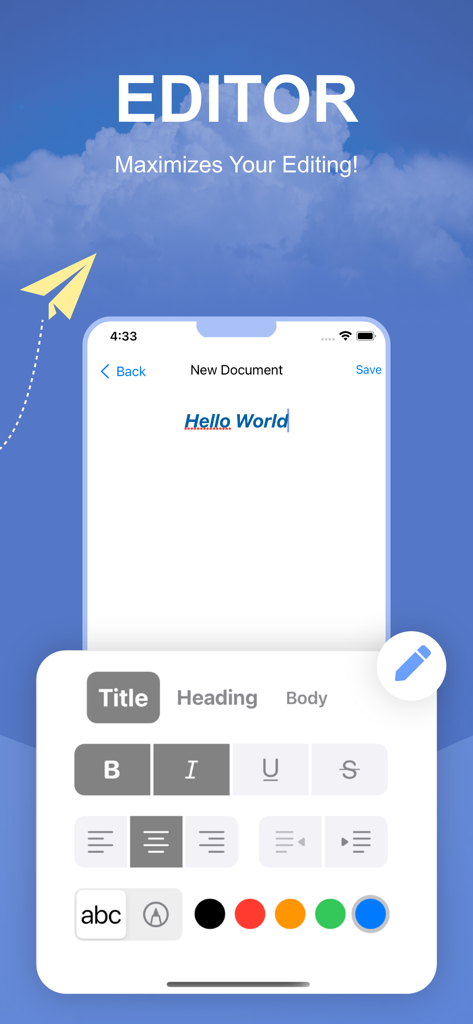
다양한 서식 도구와 색상 옵션이 있는 파일 관리자 앱의 전문가용 서식 있는 텍스트 편집기 인터페이스
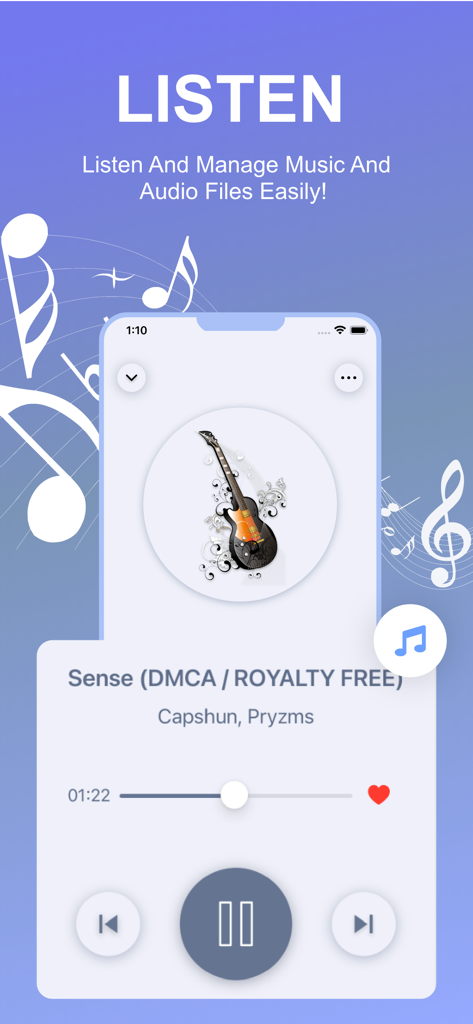
트랙 세부 정보 및 재생 컨트롤을 보여주는 파일 관리자 앱의 통합 음악 및 오디오 플레이어 기능.
밤 도시 풍경과 함께 비디오 재생 기능을 강조하는 파일 관리자 앱 인터페이스
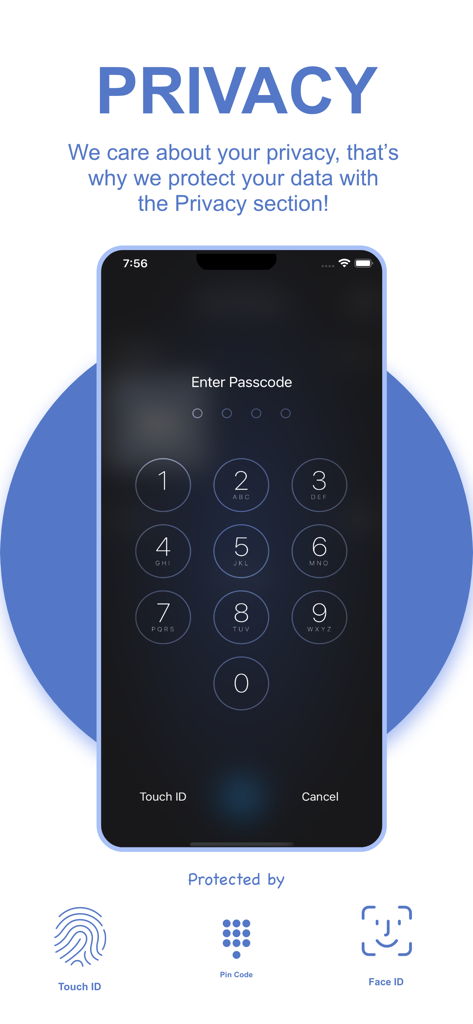
암호, Touch ID 및 Face ID 보호 기능이 있는 개인 정보 보호 설정 화면.
당신의 전문가용 모바일 제어 센터
이 앱을 돋보이게 하는 도구, 22K+ 명의 사용자가 선택.
☁️
통합 클라우드 마스터리
Dropbox, Google Drive, FTP 서버에 하나의 인터페이스로 액세스하세요. 앱 전환을 멈추고 단일화된 대시보드에서 전체 디지털 라이프를 관리하세요.
🔒
금고 수준의 보안
민감한 전문 문서와 개인 파일을 다른 사람의 시선으로부터 안전하게 보호하세요. 통합 Face ID 및 Touch ID 보호로 개별 폴더를 안전하게 보호하세요.
🚀
궁극의 생산성 키트
RAR/7z 파일을 풀고, 텍스트 문서를 편집하고, PDF에 즉석에서 주석을 다세요. 현대적이고 모바일 우선인 전문가를 위한 필수적인 스위스 군용 칼입니다.
앱 소개
에 대해 알아야 할 모든 것 File Manager: Documents Viewer.
설명
File Manager & Cloud Organizer – the ultimate file management powerhouse for your iOS devices! This comprehensive app is designed to give you complete control over your files, whether stored locally on your iPhone or iPad or across multiple cloud platforms. Say goodbye to file chaos and embrace seamless organization with this versatile, user-friendly tool.
With File Manager & Cloud Organizer, you can effortlessly link and manage multiple cloud services such as Dropbox, Google Drive, SMB, FTP, WEBDAV, and more, all in one place. It also offers flawless integration with the native iOS Files app, enabling easy uploading and downloading of files between apps and cloud storage with just a few taps.
Whether you're at home, in the office, or on the go, File Manager & Cloud Organizer, makes organizing, viewing, and managing your files a breeze. This free app guarantees secure, fast, and efficient file management, all while providing a highly intuitive and streamlined experience.
### Key Features:
- PDF Reader: Instantly view and navigate through PDF files with the built-in reader, making it easy to access and read documents on the fly.
- Multiple Cloud Support: Connect and manage files across Dropbox, Google Drive, FTP, SMB, WEBDAV, and other cloud services in a single app, ensuring you always have access to your data, no matter where it’s stored.
- Media Player Integration: Enjoy your music and videos directly within the app, without the need for additional media players.
- Audio Recorder: Record high-quality audio directly within the app, ideal for capturing lectures, meetings, or voice memos.
- Rich Text Editor: Create and edit text documents right inside the app with the integrated text editor.
- Image Viewer: Seamlessly view and browse through image files without leaving the app.
- Uncompression Tool: Unzip and extract files from popular formats such as **Zip, Rar, and 7z**, making file extraction easier than ever.
- Effortless File Management: Copy, move, and share multiple files and folders with simple drag-and-drop functionality.
- Advanced Security: Safeguard your sensitive files with **Touch ID** or **Face ID** protection, giving you peace of mind knowing your files are secure.
- Powerful Search: Find any file in seconds with the built-in search tool, designed to sift through thousands of files and folders quickly.
- Custom Sorting: Sort your files by **Name, Date, Size, or Type**, allowing for personalized file organization and easy access to what you need.
- Folder Management: Easily create, rename, and organize folders to keep your digital workspace clean and efficient.
- File Import & Export: Import files from other apps or save them to your device effortlessly.
- URL Downloader: Download files directly from a URL, making it easier than ever to access web-based files.
- Offline Access: Download important files to your device for offline access, ensuring you’re never without your documents, even when there’s no internet connection.
File Manager & Documents truly is the all-in-one file management solution for iOS users. Whether you're a professional needing to organize work documents or just looking to keep your personal files in order, this app provides everything you need.
Take charge of your digital life today with File Manager & Cloud Organizer – the ultimate tool for file organization and productivity. Download now and experience unparalleled convenience and control over your files!
Auto-Renewable Subscription Terms:
- The payment will be charged to your Apple ID Account at confirmation of purchase.
- The subscription renews automatically unless the auto-renew is turned off at least 24 hours before the end of the current billing period.
- Your account will be charged for renewal within 24 hours before the end of your selected subscription.
- Your subscriptions can be managed, and auto-renewal can be turned off by going to your App Store Account Settings.
Terms: https://sunshine-dev.com/?page_id=98
최신 버전
1.21.3
크기
26.1 MB
출시일
2022년 6월 23일
모바일 오피스를 완벽하게 제어하세요
22,000명 이상의 파워 유저와 함께 파일 혼란을 끝내세요. 오늘 iPhone 및 iPad에서 문서를 안전하게 보호하고, 클라우드를 통합하고, 전문가 수준의 생산성을 활용하세요.
App information, icons, screenshots, and descriptions displayed on this page are sourced from the Apple App Store and are the property of their respective developers. Download estimates and rankings are based on MWM's proprietary models and may not reflect actual figures. This page is provided for informational and analytical purposes only.
Believe this page infringes your intellectual property? File a dispute