Filerev for Google Drive

Filerev for Google Drive


다운로드: App Store
로고: Filerev for Google Drive

Google Drive용 Filerev: 저장 공간을 확보하고 과납을 멈추세요

'저장 공간 부족' 알림에 지치셨나요? 중복 파일, 대용량 폴더, 숨겨진 파일을 쉽게 찾아 디지털 생활을 정리하고 불필요한 구독 업그레이드를 피하세요.

다운로드: App Store

개발사

Filerev Inc

카테고리

Utilities

다운로드

0

사용자 평점

1.0/5

총 평가 수

0

지원 언어

1

한눈에 명확하게

이 인터페이스를 사용하는 0 명의 사용자.

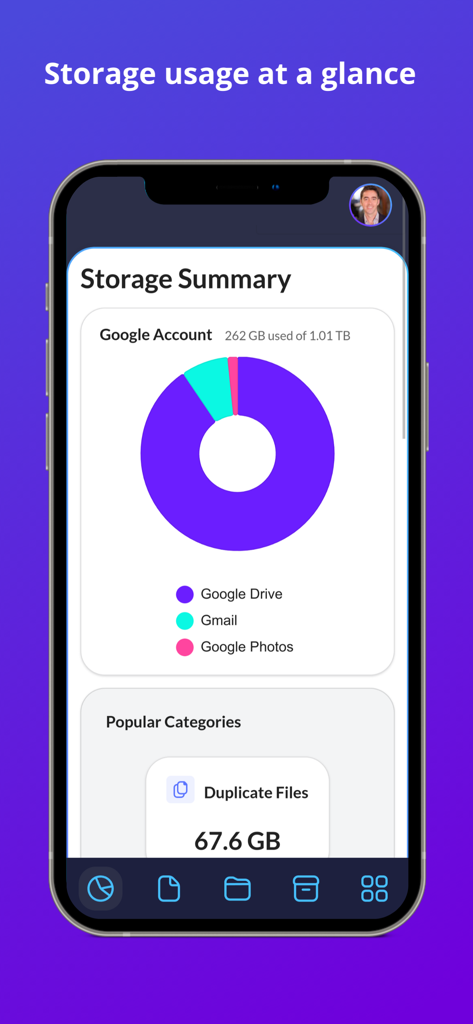
Filerev에서 Google Drive 저장 공간 사용량 및 중복 파일을 보여주는 대시보드

Filerev에서 Google Drive 저장 공간 사용량 및 중복 파일을 보여주는 대시보드

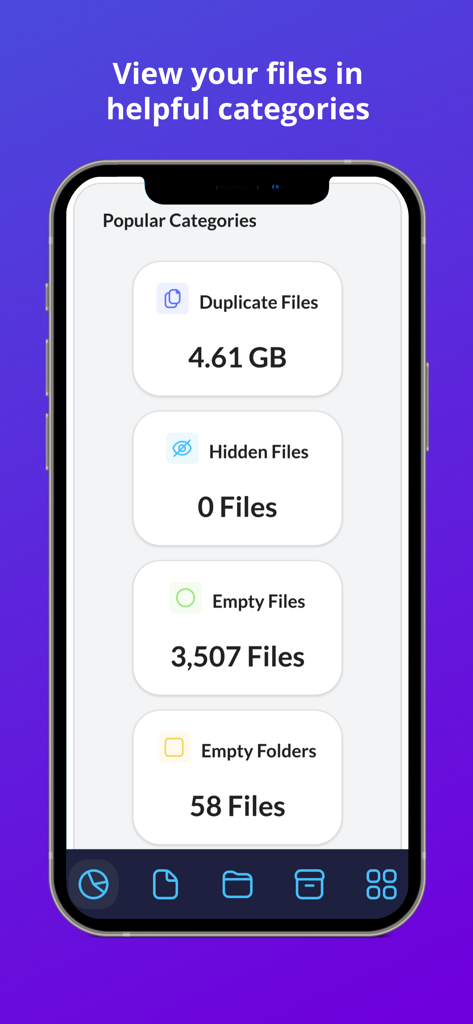
Filerev 앱 화면으로, Google Drive 정리에 도움이 되는 중복 파일, 숨겨진 파일, 빈 폴더를 포함한 저장 공간 카테고리를 보여줍니다.

Filerev 앱 화면으로, Google Drive 정리에 도움이 되는 중복 파일, 숨겨진 파일, 빈 폴더를 포함한 저장 공간 카테고리를 보여줍니다.

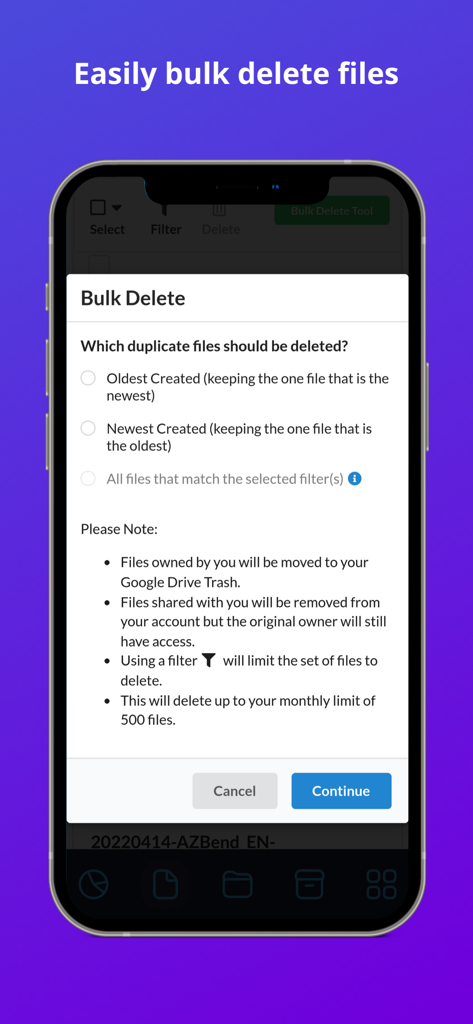
Google Drive 저장 공간 및 중복 파일을 관리하기 위한 Filerev 일괄 삭제 도구 인터페이스

Google Drive 저장 공간 및 중복 파일을 관리하기 위한 Filerev 일괄 삭제 도구 인터페이스

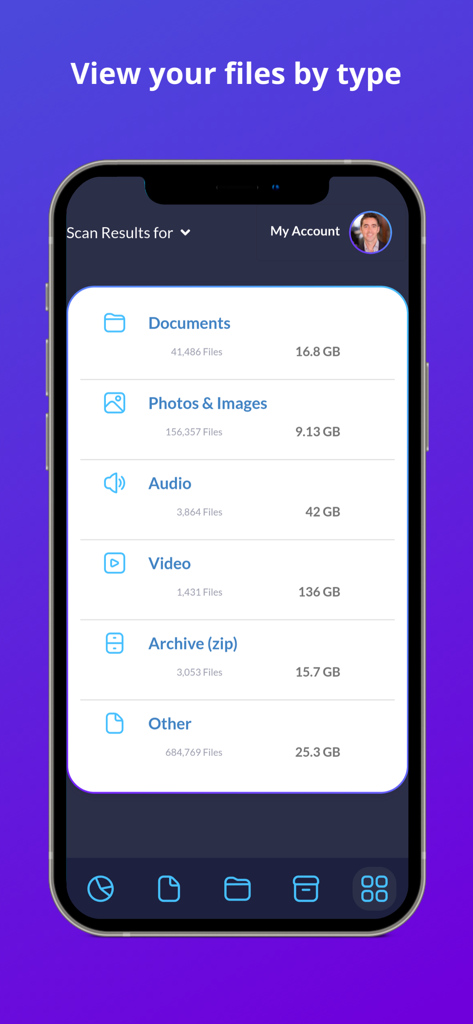
Filerev 앱의 모바일 인터페이스로, Google Drive 파일을 유형 및 저장 공간 크기별로 분류합니다.

Filerev 앱의 모바일 인터페이스로, Google Drive 파일을 유형 및 저장 공간 크기별로 분류합니다.

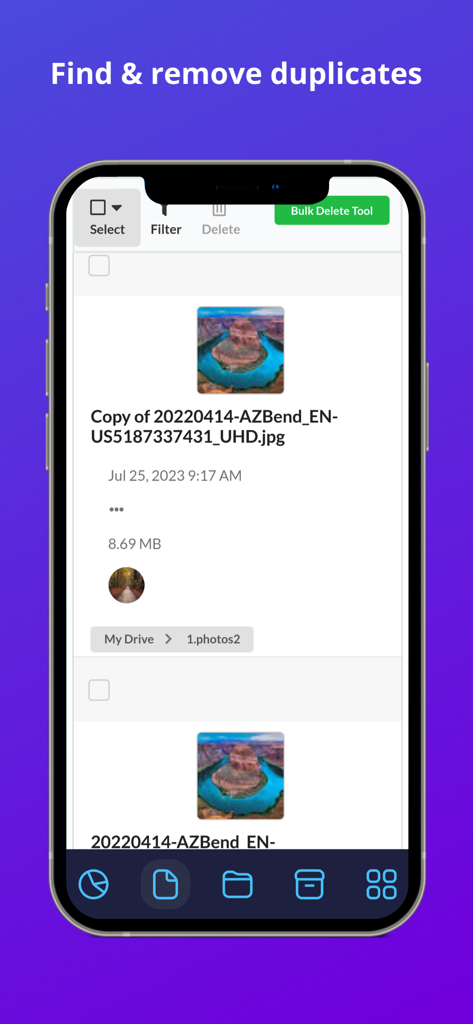
Filerev 앱 인터페이스로, Google Drive의 중복 이미지 파일 목록과 일괄 삭제 옵션을 보여줍니다.

Filerev 앱 인터페이스로, Google Drive의 중복 이미지 파일 목록과 일괄 삭제 옵션을 보여줍니다.

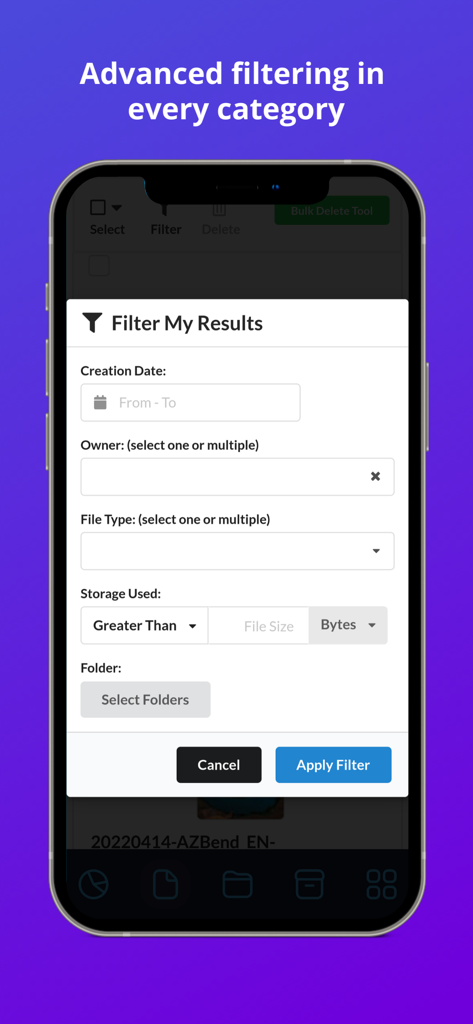
Filerev 앱에서 Google Drive 파일에 대한 고급 필터링 옵션을 보여주는 인터페이스

Filerev 앱에서 Google Drive 파일에 대한 고급 필터링 옵션을 보여주는 인터페이스

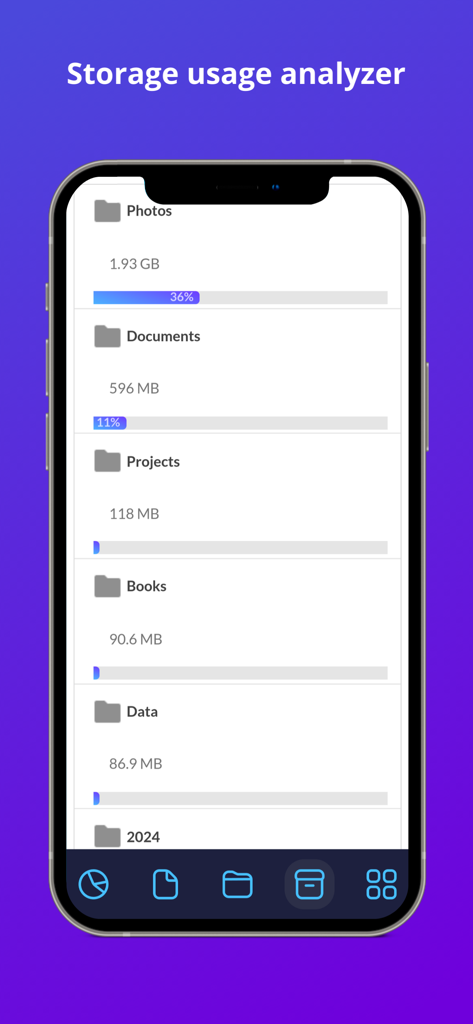
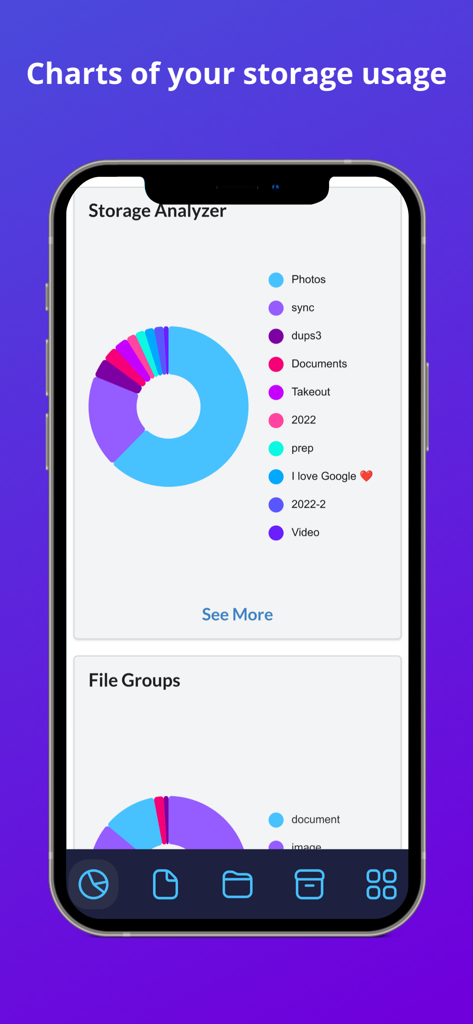
Google Drive의 저장 공간 카테고리별 분석을 보여주는 Filerev의 저장 공간 사용량 분석기 화면

Google Drive의 저장 공간 카테고리별 분석을 보여주는 Filerev의 저장 공간 사용량 분석기 화면

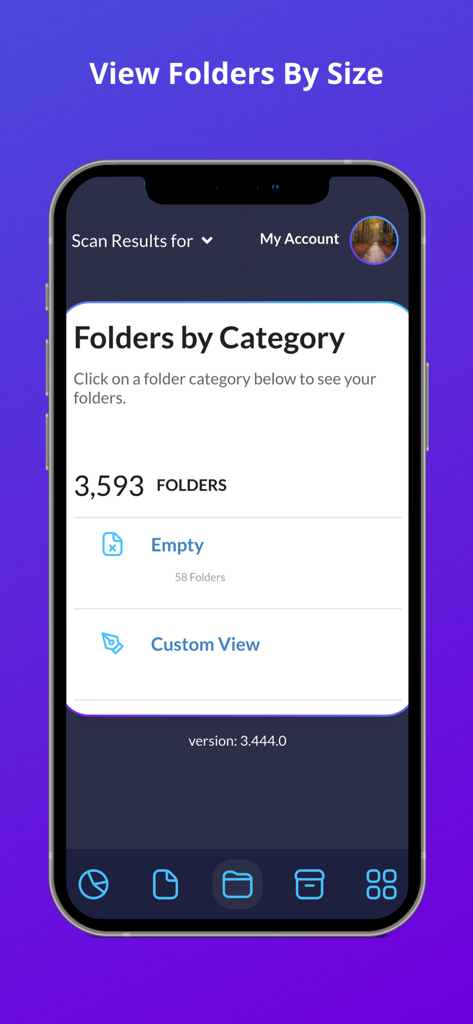
빈 폴더를 포함하여 카테고리별로 정리된 Google Drive 폴더를 보여주는 Filerev 앱 스크린샷

빈 폴더를 포함하여 카테고리별로 정리된 Google Drive 폴더를 보여주는 Filerev 앱 스크린샷

Google Drive용 Filerev의 저장 공간 분석기 차트로, 카테고리별 저장 공간 분석을 보여줍니다.

Google Drive용 Filerev의 저장 공간 분석기 차트로, 카테고리별 저장 공간 분석을 보여줍니다.

클라우드 저장 공간을 직접 관리하세요

이 앱을 돋보이게 하는 도구, 0 명의 사용자가 선택.

📑

숨겨진 중복 파일 제거

디지털 작업 공간의 공간을 낭비하고 혼란을 야기하는 동일한 파일 및 사진을 식별하고 일괄 삭제합니다.

📂

대용량 폴더 시각화

Google Drive 기본 인터페이스가 숨기고 있는 심층적인 분석을 통해 실제로 저장 공간을 차지하는 폴더를 찾아냅니다.

스마트 일괄 정리

고급 필터를 사용하여 한 번의 클릭으로 빈 폴더, 오래된 아카이브, 임시 파일을 제거하여 수 시간의 수동 정리를 절약하세요.

앱 소개

에 대해 알아야 할 모든 것 Filerev for Google Drive.

설명

Organize your Google Drive files with Filerev and reduce your storage usage. This software will find your duplicate files, large files, large folders, hidden files, empty folders and so much more. It displays your files in an organized way so you can quickly see the files that are cluttering up your Google Drive account. When you first log in to the Filerev app with your Google account the software will scan your files and then present you with a report of how your storage is being used. The software will show your duplicate files, large files, hidden files, large folders, empty folders and let you browse files by specific file types. You can use filters to further drill down to specific files and folders. It can also bulk delete files and folders, making tasks like removing thousands of duplicate files a breeze. After your scan is complete you will be presented with a report of your storage usage. You will see a graph showing your storage usage by Google Drive, Gmail and Google Photos as well as the number of files and folders that exist in your account. Then you will see your files in specific categories such as: - Duplicate Files - Hidden Files - Empty Files - Files Larger than X MB - Files Older than X years - Files not owned by me - Temporary Files - Files by Extension - Custom Files, where you can view files by custom criteria. - Google Drive Trash In each category, you will see the total storage space that your files are consuming and how many files are in the category. Below the files there is another category for your folders where you will see: - Folders Larger than X MB - Empty Folders - Custom Folders where you can filter folders by custom criteria. You can also browse your files by specific file types. The file types are first broken down into high-level types such as: - Documents - Photos & Images** - Audio - Video - Archive (zip) - Other ** Please note, you can find and remove photos that exist in Google Drive but Filerev does not currently find files in Google Photos. When you view any one of these categories you will see your files further broken down into categories for specific file types (Microsoft Word, PDF, JPG, Excel, Google Sheets, Powerpoint, etc). When you view your files or folders in any of the categories listed above you will be presented with information about each file and folder. You can easily clear the clutter from your Google Drive account by selecting specific files or folders. You can also use the bulk delete feature to remove specific files or folders with a simple click. * PRICING * With the free plan, you can scan up to 1 million files in your Google Drive account and view how your storage is being used. You can see the number of duplicate files, empty folders, large folders and more that are taking up space in your Google Drive account. Then each month, you can delete up to 100 files and folders. Upgrade to a paid plan that starts for as little as 4 per month (paid annually) to unlock more features. The paid plans have additional features, and you can scan more files, delete more files and view large folders and empty folders. * SECURE & PRIVATE * We care about the privacy of your data and are committed to protecting it. Our motivation is to help you organize your Google Drive account, and we will not use your information for anything other than that. Everything is transferred over a secure SSL connection, and we encrypt any account information that we store. You can read more about this in our Privacy Policy (https://filerev.com/privacy) and our terms (https://filerev.com/terms). We also submit Filerev to security reviews and audits to ensure your data stays safe.

최신 버전

3.786.0

크기

18.4 MB

출시일

2023년 10월 31일

불필요한 저장 공간에 지불하는 비용을 멈추세요

Filerev을 사용하여 중복 파일을 찾고, 숨겨진 불필요한 파일을 제거하고, 몇 분 안에 Google Drive 공간을 확보하는 수천 명의 전문가 및 프리랜서와 함께하세요.

다운로드: App Store

App information, icons, screenshots, and descriptions displayed on this page are sourced from the Apple App Store and are the property of their respective developers. Download estimates and rankings are based on MWM's proprietary models and may not reflect actual figures. This page is provided for informational and analytical purposes only.

Believe this page infringes your intellectual property? File a dispute