Find My Bluetooth Device

Find My Bluetooth Device

다운로드: App Store
로고: Find My Bluetooth Device

블루투스 기기 찾기: 분실한 AirPods, 시계 및 이어버드 위치 즉시 추적

당황하지 마세요. 교체 비용을 절약하세요. 당사의 고정밀 신호 추적기 및 소리 알림이 분실한 기기까지 정확히 안내해 드립니다. 자동차 시트 아래나 소파 속에 숨겨져 있어도 찾을 수 있습니다.

개발사

On Hand Apps

카테고리

Utilities

다운로드

630K+

사용자 평점

3.9/5

총 평가 수

3K+

지원 언어

5

디지털 레이더

이 인터페이스를 사용하는 630K+ 명의 사용자.

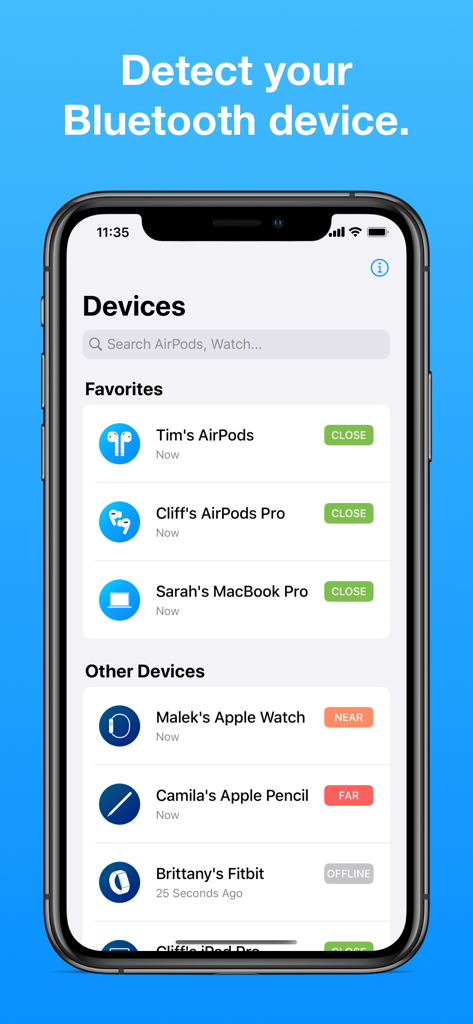
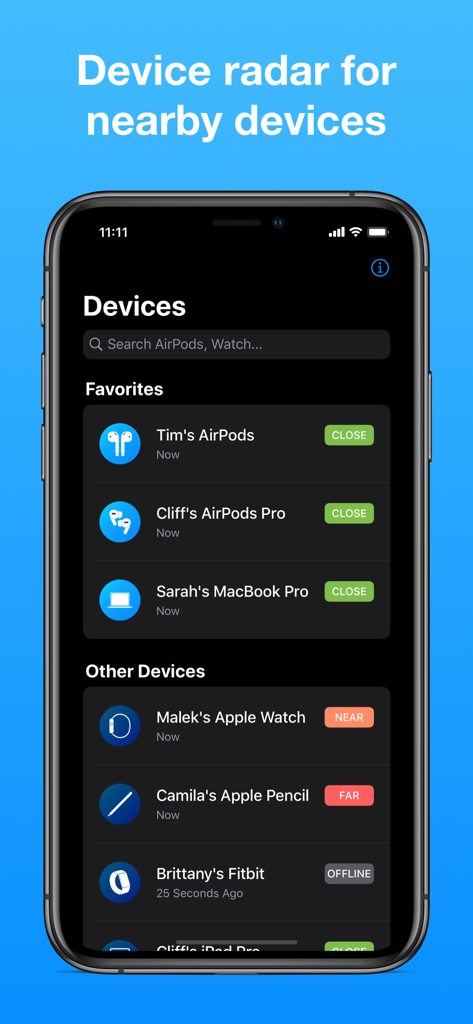
AirPods 및 Apple Watch와 같은 기기 목록과 근접 표시기(가까움, 근처, 멀리)를 보여주는 Find My Bluetooth Device 앱 인터페이스 스크린샷

AirPods 및 Apple Watch와 같은 기기 목록과 근접 표시기(가까움, 근처, 멀리)를 보여주는 Find My Bluetooth Device 앱 인터페이스 스크린샷

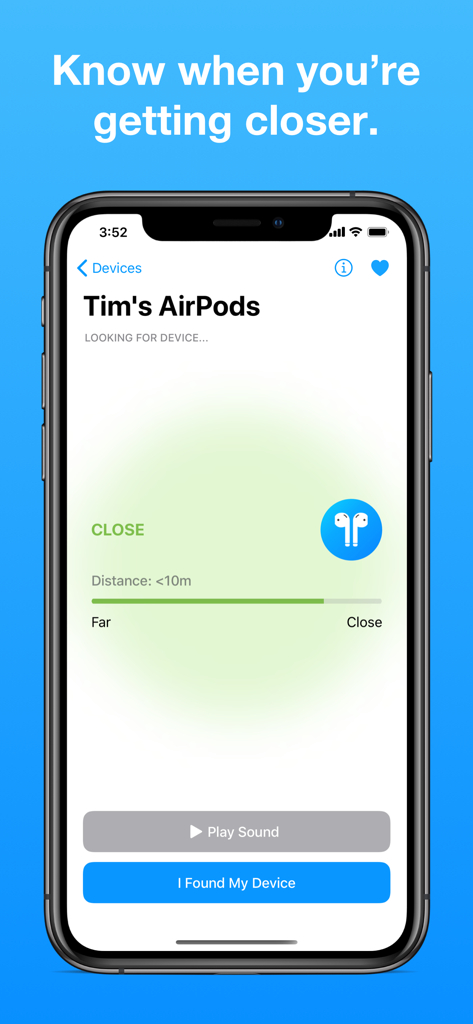
Find My Bluetooth Device 앱에서 분실한 AirPods까지의 거리를 보여주는 근접 화면

Find My Bluetooth Device 앱에서 분실한 AirPods까지의 거리를 보여주는 근접 화면

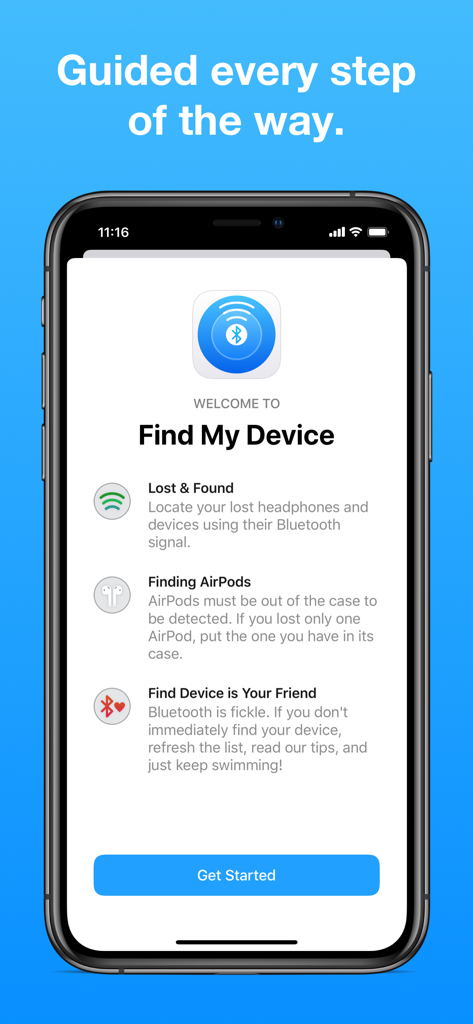
iPhone의 Find My Bluetooth Device 앱 환영 및 온보딩 화면

iPhone의 Find My Bluetooth Device 앱 환영 및 온보딩 화면

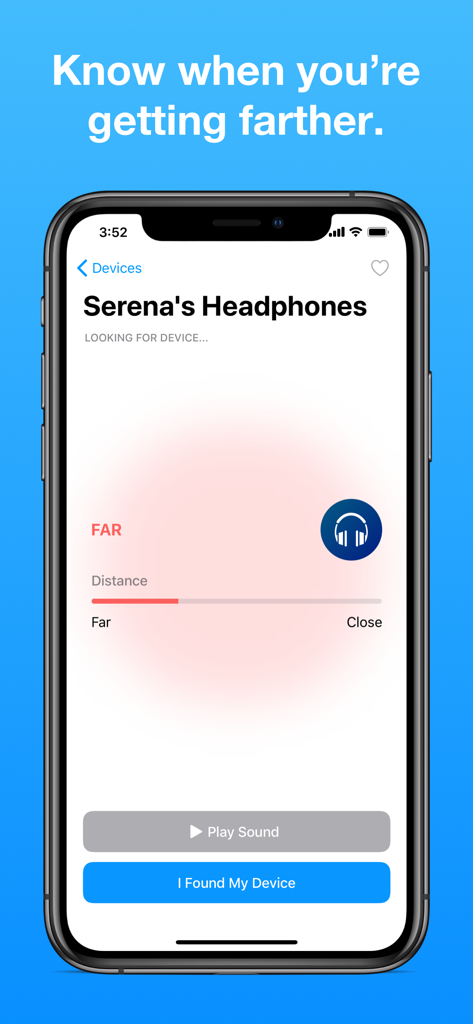
분실한 헤드폰의 거리 추적을 보여주는 Find My Bluetooth Device 앱 인터페이스

분실한 헤드폰의 거리 추적을 보여주는 Find My Bluetooth Device 앱 인터페이스

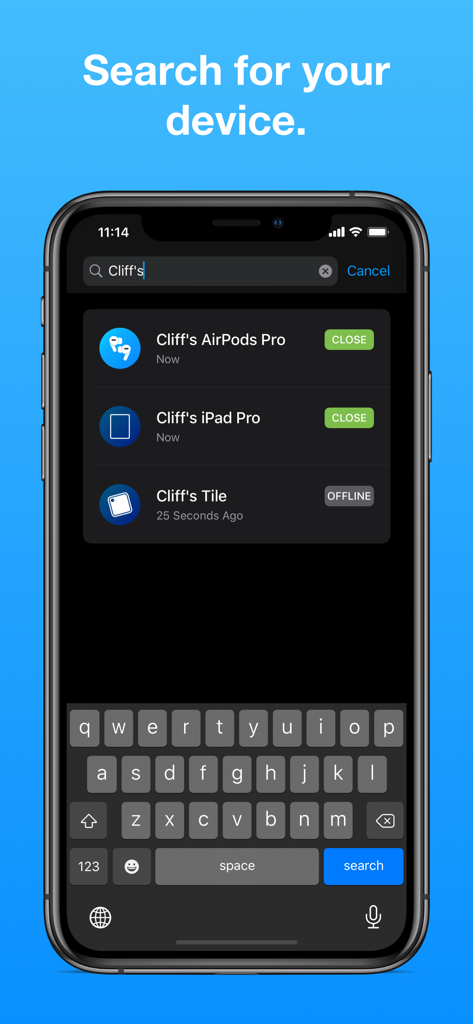
Find My Bluetooth Device 앱에서 에어팟, 아이패드, 타일과 같은 블루투스 기기에 대한 검색 결과를 표시하는 스마트폰 화면

Find My Bluetooth Device 앱에서 에어팟, 아이패드, 타일과 같은 블루투스 기기에 대한 검색 결과를 표시하는 스마트폰 화면

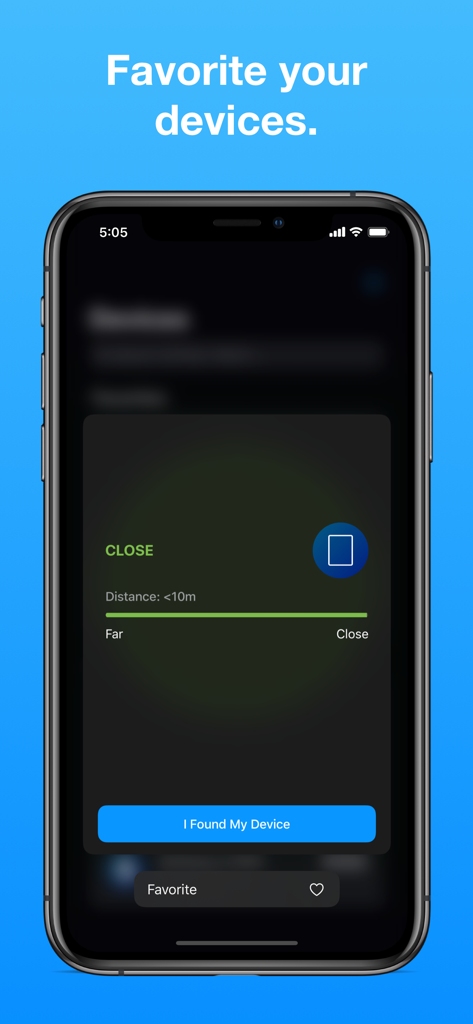
Find My Bluetooth Device 앱 화면에 근접 추적 및 기기 즐겨찾기 옵션이 표시됨

Find My Bluetooth Device 앱 화면에 근접 추적 및 기기 즐겨찾기 옵션이 표시됨

Find My Bluetooth Device 앱 화면에 추적 중인 주변 기기 목록과 근접 상태가 표시됨

Find My Bluetooth Device 앱 화면에 추적 중인 주변 기기 목록과 근접 상태가 표시됨

찾기를 멈추고 찾으세요

이 앱을 돋보이게 하는 도구, 630K+ 명의 사용자가 선택.

🎯

정밀 레이더 추적

실시간 신호 강도 측정기를 가이거 계수기처럼 따라가세요. '뜨겁거나 차갑거나' 시각적 단서로 기기에 더 가까이 안내합니다.

🔊

원격 소리 트리거

보이지 않나요? 소리를 내세요. 분실한 이어버드 또는 기기에서 큰 소리를 트리거하여 귀로 정확한 위치를 즉시 파악하세요.

🎧

범용 호환성

모든 생태계를 위한 하나의 앱. AirPods, Apple Watch, Fitbit, Apple Pencil 및 기타 다양한 블루투스 주변 기기를 추적하세요.

앱 소개

에 대해 알아야 할 모든 것 Find My Bluetooth Device.

설명

Find My Bluetooth Device allows you to locate your lost headphones, earbuds, and devices, such as AirPods, using Bluetooth. It can find one of your AirPods or both. Find My Bluetooth Device shows you how close you are to the AirPods (and other Bluetooth devices) and can lead you to their location. It will detect your earbuds if their Bluetooth signal is on and you are less than 330 feet away (100 meters). If the headphones you are looking for are AirPods, they must be out of the case in order to be detected. If you've only lost one AirPod, leave the other one closed IN the case. For any other headphones, their Bluetooth must be on, which is usually the case. If the device supports playing audio and is close enough, a Play Sound button will allow you to play a sound on the device. This app helps you find your: • AirPods 1, 2, & Pro • Apple Watch • Apple Pencil • Beats headphones • Fitbit & other smartwatches • Tile and many other Bluetooth devices. Notes for Success: • Bluetooth technology is fickle, so it may take a few tries to find what you're looking for! • Thousands of people HAVE found their lost AirPods and other devices using this app! If you don't find yours right away, take a deep breath, keep trying, and make sure you've read our detailed instructions and tips in the app! :) **** If you have any questions, do not hesitate to send an email to findmyairpodsapp@gmail.com. We can help you navigate through the app and find your headphones. We answer quickly. **** We care about you and work to maximize your chances of finding your devices. If you found your device, consider leaving a 5-star rating and writing a review! Premium Subscriptions: • Subscribed user has unlimited access to the device finder services • User can subscribe one week or one month or lifetime auto renewing subscriptions • Unsubscribed user may only use limited services • Payment will be charged to iTunes Account at confirmation of purchase • Subscription automatically renews unless auto-renew is turned off at least 24-hours before the end of the current period • Account will be charged for renewal within 24-hours prior to the end of the current period • Subscriptions may be managed by the user and auto-renewal may be turned off by going to the user Account Settings after purchase Privacy Policy: https://app.termly.io/document/privacy-policy/f817a51f-7259-4987-bcd4-034f77ff5eab Terms of service: https://www.apple.com/legal/internet-services/itunes/dev/stdeula/

최신 버전

2.5.6

크기

41.2 MB

출시일

2019년 7월 14일

찾기를 멈추고 지금 기기를 찾으세요.

분실한 AirPods, Apple Watch 또는 Fitbit을 몇 분 안에 복구하여 수백 달러를 절약한 630,000명 이상의 사용자들과 함께하세요.

다운로드: App Store

App information, icons, screenshots, and descriptions displayed on this page are sourced from the Apple App Store and are the property of their respective developers. Download estimates and rankings are based on MWM's proprietary models and may not reflect actual figures. This page is provided for informational and analytical purposes only.

Believe this page infringes your intellectual property? File a dispute