Fotor - AI Agent Photo Editor

Fotor - AI Agent Photo Editor


다운로드: App Store다운로드: Google Play
로고: Fotor - AI Agent Photo Editor
Fotor: 당신의 말을 전문가 수준의 비주얼로 바꿔주는 AI 에이전트 사진 편집기

복잡한 도구와의 씨름은 이제 그만. 세련된 LinkedIn 프로필 사진부터 바이럴 소셜 미디어 콘텐츠까지, Fotor의 AI 에이전트에게 원하는 것을 말하기만 하면 몇 초 안에 아이디어가 현실이 되는 것을 지켜보세요.

개발사

Chengdu Everimaging Science and Technology Co., Ltd

카테고리

Photo & Video

다운로드

13M+

사용자 평점

4.7/5

총 평가 수

325K+

지원 언어

16

작업 중인 편집

이 인터페이스를 사용하는 13M+ 명의 사용자.

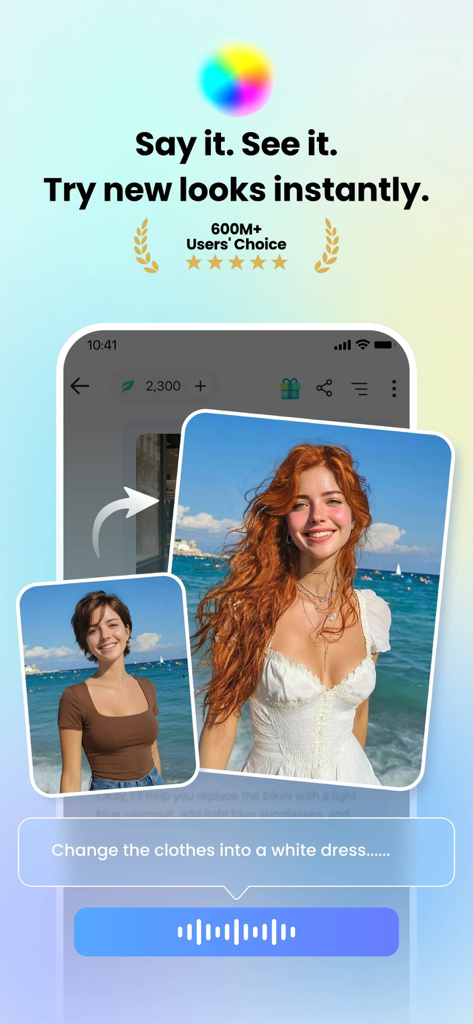
음성 명령을 사용하여 Fotor AI 에이전트가 여성의 의상을 흰색 드레스로 바꾸는 시연

음성 명령을 사용하여 Fotor AI 에이전트가 여성의 의상을 흰색 드레스로 바꾸는 시연

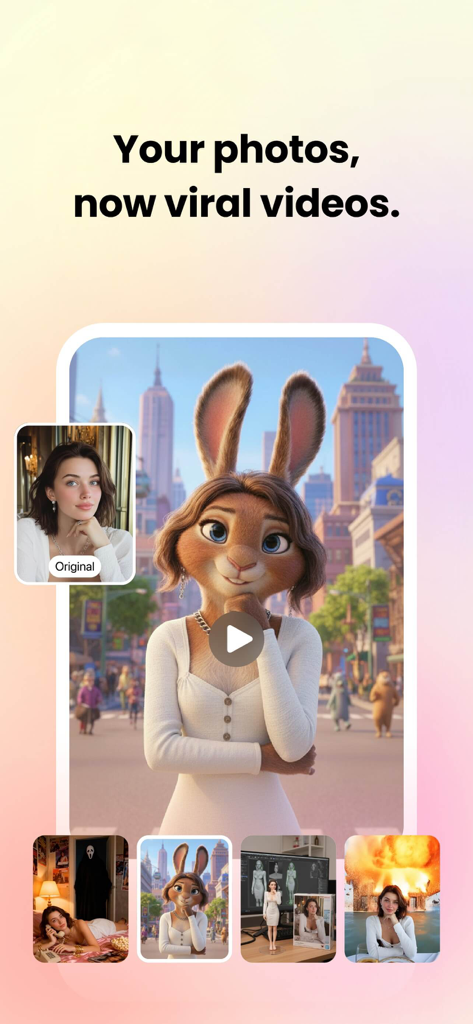
Fotor 앱 화면에서 초상화 사진이 바이럴 3D 애니메이션 비디오 캐릭터로 변환되는 것을 보여줌

Fotor 앱 화면에서 초상화 사진이 바이럴 3D 애니메이션 비디오 캐릭터로 변환되는 것을 보여줌

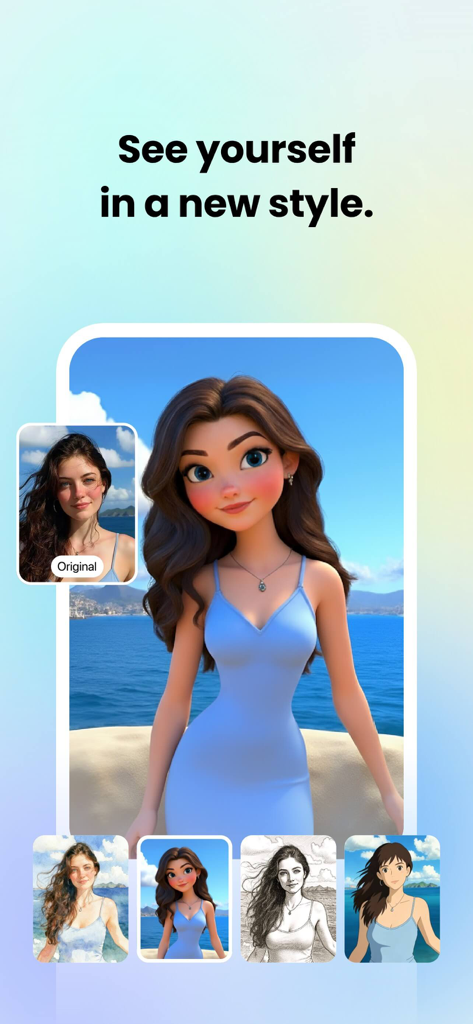
Fotor 앱에서 여성의 초상화가 3D 만화 및 애니메이션과 같은 다양한 AI 아트 스타일로 변환되는 것을 보여줌.

Fotor 앱에서 여성의 초상화가 3D 만화 및 애니메이션과 같은 다양한 AI 아트 스타일로 변환되는 것을 보여줌.

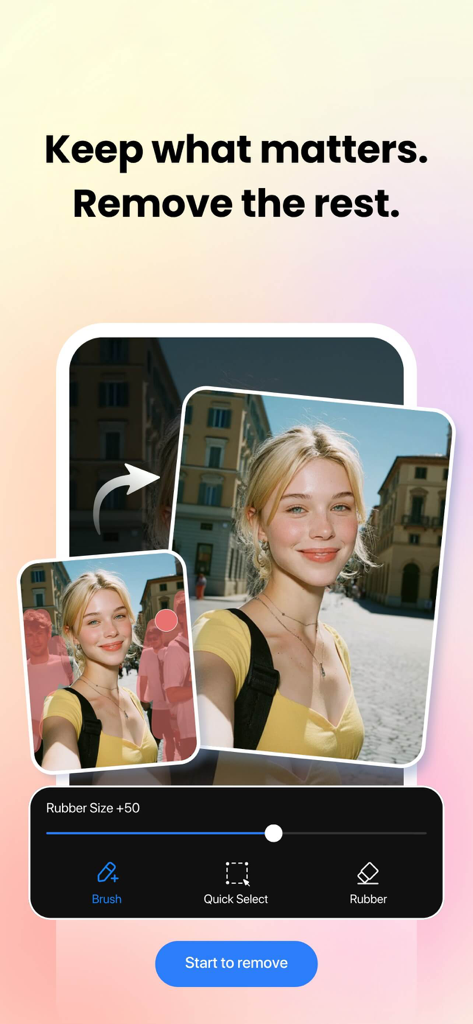
Fotor 매직 지우개를 사용하여 배경에서 원치 않는 사람들을 제거하는 전후 시연

Fotor 매직 지우개를 사용하여 배경에서 원치 않는 사람들을 제거하는 전후 시연

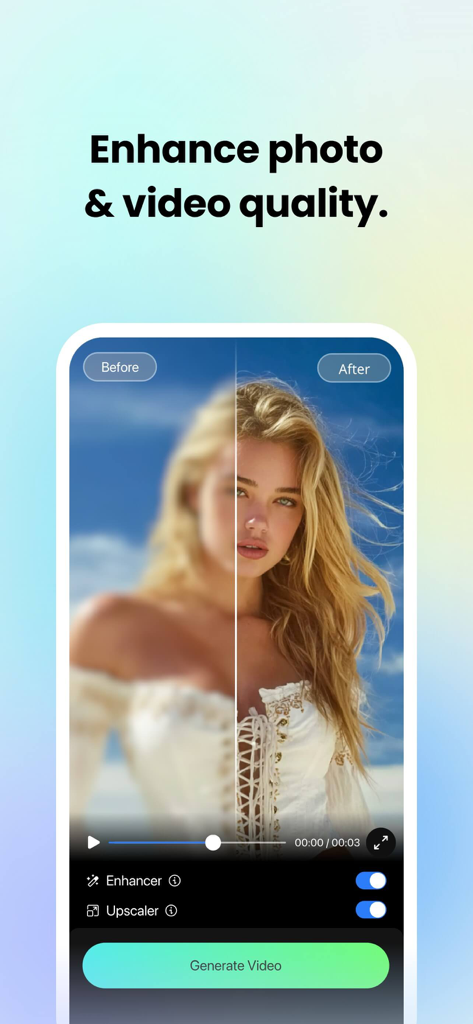
흐릿한 초상화에서 선명한 고화질 이미지로 Fotor AI 사진 향상 및 업스케일링을 보여주는 나란히 비교.

흐릿한 초상화에서 선명한 고화질 이미지로 Fotor AI 사진 향상 및 업스케일링을 보여주는 나란히 비교.

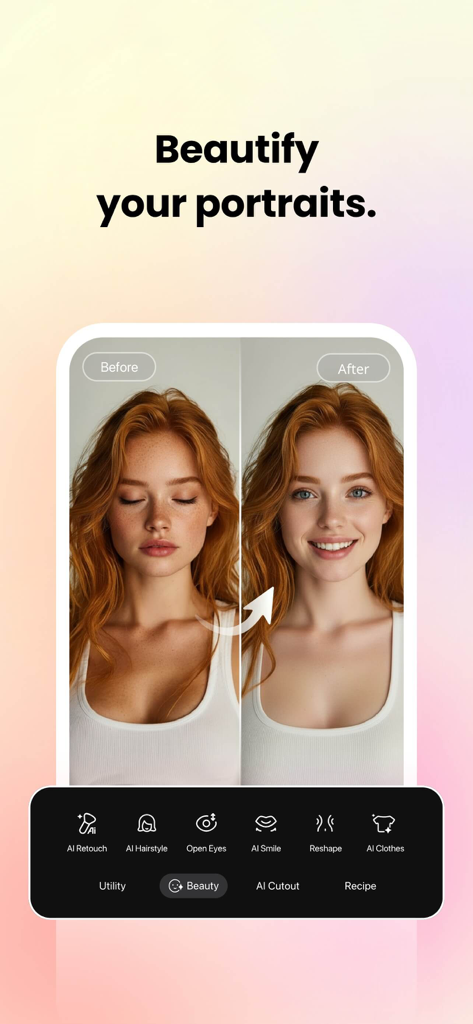
Fotor에서 AI 뷰티 리터칭을 보여주는 전후 초상화 비교

Fotor에서 AI 뷰티 리터칭을 보여주는 전후 초상화 비교

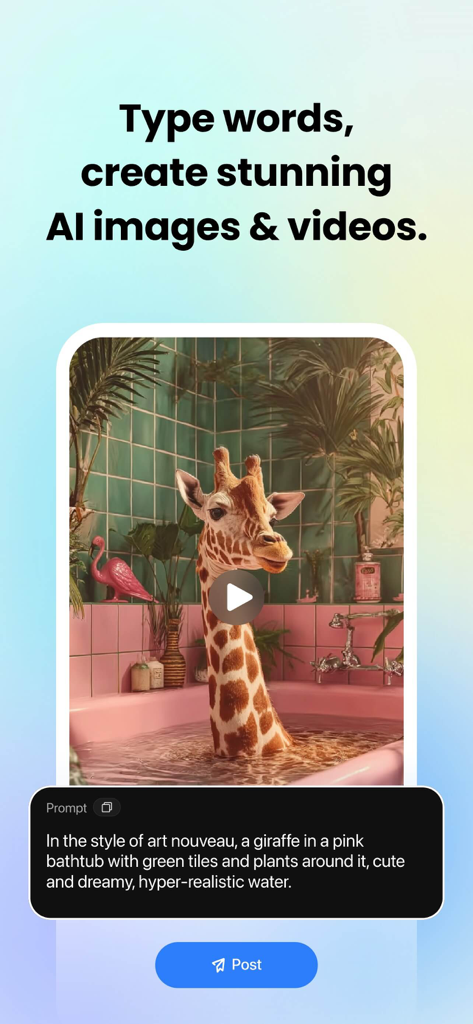
욕조에 있는 기린의 텍스트-이미지 생성을 표시하는 Fotor 앱 인터페이스

욕조에 있는 기린의 텍스트-이미지 생성을 표시하는 Fotor 앱 인터페이스

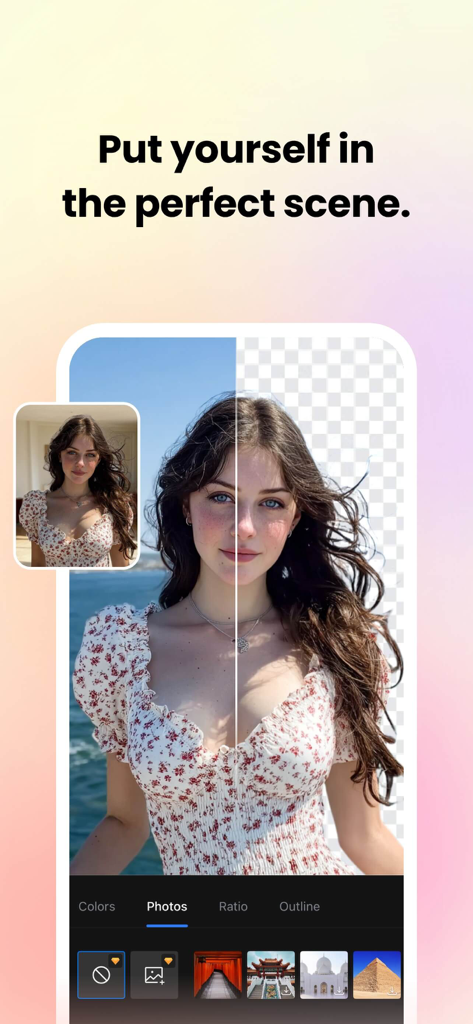
Fotor AI 배경 제거 및 장면 교체 인터페이스

Fotor AI 배경 제거 및 장면 교체 인터페이스

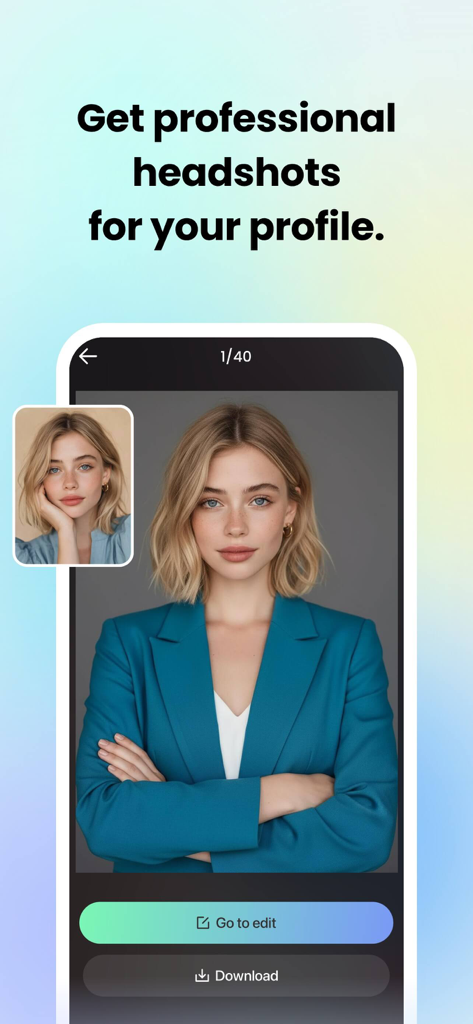
Fotor AI를 사용하여 캐주얼한 사진이 전문적인 비즈니스 프로필 사진으로 변환됨.

Fotor AI를 사용하여 캐주얼한 사진이 전문적인 비즈니스 프로필 사진으로 변환됨.

프로 수준의 비주얼을 손쉽게

이 앱을 돋보이게 하는 도구, 13M+ 명의 사용자가 선택.

💬

편집기와 대화하세요

복잡한 메뉴는 건너뛰세요. 필터 추가부터 복잡한 편집까지, AI 에이전트에게 원하는 것을 말하기만 하면 대화를 통해 즉시 비전을 현실로 만들 수 있습니다.

👔

즉시 커리어 부스터

스튜디오 품질의 LinkedIn 프로필 사진과 완벽한 AI 리터칭으로 개인 브랜드를 구축하세요. 비싼 사진 촬영 없이도 커리어 프로필을 위한 전문가 수준의 결과를 얻으세요.

마법 같은 정리 도구

원치 않는 개체나 배경을 탭 한 번으로 제거하여 제품 사진과 소셜 게시물을 완벽하게 만드세요. Poshmark, Etsy 또는 Instagram의 미학을 쉽게 향상시키세요.

앱 소개

에 대해 알아야 할 모든 것 Fotor - AI Agent Photo Editor.

설명

Photo editing used to be a task. Now it's just a talk. With Fotor, editing is easier than ever. Fotor is your all-in-one AI photo editing toolbox, now featuring the new AI Agent. Just upload a photo and say or type what you want—Fotor's smart Agent understands your commands and applies multiple edits at once, saving you time and effort. Whether you're a creator, a photo enthusiast, or just having fun, Fotor makes editing smarter, faster, and more creative than ever. In the Fotor App, you can: ‒ Use the AI Photo Enhancer to instantly clarify blurry photos. Fix grainy, pixelated and low-resolution images Instantly. ‒ Use the Magic Eraser to quickly remove unwanted elements, such as bystanders, watermarks and buildings, while seamlessly blending with the original background. ‒ Use the Bg Remover to extract subject from your images with one click, and you can replace the background to create highly personalized photos. ‒ Use AI Retouch to achieve flawless skin. Enjoy natural and delicate skin smoothing and blemish removal to effortlessly create a refined appearance. ‒ Use AI Headshot to create PFPs and avatars for LinkedIn and other social media platforms. ‒ Turn text into stunning images! Just describe what you want, like “a magician baking bread in the kitchen” or “Spider-Man at a bar,” then choose a style, and transform your ideas into reality in seconds. ‒ Curious about what your future baby with your partner might look like? Just try our Baby Generator, and let AI show you the results. ‒ Use trendy 3D Cartoon and Anime AI art effects to easily transform your selfies into vibrant cartoon comics. Explore more features of Fotor and unleash your creativity. AI Tools: ‒ Instantly change outfits, hairstyles, and colors with AI Replace to find your best style. ‒ Extend photo subjects and backgrounds with AI Expand to fit different sizes and achieve a balanced effect. ‒ Generate unique AI avatars from selfies, add luxurious backgrounds, or place yourself in iconic destinations. ‒ Restore and colorize old family photos, turning them into vibrant, high-definition images. ‒ Use face swap templates for movie characters or 80s styles to create memorable moments. ‒ Transform line drawings into digital artworks with AI Sketch. ‒ Create masterpieces with AI art effects inspired by Van Gogh, Monet, and Picasso. Photo Editor: ‒ Use unique photo filters to set the mood and captivate. ‒ Adjust brightness, clarity, contrast, saturation, HSL, curves, hue, and grain. ‒ Auto-focus, blur backgrounds, and sharpen photo subjects. ‒ Crop images into any shape and experiment with perspectives. ‒ Layer images or effects with Overlay for added creativity. ‒ Adjust image size while maintaining aspect ratio. ‒ Add text and stickers to enhance fun and depth. ‒ Sharpen blurry portrait photos with one tap. Layouts: ‒ Capture and combine moments into vibrant collages with Collage Maker. ‒ Create professional social media posts, flyers, and posters with design templates. ‒ Make mood boards and photo frames with grid or freestyle collages. ‒ Merge multiple images into one with the stitching tool. AI Cutout: ‒ Add cinematic effects with double exposure. ‒ Create stunning backgrounds for product photos with AI Background. The Fotor Pro subscription fee is charged monthly or yearly. The fees for the Fotor Pro plan are paid following purchase confirmation. The subscription will automatically renew on expiry unless the automatic renewal is turned off at least 24 hours before the expiry of the current subscription period. Once the subscription is confirmed, your iTunes account will be charged according to the plan you chose. After purchase, you may go to the iTunes Settings to manage your subscription and turn the automatic renewal off. A canceled subscription becomes effective after one month. Terms of Service: https://www.fotor.com/service.html?f=iphoneapp&v=1 Privacy Policy: https://www.fotor.com/privacy.html

최신 버전

11.1.3

크기

293.3 MB

출시일

2011년 7월 24일

더 스마트하게 편집할 준비가 되셨나요? AI 에이전트를 만나보세요.

1,300만 명 이상의 크리에이터와 함께하며 말로만으로 사진을 변환하세요. 전문가 수준의 프로필 사진부터 바이럴 AI 아트까지, 궁극의 창작 툴박스가 여러분을 기다립니다.

다운로드: App Store다운로드: Google Play
FAQ

자주 묻는 질문

에 대해 알아야 할 모든 것 Fotor - AI Agent Photo Editor

Fotor AI Agent는 무엇이며 어떻게 작동합니까?

Fotor AI Agent는 음성 또는 입력 명령을 이해하는 올인원 AI 사진 편집 도구 상자입니다. 사용자는 사진을 업로드하고 원하는 편집 사항을 설명하면 AI Agent가 여러 변경 사항을 자동으로 적용합니다.

Fotor의 Magic Eraser는 사진에서 원치 않는 개체를 제거할 수 있습니까?

예, Fotor의 Magic Eraser 도구는 사진에서 지나가는 사람, 워터마크 또는 건물과 같은 원치 않는 요소를 빠르게 제거합니다. 편집된 영역을 원본 배경과 완벽하게 혼합합니다.

Fotor는 전문 프로필용 AI 헤드샷 기능을 제공합니까?

예, Fotor는 전문 PFPs 및 아바타를 만들기 위한 AI 헤드샷 기능을 제공합니다. 이는 LinkedIn 및 기타 소셜 미디어와 같은 플랫폼에 적합합니다.

Fotor는 흐릿하거나 품질이 낮은 사진을 어떻게 향상시킵니까?

Fotor는 AI Photo Enhancer를 사용하여 흐릿한 이미지를 즉시 선명하게 만듭니다. 한 번의 탭으로 거친, 픽셀화된, 저해상도 이미지를 수정합니다.

Fotor는 텍스트 설명에서 이미지를 생성할 수 있습니까?

예, Fotor는 텍스트에서 멋진 이미지를 생성할 수 있습니다. 사용자는 설명을 입력하고 스타일을 선택하면 앱이 몇 초 안에 아이디어를 현실로 변환합니다.

Fotor에서 이미지의 배경을 제거하거나 변경하려면 어떻게 해야 합니까?

Fotor의 Bg Remover는 한 번의 클릭으로 이미지에서 피사체를 추출합니다. 사용자는 그런 다음 배경을 교체하여 매우 개인화된 사진을 만들거나 제품 사진에 AI 배경을 사용할 수 있습니다.

Fotor Pro의 구독 옵션은 무엇입니까?

Fotor Pro는 월별 또는 연간 구독 플랜을 제공합니다. 현재 기간이 만료되기 최소 24시간 전에 비활성화하지 않으면 구독이 자동으로 갱신됩니다.

Fotor는 피부 보정 및 잡티 제거를 위한 AI 도구를 제공합니까?

예, Fotor는 완벽한 피부를 얻기 위한 AI Retouch를 제공합니다. 자연스럽고 섬세한 피부 스무딩 및 잡티 제거를 제공하여 세련된 외모를 연출합니다.

Fotor에서 AI를 사용하여 의상이나 헤어스타일을 변경할 수 있습니까?

예, Fotor의 AI Replace 도구를 사용하면 의상, 헤어스타일 및 색상을 즉시 변경할 수 있습니다. 이 기능은 사용자가 자신의 최적 스타일을 찾는 데 도움이 됩니다.

Fotor에서 셀카를 만화 또는 애니메이션 스타일로 변환할 수 있습니까?

예, Fotor에는 트렌디한 3D 만화 및 애니메이션 AI 아트 효과가 포함되어 있습니다. 사용자는 셀카를 생생한 만화 코믹으로 쉽게 변환할 수 있습니다.

App information, icons, screenshots, and descriptions displayed on this page are sourced from the Apple App Store and are the property of their respective developers. Download estimates and rankings are based on MWM's proprietary models and may not reflect actual figures. This page is provided for informational and analytical purposes only.

Believe this page infringes your intellectual property? File a dispute