Framable | Framed Screenshots

Framable | Framed Screenshots


다운로드: App Store
로고: Framable | Framed Screenshots

Framable | 프레임 스크린샷: 즉시 전문적인 목업

원본 캡처를 사실적인 Apple 기기 프레임으로 멋진 프레젠테이션으로 전환하세요. 단 1초 만에 소셜 미디어, 앱 스토어 목록 및 포트폴리오를 위한 고화질 비주얼을 만드세요.

다운로드: App Store

개발사

镇 王

카테고리

Graphics & Design

다운로드

100

사용자 평점

1.0/5

총 평가 수

0

지원 언어

13

완벽한 프레젠테이션

이 인터페이스를 사용하는 100 명의 사용자.

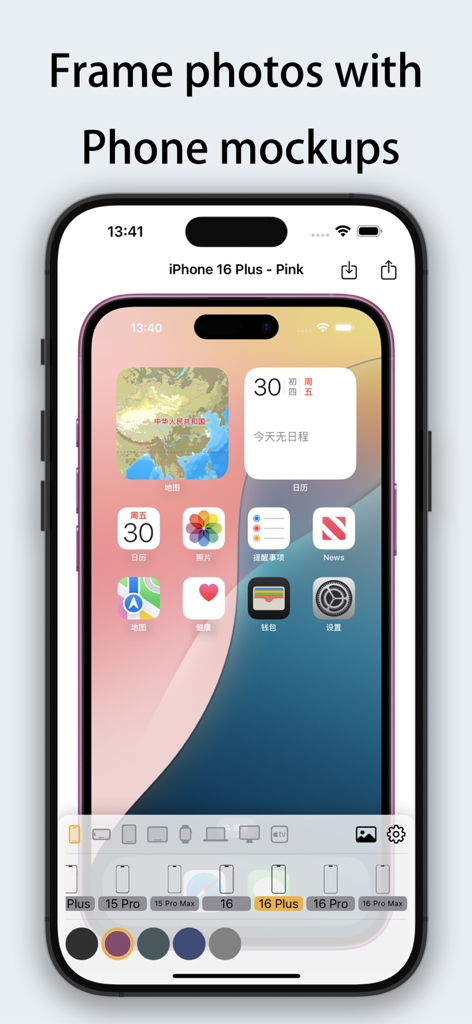
Framable 앱 인터페이스가 분홍색 iPhone 16 Plus 목업 안에 스크린샷을 프레임 처리하여 보여주고 있습니다.

Framable 앱 인터페이스가 분홍색 iPhone 16 Plus 목업 안에 스크린샷을 프레임 처리하여 보여주고 있습니다.

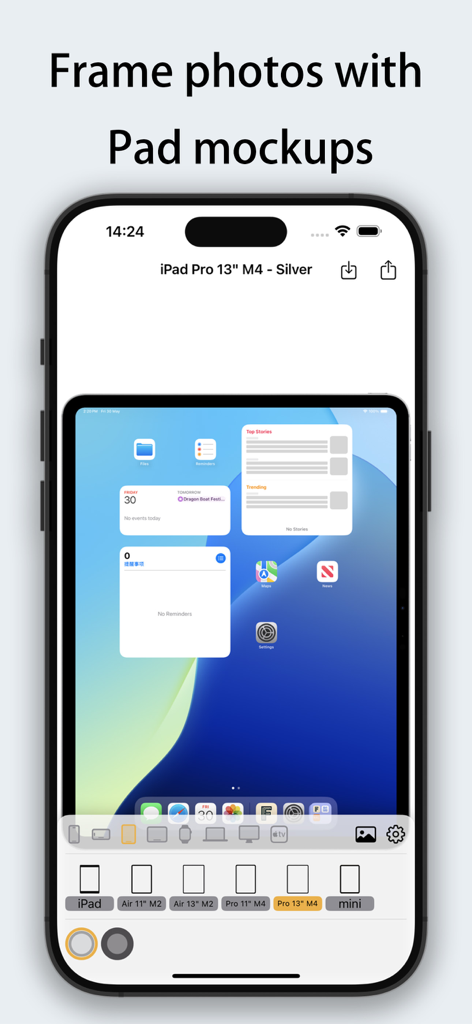
스크린샷에 iPad Pro 기기 프레임을 추가하기 위한 Framable 앱 인터페이스

스크린샷에 iPad Pro 기기 프레임을 추가하기 위한 Framable 앱 인터페이스

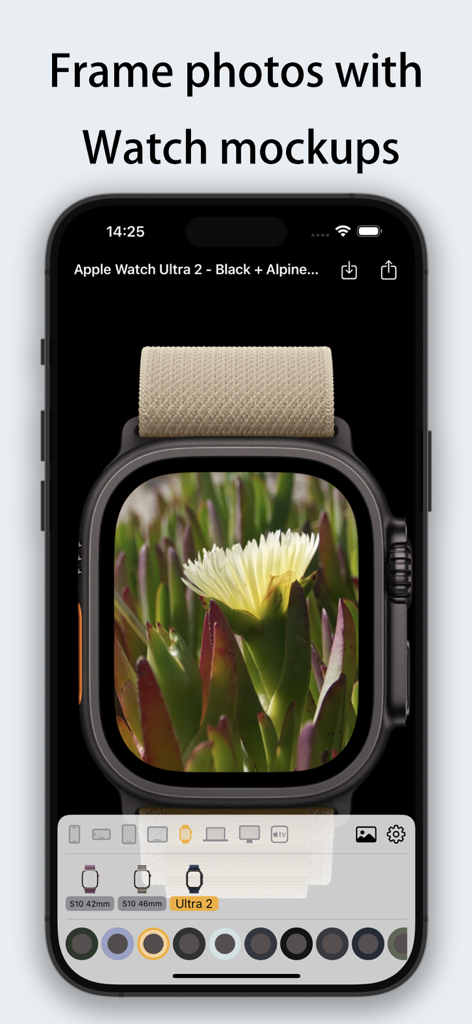
Framable 앱 인터페이스가 Apple Watch Ultra 2 기기 프레임 안에 꽃 사진을 보여주고 있습니다.

Framable 앱 인터페이스가 Apple Watch Ultra 2 기기 프레임 안에 꽃 사진을 보여주고 있습니다.

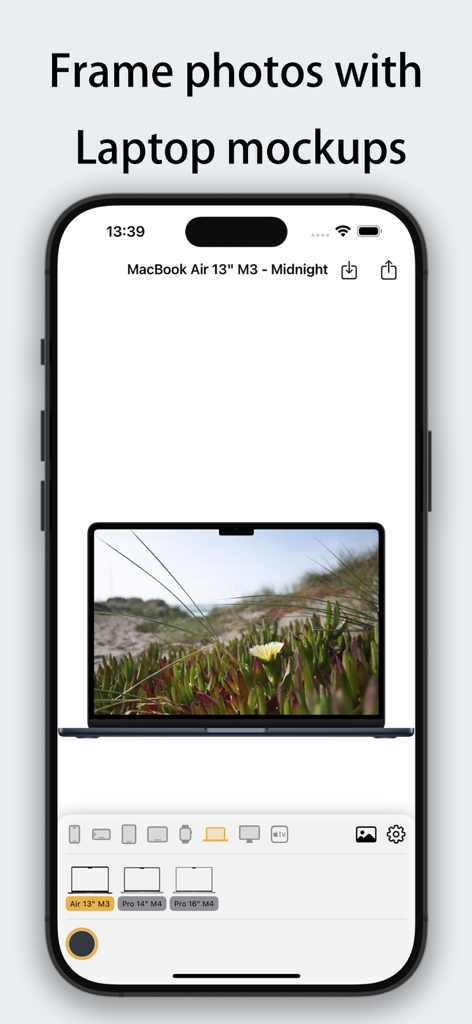
Framable 앱 인터페이스가 MacBook Air M3 노트북 기기 프레임 목업 안에 사진을 표시하고 있습니다.

Framable 앱 인터페이스가 MacBook Air M3 노트북 기기 프레임 목업 안에 사진을 표시하고 있습니다.

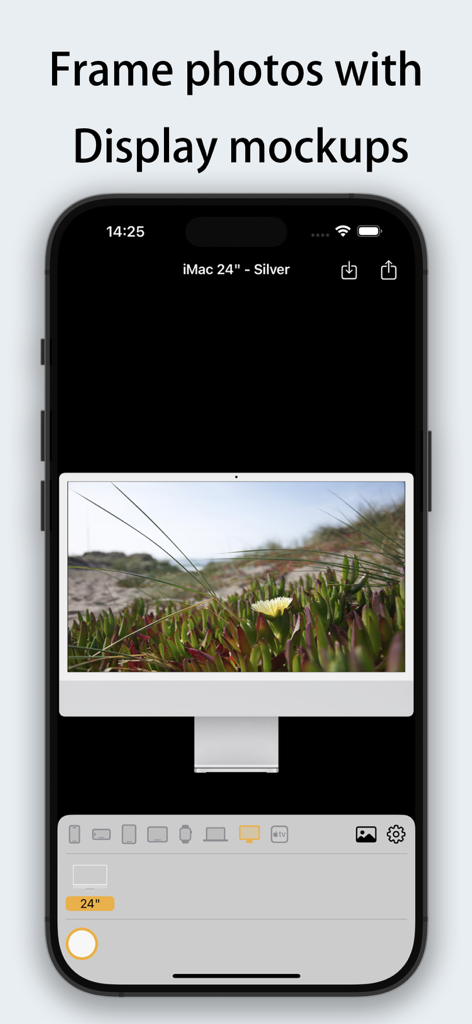
Framable 앱 인터페이스가 은색 iMac 24인치 목업 안에 사진을 프레임 처리하여 표시하고 있습니다.

Framable 앱 인터페이스가 은색 iMac 24인치 목업 안에 사진을 프레임 처리하여 표시하고 있습니다.

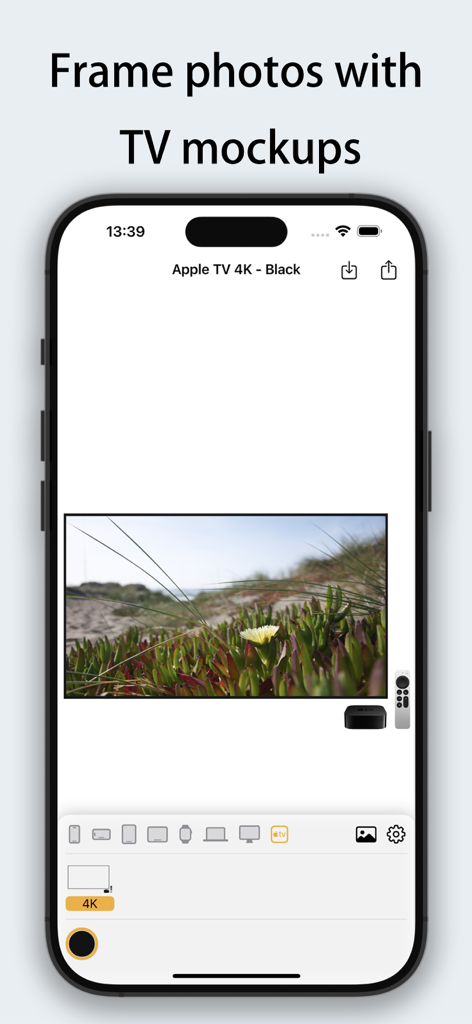
Framable 앱 인터페이스가 Apple TV 4K 목업 안에 풍경 사진을 프레임 처리하여 보여주고 있습니다.

Framable 앱 인터페이스가 Apple TV 4K 목업 안에 풍경 사진을 프레임 처리하여 보여주고 있습니다.

디지털 프레젠스를 즉시 향상시키세요

이 앱을 돋보이게 하는 도구, 100 명의 사용자가 선택.

즉각적인 전문성

기본 캡처에서 단 한 번의 탭으로 완성된 목업으로 전환하세요. 1초 처리 속도로 워크플로우를 유지하면서 고급 결과물을 제공합니다.

📱

최신 Apple 생태계

최신 iPhone 16, M4 iPad, MacBook용 픽셀 단위의 완벽한 프레임으로 앞서나가세요. 콘텐츠가 항상 최첨단으로 보이도록 보장합니다.

고화질 내보내기

4K 해상도 지원으로 모든 디테일을 보존하세요. 전문적인 포트폴리오, 앱 스토어 에셋, 높은 참여도의 소셜 미디어 게시물을 만드는 데 적합합니다.

앱 소개

에 대해 알아야 할 모든 것 Framable | Framed Screenshots.

설명

Framable - Add a beautiful device frame to your screenshots with one tap! Make your screenshots instantly professional! Framable supports adding realistic device frames to iPhone, iPad, Mac, Apple Watch, and Apple TV screenshots/photos. 1-second processing, easy sharing. Perfectly compatible with the latest Apple devices • iPhone 14/15/16/17/Air full series (including Pro/Pro Max) • iPad Air/Pro/mini (M2/M4 models fully covered) • MacBook Air/Pro (13"~16", M3/M4 chips) • iMac 24", Apple TV 4K • Apple Watch S10/S11/Ultra 2/Ultra 3 (42mm/46mm dial) Core Features • Ultra-fast processing - automatically generate framed images in 1 second • High-definition output - preserves original image quality, supports 4K resolution • Diverse frames - multiple color options available (Space Gray, Starlight, Midnight Blue, etc.) • Seamless sharing - directly save to album or share to social platforms Use Cases • Add device display frames for App Store screenshots • Make product demonstrations more professional • Create personalized social media graphics • Highlight device features when designing tutorials/reviews "From ordinary screenshot to professional presentation, in just 1 second!"

최신 버전

1.0.1

크기

30.4 MB

출시일

2025년 6월 4일

작업에 프리미엄 품질을 더할 준비가 되셨나요?

수천 명의 크리에이터, 개발자, 디자이너와 함께 원본 스크린샷을 단 한 번의 탭으로 전문적인 프레젠테이션으로 바꿔보세요. 지금 Framable을 다운로드하고 최신 고화질 Apple 프레임으로 아이디어를 선보이세요.

다운로드: App Store

App information, icons, screenshots, and descriptions displayed on this page are sourced from the Apple App Store and are the property of their respective developers. Download estimates and rankings are based on MWM's proprietary models and may not reflect actual figures. This page is provided for informational and analytical purposes only.

Believe this page infringes your intellectual property? File a dispute