Frame.io

Frame.io

다운로드: App Store
로고: Frame.io

Frame.io: 이동 중에도 가능한 전문적인 비디오 협업 및 리뷰

프레임 단위의 정확성으로 창의적인 워크플로우를 강화하세요. iPhone 및 iPad에 최적화된 업계 최고의 플랫폼을 사용하여 어디서나 에셋을 리뷰하고, 상세한 주석을 남기며, 팀 승인을 관리할 수 있습니다.

개발사

Frame.io, Inc.

카테고리

Photo & Video

다운로드

577K+

사용자 평점

4.4/5

총 평가 수

1K+

지원 언어

7

손끝에서 펼쳐지는 정밀함

이 인터페이스를 사용하는 577K+ 명의 사용자.

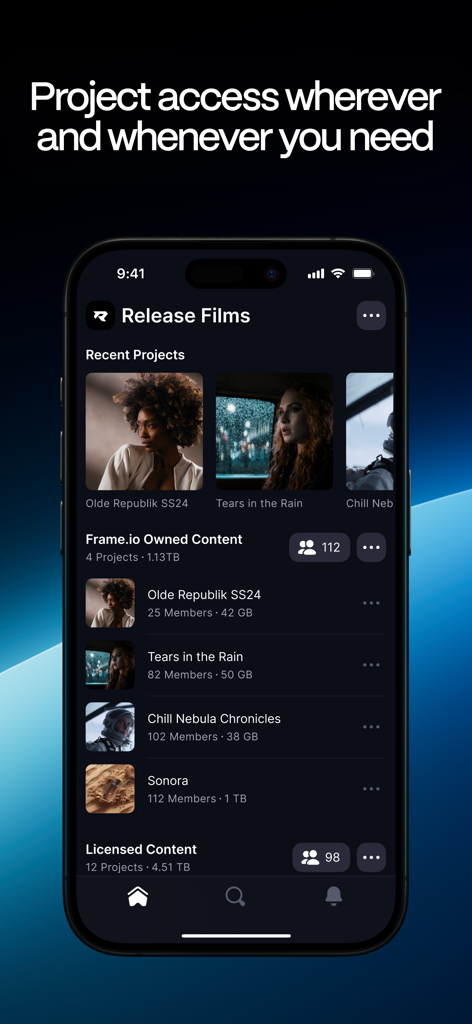
iPhone에서 영화 프로젝트 목록과 저장 공간 세부 정보를 보여주는 Frame.io 모바일 앱 대시보드.

iPhone에서 영화 프로젝트 목록과 저장 공간 세부 정보를 보여주는 Frame.io 모바일 앱 대시보드.

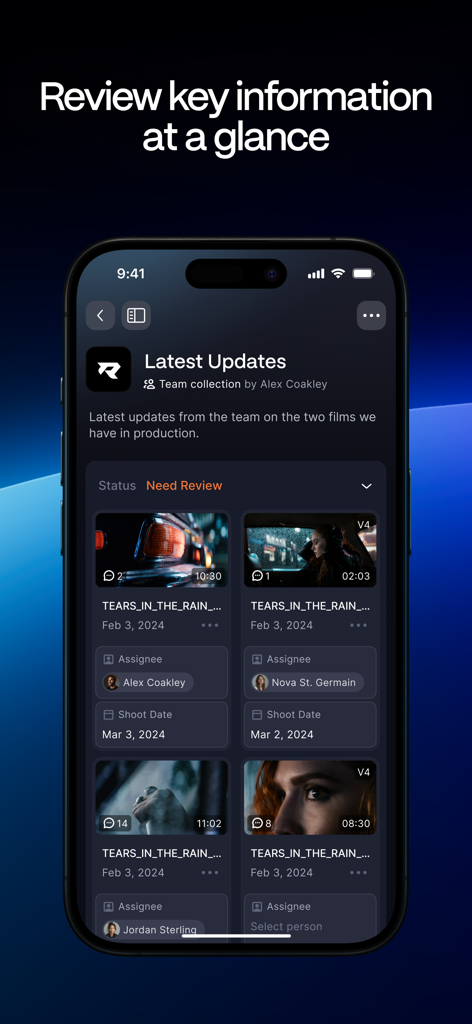
비디오 프로젝트 업데이트 및 리뷰를 위한 에셋 상태를 보여주는 Frame.io 모바일 앱 인터페이스

비디오 프로젝트 업데이트 및 리뷰를 위한 에셋 상태를 보여주는 Frame.io 모바일 앱 인터페이스

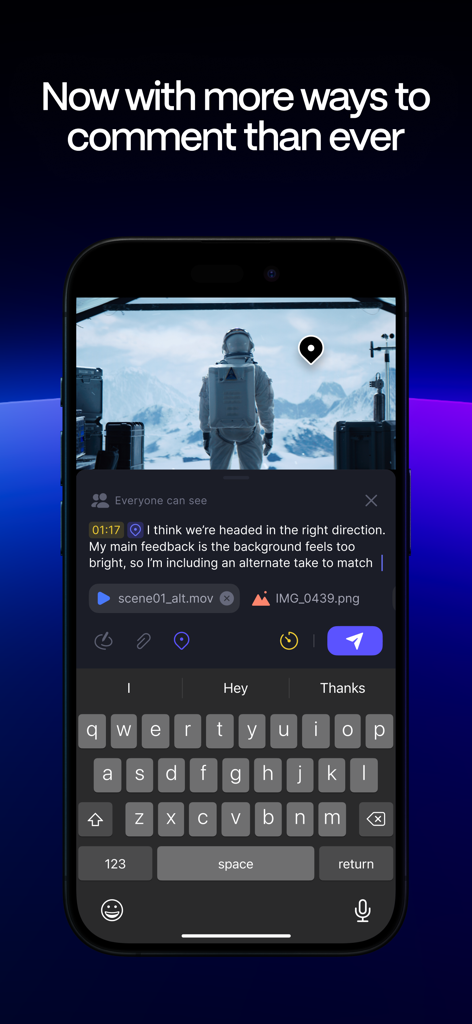
iPhone에서 비디오 리뷰에 타임코드가 포함된 댓글과 파일 첨부 파일을 추가하는 사용자의 모습을 보여주는 Frame.io 앱 인터페이스

iPhone에서 비디오 리뷰에 타임코드가 포함된 댓글과 파일 첨부 파일을 추가하는 사용자의 모습을 보여주는 Frame.io 앱 인터페이스

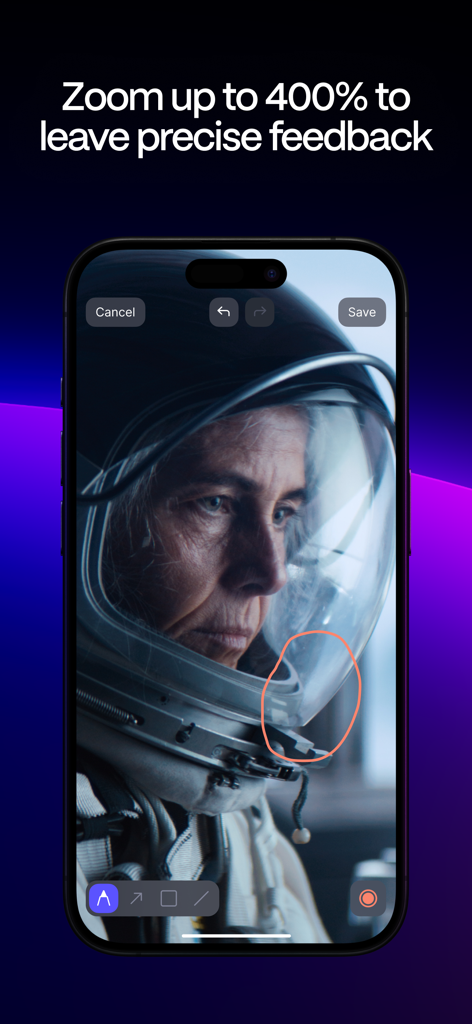
비디오 프레임에 대한 정밀한 피드백을 위해 비디오 줌 및 그리기 도구를 보여주는 Frame.io 모바일 앱 인터페이스.

비디오 프레임에 대한 정밀한 피드백을 위해 비디오 줌 및 그리기 도구를 보여주는 Frame.io 모바일 앱 인터페이스.

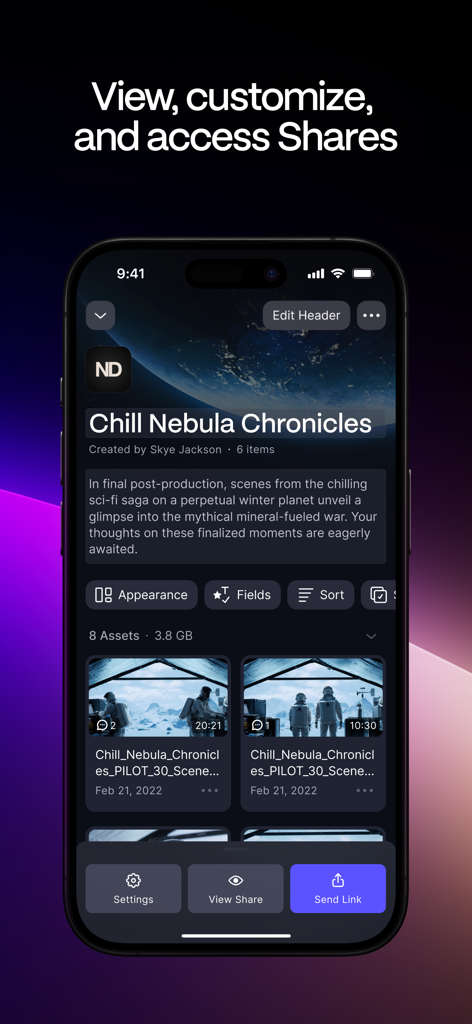
에셋 썸네일과 공유 링크 옵션이 있는 비디오 프로젝트 개요를 보여주는 Frame.io 앱 인터페이스

에셋 썸네일과 공유 링크 옵션이 있는 비디오 프로젝트 개요를 보여주는 Frame.io 앱 인터페이스

창의적인 워크플로우의 간소화

이 앱을 돋보이게 하는 도구, 577K+ 명의 사용자가 선택.

✏️

프레임 단위의 정확성

모호한 피드백을 없애세요. 고정된 댓글과 화면 주석을 사용하여 팀에게 수정이 필요한 정확한 프레임을 보여줄 수 있습니다.

네이티브 속도 및 400% 줌

지연 없는 재생과 놀라운 반응성을 경험하세요. 네이티브 Swift 기반의 고해상도 핀치 투 줌 및 부드러운 스크러빙으로 모든 세부 사항을 검토할 수 있습니다.

📤

전문적인 클라이언트 공유

세련된 맞춤형 브랜드 공유 링크로 이해관계자에게 깊은 인상을 남기세요. 모바일 기기에서 가시성, 권한 및 피드백 주기를 직접 관리할 수 있습니다.

앱 소개

에 대해 알아야 할 모든 것 Frame.io.

설명

Supercharge your mobile workflow with the Frame.io experience on the smaller screen. Now it’s easier than ever to collaborate, review, and manage work with your team, clients, and other stakeholders from anywhere in the world using the Frame.io app for iPhone and iPad. Rebuilt from the ground up Customize how you view your assets — then scroll, scrub, zoom, and comment with incredible precision and responsiveness. Built natively in Swift, the Frame.io iOS and iPadOS apps allow you to bring the Frame.io experience with you anywhere. Find what you need faster Search comes to the Frame.io iPhone and iPad apps for the first time. Quickly find the assets, folders, or projects you need on the go. Experience a faster workflow Group, tag, and sort assets by out-of-the-box and custom metadata. Edit those fields right in the player — like Status or Rating, when you need to quickly approve on-the-go. Review more accurately Scroll, scrub, zoom, and comment with incredible precision and responsiveness. Pinch-and-zoom videos and images up to 400% to inspect fine details. Navigate quickly between assets by swiping left or right. Control your playback speed and resolution, and double-tap to skip backwards and forwards. Comment more effectively Leave anchored comments, include links and attachments for reference — even include emojis. Or draw annotations using the new full-screen experience. Over a dozen new commenting features help you get the point across faster. Customize your Shares Curate and send professional-looking shares from your iPhone or iPad. All the settings and controls are right there at your fingertips — title, description, appearance, visibility, and more. See everything the way you’d like to see it Customize your view including List and Grid options, thumbnail size, and aspect ratio. Reorder visible fields like Status and Rating, or easily sort by fields for more control over your browsing experience. Enhanced file and folder management Manage files and folders as easily as using Frame.io on your desktop. Rename, move, copy, export, and delete files and folders, modify files in bulk, or navigate through all your assets with full folder path support. Reduce notification fatigue Get more granular control over which notifications you get and where you get them. Terms & Conditions: Your use of this application is governed by the Frame.io Terms of Service https://frame.io/terms-linkfree and the Frame.io Privacy Policy https://frame.io/privacy-linkfree and any successor versions thereto. Do Not Sell or Share My Personal Information: https://www.adobe.com/go/ca-rights-linkfree

최신 버전

26.1.0

크기

100.1 MB

출시일

2016년 5월 31일

데스크톱을 넘어선 창의적인 워크플로우

iPhone 및 iPad에서 프레임 단위의 정확성으로 비디오 프로젝트를 리뷰하고 주석을 달며 승인하는 577,000명 이상의 전문가들과 함께하세요.

다운로드: App Store

App information, icons, screenshots, and descriptions displayed on this page are sourced from the Apple App Store and are the property of their respective developers. Download estimates and rankings are based on MWM's proprietary models and may not reflect actual figures. This page is provided for informational and analytical purposes only.

Believe this page infringes your intellectual property? File a dispute