Gammel

Gammel

다운로드: App Store
로고: Gammel

Gammel: 암산은 그만, 모든 이정표를 축하하세요

주, 월, 년 단위로 자녀, 반려동물, 기념일의 정확한 나이를 보여주는 홈 화면 및 Apple Watch용 아름다운 디자인의 위젯입니다.

다운로드: App Store

개발사

Luke Johnson

카테고리

Utilities

다운로드

100

사용자 평점

1.0/5

총 평가 수

0

지원 언어

1

한눈에 보는 나이

이 인터페이스를 사용하는 100 명의 사용자.

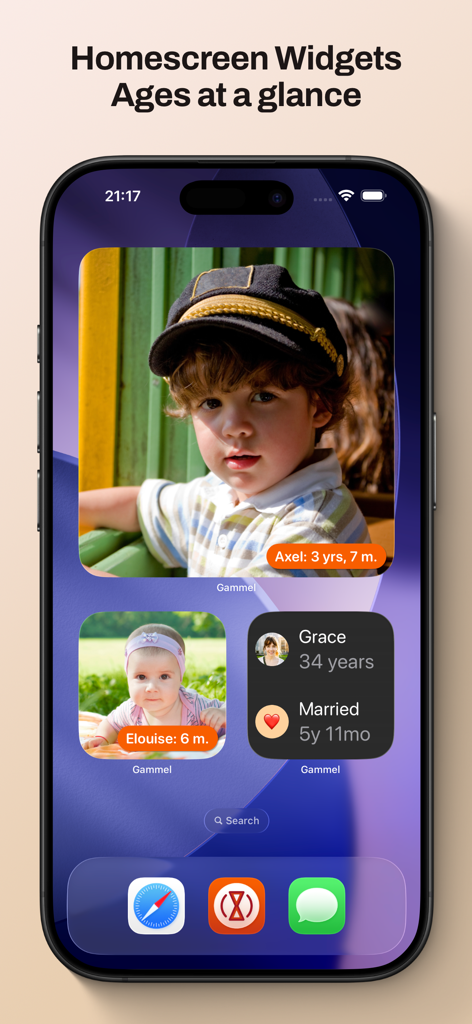
자녀의 사진과 추적된 나이, 결혼 기념일을 보여주는 Gammel 위젯이 포함된 iPhone 홈 화면

자녀의 사진과 추적된 나이, 결혼 기념일을 보여주는 Gammel 위젯이 포함된 iPhone 홈 화면

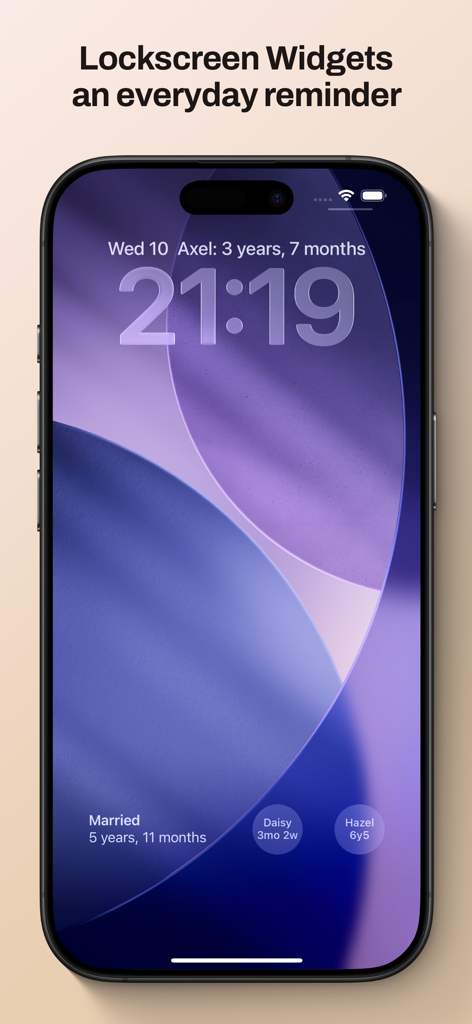
가족 나이 및 기념일을 추적하는 Gammel 위젯을 보여주는 iPhone 잠금 화면

가족 나이 및 기념일을 추적하는 Gammel 위젯을 보여주는 iPhone 잠금 화면

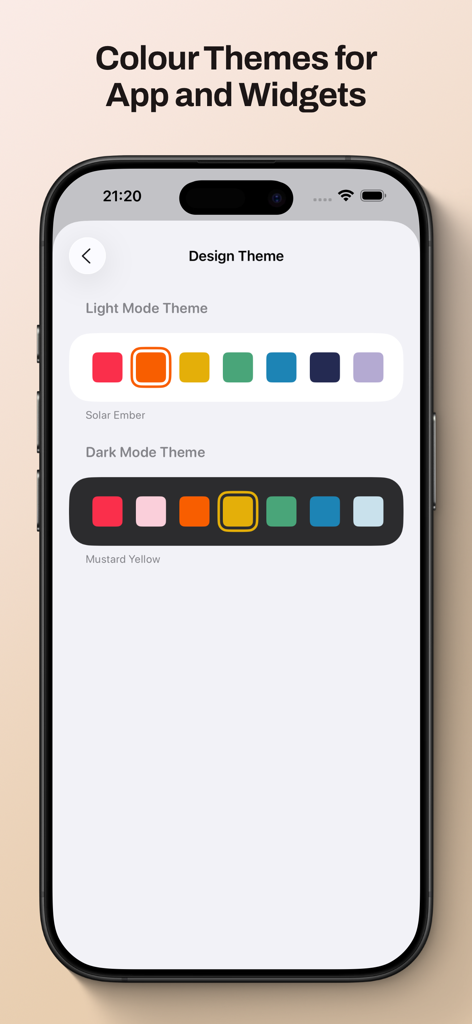
위젯 및 인터페이스 사용자 지정에 대한 밝은 모드 및 어두운 모드 색상 테마 옵션을 보여주는 Gammel 앱 화면

위젯 및 인터페이스 사용자 지정에 대한 밝은 모드 및 어두운 모드 색상 테마 옵션을 보여주는 Gammel 앱 화면

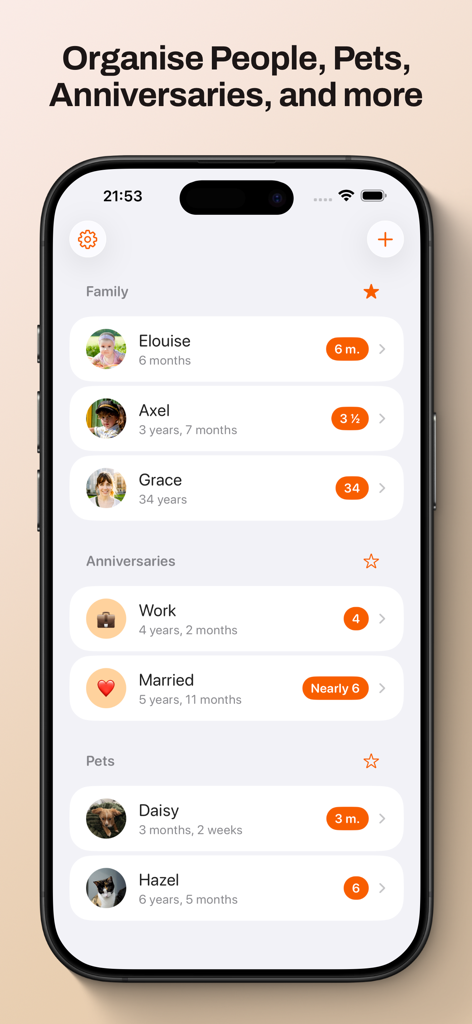
가족 구성원, 기념일 및 애완동물에 대한 정리된 나이 추적을 표시하는 Gammel 앱 대시보드.

가족 구성원, 기념일 및 애완동물에 대한 정리된 나이 추적을 표시하는 Gammel 앱 대시보드.

암산은 이제 그만

이 앱을 돋보이게 하는 도구, 100 명의 사용자가 선택.

🍼

스마트 나이 로직

신생아는 주 단위로, 유아는 월 단위로, 어린이는 년 단위로 손쉽게 추적하세요. 앱이 성장함에 따라 형식을 자동으로 조정합니다.

📱

한눈에 보는 위젯

홈 화면 또는 잠금 화면에 바로 나이를 표시하세요. 병원 진료 시 또는 가족과의 만남 중에 빠르게 답을 얻기에 완벽합니다.

☁️

개인 iCloud 동기화

데이터는 안전하고 비공개로 유지됩니다. iPhone, iPad, Mac 및 Apple Watch 간에 마일스톤을 원활하게 동기화하세요.

앱 소개

에 대해 알아야 할 모든 것 Gammel.

설명

Gammel helps you remember the ages of your loved ones with easy to configure Lock Screen and Home Screen widgets. “During the first few years of my son’s life I would need to know his age in weeks, then months, and I was always having to stop and think and do maths in my head. I created Gammel so I could have a widget on my phone as a quick and easy reminder, and so I wouldn’t have to do mental calculations while lacking sleep!” — Luke, developer of Gammel Want to remember and communicate the age of your newborn or toddler? Gammel shows you their age in the most appropriate way, weeks, months, and then years. Want to track how long you’ve been married or in your current relationship? Gammel shows you how long. How about the age of your pets? Gammel has you covered there too. Puppies, dogs, cats, birds, gold fish. With Gammel, you can add your children, nieces and nephews, grandchildren, friends and family, anybody you need to remember the age of. Then, easily group those you add, and favourite which group you would like to appear at the top of your dashboard. Your data is stored in iCloud and then syncs across your iPhone, iPad, Apple Watch, and even your Mac. Widgets Add widgets to your Home Screen, Lock Screen or Apple Watch as a constant reminder. Let Gammel select the most relevant age to show you based on the people you have added, or you can set who to show yourself. On your Home Screen choose from an image widget to display a single person, or a details widget to show more. Add customised Gammel widgets to your iPhone, iPad, and Mac, and add complications to your Apple Watch so the info is right in front of you, and always at hand. Design Themes You can easily change the colour theme of Gammel, this will control the highlight colour in app and on the image Display Age widget. Age Display Style Gammel has two age display styles, Smart and Casual. Choose the style that best suits the age or anniversary you want to display. * The Smart style will display ages in days, weeks, and months for babies and toddlers, then years and months. * The Casual style is more for describing the age in casual conversation, where the exact age isn't as important Shortcuts Gammel also supports shortcuts, allowing you to get an age you have added, either the current age or how old that person was or will be given a date as an input. The output can then be passed to other shortcut steps.

최신 버전

1.2.1

크기

9.0 MB

출시일

2025년 1월 23일

암산은 그만, 모든 이정표를 축하하세요

Gammel을 사용하여 사랑하는 사람들의 나이를 홈 화면에 바로 표시하는 바쁜 부모 및 반려동물 애호가 그룹에 참여하세요. 지금 다운로드하고 하루를 간소화하세요.

다운로드: App Store

App information, icons, screenshots, and descriptions displayed on this page are sourced from the Apple App Store and are the property of their respective developers. Download estimates and rankings are based on MWM's proprietary models and may not reflect actual figures. This page is provided for informational and analytical purposes only.

Believe this page infringes your intellectual property? File a dispute