Handwriting to Text Converter

Handwriting to Text Converter

다운로드: App Store
로고: Handwriting to Text Converter

손글씨 텍스트 변환기: AI 정밀도로 종이에서 디지털로

어지러운 필기체 노트와 PDF를 즉시 편집 가능한 텍스트로 변환하세요. AI로 스캔, 요약하고 Word 또는 PDF로 내보내세요. 학생과 전문가가 워크플로우를 디지털화하는 최고의 도구입니다.

다운로드: App Store

개발사

ECLIXTECH UK LTD

카테고리

Education

다운로드

1K+

사용자 평점

4.7/5

총 평가 수

200

지원 언어

69

종이에서 화면으로

이 인터페이스를 사용하는 1K+ 명의 사용자.

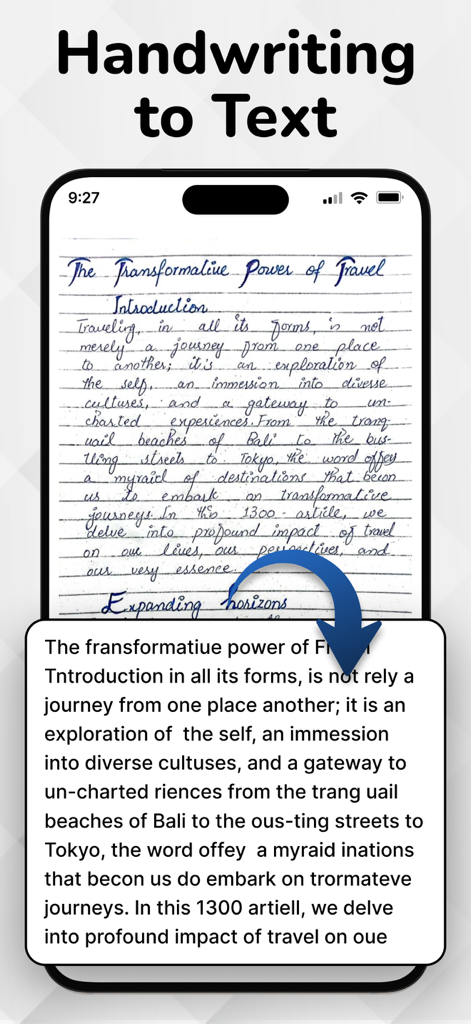
OCR 앱을 통해 디지털 텍스트로 변환되는 손글씨 일기 항목을 표시하는 스마트폰

OCR 앱을 통해 디지털 텍스트로 변환되는 손글씨 일기 항목을 표시하는 스마트폰

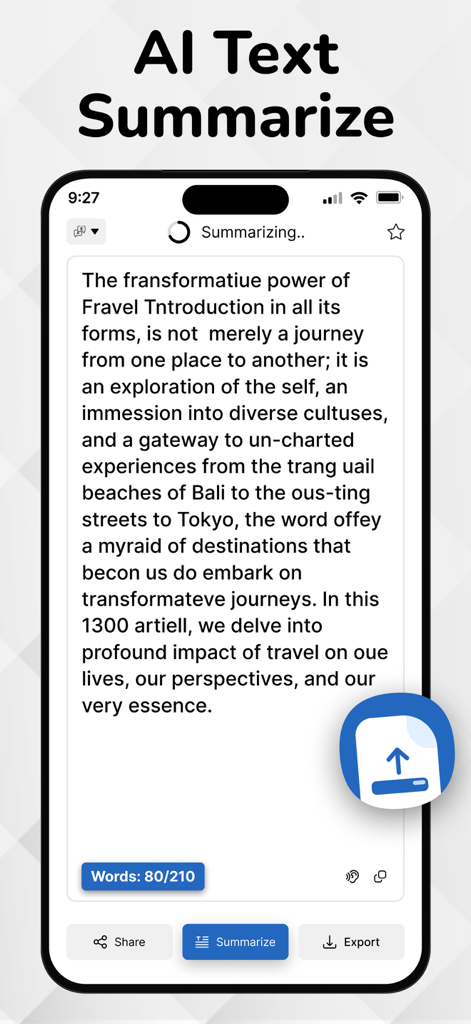
손글씨 텍스트 변환기 앱 내 AI 텍스트 요약 기능을 보여주는 iPhone 화면

손글씨 텍스트 변환기 앱 내 AI 텍스트 요약 기능을 보여주는 iPhone 화면

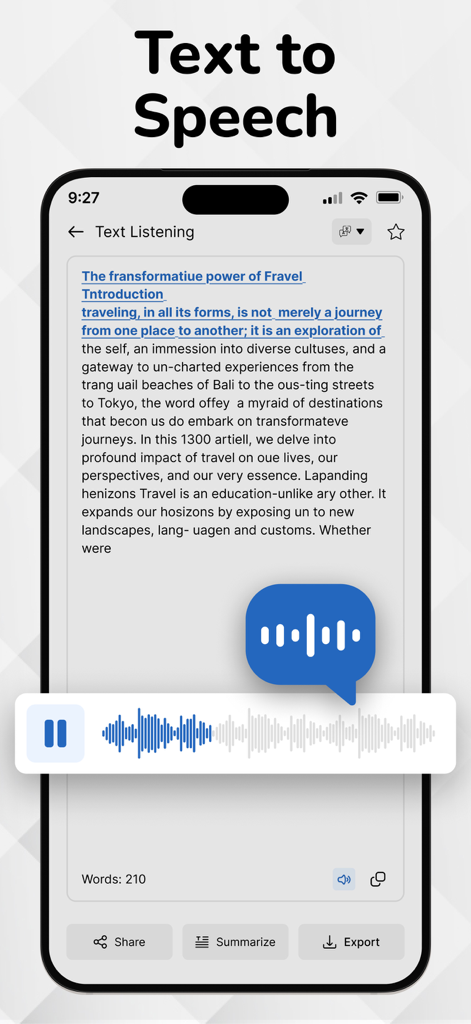
손글씨 텍스트 변환기 앱의 텍스트 음성 변환 기능으로 음성 출력 플레이어를 보여주는 화면

손글씨 텍스트 변환기 앱의 텍스트 음성 변환 기능으로 음성 출력 플레이어를 보여주는 화면

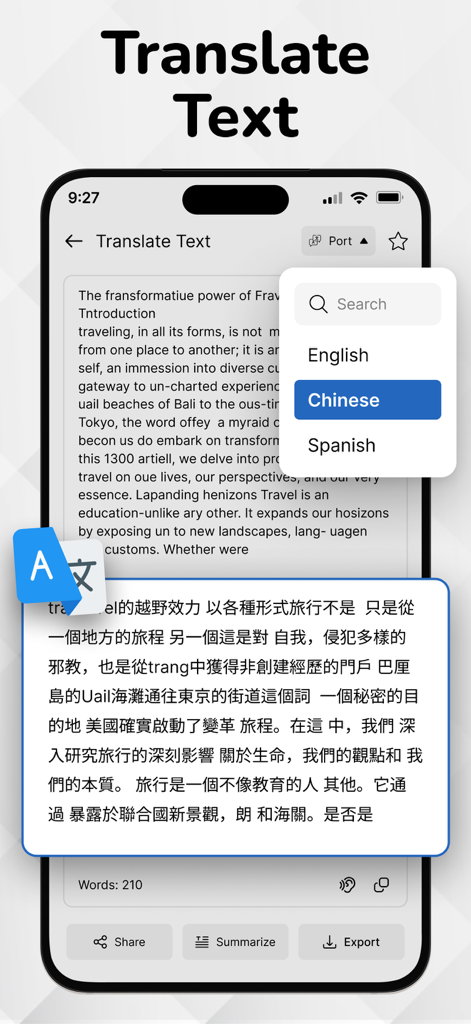
영어를 중국어로 번역하는 텍스트를 보여주는 손글씨 텍스트 변환기 앱 화면

영어를 중국어로 번역하는 텍스트를 보여주는 손글씨 텍스트 변환기 앱 화면

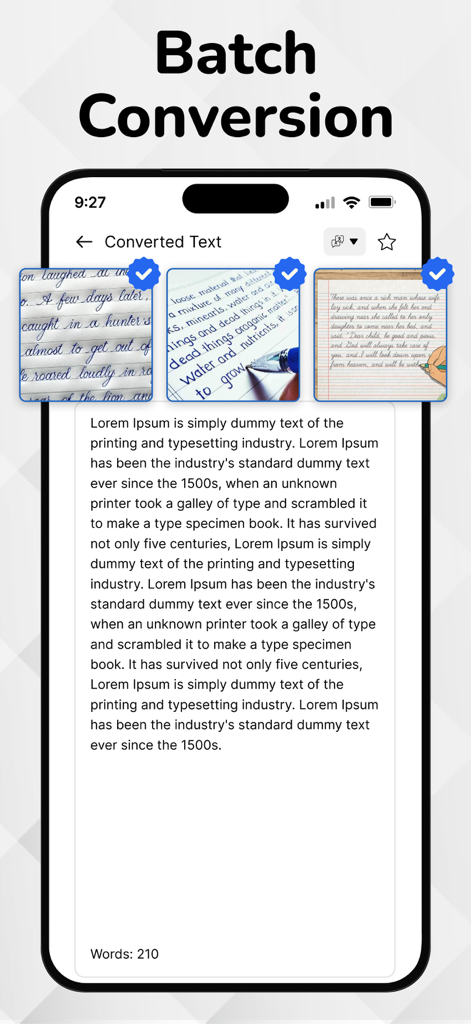
여러 손글씨 노트를 편집 가능한 디지털 텍스트로 변환하는 일괄 변환 기능을 보여주는 모바일 앱 인터페이스

여러 손글씨 노트를 편집 가능한 디지털 텍스트로 변환하는 일괄 변환 기능을 보여주는 모바일 앱 인터페이스

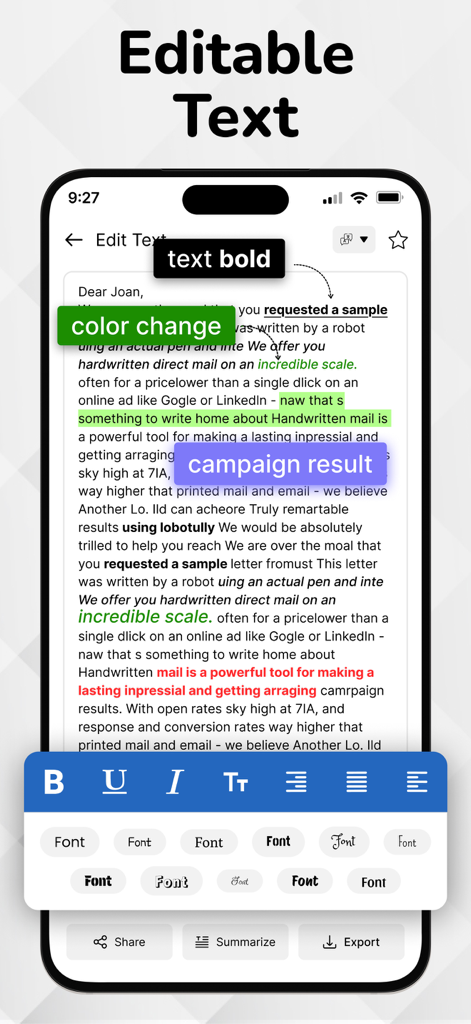
굵게, 색상 강조 표시, 글꼴 선택을 포함한 서식 도구와 함께 편집 가능한 텍스트를 보여주는 모바일 앱 화면

굵게, 색상 강조 표시, 글꼴 선택을 포함한 서식 도구와 함께 편집 가능한 텍스트를 보여주는 모바일 앱 화면

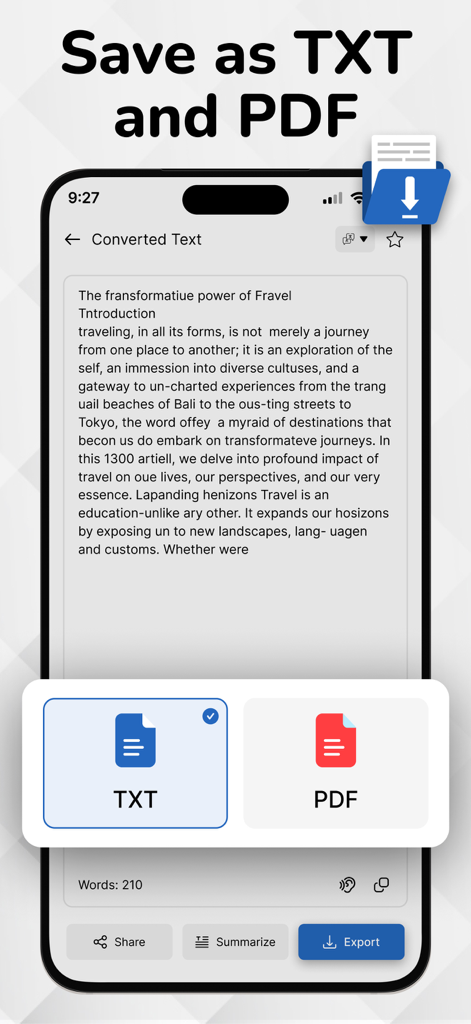
변환된 손글씨 텍스트를 TXT 또는 PDF 문서로 저장하는 옵션을 보여주는 인터페이스

변환된 손글씨 텍스트를 TXT 또는 PDF 문서로 저장하는 옵션을 보여주는 인터페이스

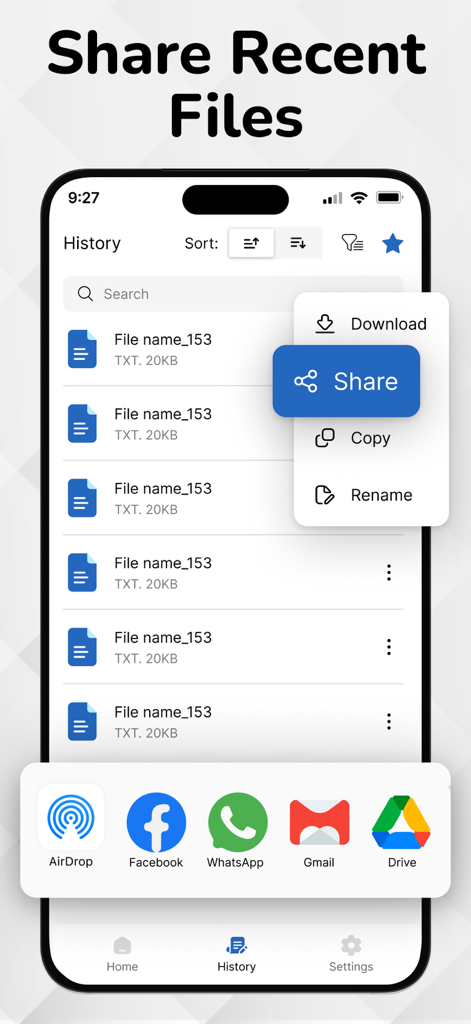
AirDrop 및 Gmail과 같은 옵션이 있는 공유 메뉴와 최근 파일 목록을 보여주는 모바일 앱 인터페이스

AirDrop 및 Gmail과 같은 옵션이 있는 공유 메뉴와 최근 파일 목록을 보여주는 모바일 앱 인터페이스

손글씨에서 초생산성으로

이 앱을 돋보이게 하는 도구, 1K+ 명의 사용자가 선택.

✍️

필기체 및 어지러운 글씨 해독

'하이브리드' 사고방식에 특화된 당사의 엔진은 일반 스캐너가 놓치는 빠른 회의 노트 및 복잡한 필기체를 처리합니다.

🧠

즉각적인 통찰력을 위한 AI 요약

강의 노트를 간결한 글머리 기호로 변환하세요. 당사의 AI는 손글씨를 핵심 내용으로 요약하여 학습에 집중할 수 있도록 합니다. 단순히 기록하는 데 시간을 낭비하지 않도록 합니다.

📄

전문적인 내보내기 및 워크플로우

Word, PDF 또는 Slack으로 원활하게 내보내세요. 키보드를 전혀 만지지 않고 아이디어를 종이에서 전문적인 작업 공간으로 즉시 이동하세요.

앱 소개

에 대해 알아야 할 모든 것 Handwriting to Text Converter.

설명

Easily convert handwritten notes into editable digital text with our handwriting to text converter app. Scan notes, recognize cursive writing, and export text instantly—perfect for students and professionals. Convert your PDF files into editable, searchable text in seconds. Easily extract content from scanned PDFs or documents and copy, share, or edit without retyping. Fast, accurate, and user-friendly. Customize your app experience with language options, theme settings, and privacy controls. Enable offline mode, adjust text output formats, and set preferences your way. Advanced handwriting to text scanner OCR (Optical Character Recognition) engine accurately extracts handwritten content from scanned paper notes and converts it into editable digital text. Unlike typical OCR Handwriting to text apps, it’s purpose-built to recognize handwriting — even cursive or messy styles — making it ideal for converting images of handwritten notes into clear, readable text. OCR is the core of image to text apps and document scanners. Key Features of Handwriting to Text Converter app: Image to Text Conversion: Accurately convert handwritten notes into editable and searchable digital text. Image-Based Scanning: Capture handwritten content using your phone’s camera or upload existing images for instant conversion. PDF to Text Converter: Easily convert PDF documents into editable text in seconds. Extract content from scanned or digital PDFs with accuracy and use it for notes, editing, or sharing—fast, simple, and reliable. Ai Summarize Text: AI text summarization uses artificial intelligence to shorten long texts by extracting key points. It helps users quickly grasp important information from articles, emails, or documents using natural language processing for clear, concise summaries. Advanced OCR Engine: Powered by smart OCR specifically trained to recognize cursive, messy, and printed handwriting styles. History Management: Automatically saves converted texts so you can revisit, copy, or delete them anytime. Multi-Language Support: Supports handwriting recognition in English, Hindi, and several other regional languages. Voice Outputs: Hear your handwritten notes aloud with voice output. Great for quick reviews and accessibility. Clean & Simple UI: User-friendly interface with a distraction-free design for smooth usage. Export & Share: Easily export your converted text to Notepad, Word, email, or share via social media and messaging apps. How to use Handwriting to Text Converter app...? 1. Open the App Launch the app from your home screen. 2. Scan or Upload a Handwritten Note Tap the Camera icon to take a picture of your handwritten text OR Tap the Gallery icon to upload an image from your phone 3. Adjust and Crop (Optional) Select the handwritten area. You can rotate, crop, or enhance the image for better accuracy. 4. Tap 'Convert' or 'Extract Text' The OCR engine will process the image and extract the handwritten text into editable digital format. 5. Edit or Copy the Text Make quick edits if needed. You can now copy, share, or save the text. 6. Export or Save Export the converted text as a .txt, .pdf, or send it directly via email, or other apps. 7. View History All your conversions are saved in the History section so you can access them anytime. Download Now! Image to text converter, Handwriting to Text Converter and text scanner app and start handwritten notes to editable digital text. If Handwriting to Text Converter is helpful, please rate us 5 stars If you have any questions, please contact us: eclix.suport@gmail.com. Disclaimer: Handwriting recognition may not always be accurate. Review and correct converted text before use. We are not responsible for errors or data loss during conversion. Privacy Policy https://www.cardscanner.co/privacy Terms of Service https://www.cardscanner.co/privacy

최신 버전

1.0.8

크기

70.4 MB

출시일

2025년 7월 18일

손글씨를 행동으로 바꾸세요

다시 입력하는 것을 멈추고 시작하세요. 수천 명의 학생 및 전문가들과 함께 AI 기반 OCR을 사용하여 손글씨 노트를 즉시 변환, 요약 및 내보내세요. 지금 다운로드하고 시간을 되찾으세요.

다운로드: App Store

App information, icons, screenshots, and descriptions displayed on this page are sourced from the Apple App Store and are the property of their respective developers. Download estimates and rankings are based on MWM's proprietary models and may not reflect actual figures. This page is provided for informational and analytical purposes only.

Believe this page infringes your intellectual property? File a dispute