Here I Am Now!

Here I Am Now!

다운로드: App Store
로고: Here I Am Now!

지금 여기 있어요! 모든 주소를 소리 내어 읽어주는 나만의 음성 안내 내비게이터.

노인, 도보 이용자, 배달 전문가를 위한 궁극의 눈을 떼지 않는 도구입니다. 실시간으로 정확한 거리 주소를 듣고 3D 보기로 주변을 확인하세요. 설정 없이 실행만 하면 됩니다.

다운로드: App Store

개발사

George Wilde

카테고리

Navigation

다운로드

67K+

사용자 평점

4.3/5

총 평가 수

0

지원 언어

21

한눈에 보는 내비게이션

이 인터페이스를 사용하는 67K+ 명의 사용자.

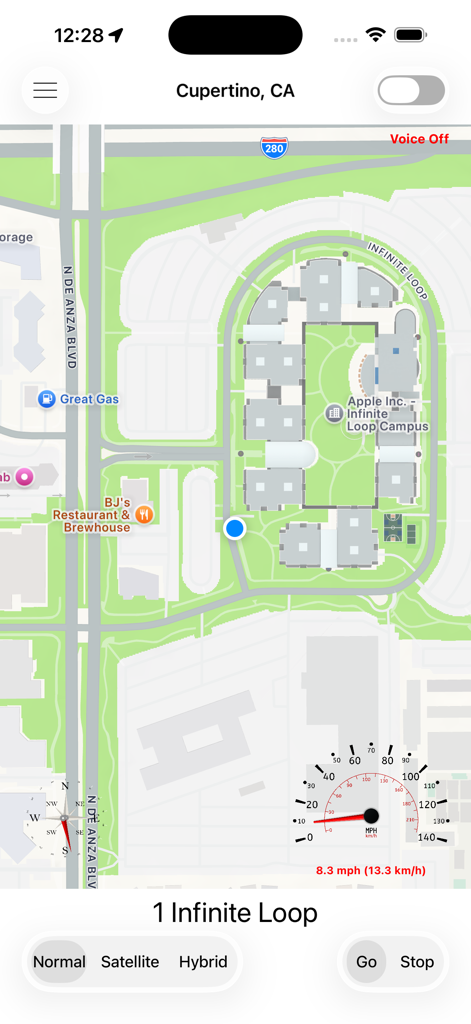
Here I Am Now 내비게이션 앱 지도 인터페이스에 현재 위치와 속도계가 표시됨

Here I Am Now 내비게이션 앱 지도 인터페이스에 현재 위치와 속도계가 표시됨

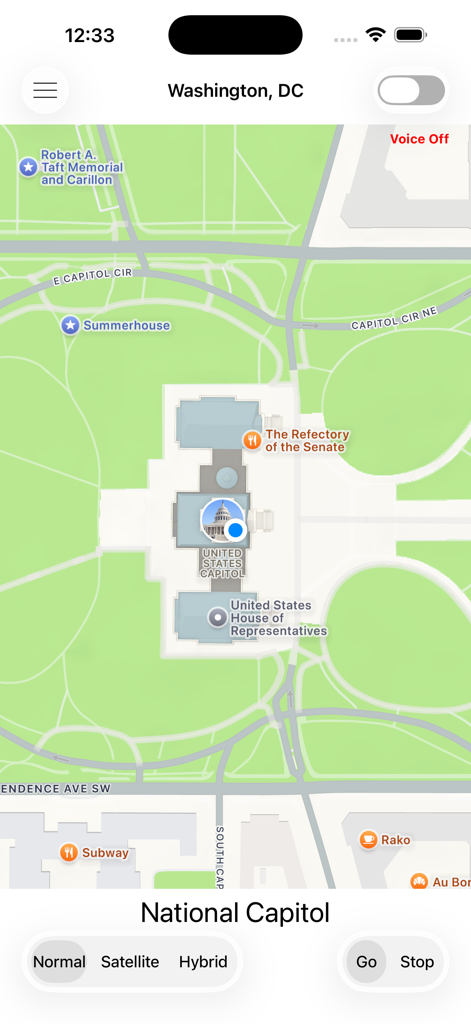
Here I Am Now 앱에서 미국 국회의사당의 현재 위치를 보여주는 지도 보기

Here I Am Now 앱에서 미국 국회의사당의 현재 위치를 보여주는 지도 보기

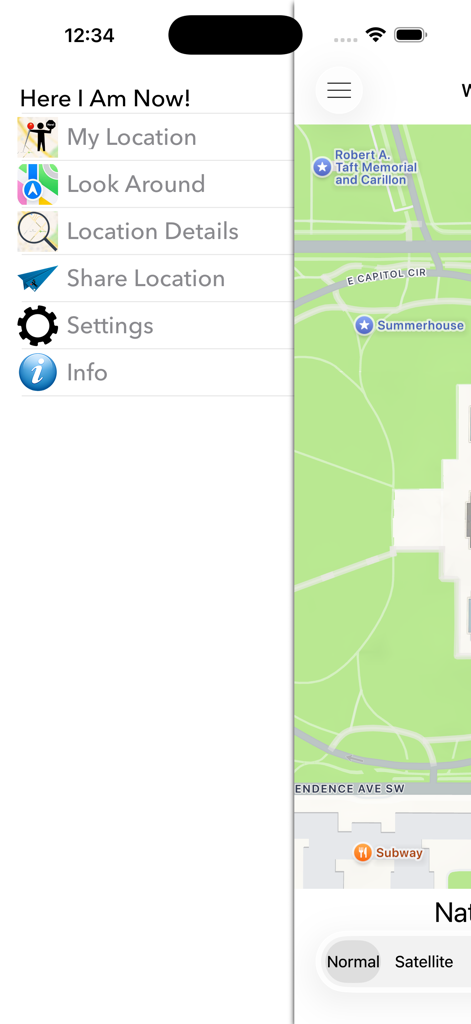
도시 지도 위에 내 위치 및 둘러보기와 같은 옵션이 표시되는 Here I Am Now 내비게이션 앱의 측면 메뉴

도시 지도 위에 내 위치 및 둘러보기와 같은 옵션이 표시되는 Here I Am Now 내비게이션 앱의 측면 메뉴

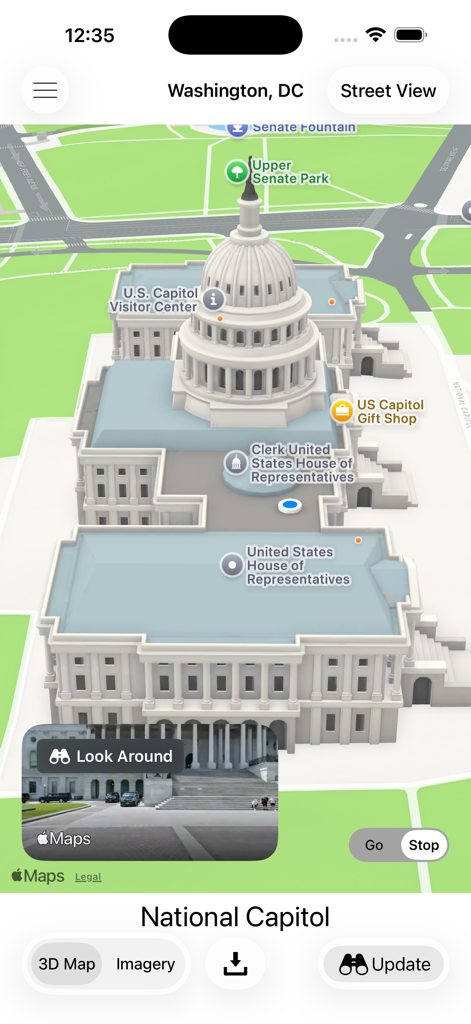
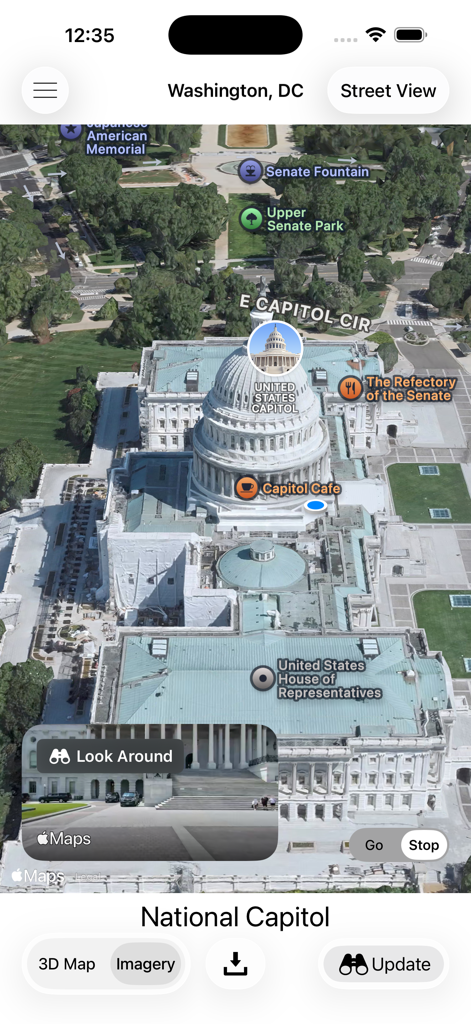
워싱턴 D.C.에 있는 미국 국회의사당의 3D 지도와 함께 Look Around 스트리트 레벨 보기 삽화가 있는 Here I Am Now! 앱 스크린샷

워싱턴 D.C.에 있는 미국 국회의사당의 3D 지도와 함께 Look Around 스트리트 레벨 보기 삽화가 있는 Here I Am Now! 앱 스크린샷

Here I Am Now 내비게이션 앱 내 워싱턴 D.C. 미국 국회의사당의 3D 항공 지도 보기

Here I Am Now 내비게이션 앱 내 워싱턴 D.C. 미국 국회의사당의 3D 항공 지도 보기

Here I Am Now 앱 인터페이스 내 미국 국회의사당의 파노라마 둘러보기 보기

Here I Am Now 앱 인터페이스 내 미국 국회의사당의 파노라마 둘러보기 보기

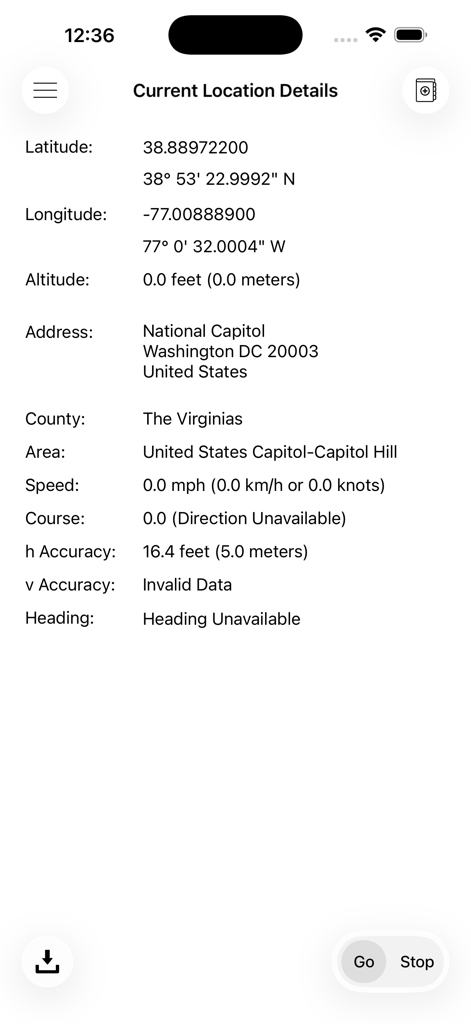
현재 위치 정보와 GPS 좌표를 포함한 모바일 앱 화면

현재 위치 정보와 GPS 좌표를 포함한 모바일 앱 화면

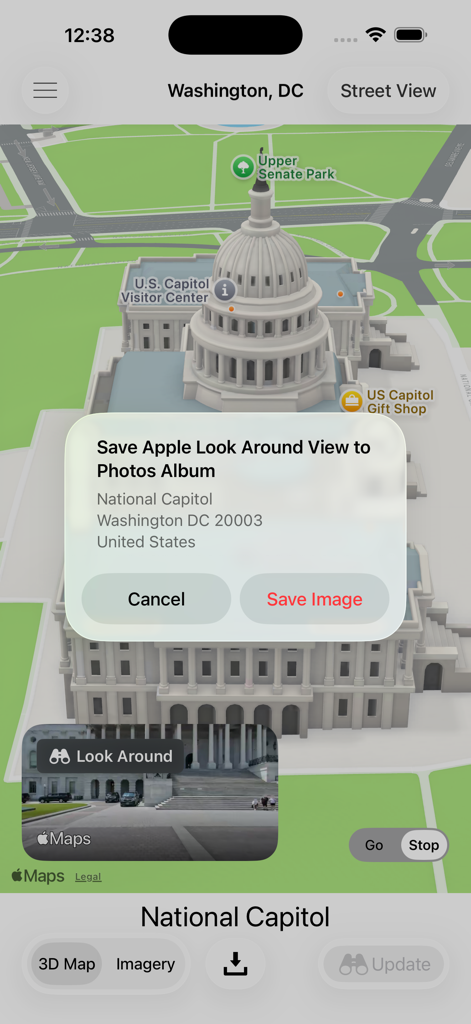
워싱턴 D.C. 미국 국회의사당의 3D 지도와 둘러보기 보기 이미지를 저장하라는 메시지가 표시되는 Here I Am Now 앱 스크린샷

워싱턴 D.C. 미국 국회의사당의 3D 지도와 둘러보기 보기 이미지를 저장하라는 메시지가 표시되는 Here I Am Now 앱 스크린샷

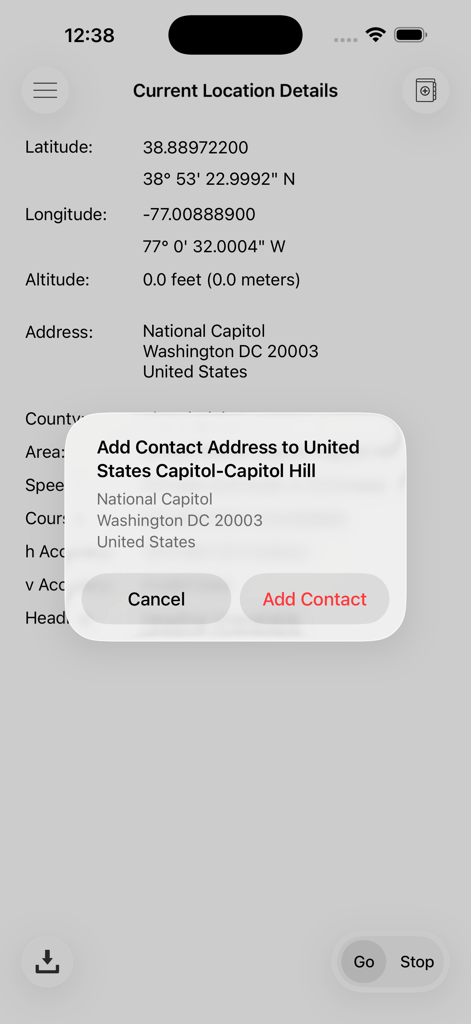
현재 GPS 좌표와 주소를 연락처에 추가하는 옵션을 보여주는 모바일 앱 화면

현재 GPS 좌표와 주소를 연락처에 추가하는 옵션을 보여주는 모바일 앱 화면

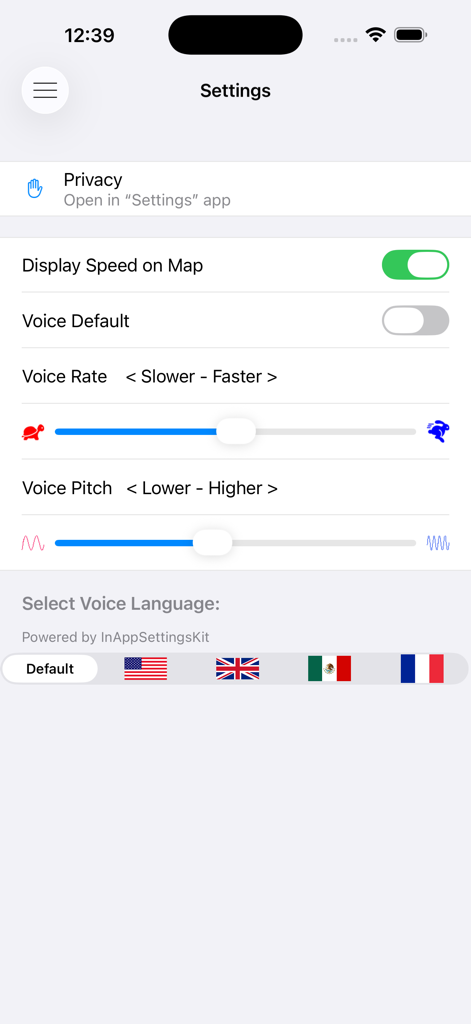
음성 속도, 음조 및 언어 선택 옵션을 보여주는 Here I Am Now 앱의 설정 메뉴

음성 속도, 음조 및 언어 선택 옵션을 보여주는 Here I Am Now 앱의 설정 메뉴

완벽한 자신감으로 세상을 탐색하세요

이 앱을 돋보이게 하는 도구, 67K+ 명의 사용자가 선택.

🔊

핸즈프리 음성 안내

이 앱은 자동으로 지나가는 모든 거리 주소를 알려주므로 운전이나 도보 중에도 안전하고 방해받지 않고 길을 찾을 수 있습니다.

📸

언제든 낮 시간처럼 보기

Look Around 및 Street View에 즉시 액세스하여 360도 이미지로 위치를 확인하고 어두운 곳에서도 올바른 장소에 있는지 확인할 수 있습니다.

독립적인 시계 액세스

Apple Watch에서 직접 전체 지도 및 음성 주소 기능을 즐길 수 있으며, 가벼운 운동이나 빠른 위치 확인에 완벽합니다.

앱 소개

에 대해 알아야 할 모든 것 Here I Am Now!.

설명

iPHONE FEATURES • Here I Am Now! displays your current location on a map and follows you as you move. It uses reverse geocoding and speech synthesis to display and announce each street address as you pass nearby (e.g.; “4 Elm Street”, “6 Elm Street”, “8 Elm Street”, etc.). It follows you on a detailed map as you drive, ride, or walk past buildings and residences, verbally announcing each address as you pass by. The use of synthesized speech means that you are not distracted by having to look at a screen, but rather can just listen to the spoken addresses as you pass nearby. A speedometer and compass are also optionally displayed on the map if you are moving at a significant rate. • Here I Am Now! displays an interactive 3D map and 3D aerial imagery of your current location. It also displays an Apple panoramic Look Around view of this location in areas where Look Around is available, and permits saving the Look Around view to your photos library. A Google Street View can also be viewed and saved to your photos library in areas where Street View is available. The heading of the displayed Street View is the direction that your iPhone is facing when you enter Street View. Look Around and Street View are especially helpful at night when a daytime view of your location may be essential to identify that you are in the correct location. • Here I Am Now! is very simple to use, requiring no setup - just launch Here I Am Now! and it immediately begins to follow you. • Here I Am Now! allows you to share your current location with friends and family, but only if you elect to do so. You can send your current location information via Messages and Mail, or post it to Twitter, Facebook, and many other services. The information sent varies by service selected, but generally includes your current location information (street address, city, state, and zip code), your current map coordinates (latitude & longitude), and an optional photo of your location, allowing others to quickly find directions to your current location using the iOS Maps App or other navigation Apps. • You can take a photo of your current location or a selfie at your current location, or use any photo currently in your photos library to include with your shared location information if you so desire. • HereI Am Now! also provides more detailed location information including your current latitude, longitude, altitude, speed, heading, course, and estimated location accuracy, as well as complete address information.  OTHER INFO • Obviously Here I Am Now! is only effective in areas where locations have been geocoded, but that includes most cities in the US. Here I Am Now! also relies on GPS signals to determine your detailed location and cellular (or Wi-Fi) network connections to access the geocoding data. As with all navigation applications, the accuracy of information displayed and spoken by Here I Am Now! is dependent on many factors, including GPS and geocoding availability and accuracy, and network connectivity. Please note that continued use of GPS running in the background can dramatically decrease battery life. APPLE WATCH FEATURES • Here I Am Now! for Apple Watch provides a small detailed map of your current location, as well as a display of your current street address. It uses reverse geocoding and speech synthesis to display and announce each street address as you move along. Here I Am Now! for Apple Watch allows you to zoom this map in or out to achieve the best view. When used with an Apple Watch with cellular capability Here I Am Now! for Apple Watch can operate entirely independent of the iPhone.

최신 버전

7.1

크기

15.9 MB

출시일

2015년 2월 18일

항상 정확한 위치를 파악하세요

눈을 떼지 않고 길을 찾고 간편하게 위치를 공유하는 데 Here I Am Now!를 신뢰하는 67,000명 이상의 사용자와 함께하세요. 설정 없이 몇 초 만에 시작할 수 있습니다.

다운로드: App Store

App information, icons, screenshots, and descriptions displayed on this page are sourced from the Apple App Store and are the property of their respective developers. Download estimates and rankings are based on MWM's proprietary models and may not reflect actual figures. This page is provided for informational and analytical purposes only.

Believe this page infringes your intellectual property? File a dispute